> ## Documentation Index
> Fetch the complete documentation index at: https://docs.open-metadata.org/llms.txt
> Use this file to discover all available pages before exploring further.
# OpenMetadata SDK | OpenMetadata Software Development Kit
> Connect Sdk to enable streamlined access, monitoring, or search of enterprise data using secure and scalable integrations.
# SDK & API
## OpenMetadata API
To access OpenMetadata APIs, one needs a token to authenticate and authorize API calls.
Access the OpenAPI (Swagger) documentation at [OpenMetadata API](https://docs.open-metadata.org/api-reference).
## Client SDKs
A high-level, type-safe Python API that smoothly integrates with the OpenMetadata backend.
Integrate OpenMetadata into your Java environment to provision and manage resources.
A robust, type-safe Go API that smoothly integrates with the OpenMetadata backend.
## How to get the JWT Token
### Bot Token
1. Go to the settings page from the navbar and then scroll down to the Integrations Section. Click on the Bots and you will see the list of bots, then click on the ingestion-bot. 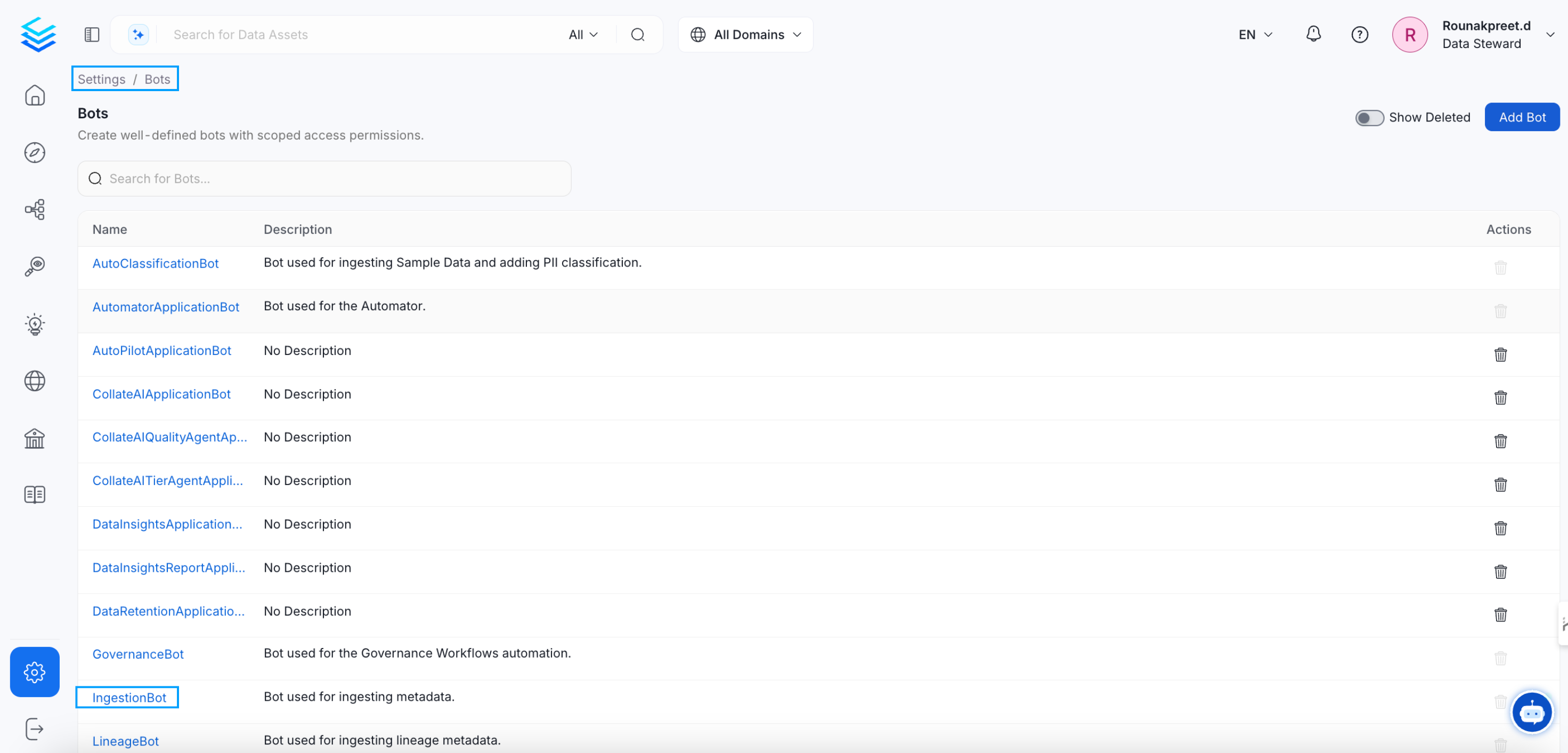 2. You will be redirected to the ingestion-bot details page. there you will get the JWT token, click on the copy button and copy the JWT token.
 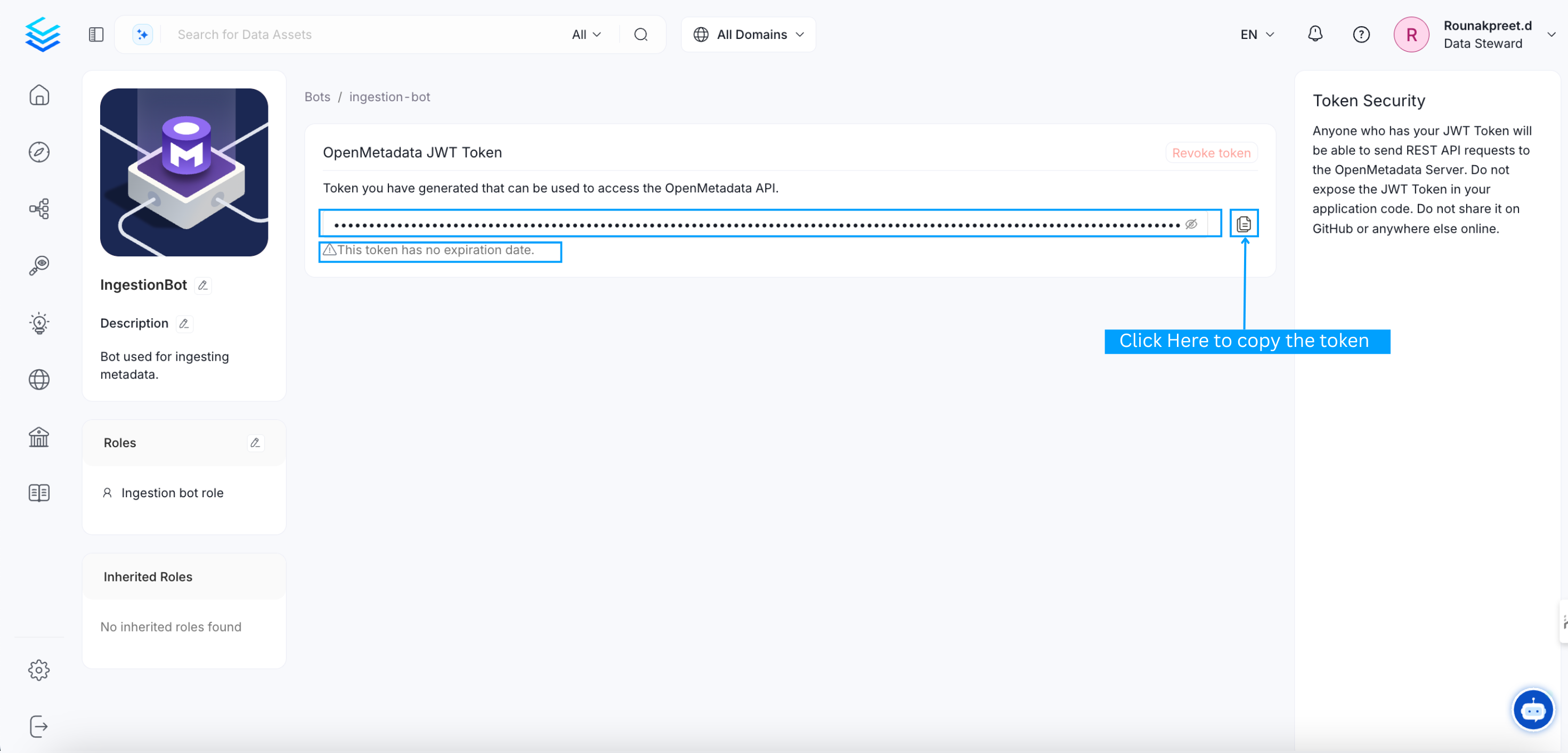 3. Optionally, You can create your own bot for specific use case.
### User Token
1. From 1.3.0 release onwards, we support User's personal access token
2. Go to logged in user profile by clicking on User's profile image on top right corner.
3. Optionally, You can create your own bot for specific use case.
### User Token
1. From 1.3.0 release onwards, we support User's personal access token
2. Go to logged in user profile by clicking on User's profile image on top right corner. 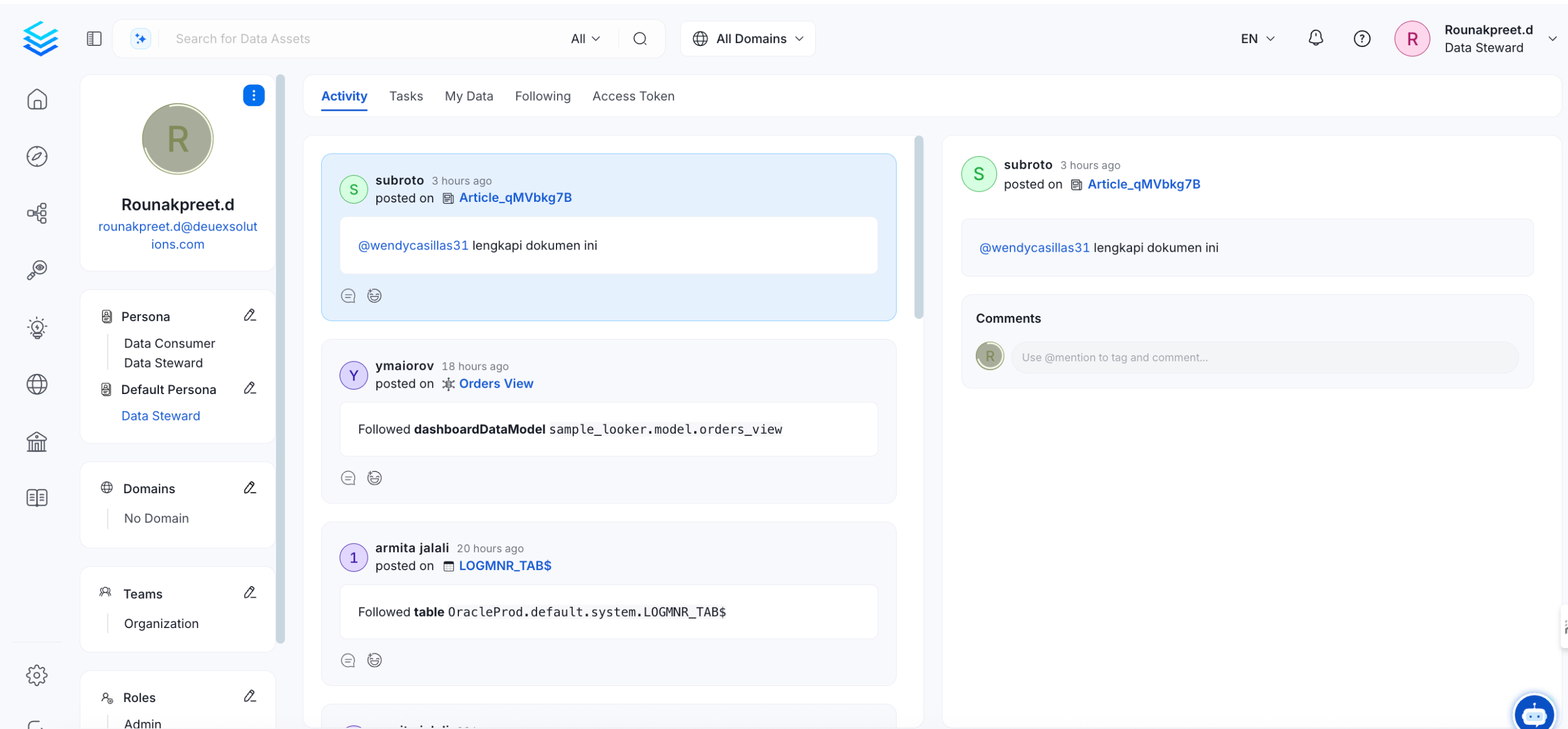 3. Click on Access Token tab, Generate a New token.
 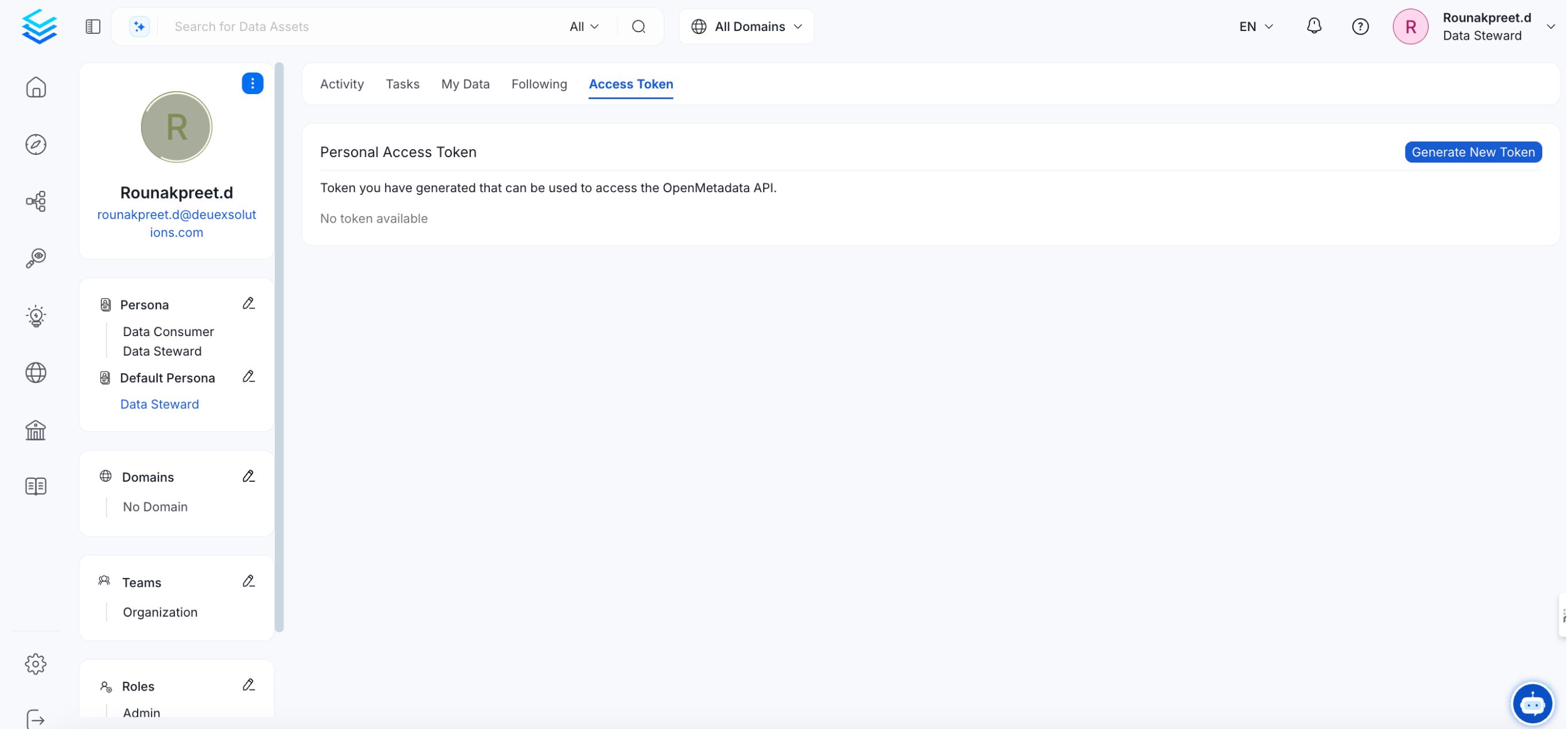 * Alright, now you have the JWT token to use it with the SDKs below.