> ## Documentation Index
> Fetch the complete documentation index at: https://docs.open-metadata.org/llms.txt
> Use this file to discover all available pages before exploring further.
# How to Set Up Bots | OpenMetadata Developer Guide
> Create and manage bots for task automation, data notifications, and metadata workflows.
# How to Set Up Bots
The default account for any ingestion pipeline deployed from the UI is `ingestion-bot`. To configure `ingestion-bot` from the UI, go to the settings page and access the `Bots` tile.
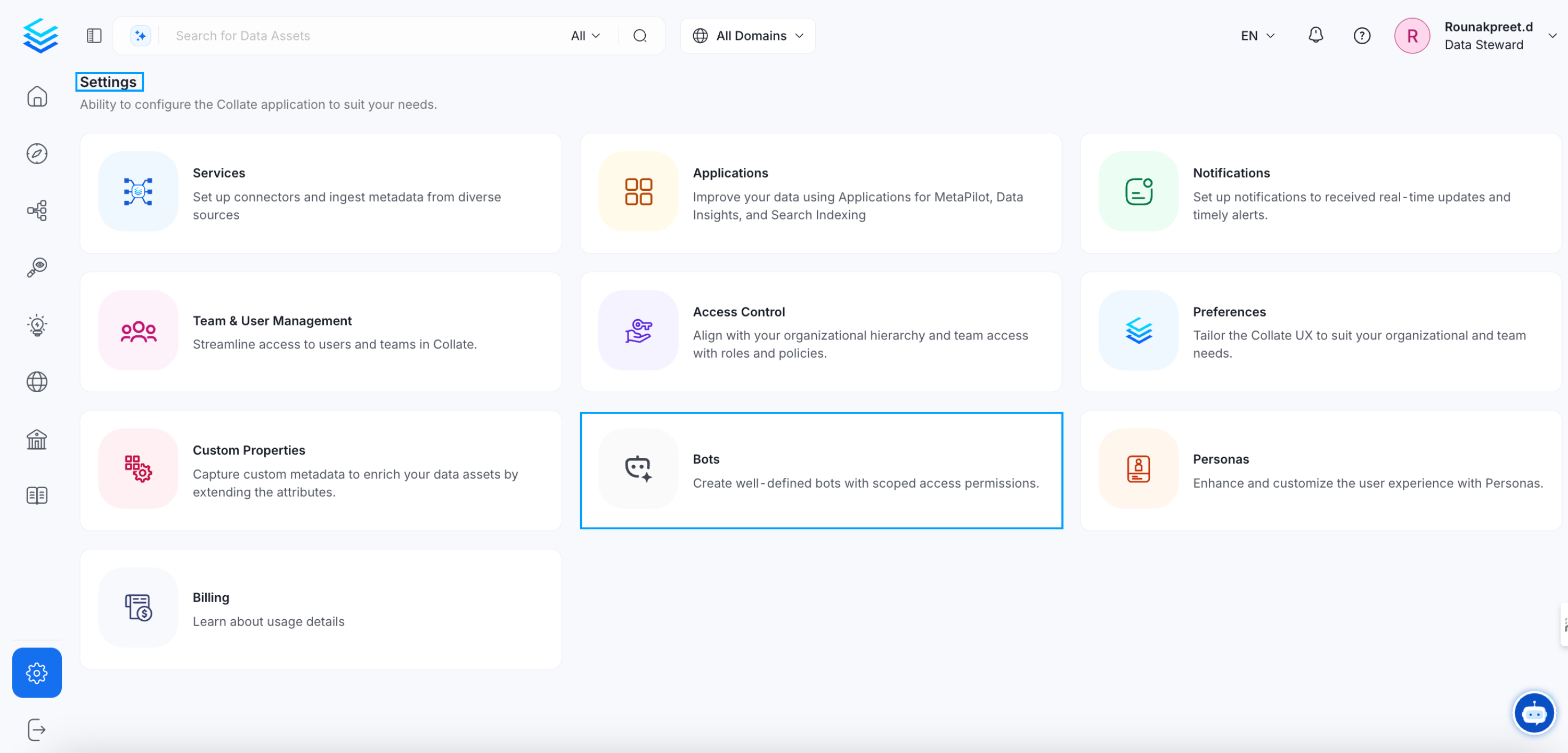
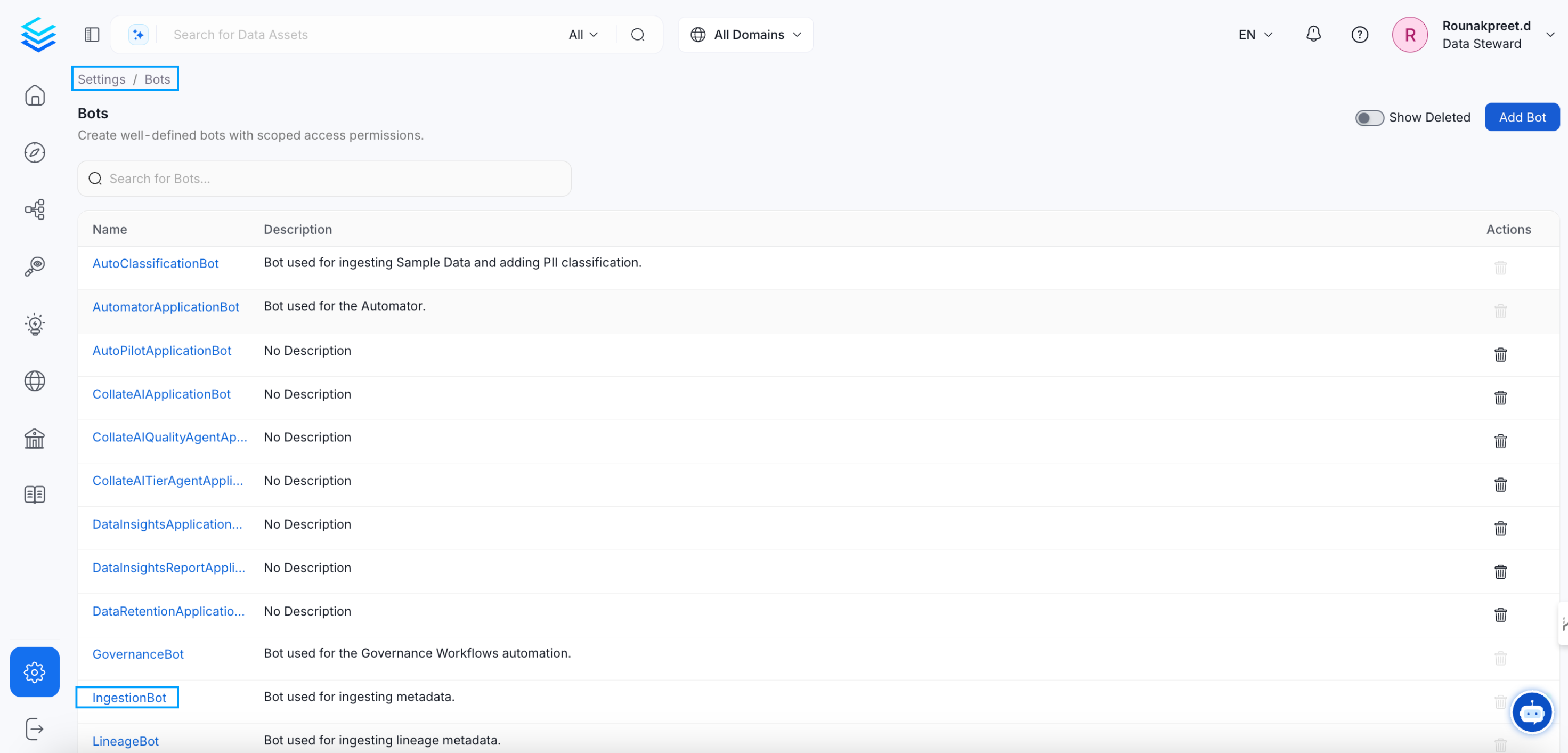 You can either create a new bot or update the existing `ingestion-bot`.
### Update `ingestion-bot`
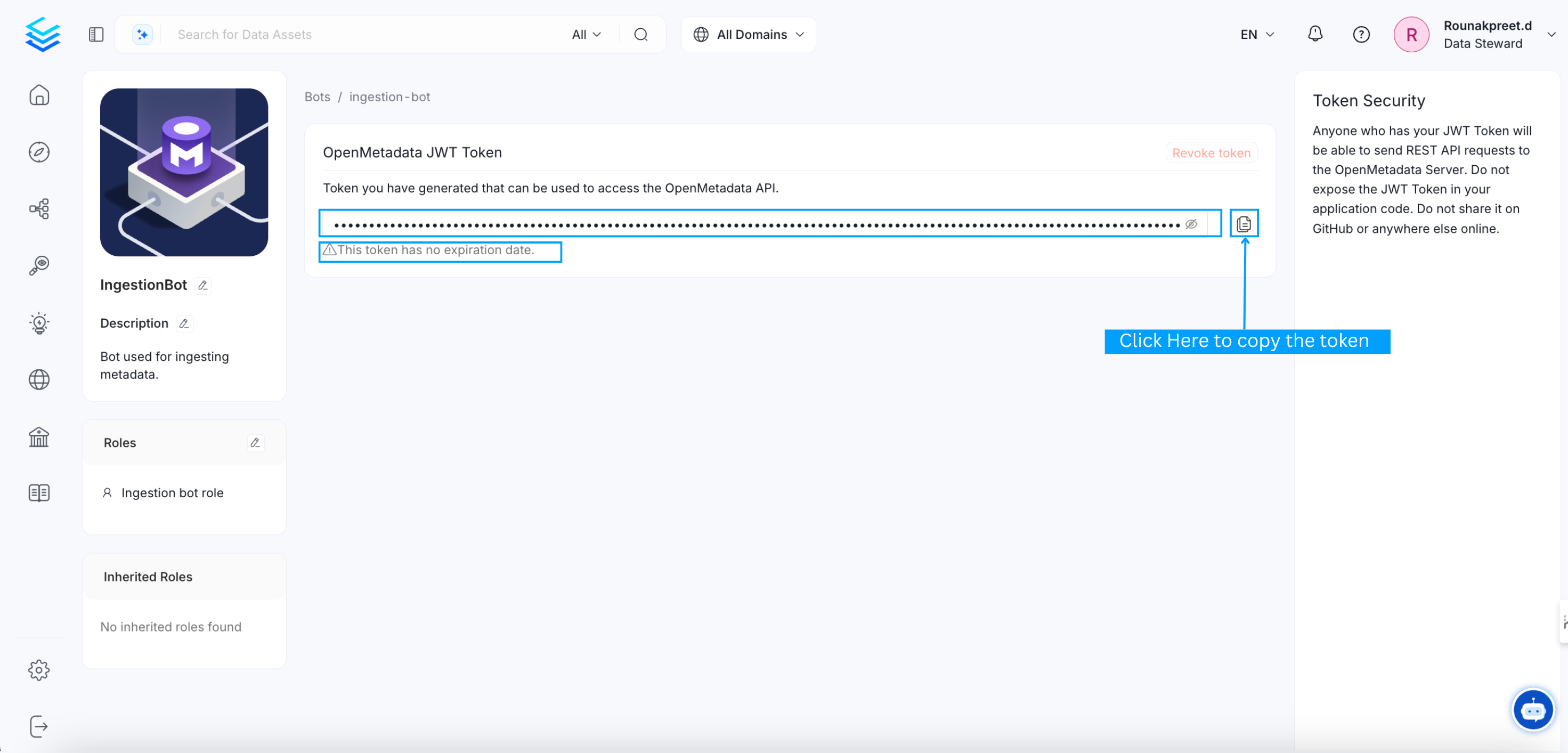
Click on `ingestion-bot` and you will be redirected to it's details page, there you can
* Revoke the token if already present
* Copy the generated token
You can either create a new bot or update the existing `ingestion-bot`.
### Update `ingestion-bot`
Click on `ingestion-bot` and you will be redirected to it's details page, there you can
* Revoke the token if already present
* Copy the generated token
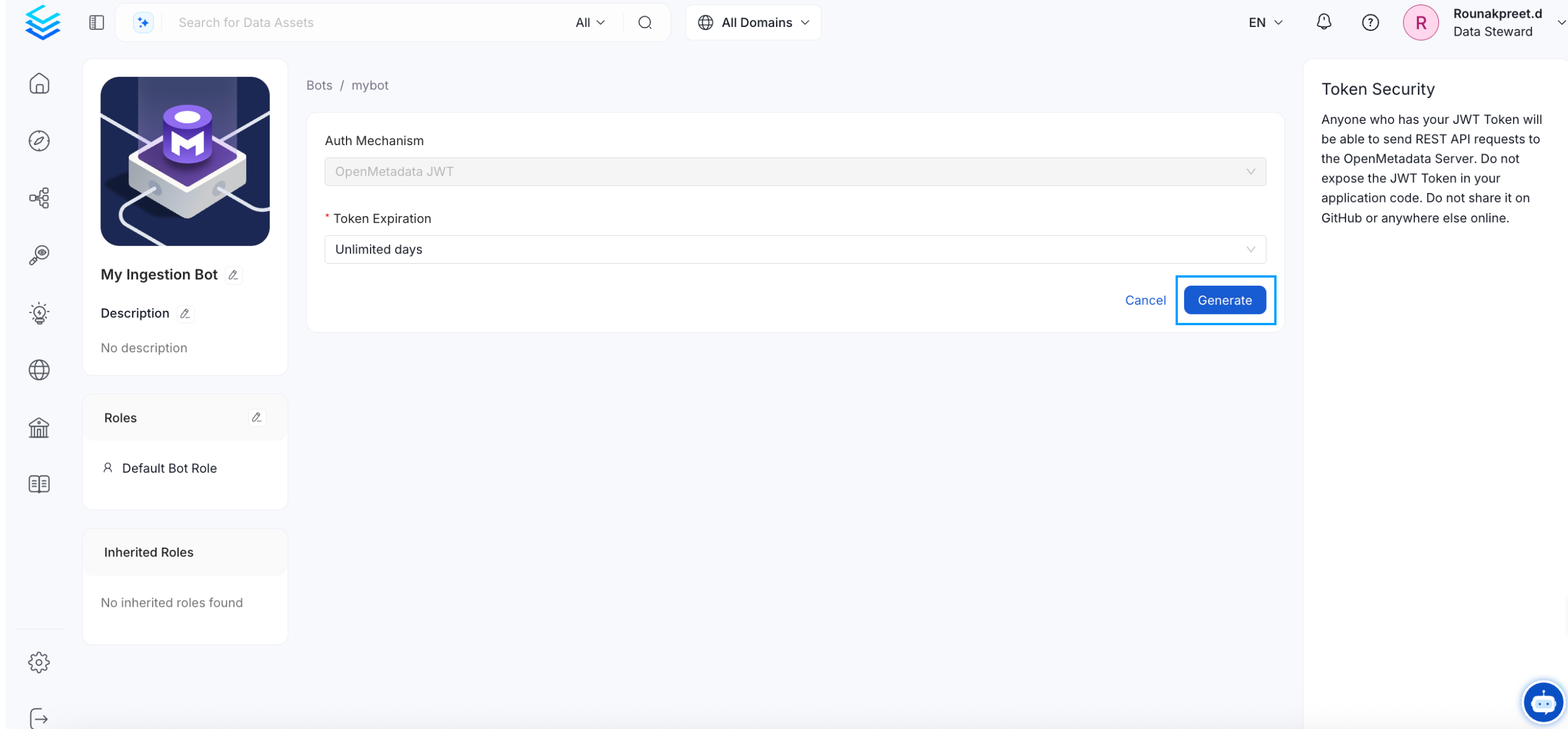
 * Generate new token

 ### Create a new bot
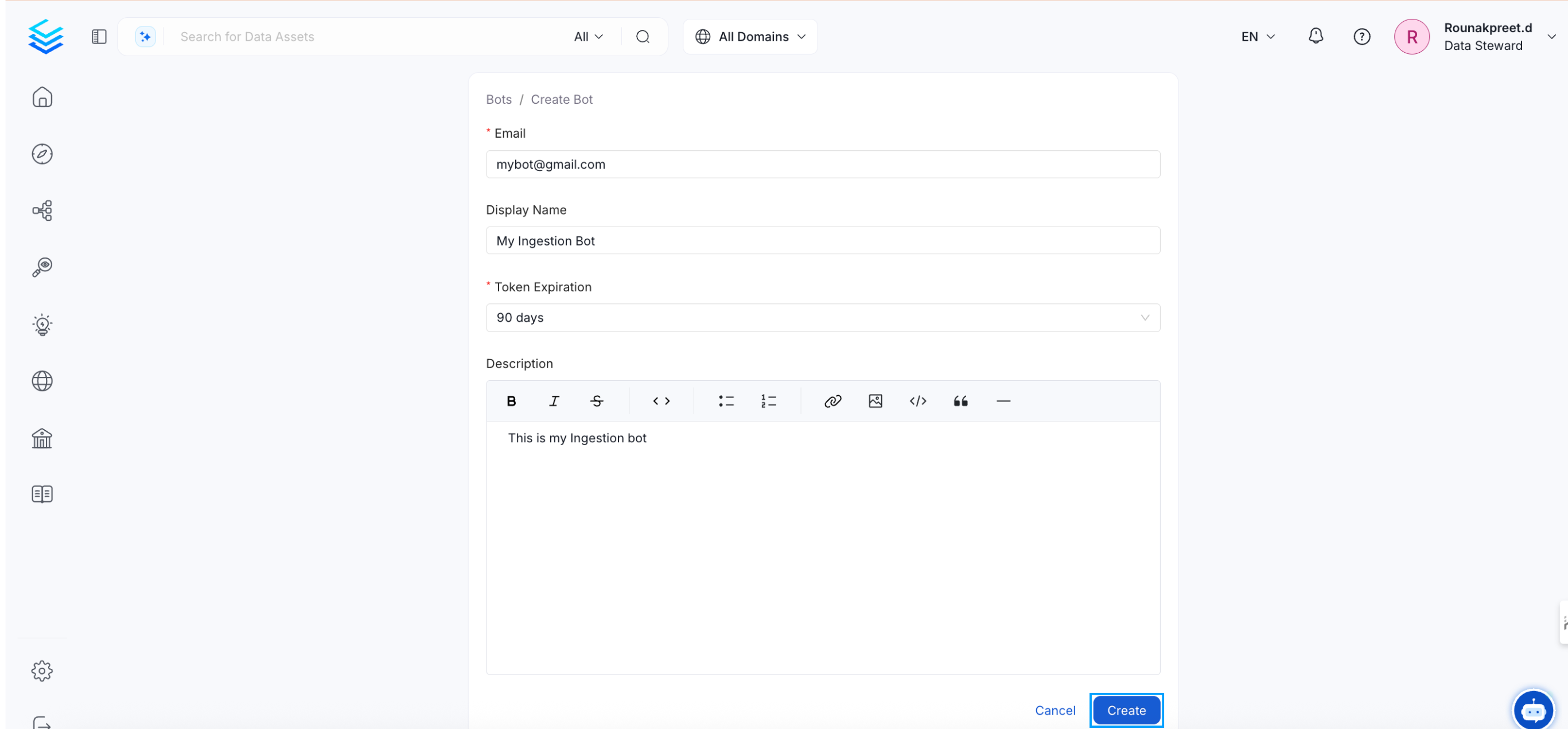
Click the `Add bot` button, and you will be directed to the bot creation page. Fill in the required details and then click on the `Create` button.
### Create a new bot
Click the `Add bot` button, and you will be directed to the bot creation page. Fill in the required details and then click on the `Create` button.
 ### Notes:
**1. `ingestion-bot`**
The `ingestion-bot` bot is created (or updated if it already exists) as a system bot that cannot be deleted, and
the credentials used for this bot, if they did not exist before, will be the ones present in the OpenMetadata configuration.
Otherwise, a JWT Token will be generated to be the default authentication mechanism of the `ingestion-bot`.
**2. JWT Token auth mechanism**
If you decide to configure a JWT Token for the authentication mechanism ensure that you have also the value `http://localhost:8585/api/v1/system/config/jwks`
in your `publicKeyUrls` list:
* For **bare metal** configuration:
```yaml theme={null}
authenticationConfiguration:
provider: "google"
publicKeyUrls:
- "https://www.googleapis.com/oauth2/v3/certs"
- "http://localhost:8585/api/v1/system/config/jwks"
```
* For **docker** configuration, the value to be updated is `AUTHENTICATION_PUBLIC_KEYS`:
```bash theme={null}
AUTHENTICATION_PUBLIC_KEYS=[https://www.googleapis.com/oauth2/v3/certs, http://localhost:8585/api/v1/system/config/jwks]
```
* In the case of **kubernetes**, you have to update `publicKeys` values:
```yaml theme={null}
openmetadata:
config:
authentication:
publicKeys:
- "https://www.googleapis.com/oauth2/v3/certs"
- "http://localhost:8585/api/v1/system/config/jwks"
```
**3. Redeploying ingestion pipelines**
When the `ingestion-bot` is updated, we must redeploy our ingestion pipelines since the credentials used by the bot have been updated,
and they will no longer be valid.
### Notes:
**1. `ingestion-bot`**
The `ingestion-bot` bot is created (or updated if it already exists) as a system bot that cannot be deleted, and
the credentials used for this bot, if they did not exist before, will be the ones present in the OpenMetadata configuration.
Otherwise, a JWT Token will be generated to be the default authentication mechanism of the `ingestion-bot`.
**2. JWT Token auth mechanism**
If you decide to configure a JWT Token for the authentication mechanism ensure that you have also the value `http://localhost:8585/api/v1/system/config/jwks`
in your `publicKeyUrls` list:
* For **bare metal** configuration:
```yaml theme={null}
authenticationConfiguration:
provider: "google"
publicKeyUrls:
- "https://www.googleapis.com/oauth2/v3/certs"
- "http://localhost:8585/api/v1/system/config/jwks"
```
* For **docker** configuration, the value to be updated is `AUTHENTICATION_PUBLIC_KEYS`:
```bash theme={null}
AUTHENTICATION_PUBLIC_KEYS=[https://www.googleapis.com/oauth2/v3/certs, http://localhost:8585/api/v1/system/config/jwks]
```
* In the case of **kubernetes**, you have to update `publicKeys` values:
```yaml theme={null}
openmetadata:
config:
authentication:
publicKeys:
- "https://www.googleapis.com/oauth2/v3/certs"
- "http://localhost:8585/api/v1/system/config/jwks"
```
**3. Redeploying ingestion pipelines**
When the `ingestion-bot` is updated, we must redeploy our ingestion pipelines since the credentials used by the bot have been updated,
and they will no longer be valid.