> ## Documentation Index
> Fetch the complete documentation index at: https://docs.open-metadata.org/llms.txt
> Use this file to discover all available pages before exploring further.
# How to Add a Custom Property to an Entity with API
> Learn how to add custom metadata properties to an entity to extend its structure and capture new details.
# How to Add a Custom Property to an Entity with API
This tutorial will create a custom property for a `table` entity.
A custom property can store a value for each entity, such as a table's size for each `table` entity.
### Step 1: Get the table entity type.
All OpenMetadata APIs are secured so make sure to add the proper headers. API requests can be sent with your [JWT token](https://docs.open-metadata.org/latest/sdk#bot-token)
```commandline theme={null}
curl -X GET http://localhost:8585/api/v1/metadata/types/name/table
```
After the API call, you will get a response like this.
```json theme={null}
{
"id": "7f0b032f-cdc8-4573-abb0-22165dcd8e07",
"name": "table",
...
}
```
Take note of the `id` that corresponds to `"name": "table"` from the above response... `7f0b032f-cdc8-4573-abb0-22165dcd8e07`.
### Step 2: Get the field types with `category=field`
> OpenMetadata's UI supports three field types:
>
> * String
> * Markdown
> * Integer
```commandline theme={null}
curl -X GET http://localhost:8585/api/v1/metadata/types?category=field&limit=20
```
This API call will return available field types, grab the id of the `"name": "string"` field type. i.e `7531f881-c37c-4e39-9154-4bdf0802e05e`
### Step 3: Make a call to create the custom property for the table entity
Create a payload using the field type id from the previous step and send a PUT request to the table id from the first request to create the custom property for tables.
```commandline theme={null}
curl -X PUT http://localhost:8585/api/v1/metadata/types/7f0b032f-cdc8-4573-abb0-22165dcd8e07 \ #table id from step 1
-H "Content-Type: application/json" \
-d '{
"description": "Property for tracking the tableSize.",
"name": "tableSize",
"propertyType": {
"id": "7531f881-c37c-4e39-9154-4bdf0802e05e", #string field type id from step 2
"type": "type"
}
}'
```
### Step 4: Get the custom properties for the table entity
Verify the previous step with the following request. Look in `"customProperties"` for our new property.
```commandline theme={null}
curl -X GET http://localhost:8585/api/v1/metadata/types/name/table?fields=customProperties
```
**Response**
```json theme={null}
{
"id": "7f0b032f-cdc8-4573-abb0-22165dcd8e07",
"name": "table",
"customProperties": [
{
"name": "tableSize",
"description": "Property for tracking the tableSize.",
"propertyType": {
"id": "7531f881-c37c-4e39-9154-4bdf0802e05e",
"type": "type",
"name": "string",
"fullyQualifiedName": "string",
"description": "\"A String type.\"",
"displayName": "string",
"href": "http://localhost:8585/api/v1/metadata/types/7531f881-c37c-4e39-9154-4bdf0802e05e"
}
}
]
}
```
So for all table entities, we have a `tableSize` custom property available now, let’s add the value for it for the `raw_product_catalog` table.
### Step 5: Add/Edit the value of the custom property for the entity.
All the custom properties value for the entity will be stored in the `extension` attribute.
Let’s assume you have `raw_product_catalog` table, find it's id with the API call below.
```commandline theme={null}
curl -X GET http://localhost:8585/api/v1/tables?limit=1000
```
If the table's id was `208598fc-bd5f-458c-bf98-59224e1620c7` and we are adding a value to the custom property for the first time, our PATCH API request will be like this.
```commandline theme={null}
curl -X PATCH http://localhost:8585/api/v1/tables/208598fc-bd5f-458c-bf98-59224e1620c7 \
--header 'Content-Type: application/json-patch+json' \
--data '[
{
"op": "add",
"path": "/extension",
"value": {
"tableSize": "50GB"
}
}
]'
```
When Changing the value of the custom property the request should be like this,
```commandline theme={null}
curl -X PATCH http://localhost:8585/api/v1/tables/208598fc-bd5f-458c-bf98-59224e1620c7 \
--header 'Content-Type: application/json-patch+json' \
--data '[
{
"op": "replace",
"path": "/extension/tableSize",
"value": "60GB"
}
]'
```
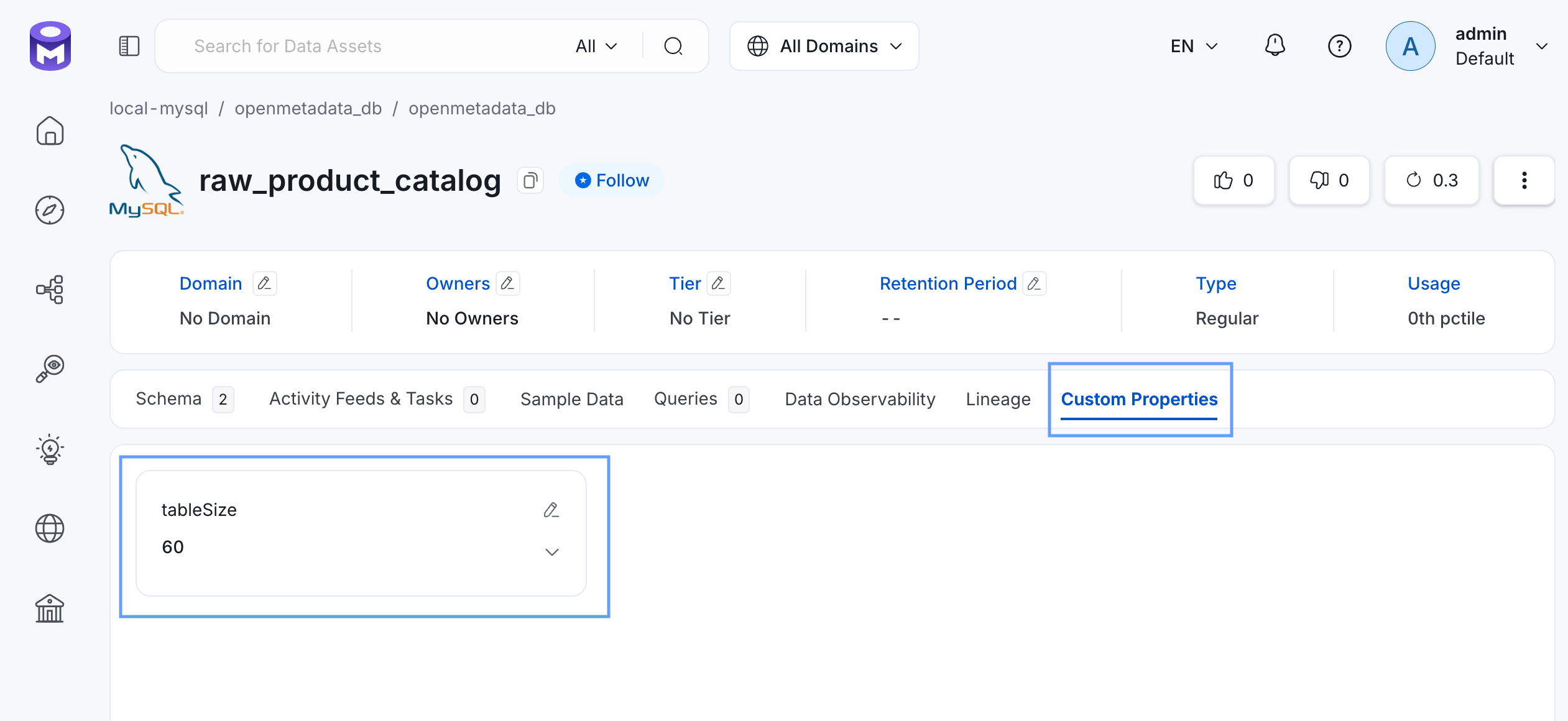
When finished your new custom property should be present and updated for the `raw_product_catalog` table
 ### Step 5: Delete custom property.
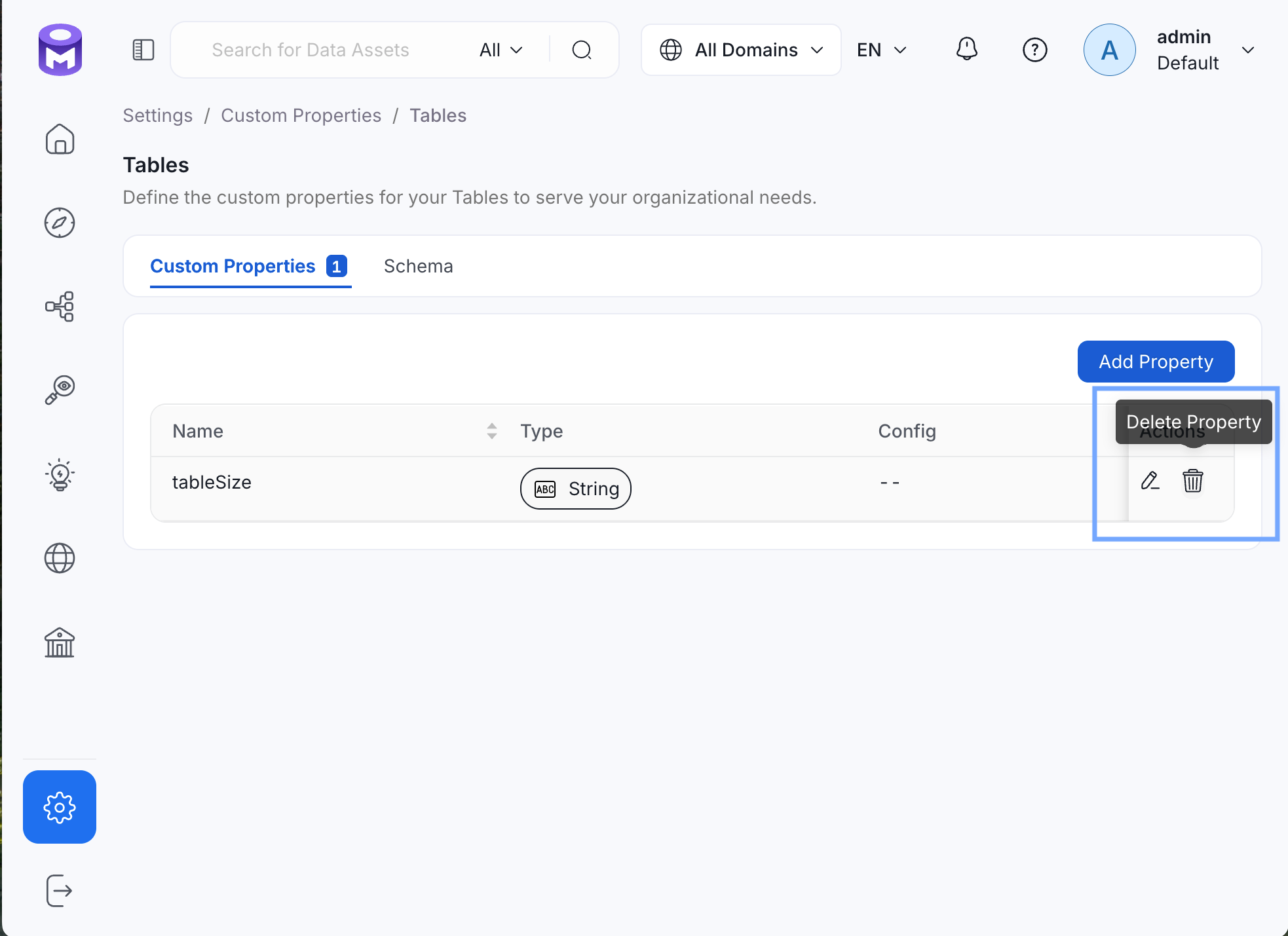
To finish this tutorial, delete the newly created custom property, `tableSize` by going to [**Settings >> Custom Properties >> Tables**](http://localhost:8585/settings/customProperties/tables).
Click **Delete Property**, then **Confirm**.
### Step 5: Delete custom property.
To finish this tutorial, delete the newly created custom property, `tableSize` by going to [**Settings >> Custom Properties >> Tables**](http://localhost:8585/settings/customProperties/tables).
Click **Delete Property**, then **Confirm**.