> ## Documentation Index
> Fetch the complete documentation index at: https://docs.open-metadata.org/llms.txt
> Use this file to discover all available pages before exploring further.
# How To Add Language Support | Official Documentation
> Add support for additional languages to extend platform accessibility and usability across global teams.
# How to Add Language Support
## 🌍 Language Support
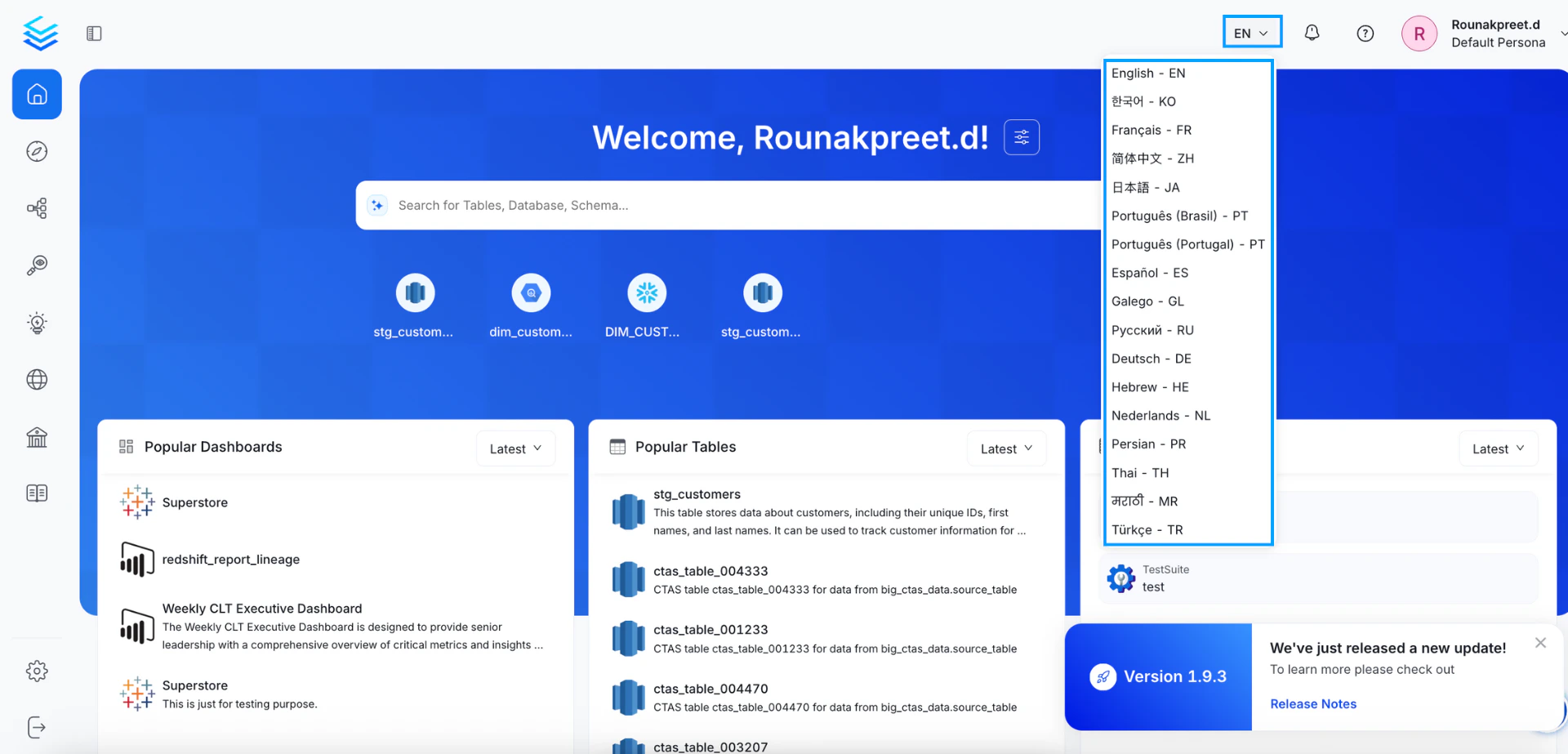
OpenMetadata offers **multi-language support** to provide a more accessible and localized experience for global teams. Users can change the application language from the top-right corner of the UI by selecting from a list of supported languages.
### ✅ Currently Supported Languages
The following languages are available out of the box:
* English (EN)
* Korean (KO)
* French (FR)
* Simplified Chinese (ZH-CN)
* Traditional Chinese (ZH-TW)
* Japanese (JA)
* Portuguese (Brazil) – PT-BR
* Portuguese (Portugal) – PT-PT
* Spanish (ES)
* Galician (GL)
* Russian (RU)
* German (DE)
* Hebrew (HE)
* Dutch (NL)
* Persian (PR)
* Thai (TH)
* Marathi (MR)
* Turkish (TR)
 ### 📁 Adding or Customizing Language Support
If you'd like to:
* Contribute a new language,
* Customize existing translations,
* Or enable internal company-specific terms,
You can do so by editing or adding JSON files in the `locale/languages` [directory](https://github.com/open-metadata/OpenMetadata/tree/main/openmetadata-ui/src/main/resources/ui/src/locale/languages) of the OpenMetadata frontend codebase.
Each language is structured like this:
```json theme={null}
// Example: fr-fr.json
{
"home.welcome": "Bienvenue",
"table.title": "Tables",
...
}
```
To add support for a new language in our internationalization setup using `react-i18next` and `i18next`, please follow the steps below:
## Create a Language JSON File
First, create a new JSON file for the language you want to add in the `openmetadata-ui/src/main/resources/ui/src/locale/languages` directory.
For example, if you want to add support for the `French` language, you can create a file called `fr-fr.json` in the languages directory:
```shell theme={null}
# Navigate to the ui/src/locale/languages directory
cd openmetadata-ui/src/main/resources/ui/src/locale/languages
# Create the French language file
touch fr-fr.json
```
## Sync the Language File with the Primary Language
To ensure consistency with our primary language, which is `en-us`, it is necessary to synchronize any newly added language files. This can be done by copying the content from the `en-us.json` file and translating it accordingly.
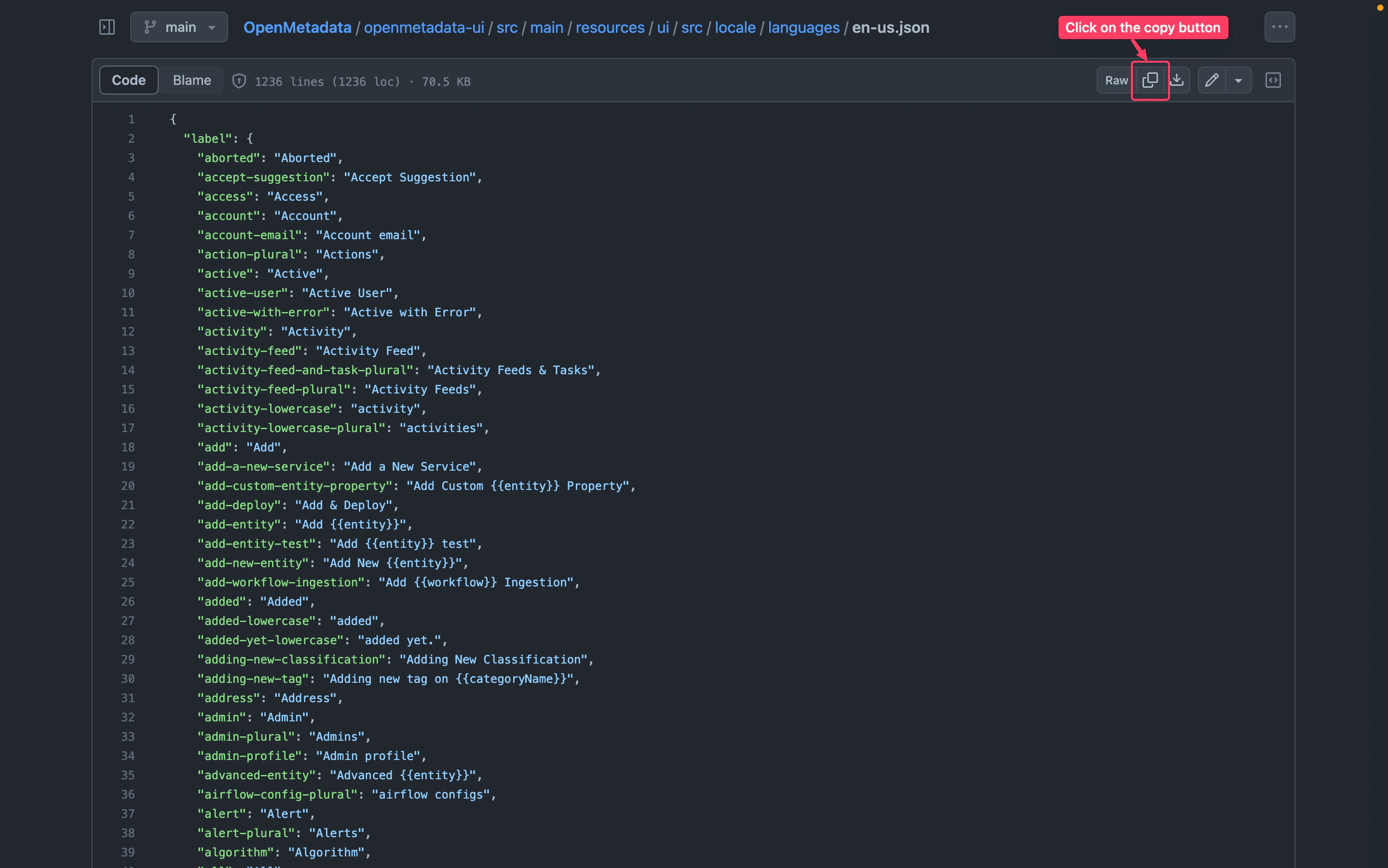
To copy the contents of en-us.json and add it to your translation JSON file, follow these steps:
* Go to [en-us.json](https://github.com/open-metadata/OpenMetadata/blob/main/openmetadata-ui/src/main/resources/ui/src/locale/languages/en-us.json)
* Copy the content of file
* Open your translation JSON file.
* Paste the copied text into your translation JSON file.
You can refer to the image below for a visual guide:
### 📁 Adding or Customizing Language Support
If you'd like to:
* Contribute a new language,
* Customize existing translations,
* Or enable internal company-specific terms,
You can do so by editing or adding JSON files in the `locale/languages` [directory](https://github.com/open-metadata/OpenMetadata/tree/main/openmetadata-ui/src/main/resources/ui/src/locale/languages) of the OpenMetadata frontend codebase.
Each language is structured like this:
```json theme={null}
// Example: fr-fr.json
{
"home.welcome": "Bienvenue",
"table.title": "Tables",
...
}
```
To add support for a new language in our internationalization setup using `react-i18next` and `i18next`, please follow the steps below:
## Create a Language JSON File
First, create a new JSON file for the language you want to add in the `openmetadata-ui/src/main/resources/ui/src/locale/languages` directory.
For example, if you want to add support for the `French` language, you can create a file called `fr-fr.json` in the languages directory:
```shell theme={null}
# Navigate to the ui/src/locale/languages directory
cd openmetadata-ui/src/main/resources/ui/src/locale/languages
# Create the French language file
touch fr-fr.json
```
## Sync the Language File with the Primary Language
To ensure consistency with our primary language, which is `en-us`, it is necessary to synchronize any newly added language files. This can be done by copying the content from the `en-us.json` file and translating it accordingly.
To copy the contents of en-us.json and add it to your translation JSON file, follow these steps:
* Go to [en-us.json](https://github.com/open-metadata/OpenMetadata/blob/main/openmetadata-ui/src/main/resources/ui/src/locale/languages/en-us.json)
* Copy the content of file
* Open your translation JSON file.
* Paste the copied text into your translation JSON file.
You can refer to the image below for a visual guide:
 ## How to Add Language Support for Entities Documentation
We have documentation for some entities on the left sidebar, and we currently support two languages: `en-US` and `fr-FR`. If you want to add support for other languages in our internationalization, you can follow the steps below.
Documentation for entities resides in the `openmetadata-ui/src/main/resources/ui/src/public/locales` directory. Our primary language is `en-US`, so you can refer to it and create the same hierarchy for your language.
To add documentation in the `zh-CN` language, you can simply copy the `en-US` directory and rename it to `zh-CN`. Then, update the content of the files according to the `zh-CN` language.
To find the supported language codes, you can refer to this [page](https://github.com/open-metadata/OpenMetadata/blob/main/openmetadata-ui/src/main/resources/ui/src/utils/i18next/i18nextUtil.ts#L27-38).
## How to Add Language Support for Entities Documentation
We have documentation for some entities on the left sidebar, and we currently support two languages: `en-US` and `fr-FR`. If you want to add support for other languages in our internationalization, you can follow the steps below.
Documentation for entities resides in the `openmetadata-ui/src/main/resources/ui/src/public/locales` directory. Our primary language is `en-US`, so you can refer to it and create the same hierarchy for your language.
To add documentation in the `zh-CN` language, you can simply copy the `en-US` directory and rename it to `zh-CN`. Then, update the content of the files according to the `zh-CN` language.
To find the supported language codes, you can refer to this [page](https://github.com/open-metadata/OpenMetadata/blob/main/openmetadata-ui/src/main/resources/ui/src/utils/i18next/i18nextUtil.ts#L27-38).