> ## Documentation Index
> Fetch the complete documentation index at: https://docs.open-metadata.org/llms.txt
> Use this file to discover all available pages before exploring further.
# Audit Logs | Collate Admin Guide
> Track and monitor user actions, entity updates, and platform activities with comprehensive audit logs for governance and compliance
# Audit Logs
Audit logs provide visibility into activities performed in Collate. They help track user actions across the platform and support governance, monitoring, and troubleshooting. Audit logs capture information such as who performed an action, what action was performed, and when it occurred.
## Access Audit Logs
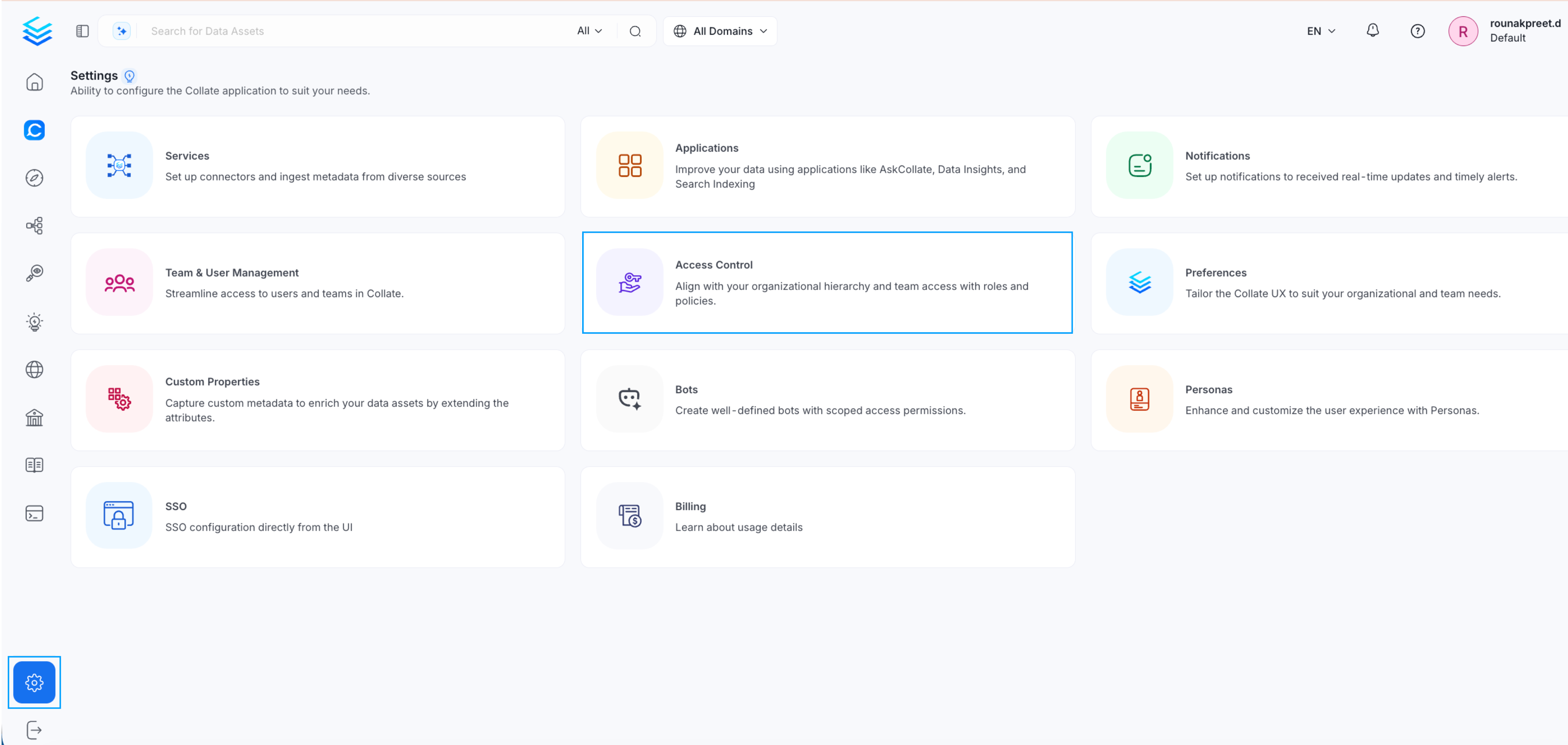
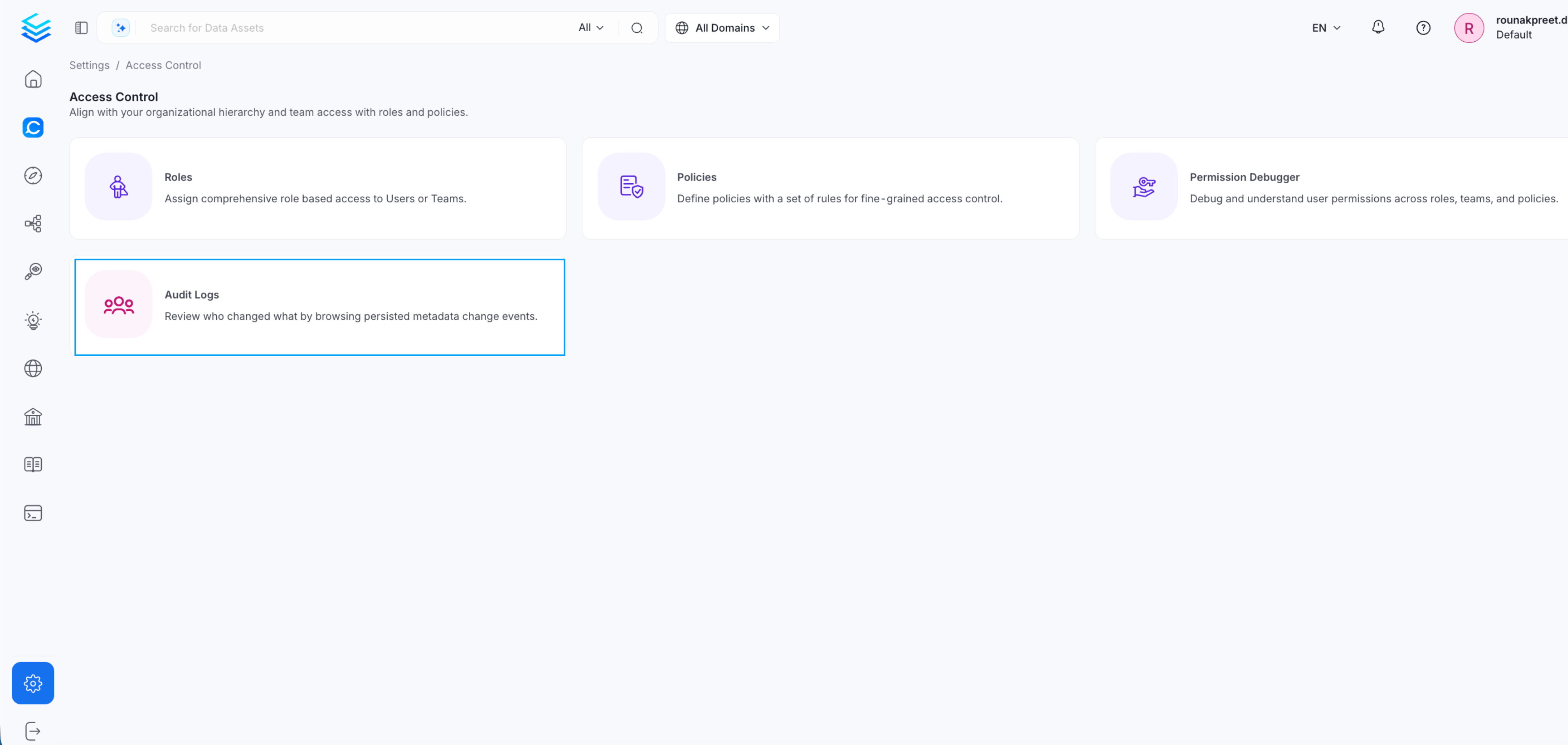
1. Go to **Settings**
2. Navigate to **Access Control**
3. Select **Audit Logs**
This page provides a centralized view of activities across the platform.
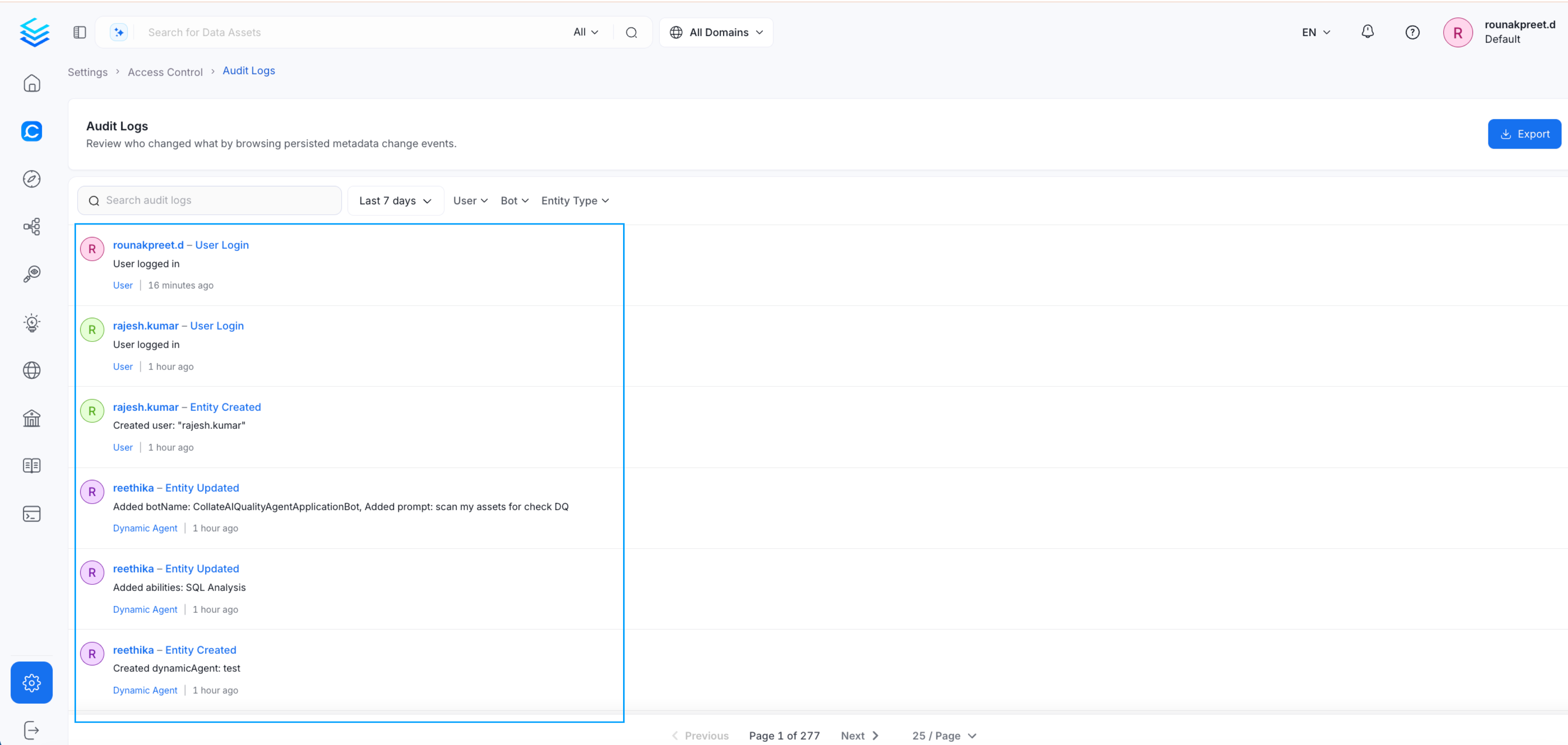
## What Audit Logs Capture
Audit logs record platform activities, including:
* User logins
* Updates to entities
* Changes to tables, glossaries, or other assets
* Data quality test updates
* Actions performed by users or service accounts
Each record includes details such as user, action, entity type, and timestamp.
## Filter Audit Logs
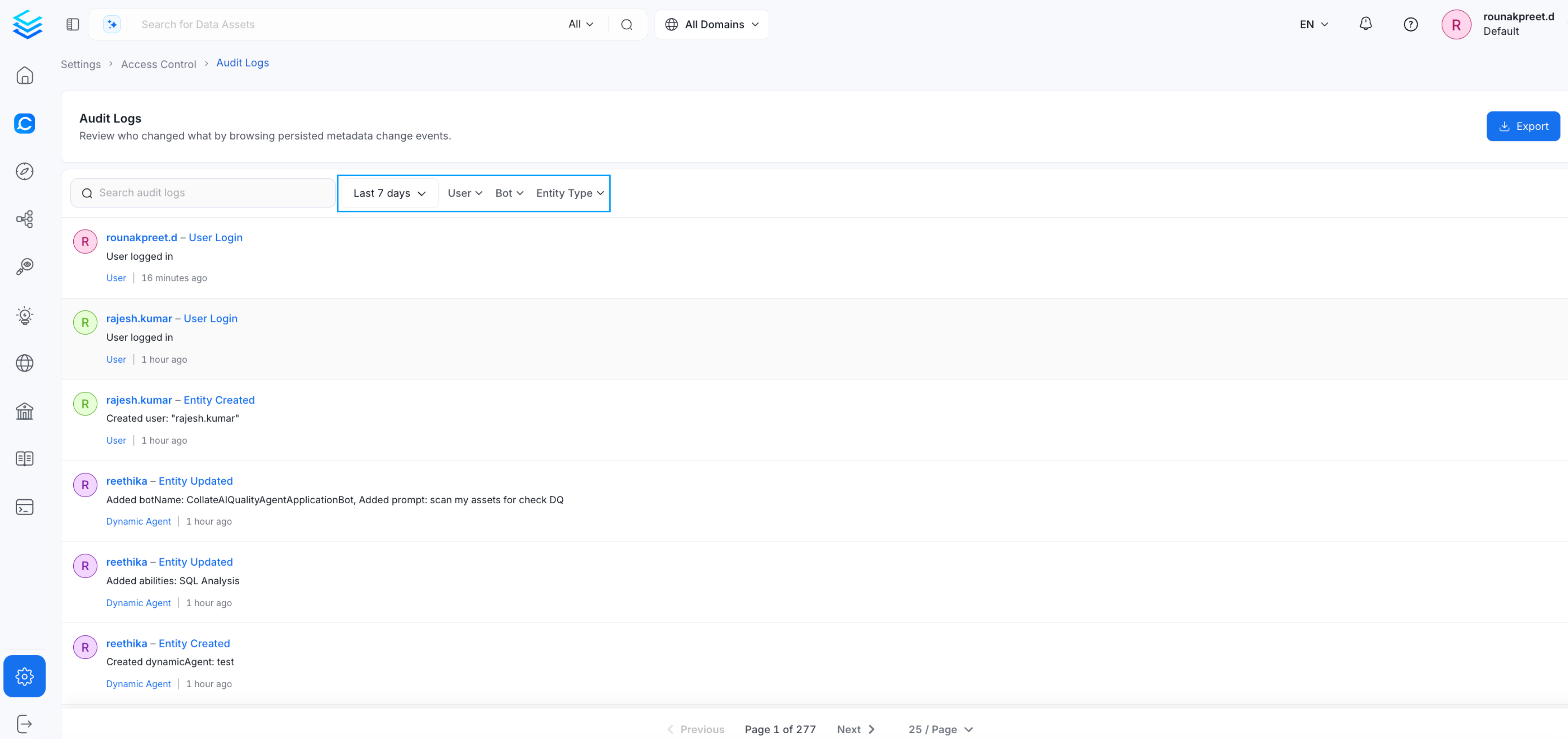
You can filter audit logs to narrow down specific activities. Supported filters include:
* **User** - View actions performed by a specific user
* **Entity type** - Filter by entity type such as tables or glossaries
* **Time range** - Filter by last 7 days or a custom date range
* **Bot** - View actions triggered by platform bots or automation processes
Filtering helps identify who made a change and when it occurred.
## Export Audit Logs
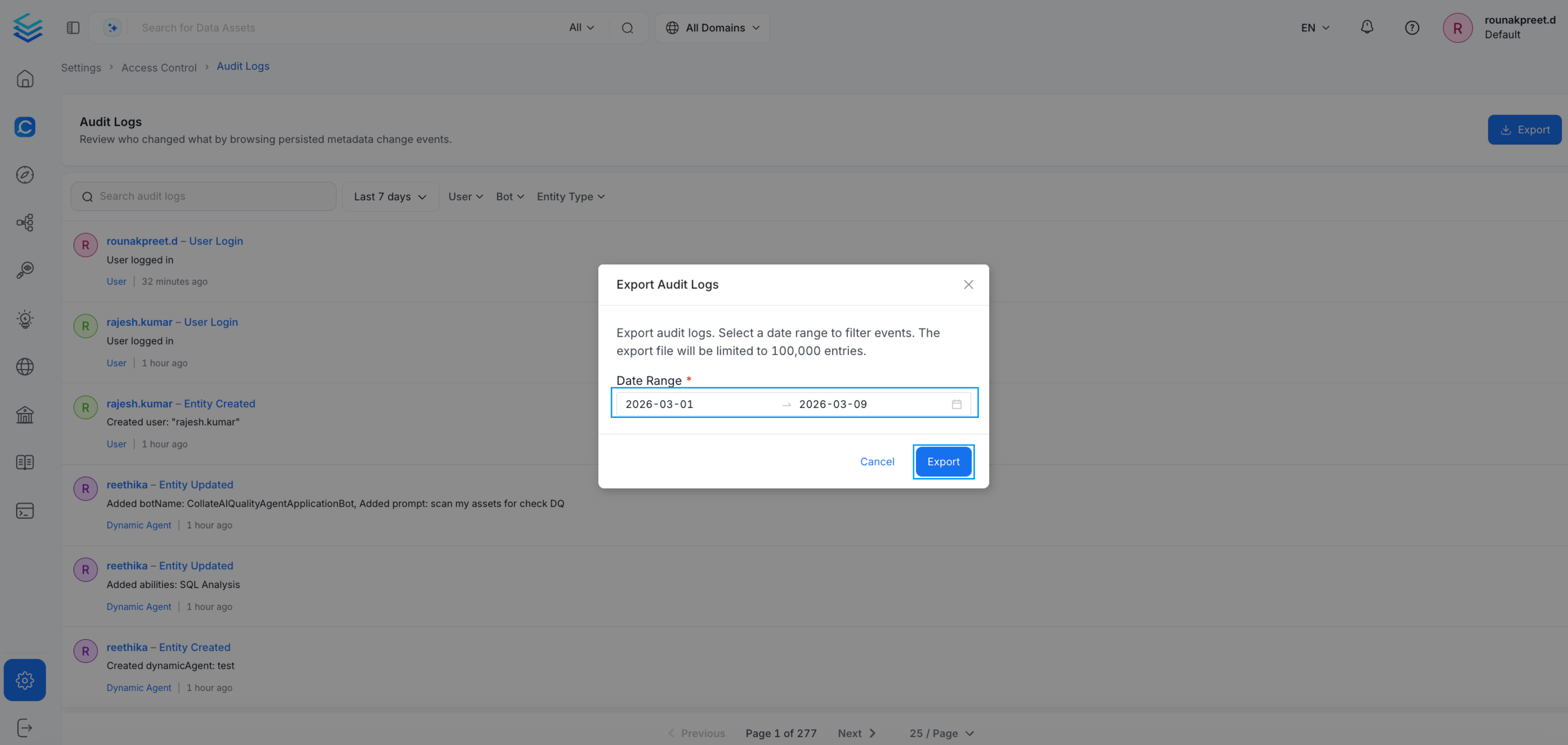
Audit logs can be exported for further analysis.
1. Select the required date range
2. Click **Export**
The export is generated as a JSON file. Each event in the file is structured as a JSON record. This format allows you to parse the data or integrate it with external monitoring or governance systems.
## Use Cases
Audit logs help with:
* Investigating changes made to assets
* Monitoring user activity
* Reviewing system activity over time
* Supporting governance and compliance requirements
* Exporting logs for external review or automated monitoring
 This page provides a centralized view of activities across the platform.
## What Audit Logs Capture
This page provides a centralized view of activities across the platform.
## What Audit Logs Capture
 Audit logs record platform activities, including:
* User logins
* Updates to entities
* Changes to tables, glossaries, or other assets
* Data quality test updates
* Actions performed by users or service accounts
Each record includes details such as user, action, entity type, and timestamp.
## Filter Audit Logs
You can filter audit logs to narrow down specific activities. Supported filters include:
* **User** - View actions performed by a specific user
* **Entity type** - Filter by entity type such as tables or glossaries
* **Time range** - Filter by last 7 days or a custom date range
* **Bot** - View actions triggered by platform bots or automation processes
Audit logs record platform activities, including:
* User logins
* Updates to entities
* Changes to tables, glossaries, or other assets
* Data quality test updates
* Actions performed by users or service accounts
Each record includes details such as user, action, entity type, and timestamp.
## Filter Audit Logs
You can filter audit logs to narrow down specific activities. Supported filters include:
* **User** - View actions performed by a specific user
* **Entity type** - Filter by entity type such as tables or glossaries
* **Time range** - Filter by last 7 days or a custom date range
* **Bot** - View actions triggered by platform bots or automation processes
 Filtering helps identify who made a change and when it occurred.
## Export Audit Logs
Audit logs can be exported for further analysis.
1. Select the required date range
2. Click **Export**
Filtering helps identify who made a change and when it occurred.
## Export Audit Logs
Audit logs can be exported for further analysis.
1. Select the required date range
2. Click **Export**
 The export is generated as a JSON file. Each event in the file is structured as a JSON record. This format allows you to parse the data or integrate it with external monitoring or governance systems.
 ## Use Cases
Audit logs help with:
* Investigating changes made to assets
* Monitoring user activity
* Reviewing system activity over time
* Supporting governance and compliance requirements
* Exporting logs for external review or automated monitoring
## Use Cases
Audit logs help with:
* Investigating changes made to assets
* Monitoring user activity
* Reviewing system activity over time
* Supporting governance and compliance requirements
* Exporting logs for external review or automated monitoring