> ## Documentation Index
> Fetch the complete documentation index at: https://docs.open-metadata.org/llms.txt
> Use this file to discover all available pages before exploring further.
# How to Create an Announcement
> Add announcements to asset pages to communicate updates, ownership changes, or data quality notes to users.
# How to Create an Announcement
**Quick Tip:** Always watch out for announcements on the backward incompatible changes. Saves a ton of debugging time later on for data teams.
To add an announcement:
* Navigate to **Explore** and the relevant **Data Asset** section to select a specific asset.
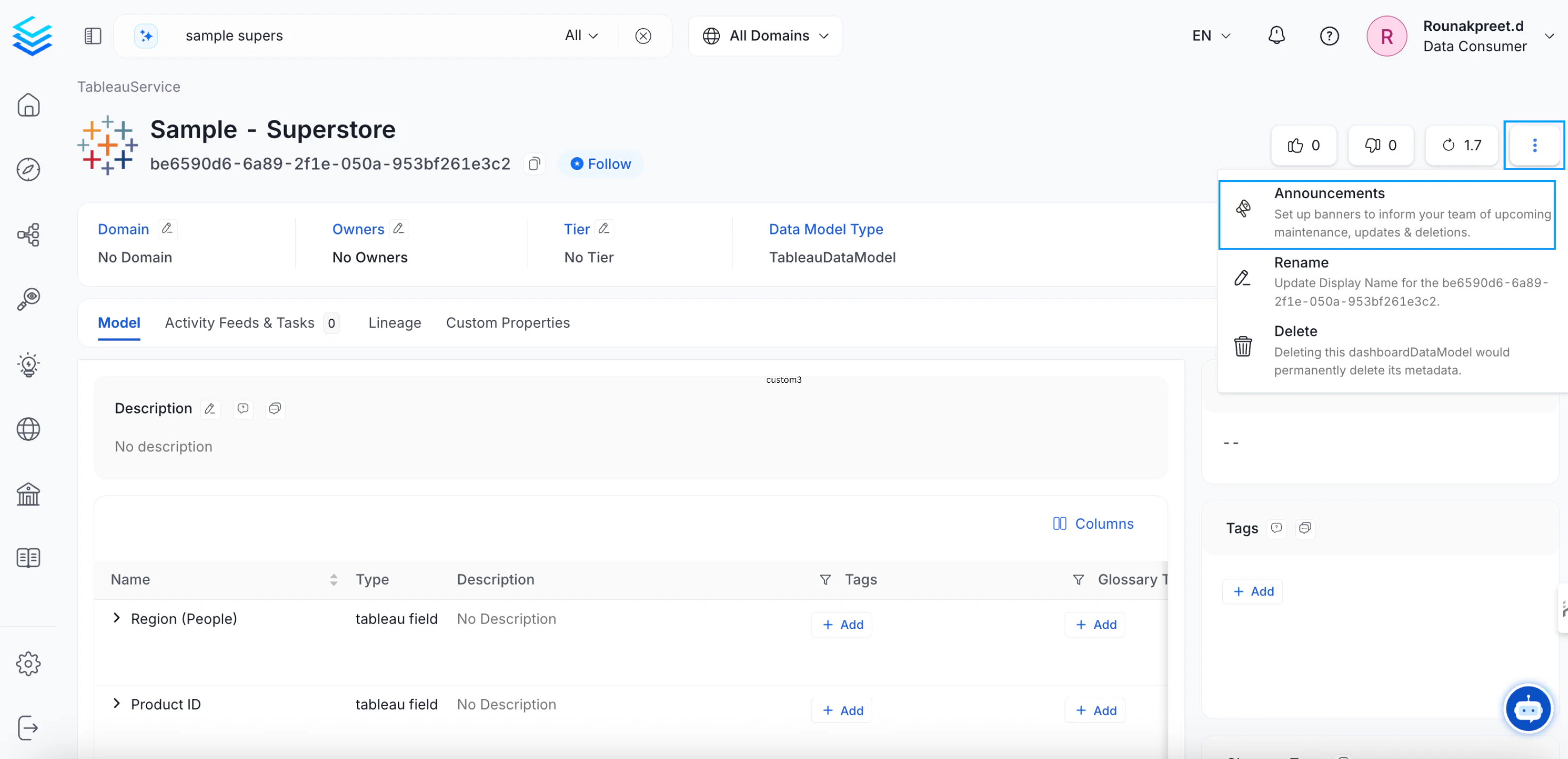
* Click on the vertical ellipsis icon **⋮** located on the top right and select **Announcements**.
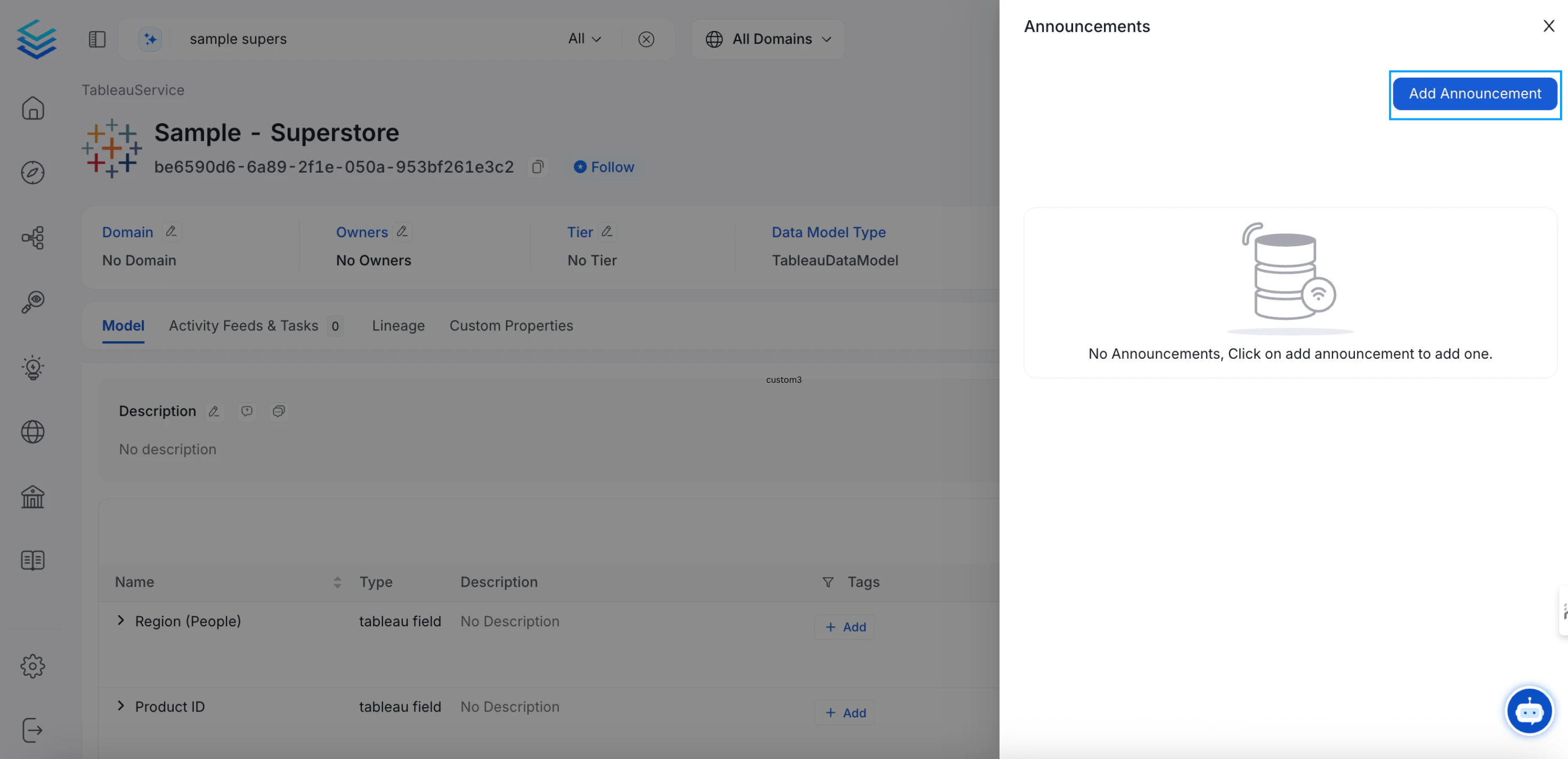
 * Click on **Add Announcement**.
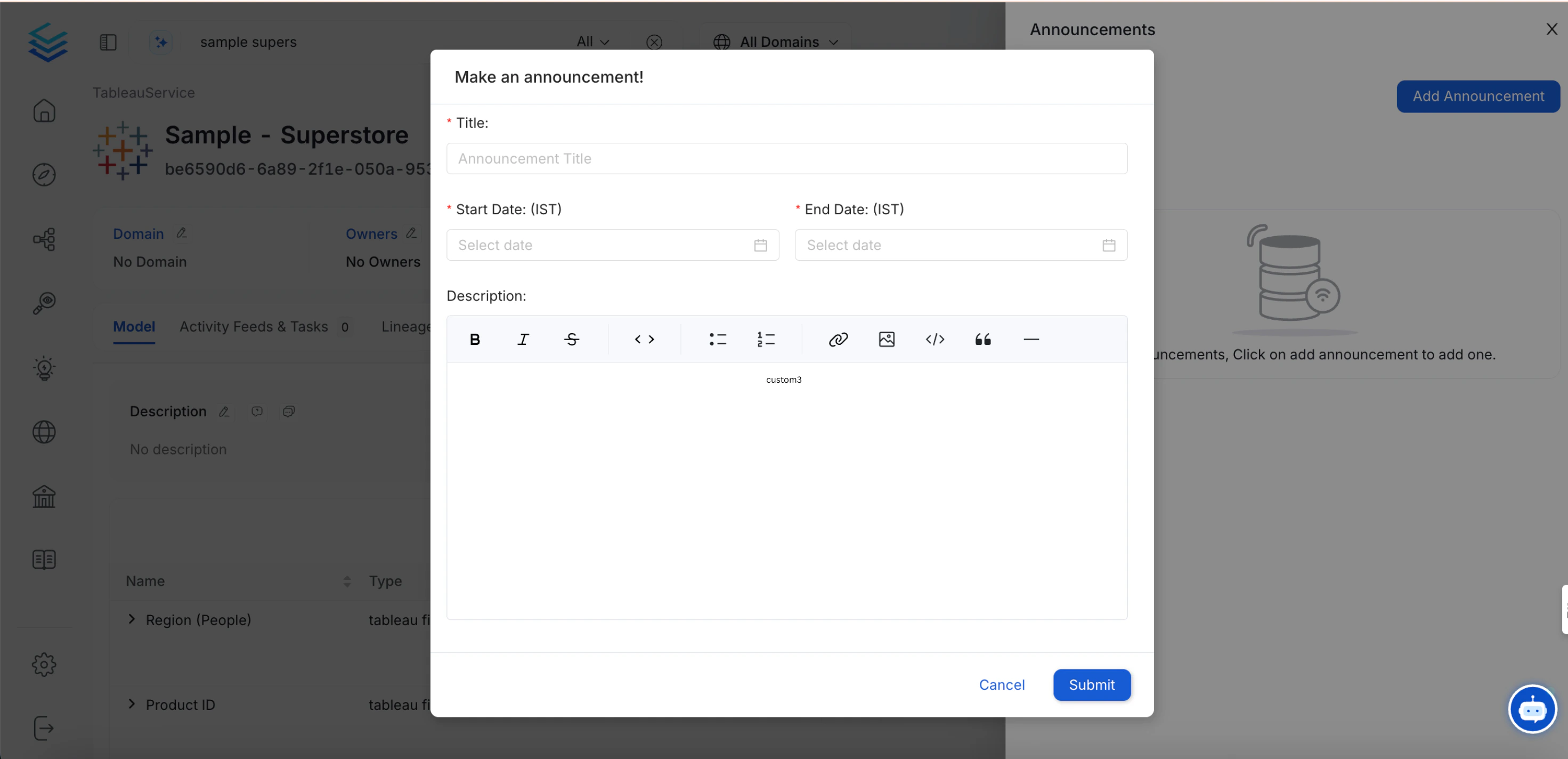
 * Enter the following information and click Submit.
* Title of the Announcement
* Start Date
* End Date
* Description
* Enter the following information and click Submit.
* Title of the Announcement
* Start Date
* End Date
* Description
 This announcement will be displayed in OpenMetadata during the scheduled time. It will be displayed to all the users who own or follow that particular data asset.
**Pro Tip:** Create Announcements for deletion, deprecation, and other important changes. Let your team know of a tentative date when these changes will be implemented.
This announcement will be displayed in OpenMetadata during the scheduled time. It will be displayed to all the users who own or follow that particular data asset.
**Pro Tip:** Create Announcements for deletion, deprecation, and other important changes. Let your team know of a tentative date when these changes will be implemented.