> ## Documentation Index
> Fetch the complete documentation index at: https://docs.open-metadata.org/llms.txt
> Use this file to discover all available pages before exploring further.
# Creating Data Contracts | OpenMetadata Data Contracts Guide
> Create open-source data contracts directly in the OpenMetadata UI
# Create Data Contract
Data contracts are currently available for tables ingested into OpenMetadata. The following guide shows how a data contract was created for a snowflake.DEMO\_STAGE.JAFFLE\_SHOP.CUSTOMERS table.
To create a Data Contract for a Table in OpenMetadata:
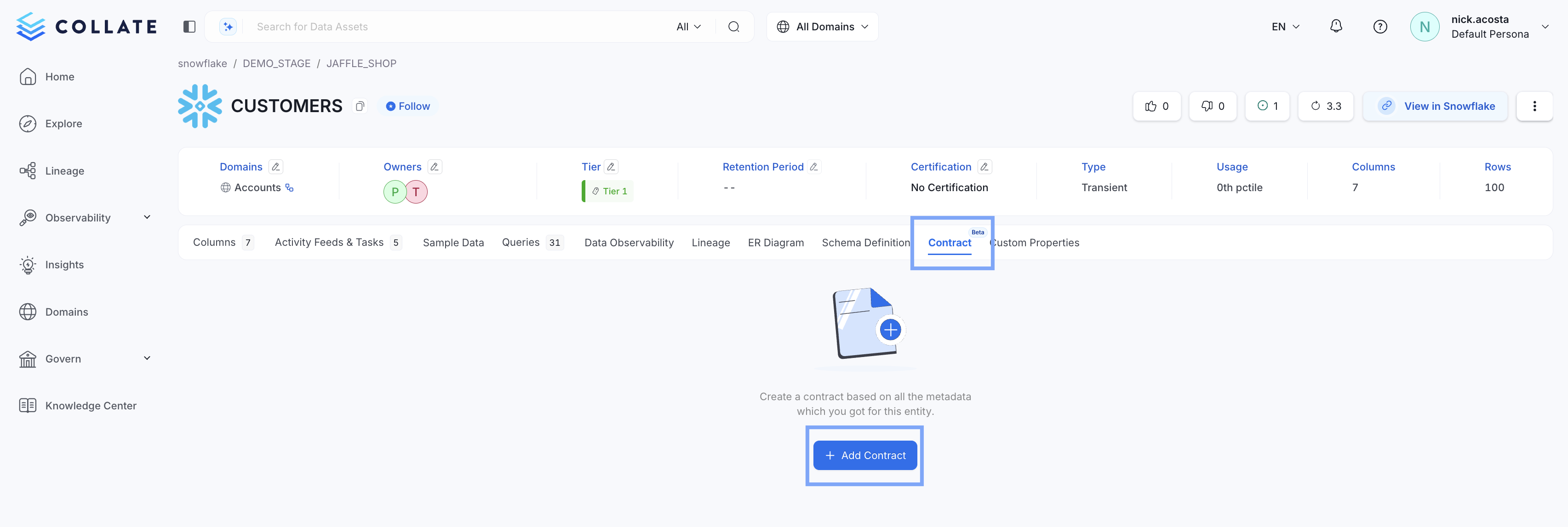
* Go to the Table's page, select **Contract**, then **+ Add Contract**
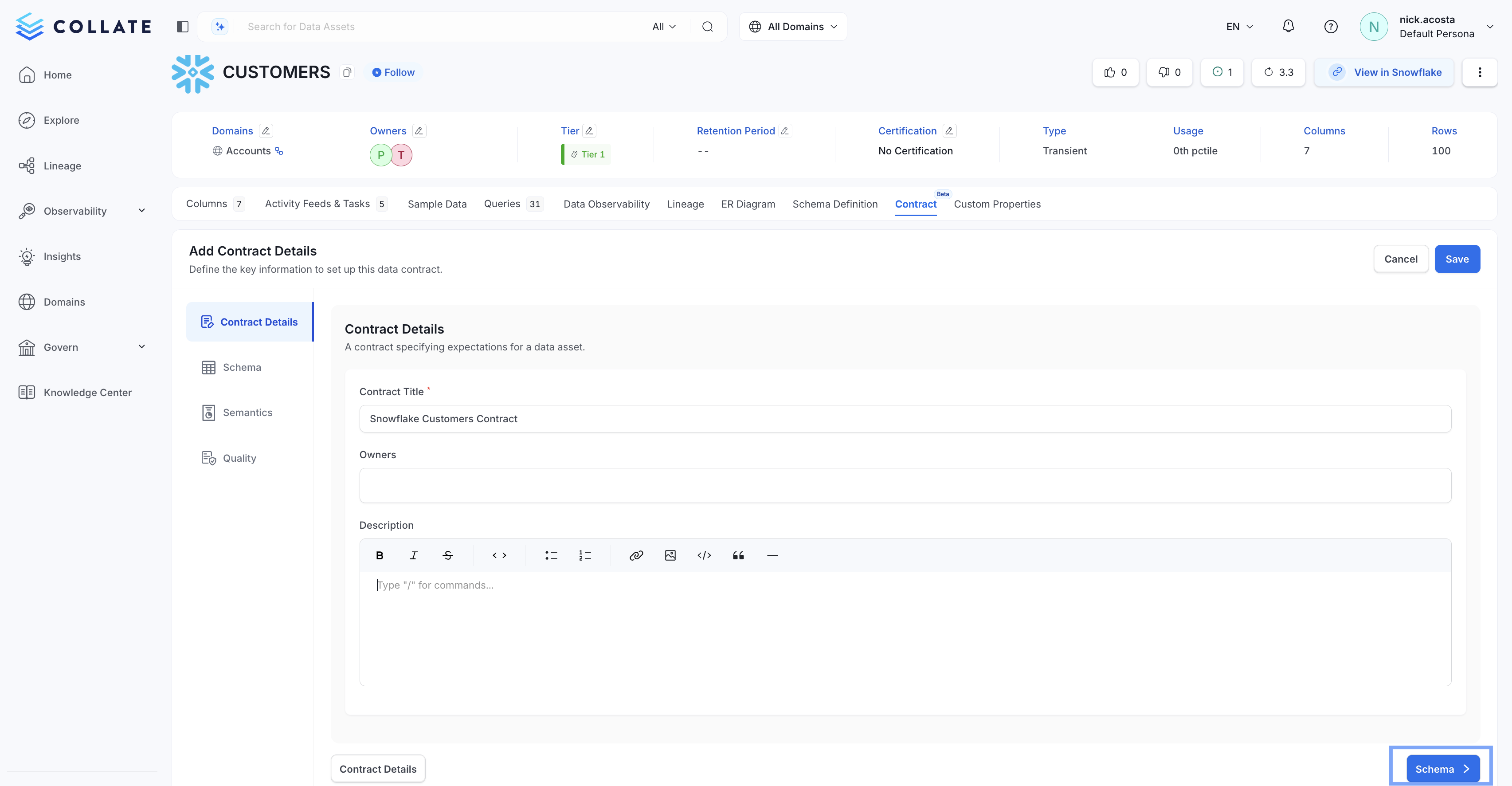
 * In *Contract Details*, be sure to give your new data contract a name. Optionally, you can assign Owners and provide a description of your data contract. Then select **Schema**.
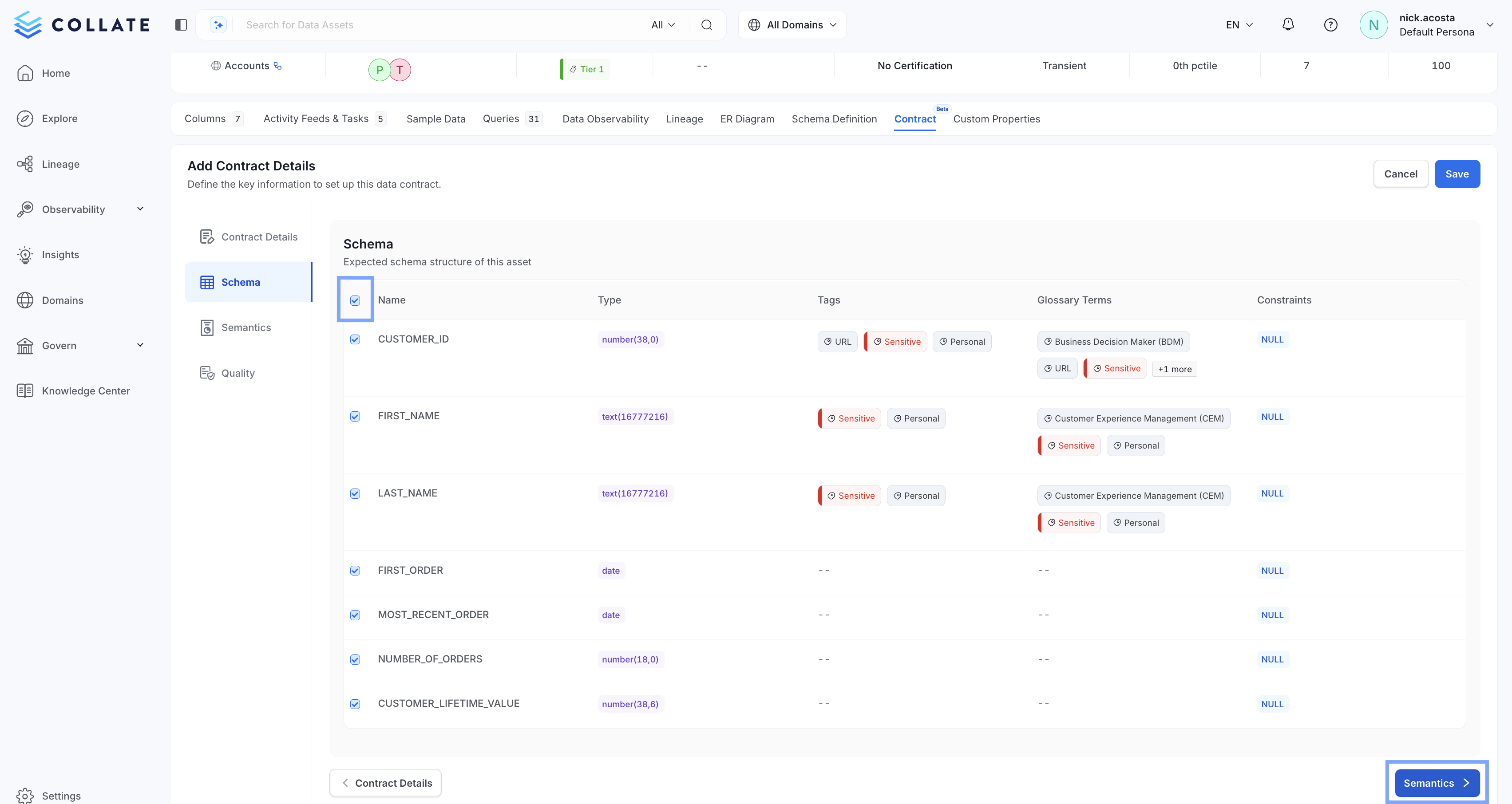
 * Select the columns of your table that you would like to add to your new data contract, or select all columns by checking the box at the top right. Then select **Semantics**
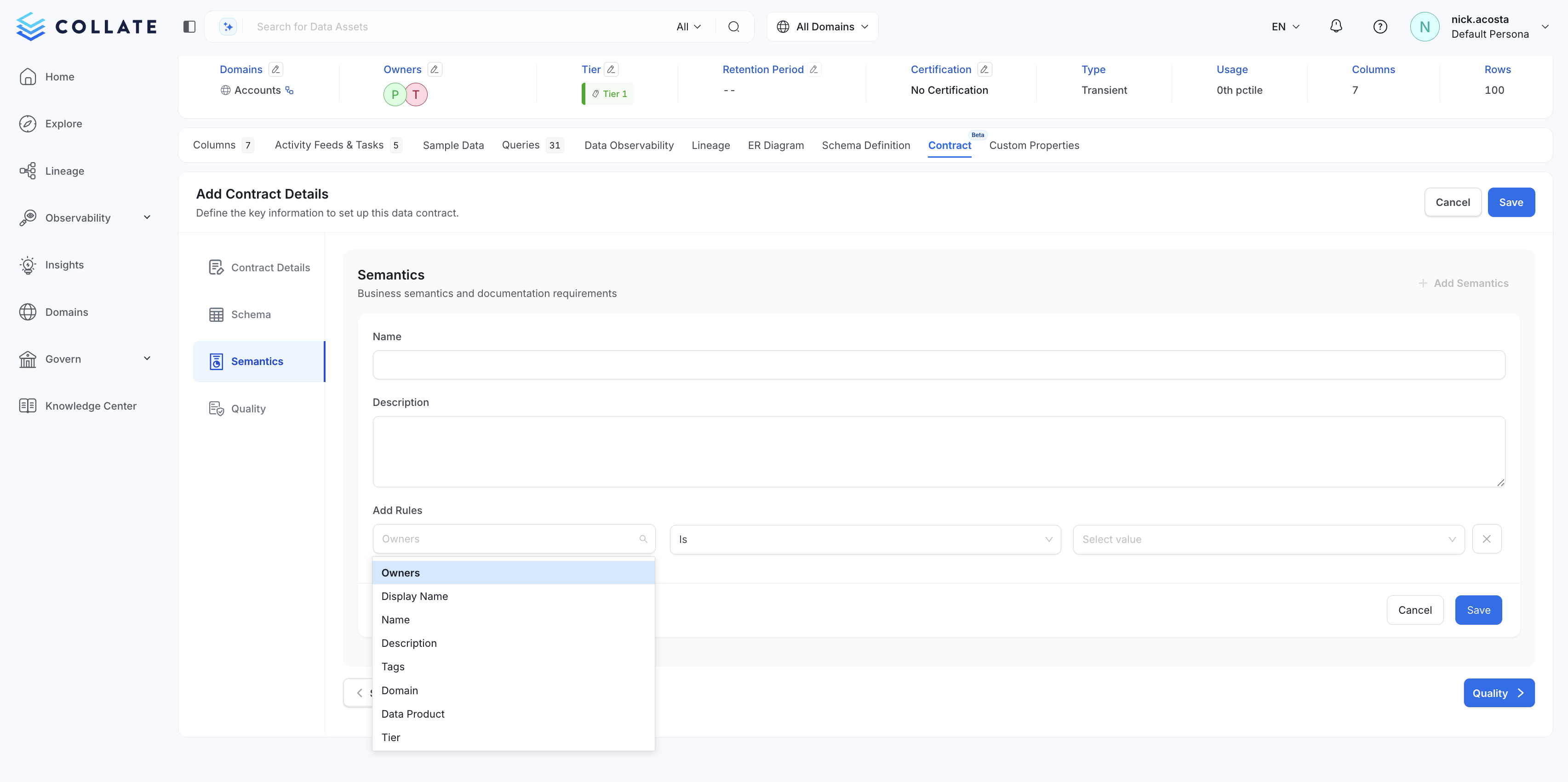
 * Add the business rules you would like to enforce in *Semantics*. For OpenMetadata Tables, rules can be created for:
* Service
* Owners
* Display Name
* Name
* Description
* Tags
* Domain
* Data Product
* Tier
* Add the business rules you would like to enforce in *Semantics*. For OpenMetadata Tables, rules can be created for:
* Service
* Owners
* Display Name
* Name
* Description
* Tags
* Domain
* Data Product
* Tier
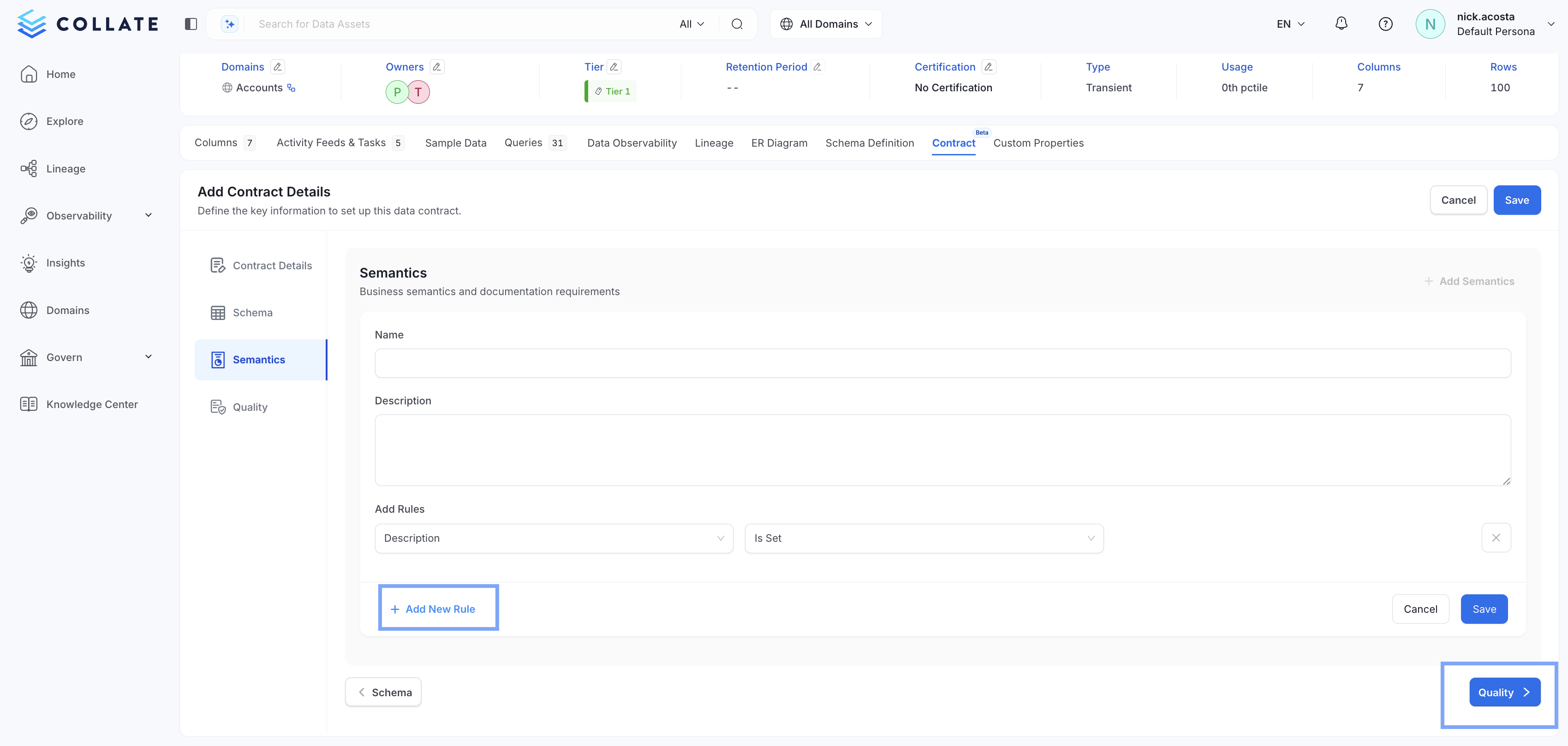
 * Once a rule is created, you can **+ Add New Rule** to create more, or select **Quality**
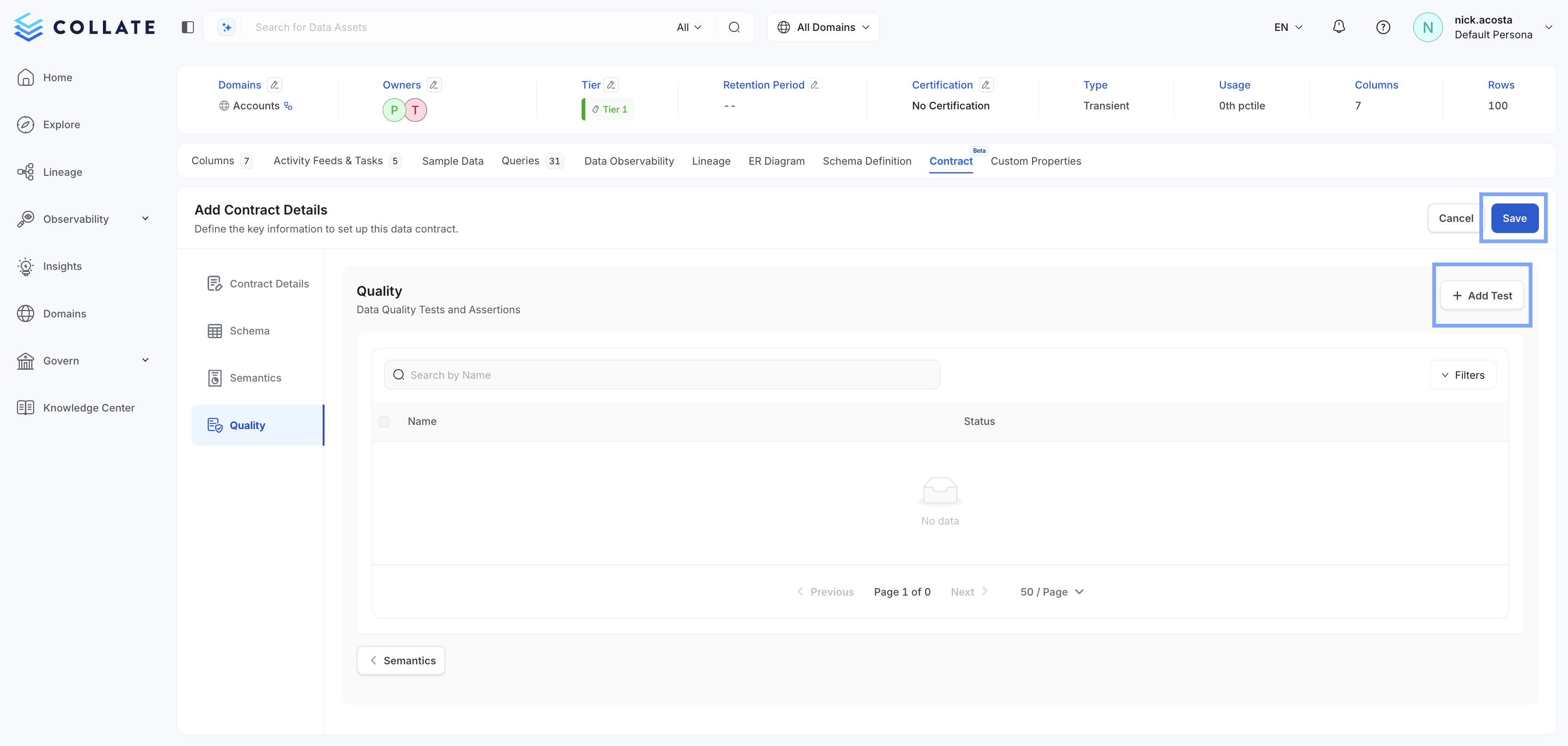
 * Select **+ Add Test** to add a [Data Quality Test](https://docs.open-metadata.org/latest/how-to-guides/data-quality-observability/quality/test) or tests to your new contract, then select **Save**
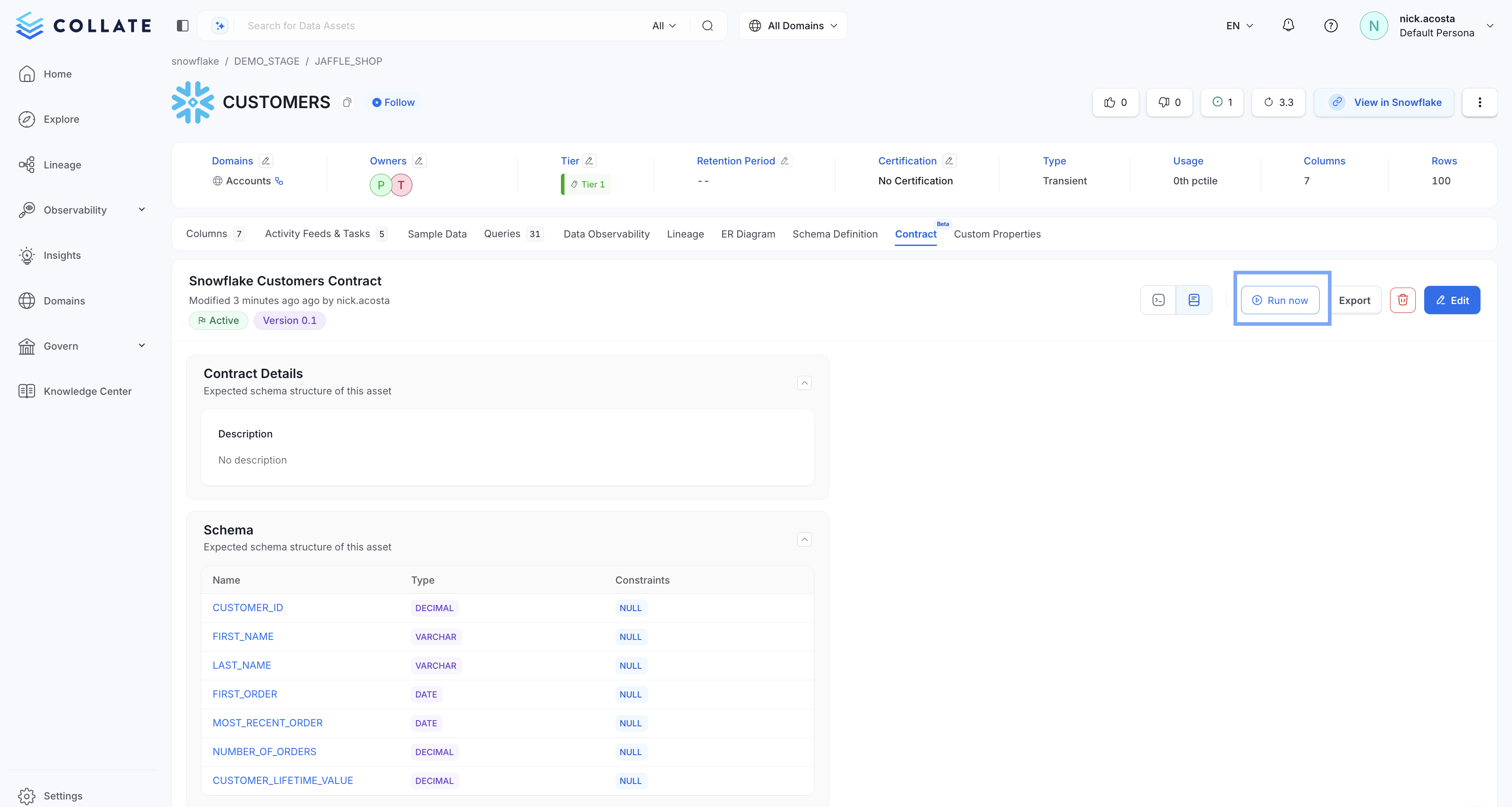
 * Once your new data contract has been created successfully, you can run it by selecting **> Run now**