> ## Documentation Index
> Fetch the complete documentation index at: https://docs.open-metadata.org/llms.txt
> Use this file to discover all available pages before exploring further.
# Get a Quick Glance of the Data Assets
> Instantly preview data assets with inline metadata, sample rows, schema details, tags, and quality metrics—without leaving the Explore page.
# Get a Quick Glance of the Data Assets
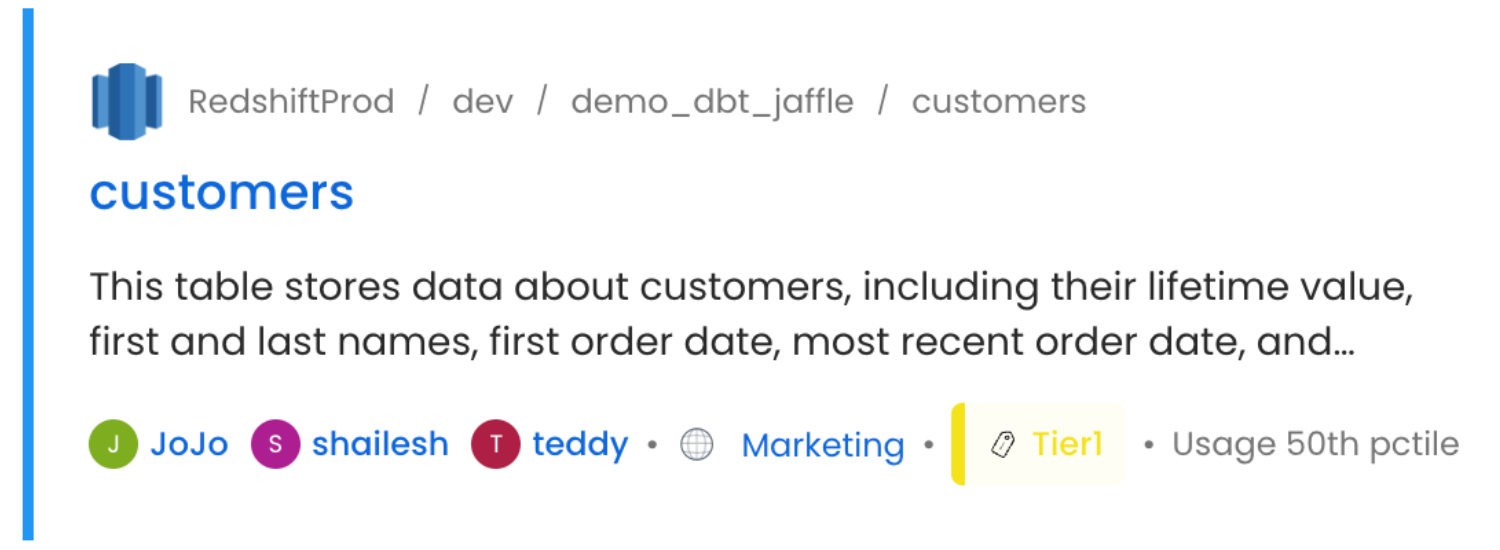
For the each of the data assets displayed in the Explore page, some basic information is displayed on the data asset card. Users can view the **Source, Name of the Data Asset, Description, Owner (Team/User details), Tier, and Usage** information for each data asset.
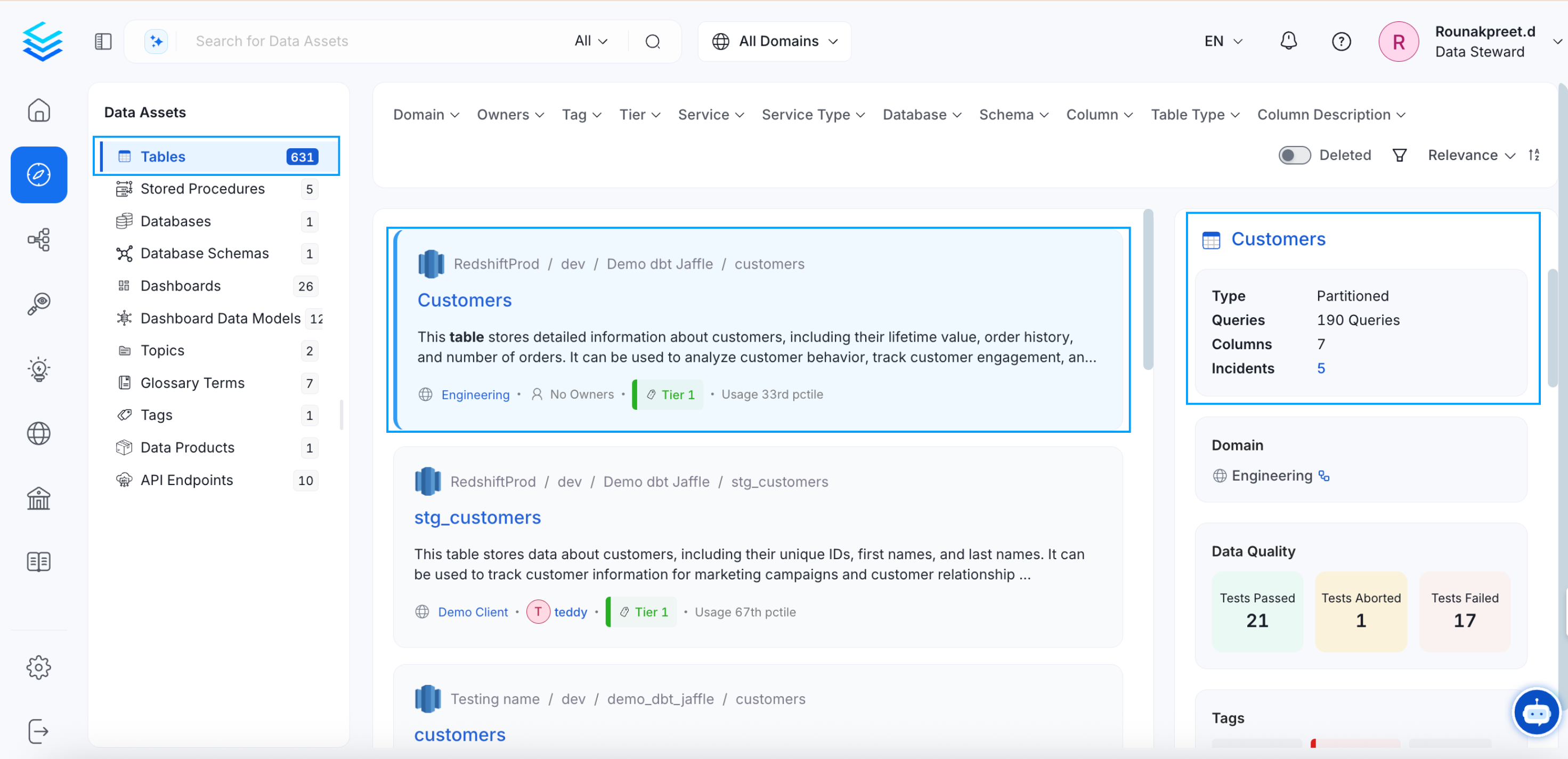
 OpenMetadata provides a quick preview of the data asset on the right side panel. Just click on the empty space next to the relevant data asset to get a quick preview.
## Preview based on the Data Asset Type
Based on the type of data asset (Table, Topic, Dashboard, Pipeline, ML Model, Container, Glossary, Tag), the quick preview provides information. For example, the **type of table, the number of queries, and columns** are displayed for `tables`.
OpenMetadata provides a quick preview of the data asset on the right side panel. Just click on the empty space next to the relevant data asset to get a quick preview.
## Preview based on the Data Asset Type
Based on the type of data asset (Table, Topic, Dashboard, Pipeline, ML Model, Container, Glossary, Tag), the quick preview provides information. For example, the **type of table, the number of queries, and columns** are displayed for `tables`.
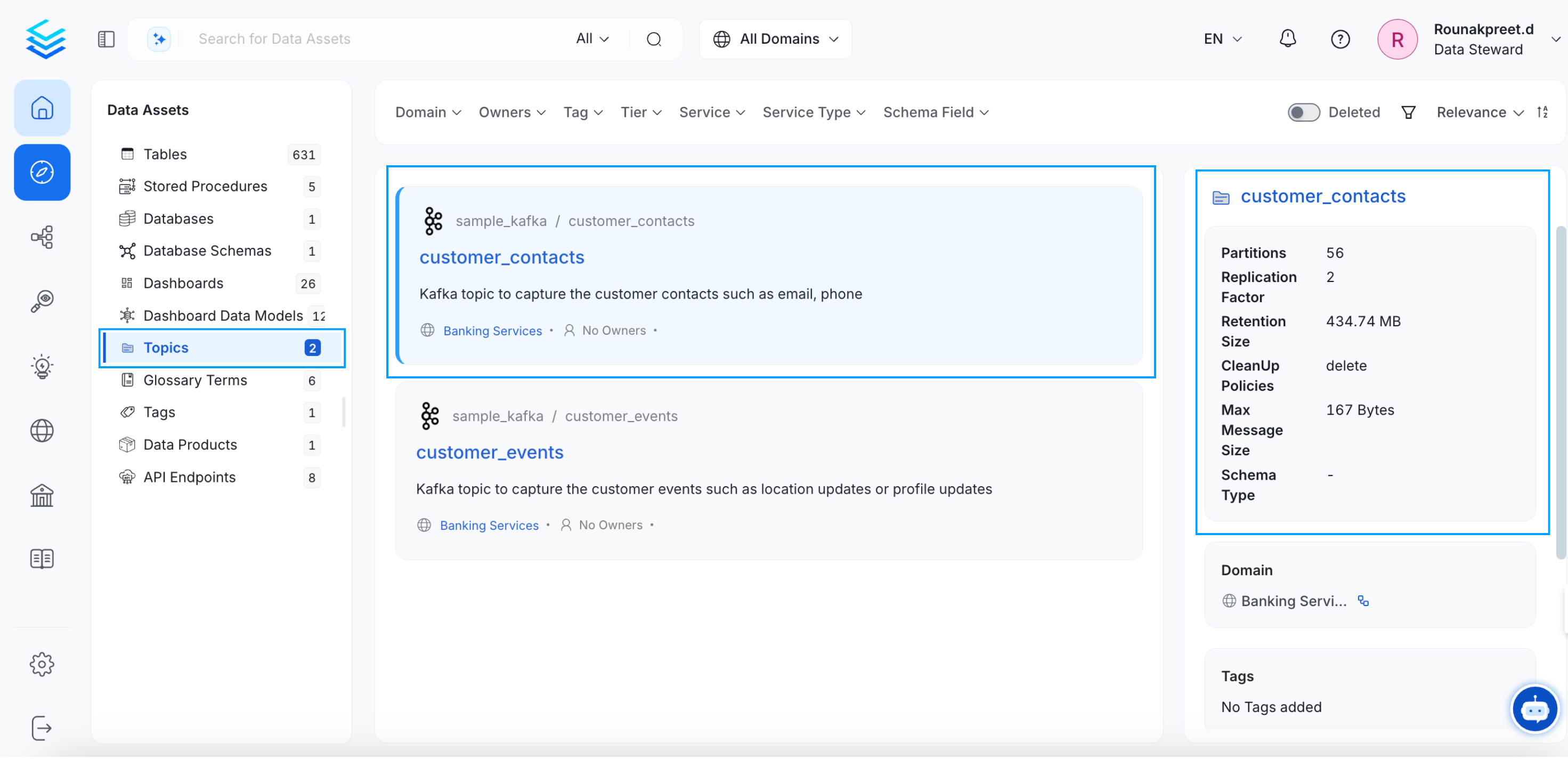
 Similarly, the quick glance displays the information on the **Partitions, Replication Factor, Retention Size, CleanUp Policies, Max Message Size, and Schema Type** for `topics`.
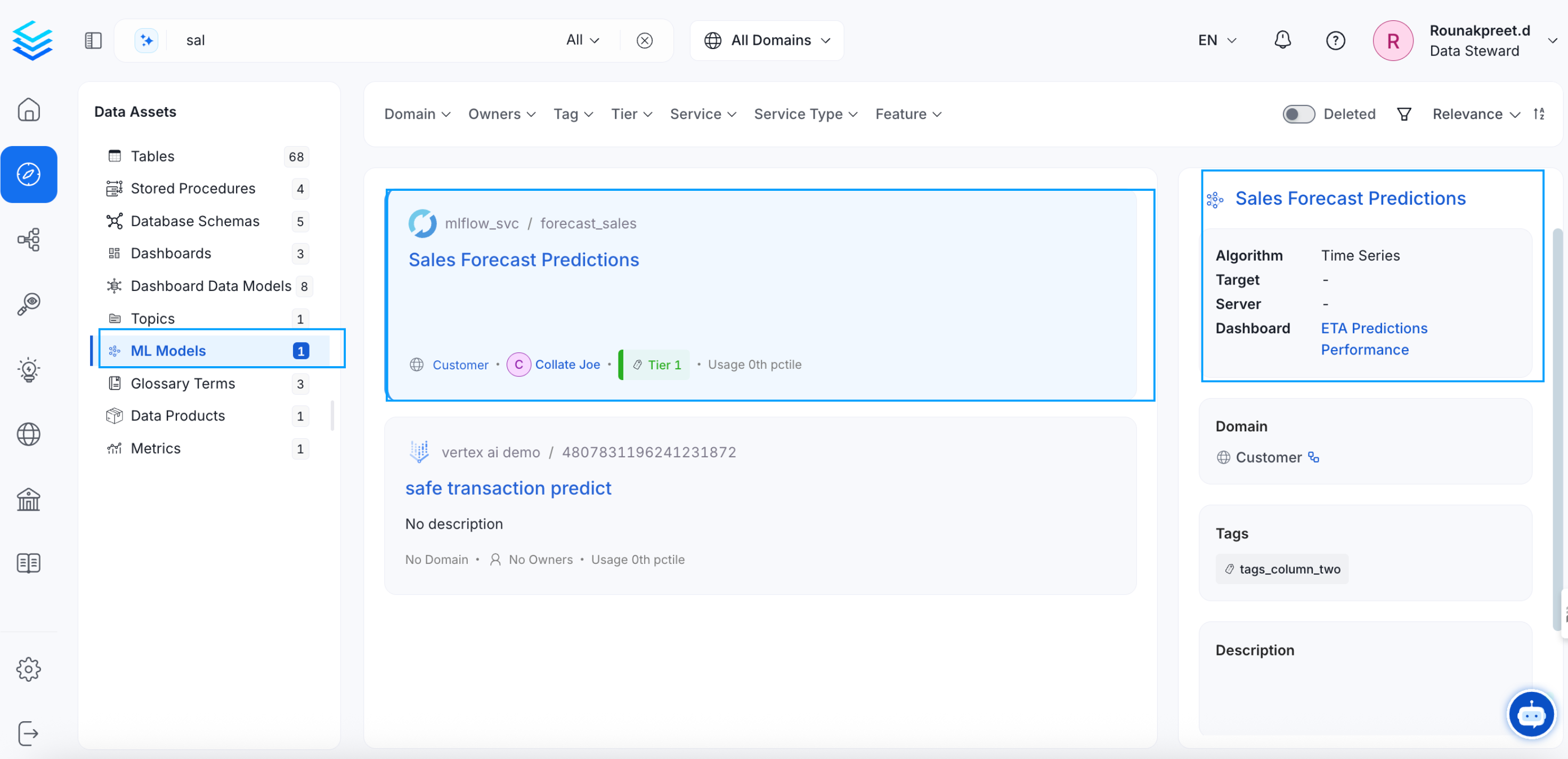
 For `ML Models`, it displays the **Algorithm, Target, Server, and Dashboard**.
 A `glossary` preview displays the **Reviewers, Synonyms, and Children**.
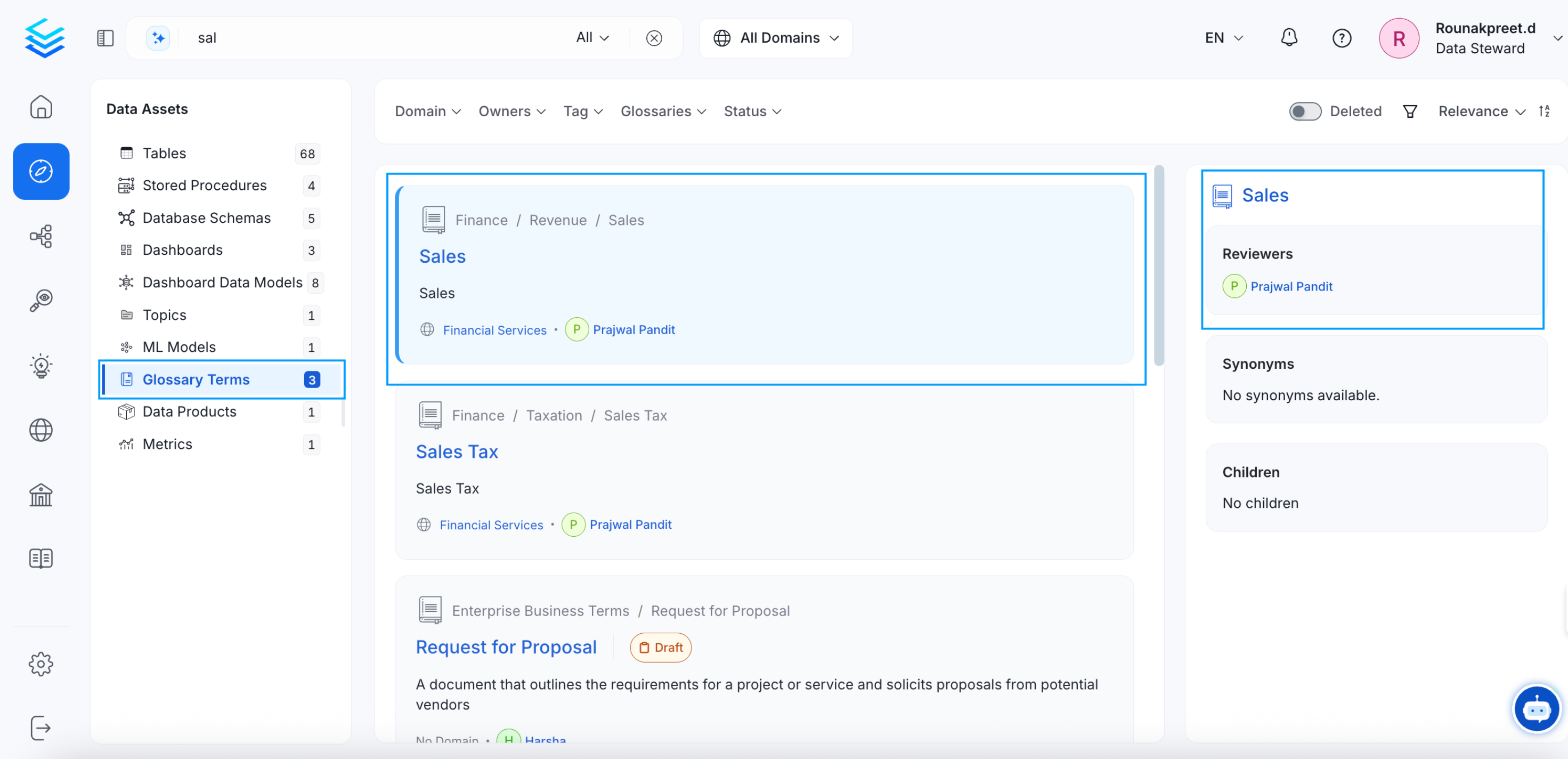 Likewise, for `dashboards`, and `pipelines`, it displays the **Dashboard URL** and **Pipeline URL** respectively. For containers, the **Objects, Service Type, and Columns** are displayed. The `tag` preview displays the **Usage** of the tags.
## Data Quality and Profiler Metrics
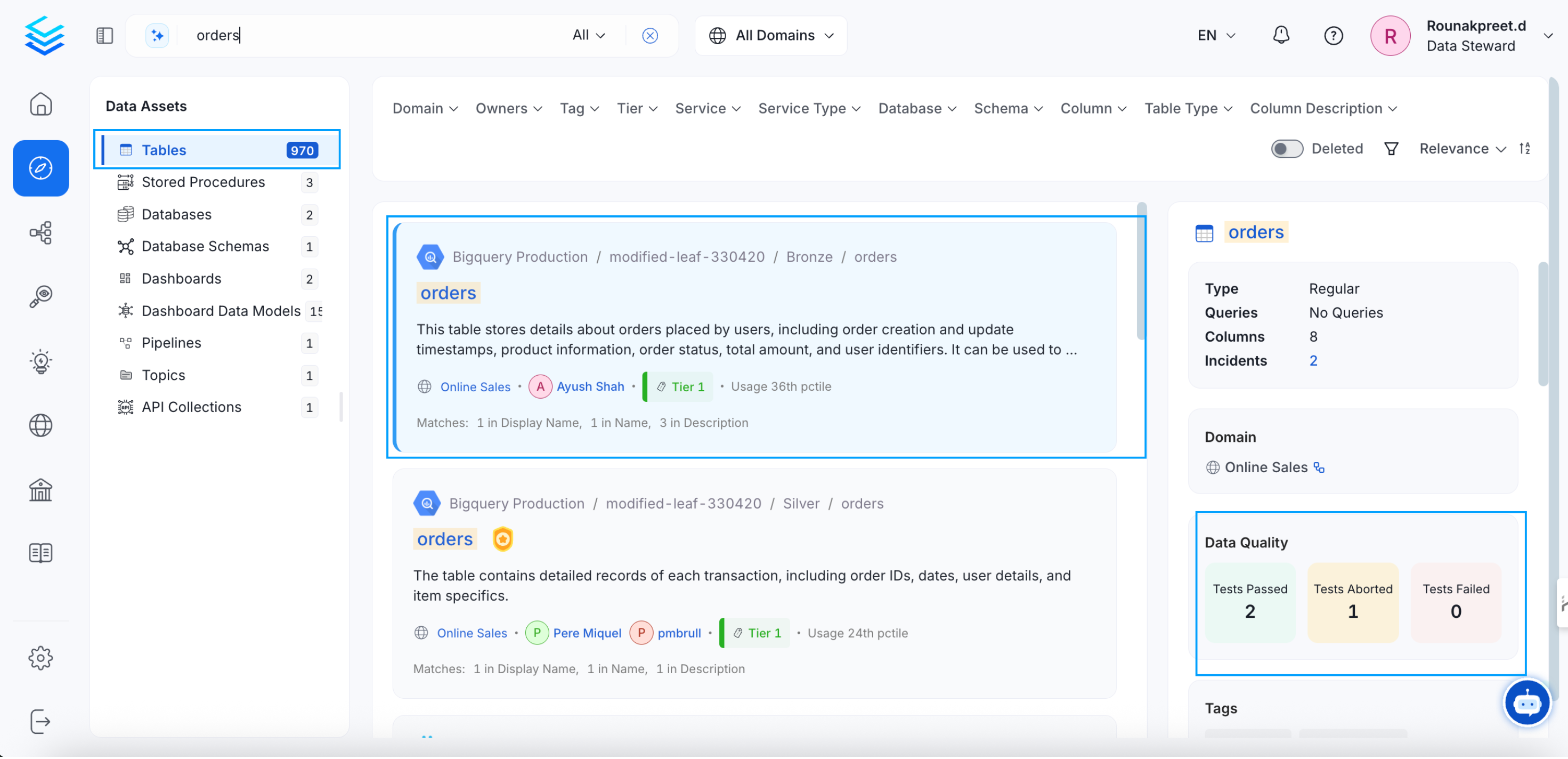
The data quality and profiler metrics displays the details on the **Tests Passed, Aborted, and Failed**.
Likewise, for `dashboards`, and `pipelines`, it displays the **Dashboard URL** and **Pipeline URL** respectively. For containers, the **Objects, Service Type, and Columns** are displayed. The `tag` preview displays the **Usage** of the tags.
## Data Quality and Profiler Metrics
The data quality and profiler metrics displays the details on the **Tests Passed, Aborted, and Failed**.
 ## Tags
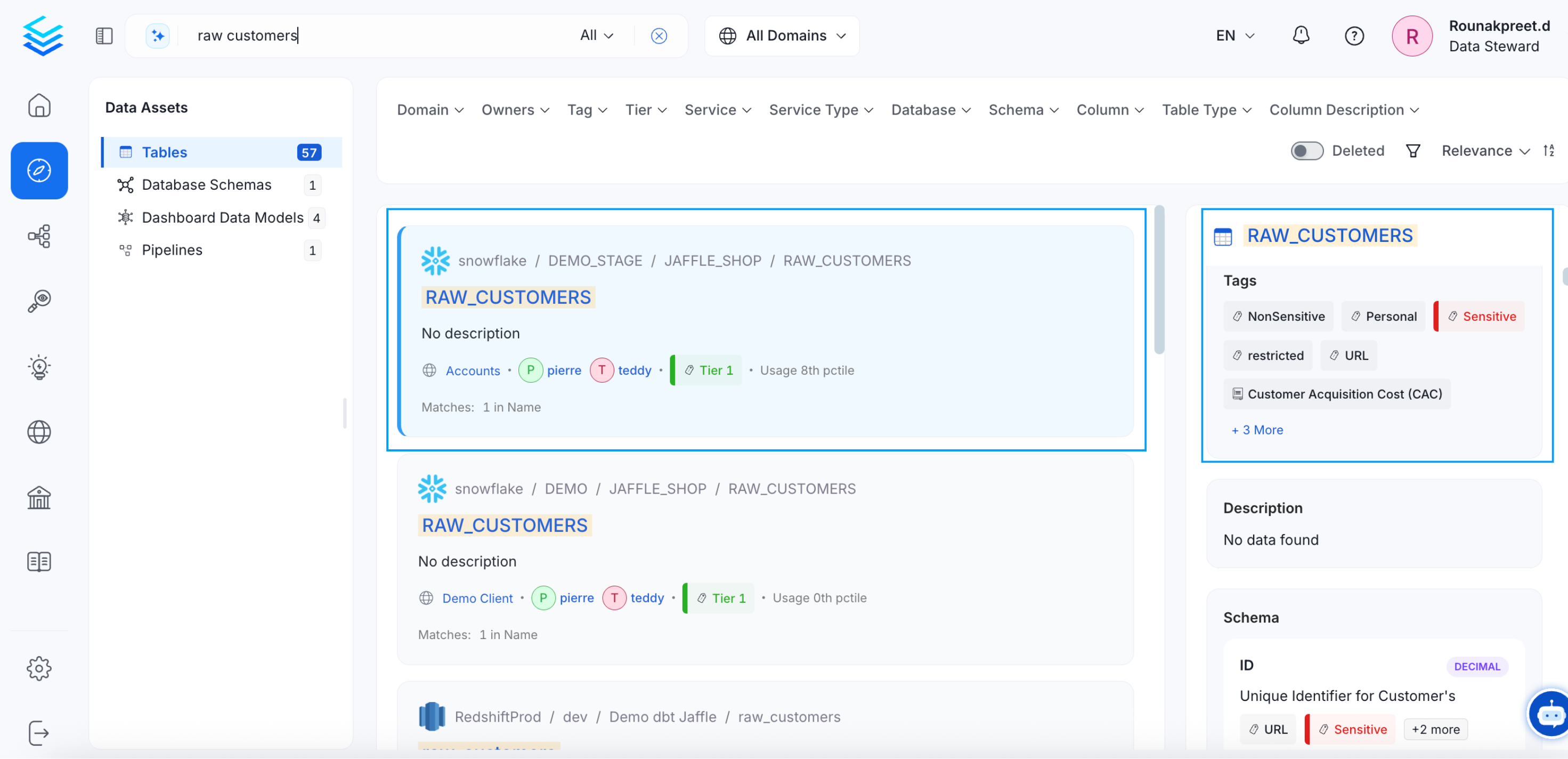
Users can view all the tags associated with a particular data asset.
## Tags
Users can view all the tags associated with a particular data asset.
 ## Schema
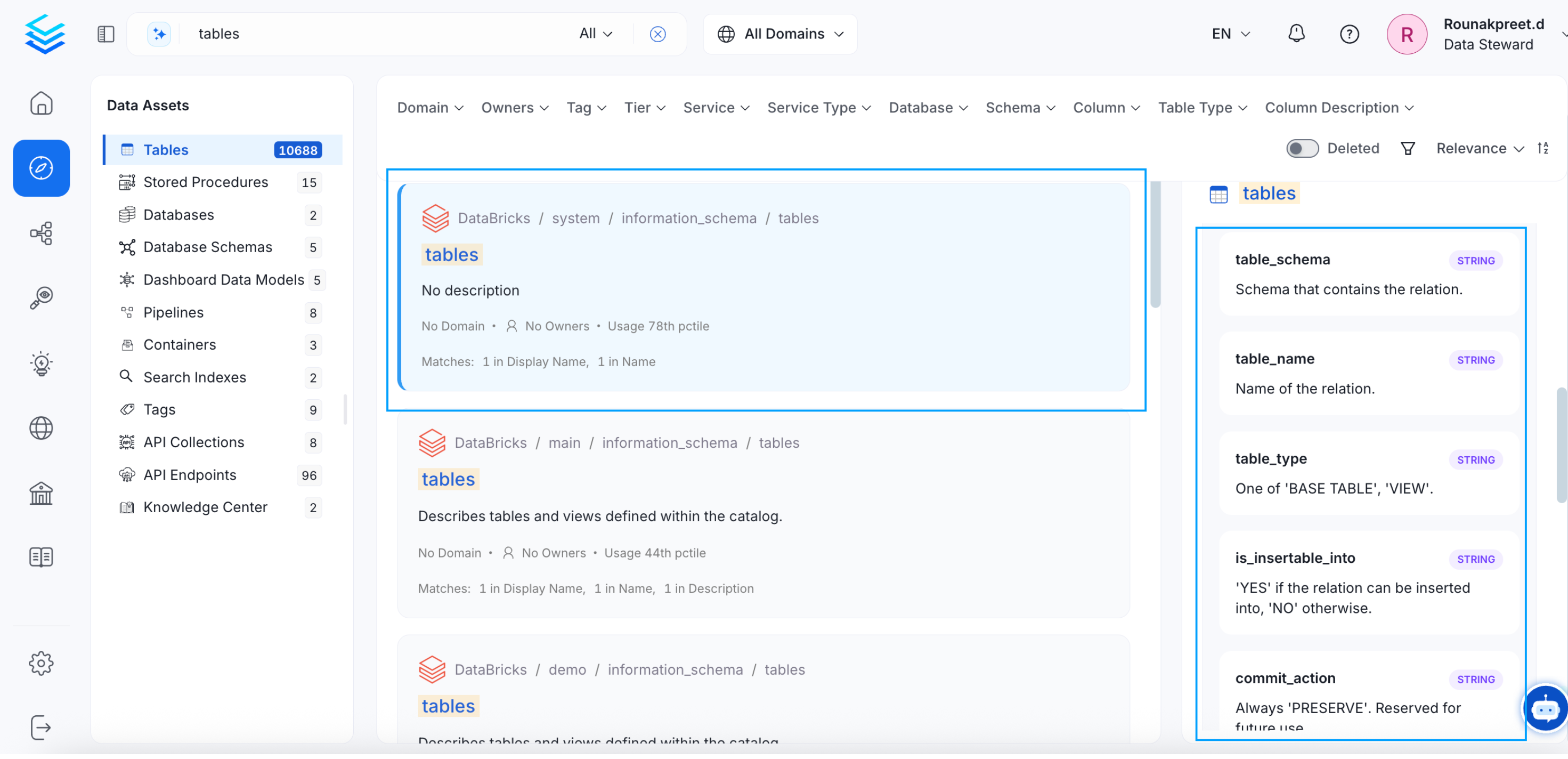
The Schema provides the details on the **column names, type of column, and column description**.
## Schema
The Schema provides the details on the **column names, type of column, and column description**.
 Get a holistic view of the data assets.