> ## Documentation Index
> Fetch the complete documentation index at: https://docs.open-metadata.org/llms.txt
> Use this file to discover all available pages before exploring further.
# Glossary | OpenMetadata Data Glossary Guide
> Set up glossary terms and definitions to improve search, categorization, and shared understanding.
# Glossary
A Glossary is a Controlled Vocabulary to describe important concepts and terminologies within your organization to foster a common and consistent understanding of data. A controlled vocabulary is an organized arrangement of words and phrases to define terminology to organize and retrieve information.
Glossary adds semantics or meaning to data by defining the business terminologies. It defines concepts related to a specific domain. For example, Business Glossary or Bank Glossary. A well-defined business glossary helps foster team collaboration with the use of standard terms. The terms from the glossary can be used for labeling or tagging as additional metadata of data assets for describing and categorizing things. Glossaries are important for data discovery, retrieval, and exploration through conceptual terms, and facilitates **Data Governance**.
## Glossary in OpenMetadata
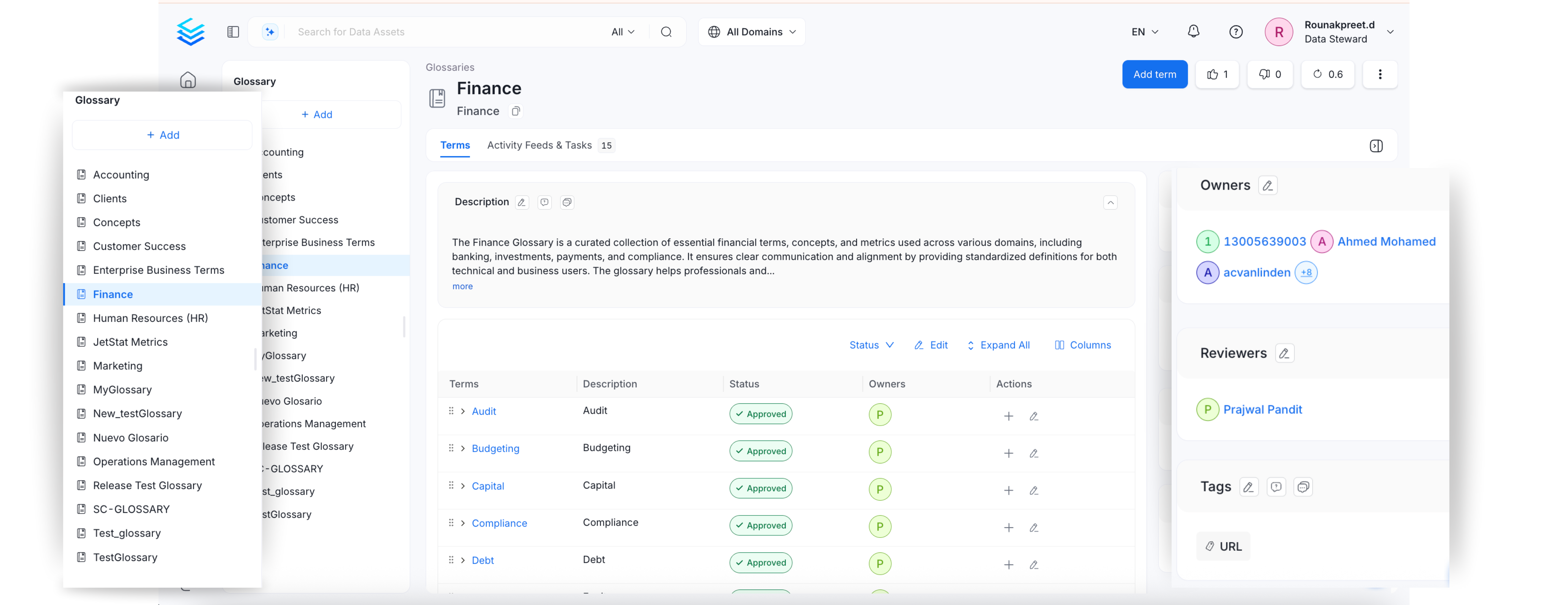
OpenMetadata models a Glossary as a Thesauri that organizes terms with **hierarchical**, equivalent, and associative relationships within a domain. The Glossary in OpenMetadata can be accessed from **Govern >> Glossary**. All the Glossaries are displayed in the left nav bar. Clicking on a specific glossary will display the expanded view to show the entire hierarchy of the glossary terms (parent-child terms).
**Tip:** A well-defined and centralized glossary makes it easy to **onboard new team members** and help them get familiar with the **organizational terminology**.
Watch the [Webinar on Glossaries and Classifications in OpenMetadata](https://www.youtube.com/watch?v=LII_5CDo_0s)
## Glossary APIs
OpenMetadata has extensive Glossary APIs. The main entities are **Glossary** and **Glossary Term**. These entities are identified by a Unique ID. Glossary terms have a fully qualified name in the form of `glossary.parentTerm.childTerm`
You can create, delete, modify, and update using APIs. Refer to the **[Glossary API documentation](https://sandbox.open-metadata.org/docs#tag/Glossaries)**.
Learn about the hierarchically arranged glossary terms.
Learn how to set up a glossary manually in OpenMetadata.
Setup glossary terms to define the terminology. Add tags, synonyms, related terms, links, etc.
Save time and effort by bulk uploading glossary terms using a CSV file.
Quickly export a glossary as a CSV file.
Set up a review and approval process for glossary terms.
Stylize your glossary terms with color-coding and icons.
Associate glossary terms to data assets making it easier for data discovery
Here are the Top 8 Best Practices around Terminologies.