> ## Documentation Index
> Fetch the complete documentation index at: https://docs.open-metadata.org/llms.txt
> Use this file to discover all available pages before exploring further.
# Data Lineage | OpenMetadata Lineage How-To Guide
> Navigate core data lineage guides to understand column, table, and pipeline lineage configuration.
# Overview of Data Lineage
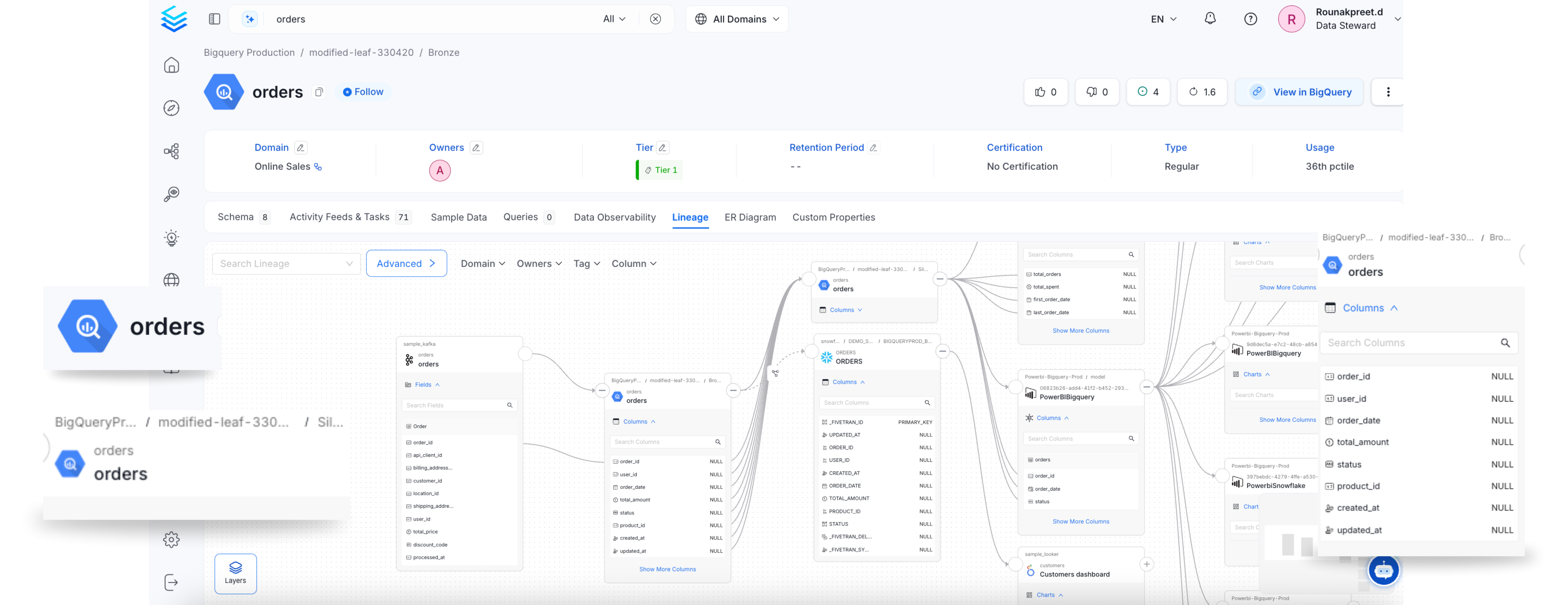
OpenMetadata tracks data lineage, showing how data moves through the organization's systems. Users can visualize how data is transformed and where it is used, helping with data traceability and impact analysis. OpenMetadata supports lineage for Database, Dashboard, and Pipelines.
Watch the video on data lineage to understand the different options to automatically extract the lineage from your data warehouses such as Snowflake, dashboard service like metabase. Also learn about creating lineage programmatically with python SDK.
Configure a lineage workflow right from the UI.
Explore the rich lineage view in OpenMetadata.
Explore and edit the rich column-level lineage.
Edit the table and column level lineage manually.
 Watch the video on data lineage to understand the different options to automatically extract the lineage from your data warehouses such as Snowflake, dashboard service like metabase. Also learn about creating lineage programmatically with python SDK.