
How to Deploy a Lineage Workflow
Lineage data can be ingested from your data sources right from the OpenMetadata UI. Currently, the lineage workflow is supported for a limited set of connectors, like BigQuery, Snowflake, MSSQL, Redshift, Clickhouse, PostgreSQL, Databricks.View Lineage from Metadata Ingestion
Once the metadata ingestion runs correctly, and we are able to explore the service Entities, we can add the view lineage information for the data assets. This will populate the Lineage tab in the data asset page. During the Metadata Ingestion workflow we differentiate if a Table is a View. For those sources, where we can obtain the query that generates the View, we bring in the view lineage along with the metadata. After all Tables have been ingested in the workflow, it’s time to parse all the queries generating Views. During the query parsing, we will obtain the source and target tables, search if the Tables exist in OpenMetadata, and finally create the lineage relationship between the involved Entities. If the database has views, then the view lineage would be generated automatically, along with the column-level lineage. In such a case, the table type is View as shown in the example below.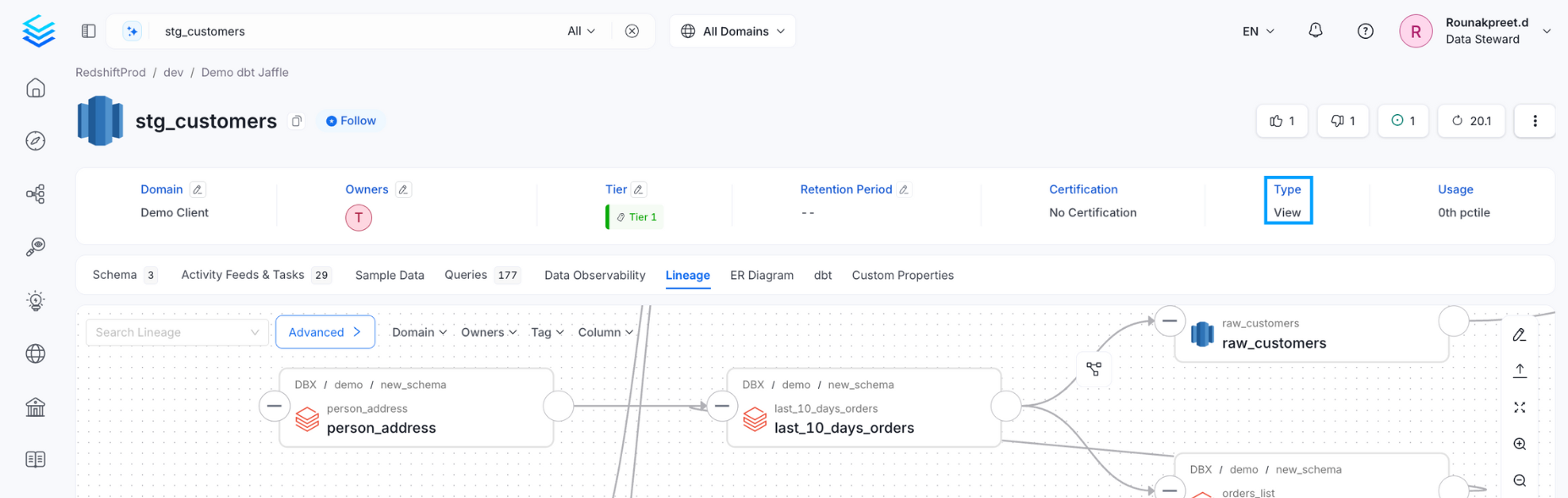
Lineage Agent from UI
Apart from the Metadata ingestion, we can create a workflow that will obtain the query log and table creation information from the underlying database and feed it to OpenMetadata. The Lineage Agent will be in charge of obtaining this data. The metadata ingestion will only bring in the View lineage queries, whereas the Lineage Agent workflow will be bring in all those queries that can be used to generate lineage information.1. Add a Lineage Agent
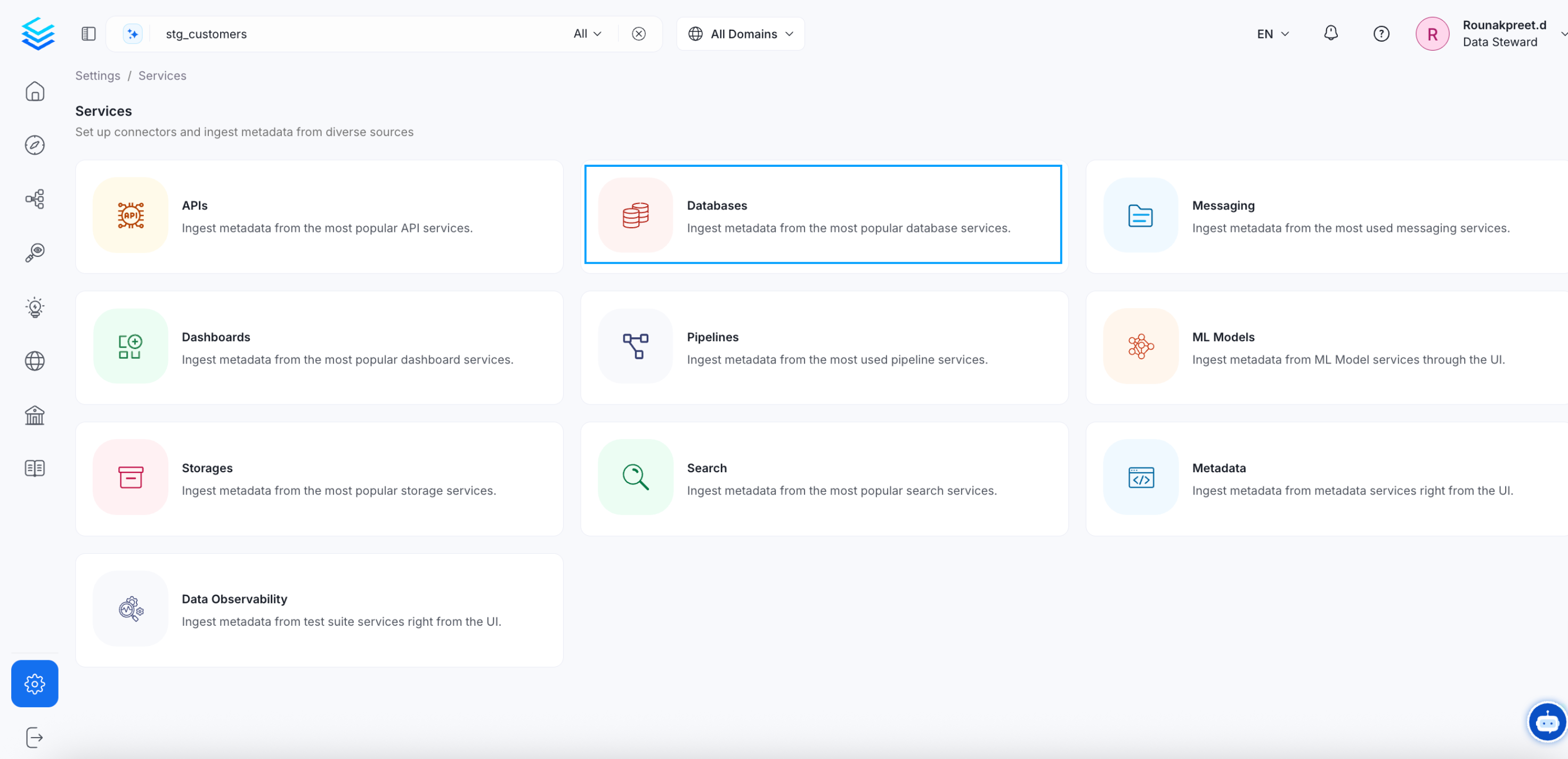
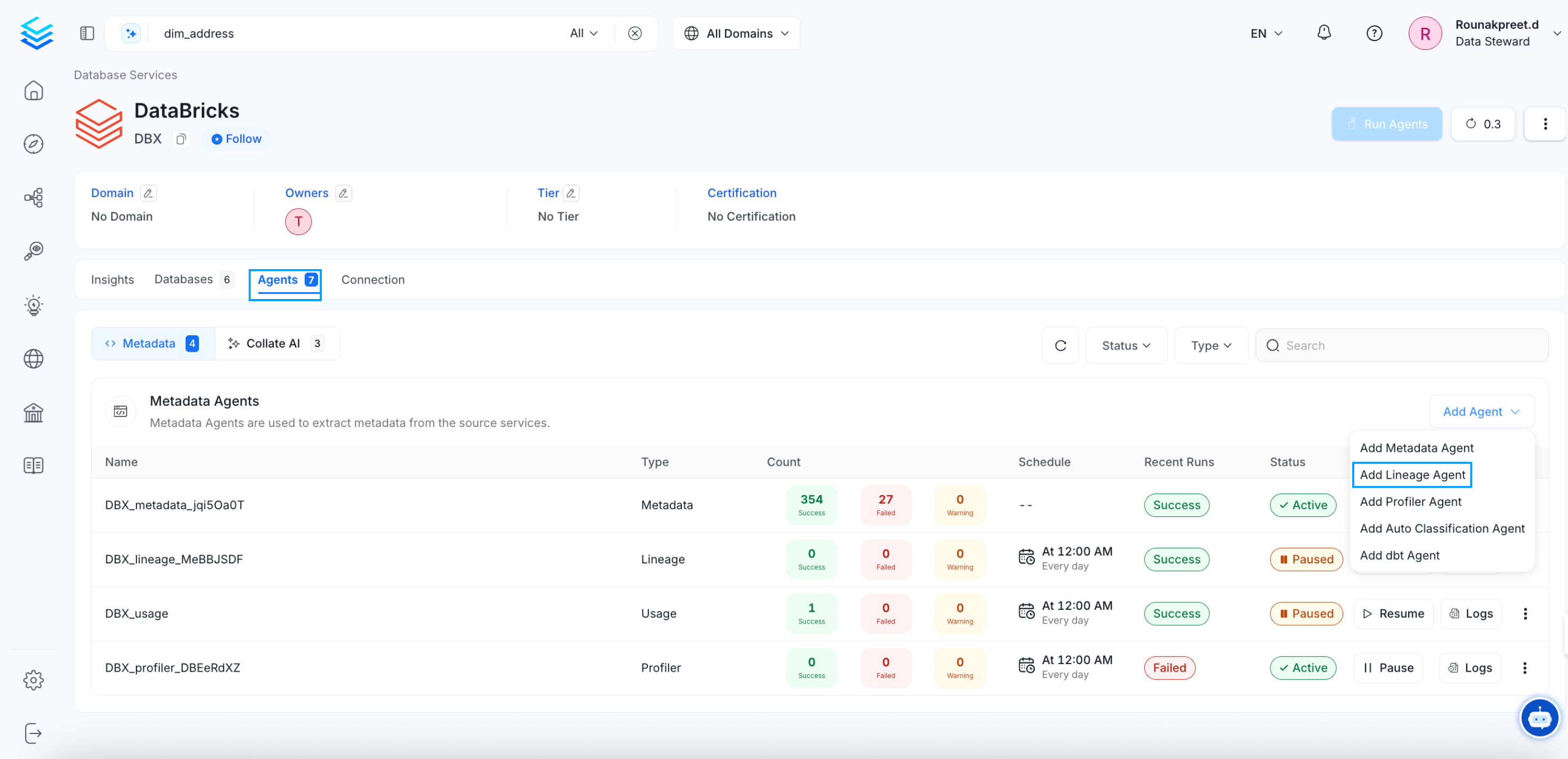
Navigate to Settings >> Services >> Databases. Select the required service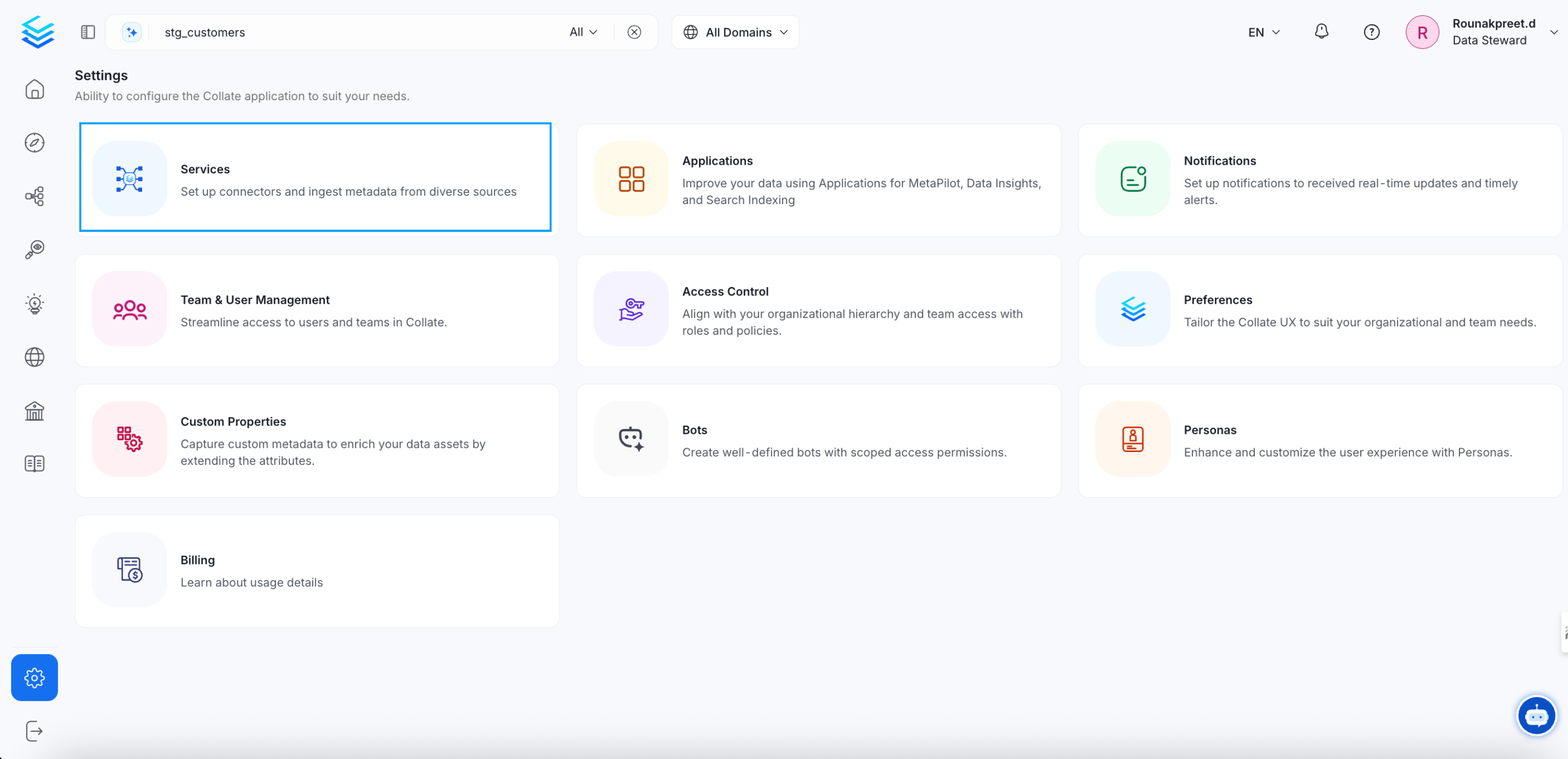
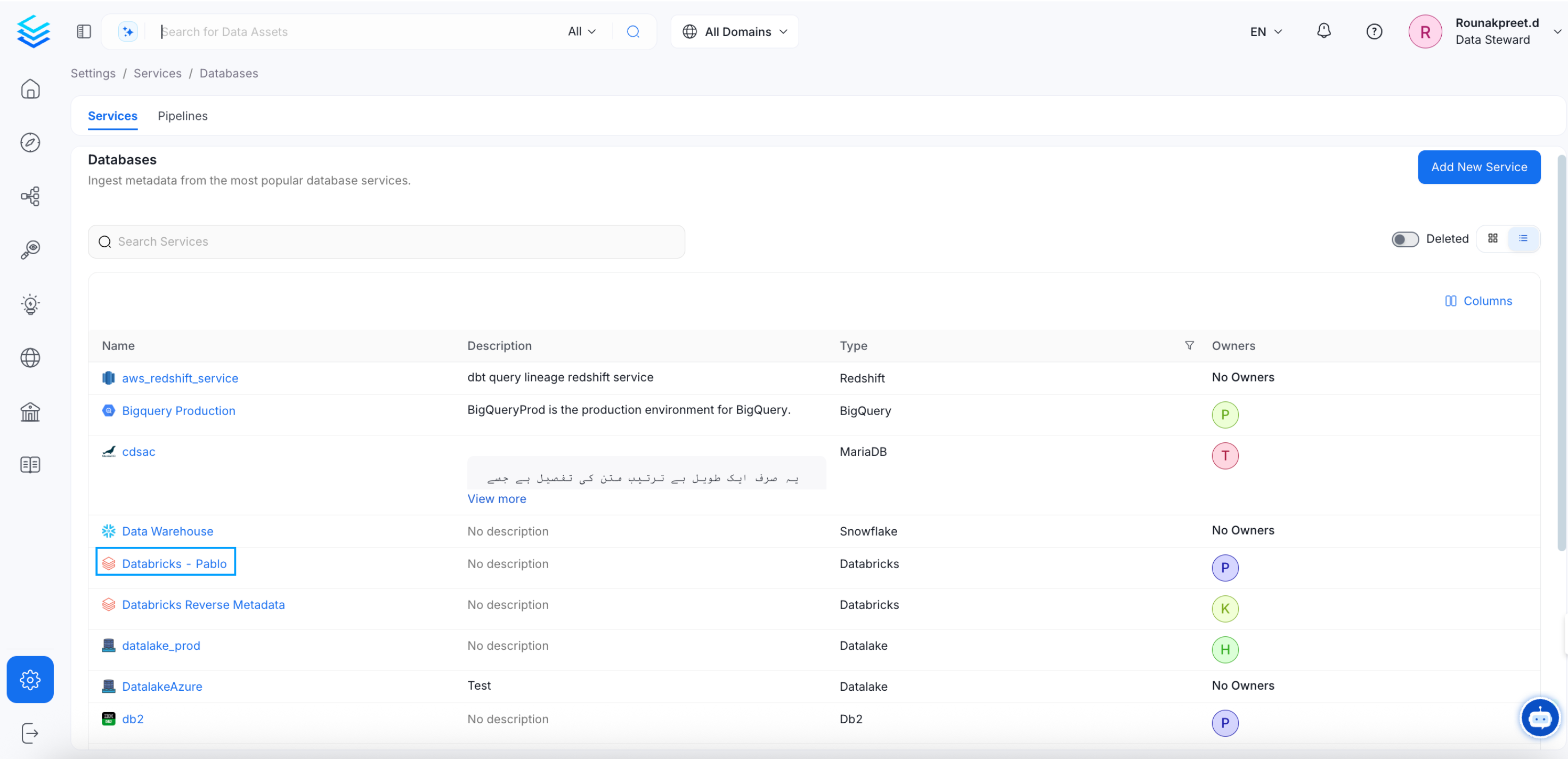
- Go to the Agents tab.
- Select Add Agent.
- Select Add Lineage Agent.
2. Configure the Lineage Agent
Here you can enter the Lineage Agent details: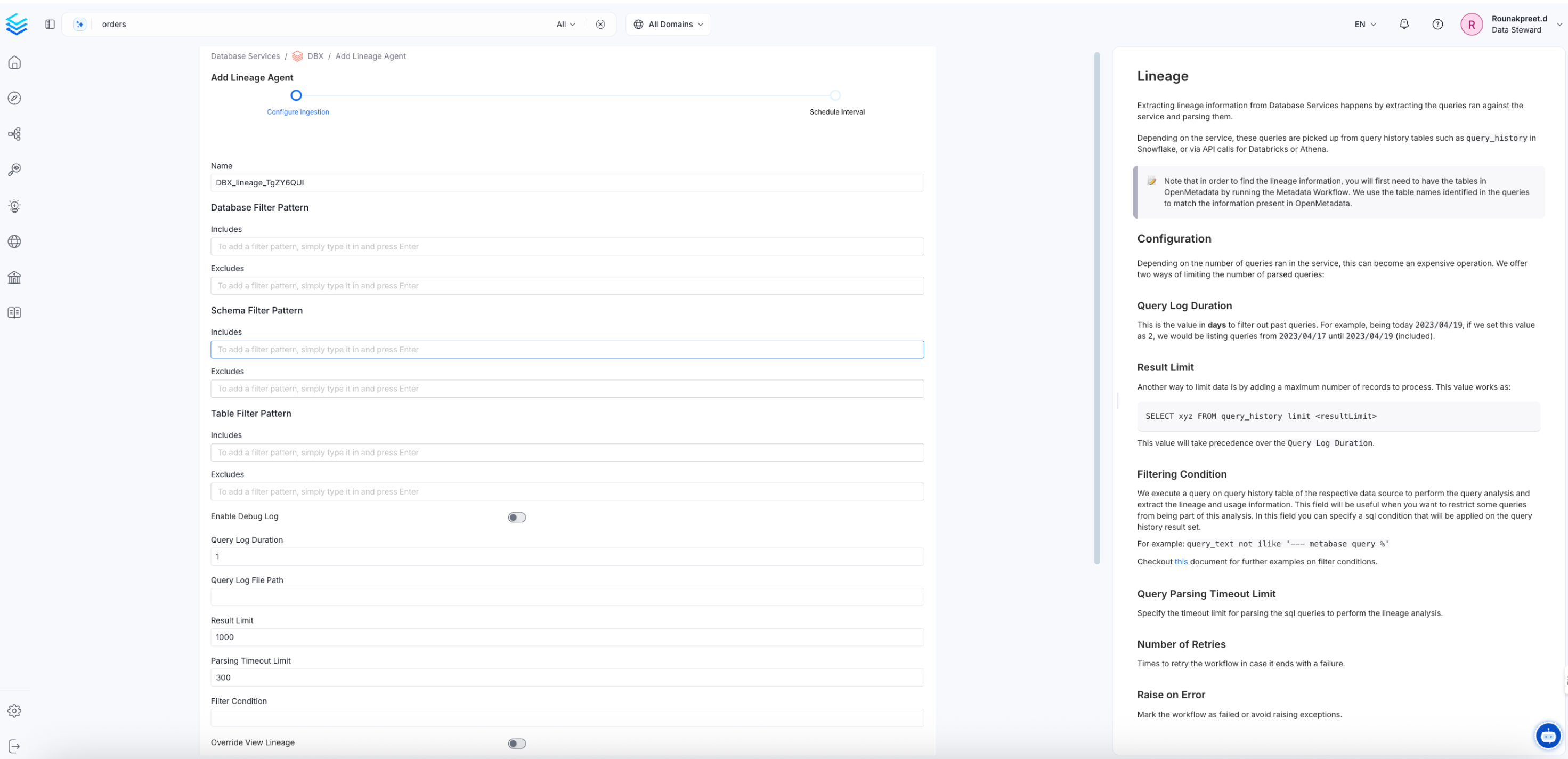
Lineage Options
- Query Log Duration: Specify the duration in days to look back in the query logs when capturing lineage data. For example, if you specify 2 as the value for the duration, the Lineage Agent captures lineage information for 2 days or 48 hours prior to when the ingestion workflow is run.
- Parsing Timeout Limit: Specify the timeout limit, in seconds, for parsing SQL queries during lineage analysis.
- Result Limit: Set the maximum number of query-log rows to process at a time.
- Filter Condition: Enter a SQL condition to filter the data source’s query-history results before OpenMetadata analyzes them for lineage and usage. For more information, see Usage Query Filtering.
- Process Cross Database Lineage: Enable this toggle to build lineage across tables in different databases or projects (for example, across BigQuery projects or databases in other supported connectors). Also set Cross Database Service Names when enabling this option.
-
Cross Database Service Names: Names of other services to search when resolving table references during lineage extraction. Use this when a query, view, or stored procedure references tables in a different service than the one currently being ingested—for example, when BigQuery projects are configured as separate services. List the specific service names to search. The underlying search returns a limited number of matches per lookup, so
*can resolve to the wrong table or miss the correct service when many services or tables share names. This applies to query, view, and stored-procedure lineage when the corresponding processing options are enabled.
3. Schedule and Deploy
- Select Next to open the Scheduling form used for Metadata Ingestion.
- Select the desired schedule.
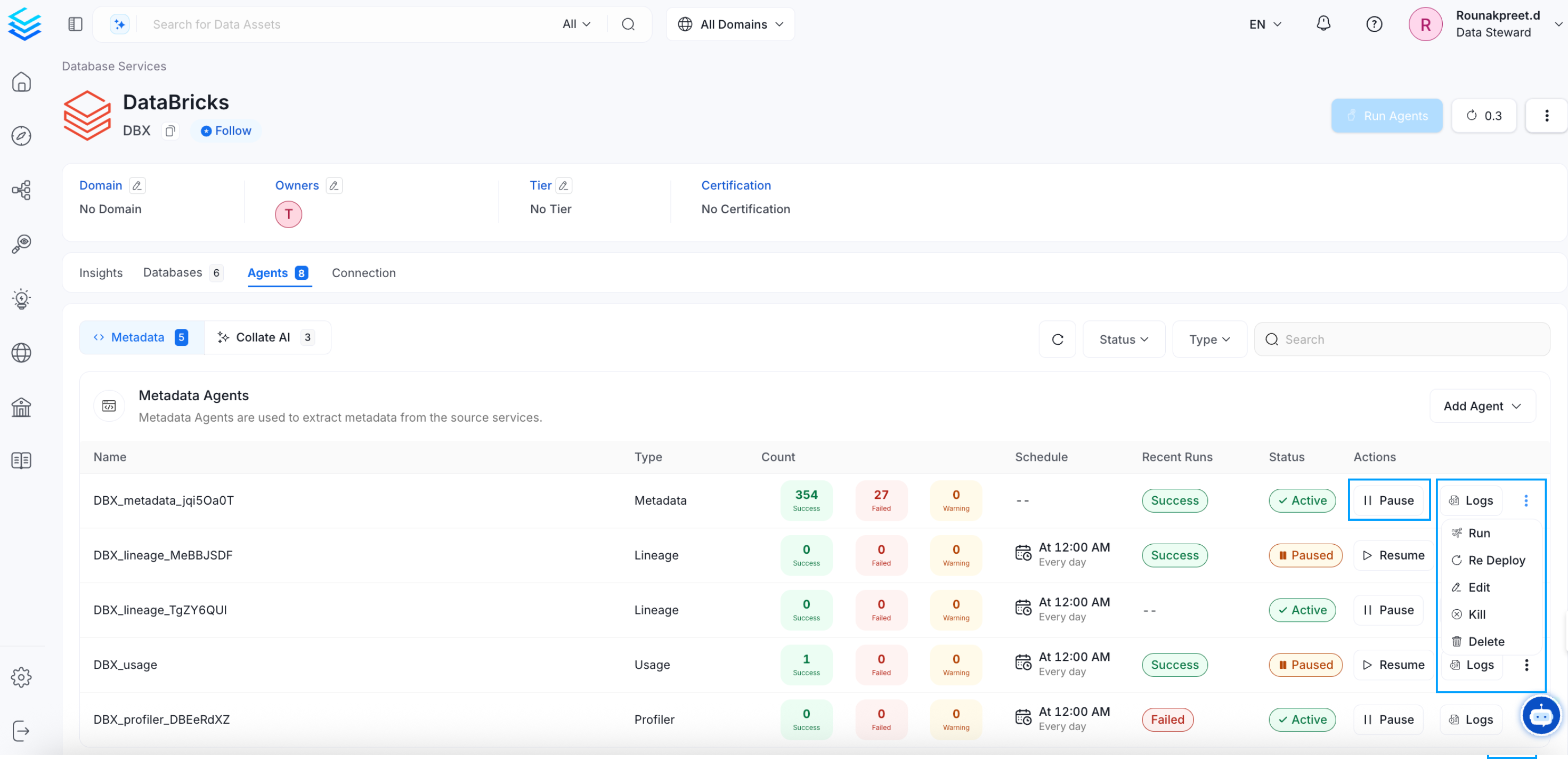
- Select Deploy to add the lineage pipeline under the Agents tab.
Run Lineage Workflow Externally
Lineage
After running a Metadata Ingestion workflow, we can run Lineage workflow. While theserviceName will be the same to that was used in Metadata Ingestion, so the ingestion bot can get the serviceConnection details from the server.
1. Define the YAML Config
This is a sample config for bigquery Lineage:- You can learn more about how to configure and run the Lineage Workflow to extract Lineage data from here
2. Run with the CLI
After saving the YAML config, we will run the command the same way we did for the metadata ingestion:dbt Ingestion
We can also generate lineage through dbt ingestion. The dbt workflow can fetch queries that carry lineage information. For a dbt ingestion pipeline, the path to the Catalog and Manifest files must be specified. We also fetch the column level lineage through dbt. You can learn more about lineage ingestion here.Query Logs using CSV File
Lineage ingestion is supported for a few connectors as mentioned earlier. For the unsupported connectors, you can set up Lineage Workflows using Query Logs using a CSV file.Manual Lineage
Lineage can also be added and edited manually in OpenMetadata. Refer for more information on adding lineage manually.Explore the Lineage View
Explore the rich lineage view in OpenMetadata.