> ## Documentation Index
> Fetch the complete documentation index at: https://docs.open-metadata.org/llms.txt
> Use this file to discover all available pages before exploring further.
# Bulk Edit Test Cases
> Learn to bulk edit multiple data quality test cases at once in OpenMetadata using an inline spreadsheet grid, at the table, test suite, or platform-wide scope.
# Bulk Edit Test Cases
Bulk Edit lets you update several existing test cases at once from an inline spreadsheet-style grid, without preparing a CSV file yourself. Under the hood, it uses the same export and import endpoints as [Bulk Export](/v1.12.x/how-to-guides/data-quality-observability/quality/import-export-test-cases/export) and [Bulk Import](/v1.12.x/how-to-guides/data-quality-observability/quality/import-export-test-cases/import): OpenMetadata automatically exports your current test cases, loads them into an editable grid, then validates and re-imports your changes when you confirm. You can bulk edit test cases for a single table, for a test suite, or across your entire platform.
**Note**: You need **EditAll** permission on test cases to use Bulk Edit.
## What You Can Edit
The **name**, **testDefinition**, **entityFQN**, and **testSuite** columns are locked, since they identify the test case and what it runs against. You can edit:
* **displayName**
* **description**
* **parameterValues**
* **computePassedFailedRowCount**
* **useDynamicAssertion**
* **inspectionQuery**
* **tags**
* **glossaryTerms**
For more information about what each column in the file means, see the [CSV Field Reference](/v1.12.x/how-to-guides/data-quality-observability/quality/import-export-test-cases).
## Bulk Edit Test Cases for a Table
To edit test cases added to a single table:
1. In the left navigation menu, click **Explore**, and select the table whose test cases you want to edit.
2. Navigate to the **Data Observability** tab.
3. In the **Data Quality** tab, click **Test Cases** if not selected.
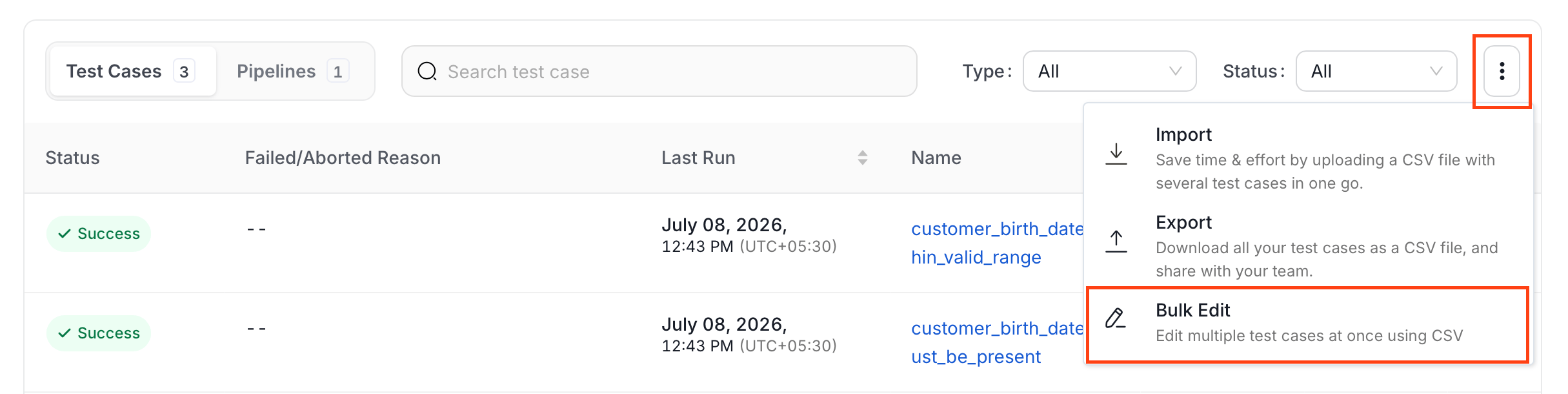
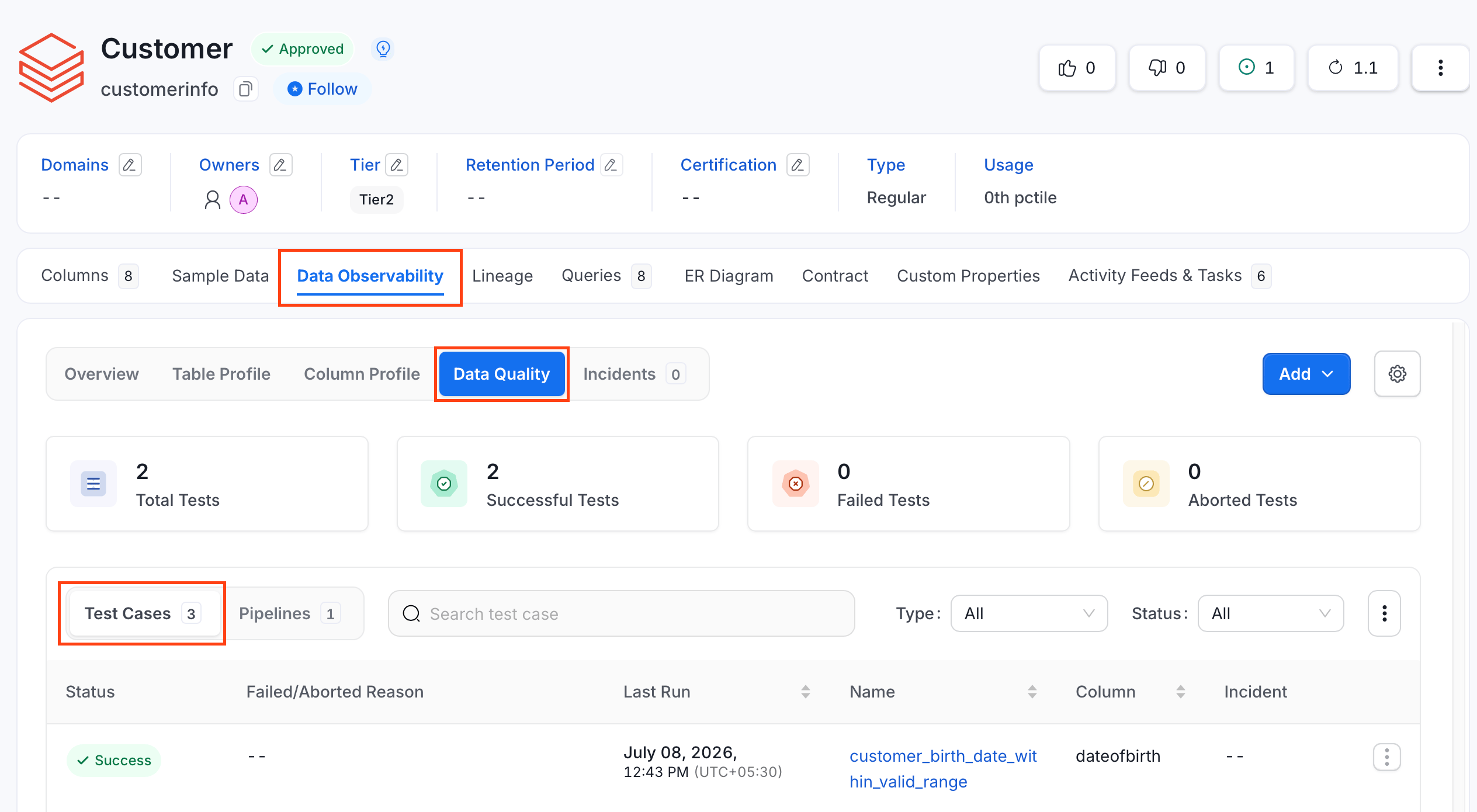 4. Click the **⋮** icon and click **Bulk Edit**.
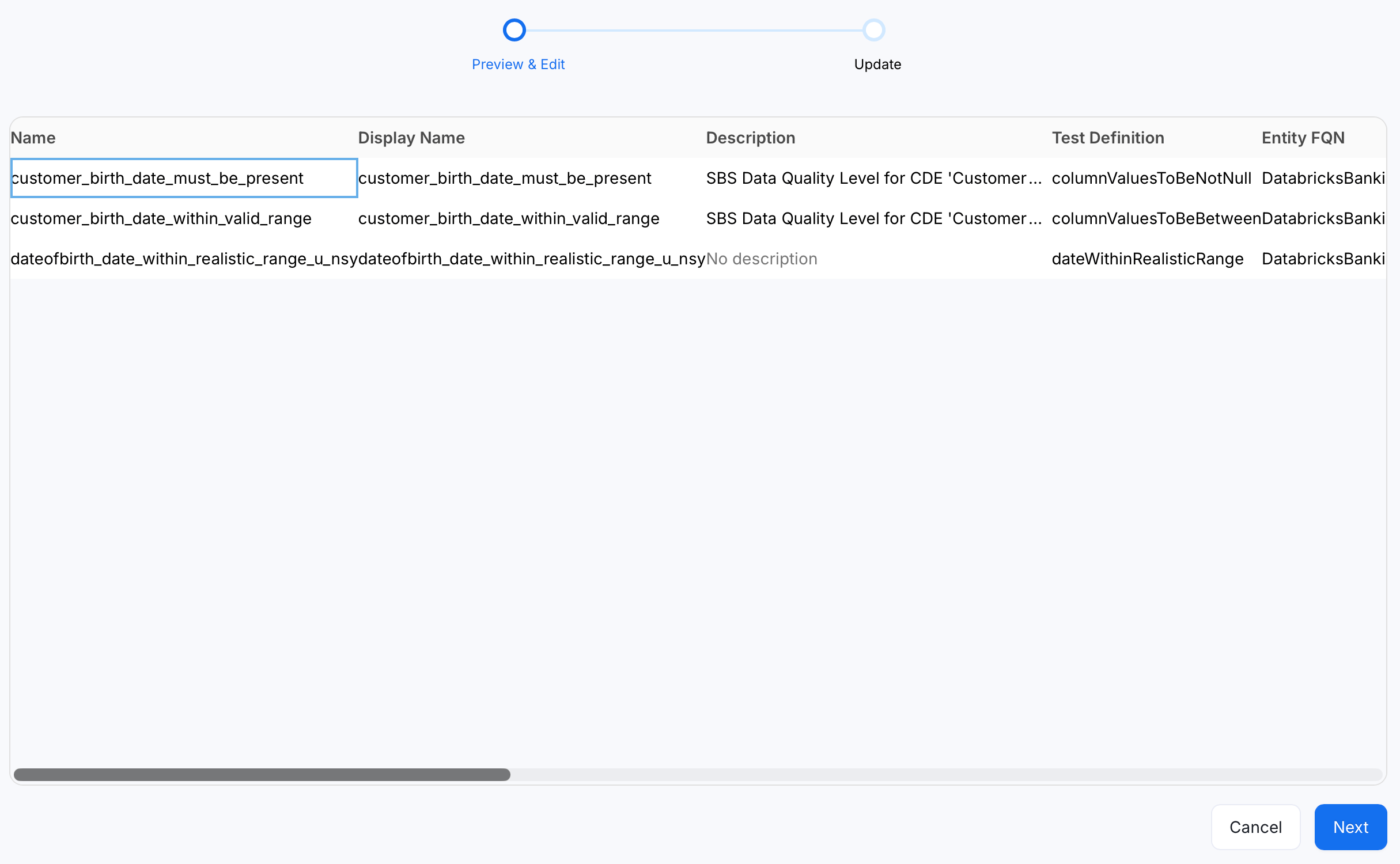
 5. OpenMetadata exports the table's current test cases in the background and loads them into an editable grid. Edit or modify data using the inline editor and click **Next**.
 6. Validate your changes. A green or red tick in the **Status** column displays the success or failure of the test cases.
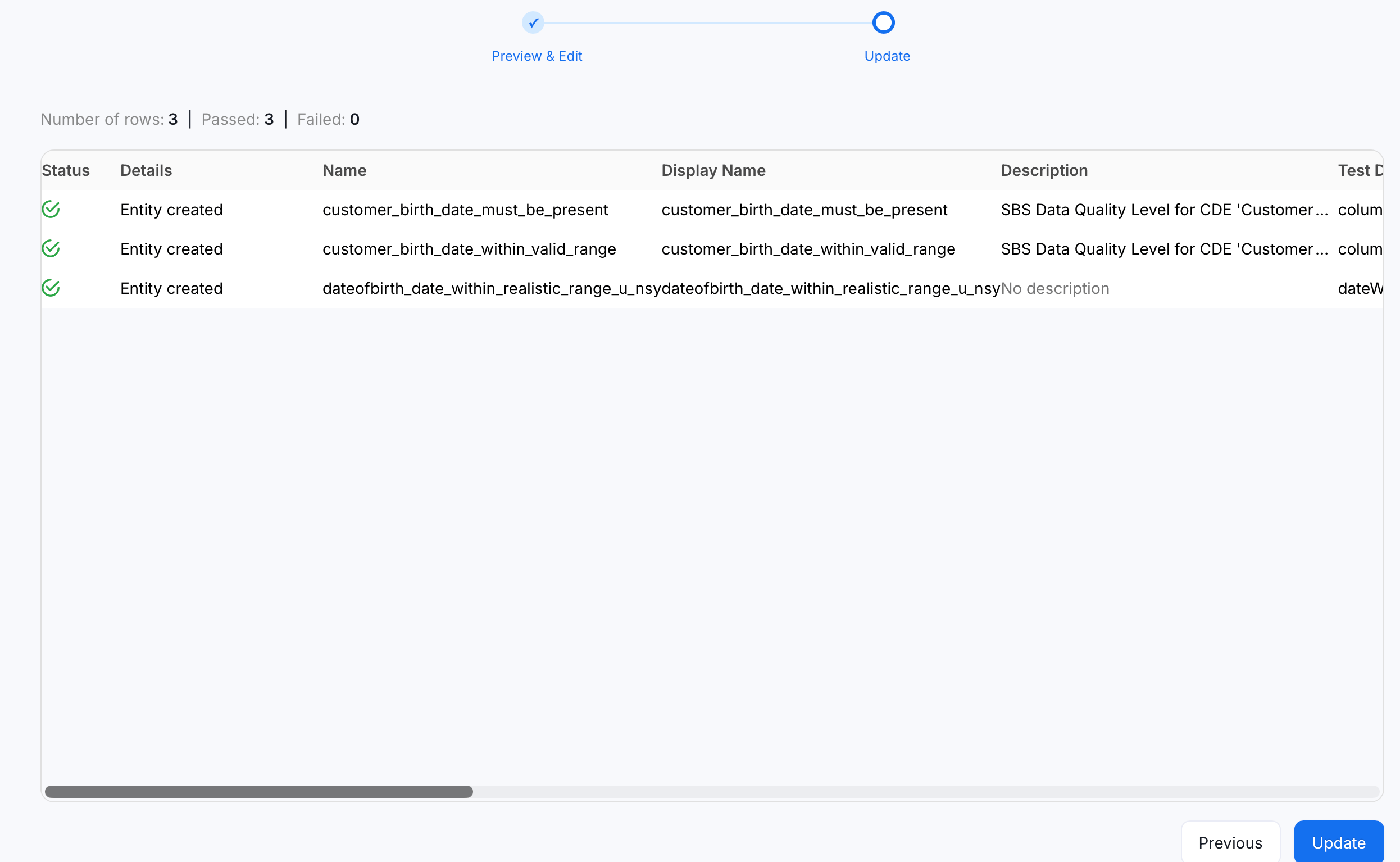 7. Click **Update** again to apply the changes.
## Bulk Edit Test Cases in a Suite
To edit test cases scoped to a single test suite:
1. Navigate to **Data Observability** > **Data Quality**.
2. Click the **Test Suites** tab and switch to **Bundle Suites**.
7. Click **Update** again to apply the changes.
## Bulk Edit Test Cases in a Suite
To edit test cases scoped to a single test suite:
1. Navigate to **Data Observability** > **Data Quality**.
2. Click the **Test Suites** tab and switch to **Bundle Suites**.
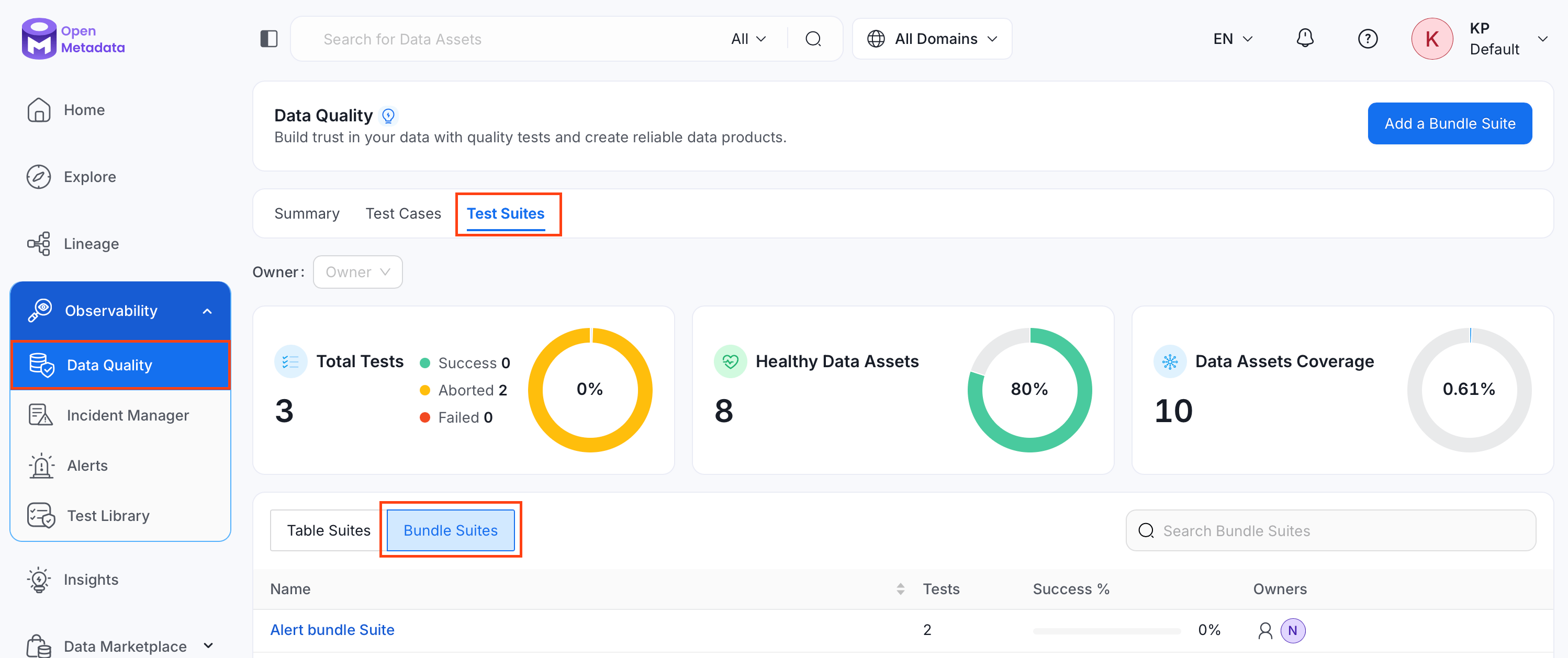 3. Search and select the bundle suite whose test cases you want to edit.
4. Click the **⋮** icon and click **Bulk Edit**.
3. Search and select the bundle suite whose test cases you want to edit.
4. Click the **⋮** icon and click **Bulk Edit**.
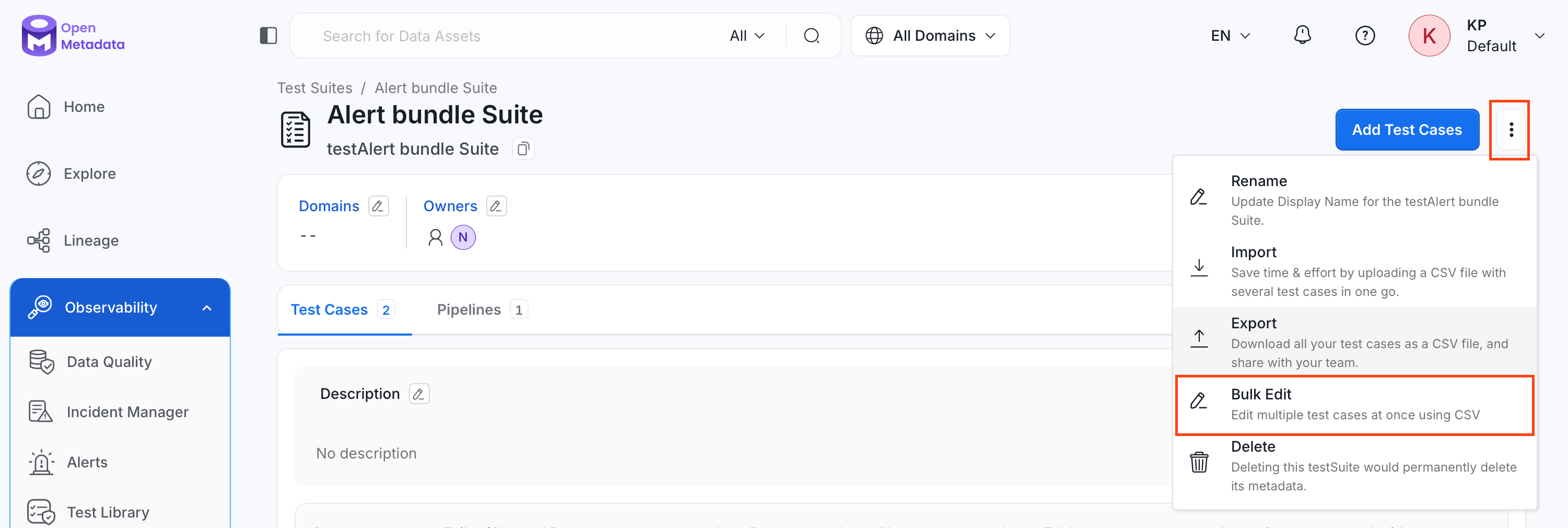 5. Repeat steps 5 to 7 from [Bulk Edit Test Cases for a Table](#bulk-edit-test-cases-for-a-table).
## Bulk Edit All Test Cases
To edit test cases across your entire OpenMetadata instance:
1. Navigate to **Data Observability** > **Data Quality**, and click **Test Cases**.
5. Repeat steps 5 to 7 from [Bulk Edit Test Cases for a Table](#bulk-edit-test-cases-for-a-table).
## Bulk Edit All Test Cases
To edit test cases across your entire OpenMetadata instance:
1. Navigate to **Data Observability** > **Data Quality**, and click **Test Cases**.
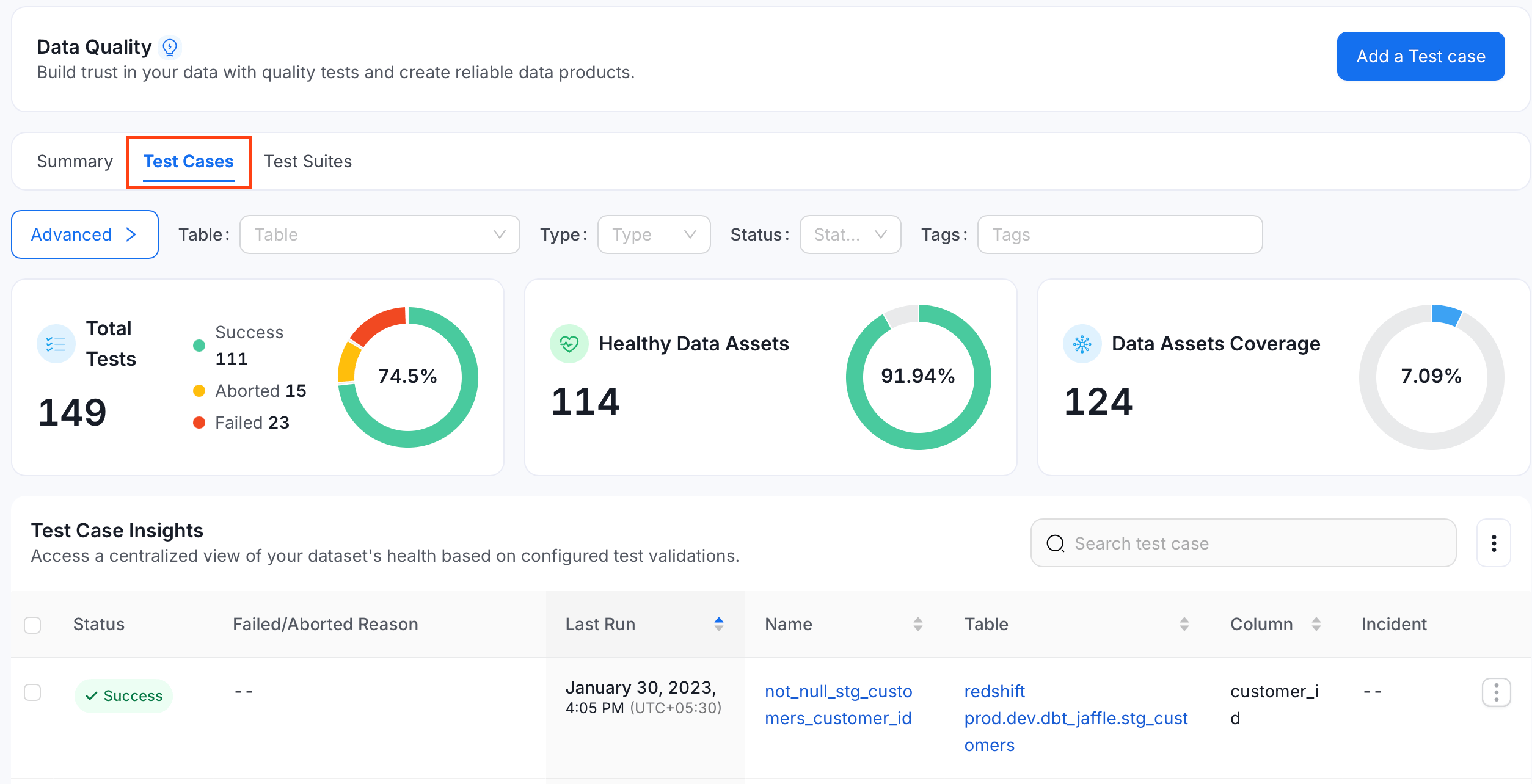 2. Click the **⋮** icon and select **Bulk Edit**.
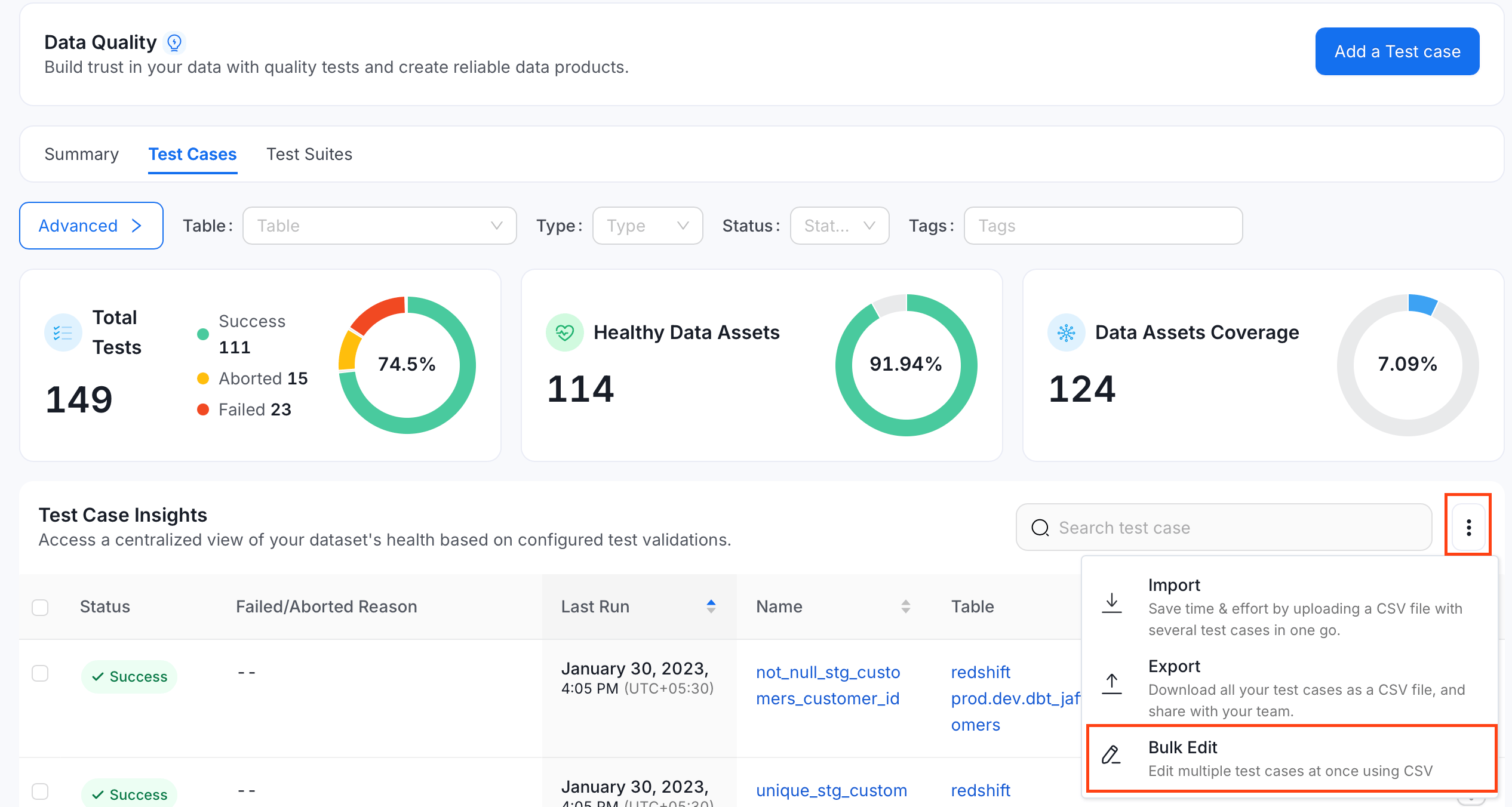 3. Repeat steps 5 to 7 from [Bulk Edit Test Cases for a Table](#bulk-edit-test-cases-for-a-table).
**Note**: You can click **Cancel** at any point before the final update to discard your changes.
**Tip**: Bulk Edit doesn't have its own API. It uses the same export and import endpoints described in [Bulk Export Test Cases](/v1.12.x/how-to-guides/data-quality-observability/quality/import-export-test-cases/export) and [Bulk Import Test Cases](/v1.12.x/how-to-guides/data-quality-observability/quality/import-export-test-cases/import), with `recursive=false` passed on the import call.
3. Repeat steps 5 to 7 from [Bulk Edit Test Cases for a Table](#bulk-edit-test-cases-for-a-table).
**Note**: You can click **Cancel** at any point before the final update to discard your changes.
**Tip**: Bulk Edit doesn't have its own API. It uses the same export and import endpoints described in [Bulk Export Test Cases](/v1.12.x/how-to-guides/data-quality-observability/quality/import-export-test-cases/export) and [Bulk Import Test Cases](/v1.12.x/how-to-guides/data-quality-observability/quality/import-export-test-cases/import), with `recursive=false` passed on the import call.