> ## Documentation Index
> Fetch the complete documentation index at: https://docs.open-metadata.org/llms.txt
> Use this file to discover all available pages before exploring further.
# Data Quality Tab | OpenMetadata Quality Interface
> Use the quality tab to review profiling results, detect issues, and verify test coverage for your datasets.
# Data Quality Tab
The Profiler & Data Quality tab is displayed only for Tables. It has three sub-tabs for **Table Profile, Column Profile, and Data Quality**.
Data quality tests can be run on the sample data. We can add tests at the table and column level. The Data Quality tab displays the total number of tests that were run, and also the number of tests that were successful, aborted, or failed. The list of test cases displays the details of the table or column on which the test was run.
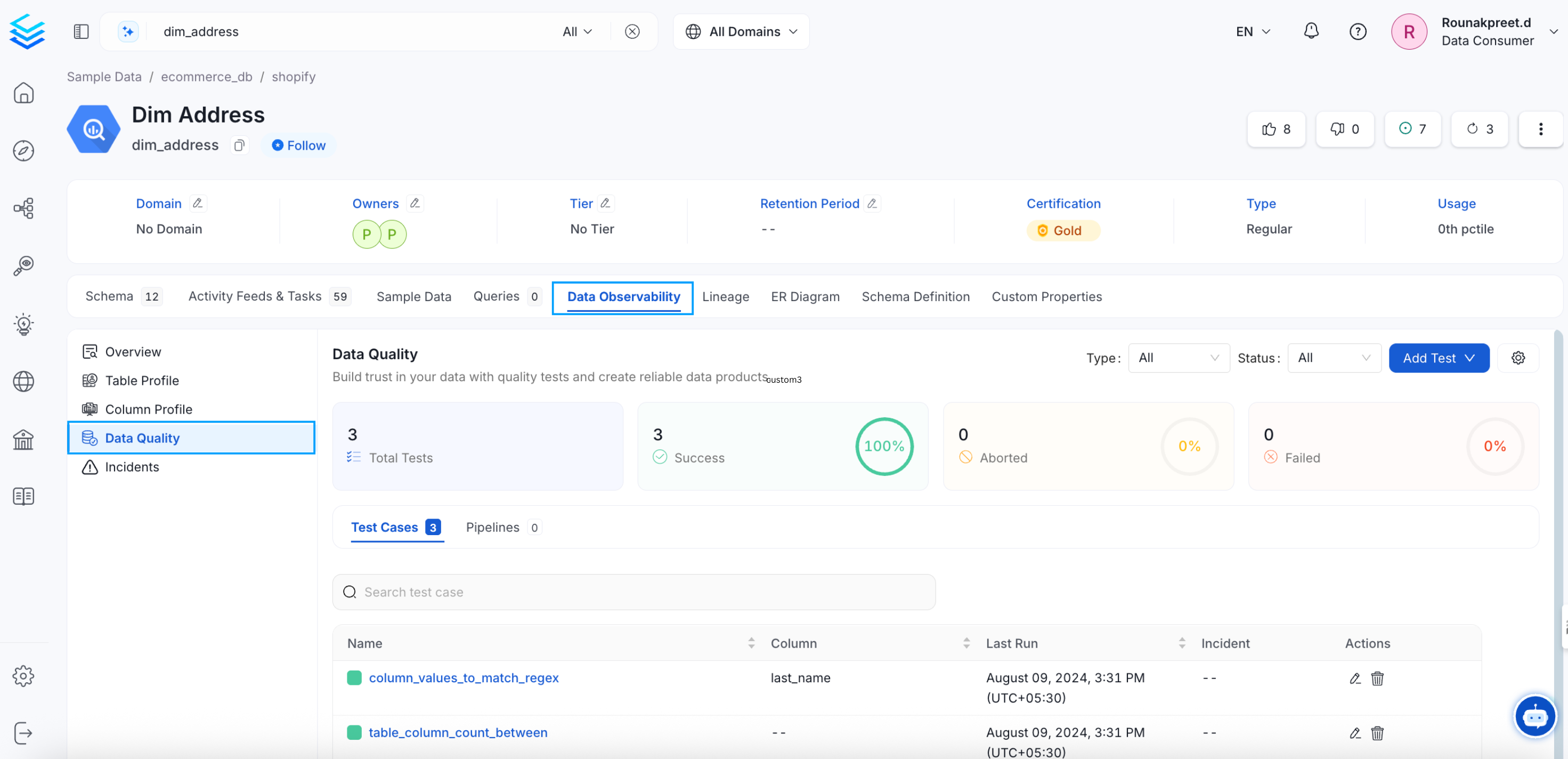 You can click on a Test Case to view further details. You can use a time filter on these reports. You can also edit these tests by clicking on the pencil icon next to each test.
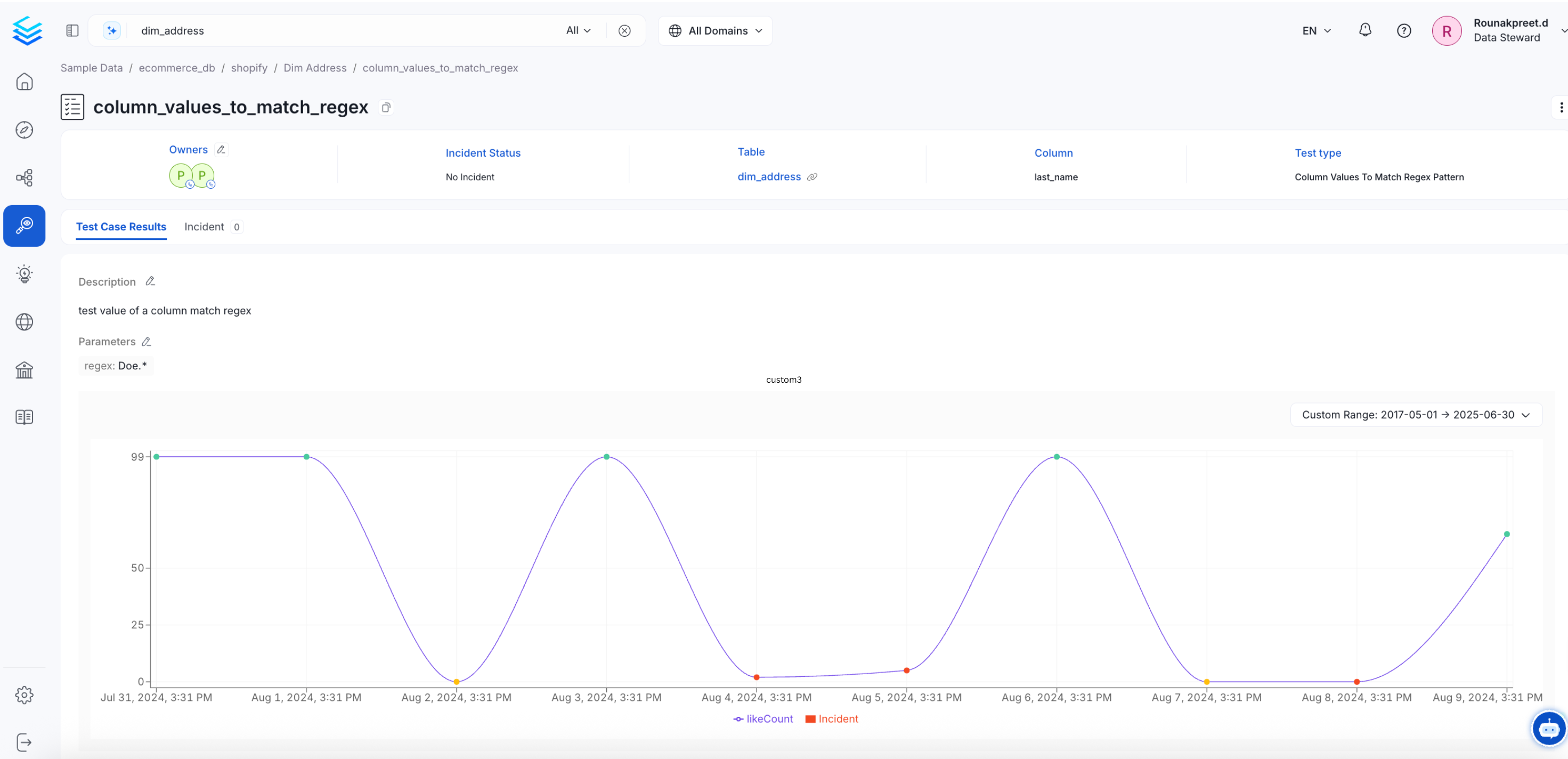 Verify your data quality with table and column level tests.