> ## Documentation Index
> Fetch the complete documentation index at: https://docs.open-metadata.org/llms.txt
> Use this file to discover all available pages before exploring further.
# Auth0 SSO for Docker | OpenMetadata Deployment Guide
> Set up Azure Authorization Code Flow to authenticate users via backend services, using secure token exchange and standards-based login flow.
# Auth Code Flow
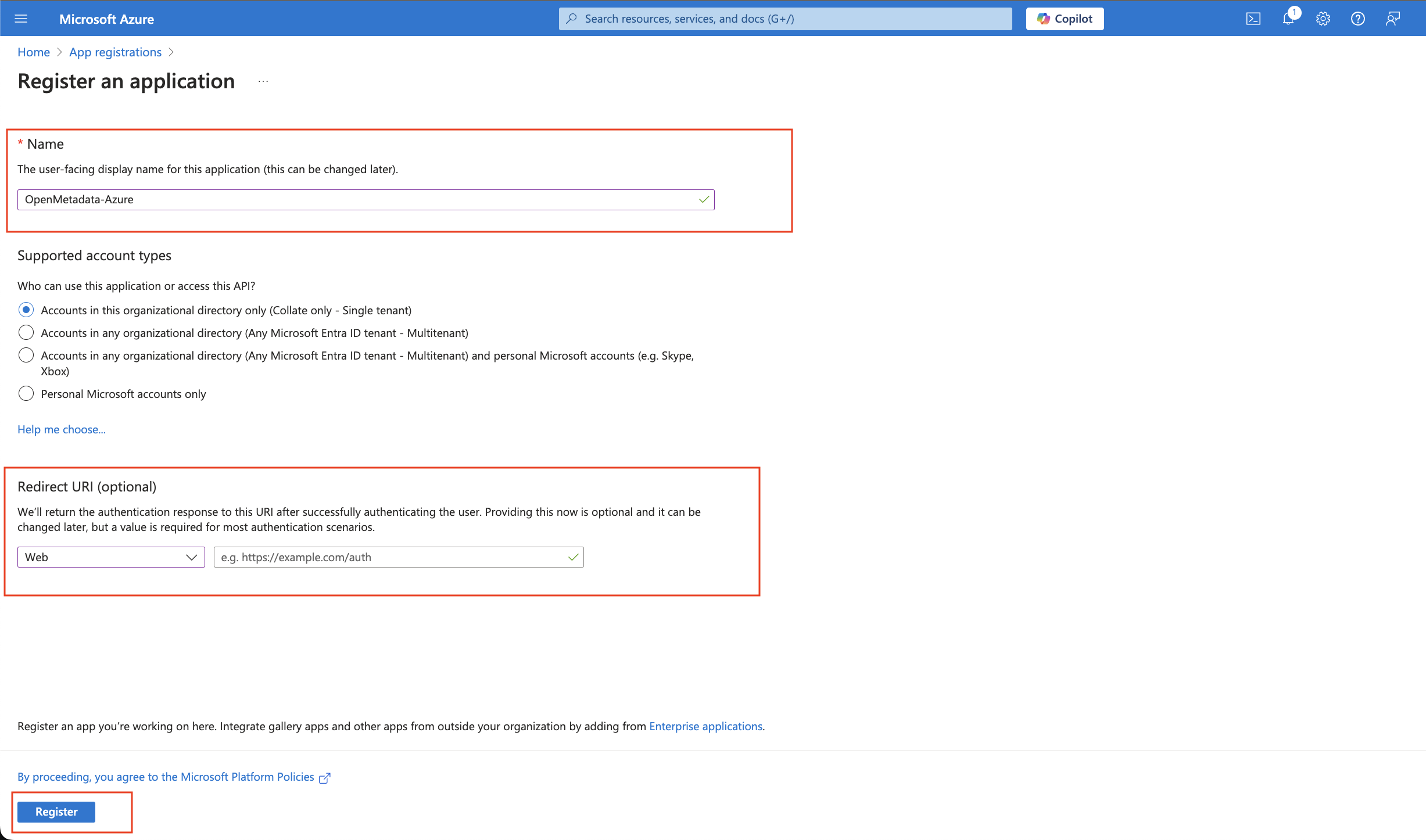
### Step 1: App Registrations
* Provide an Application Name for registration.
* Provide a redirect URL as a Auth Code Flow.
* Click on Register.
 ### Step 2: Where to Find the Credentials
* The `Client ID` and the `Tenant ID` are displayed in the Overview section of the registered application.
### Step 2: Where to Find the Credentials
* The `Client ID` and the `Tenant ID` are displayed in the Overview section of the registered application.
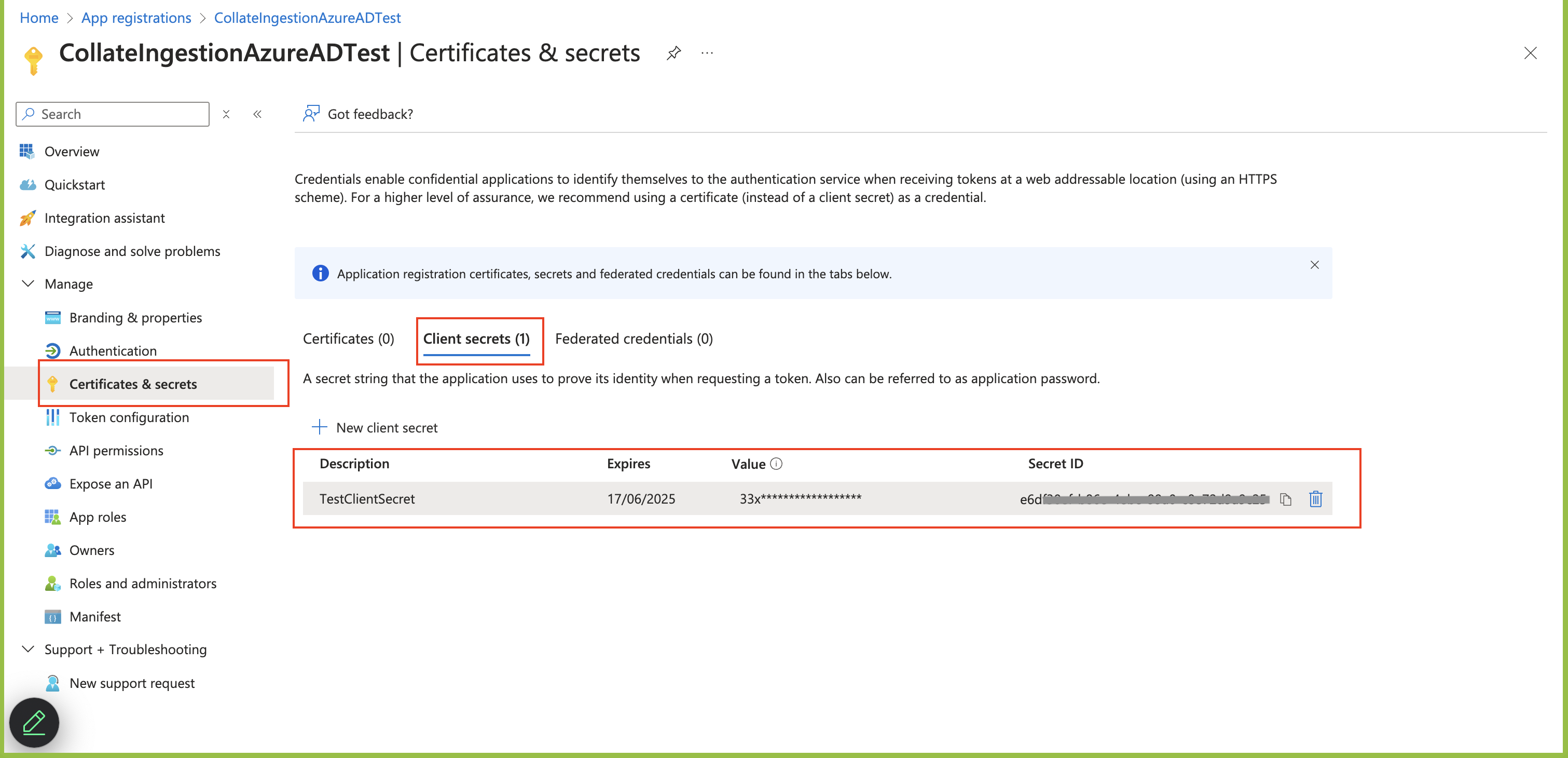 * When passing the details for `authority`, the `Tenant ID` is added to the URL as shown in the example
below. `https://login.microsoftonline.com/TenantID`
```commandline theme={null}
"authority": "https://login.microsoftonline.com/c11234b7c-b1b2-9854-0mn1-56abh3dea295"
```
## Configure Ingestion
Once your server security is set, it's time to review the ingestion configuration. Our bots support JWT tokens
to authenticate to the server when sending requests.
Find more information on [**Enabling JWT Tokens**](/deployment/security/enable-jwt-tokens) and [**JWT Troubleshooting**](/deployment/security/jwt-troubleshooting) to ensure seamless authentication.
Configure Azure SSO for Docker deployment.
Configure Azure SSO for Kubernetes deployment.
Configure Azure SSO for Bare Metal deployment.
Go to Azure Configuration
* When passing the details for `authority`, the `Tenant ID` is added to the URL as shown in the example
below. `https://login.microsoftonline.com/TenantID`
```commandline theme={null}
"authority": "https://login.microsoftonline.com/c11234b7c-b1b2-9854-0mn1-56abh3dea295"
```
## Configure Ingestion
Once your server security is set, it's time to review the ingestion configuration. Our bots support JWT tokens
to authenticate to the server when sending requests.
Find more information on [**Enabling JWT Tokens**](/deployment/security/enable-jwt-tokens) and [**JWT Troubleshooting**](/deployment/security/jwt-troubleshooting) to ensure seamless authentication.
Configure Azure SSO for Docker deployment.
Configure Azure SSO for Kubernetes deployment.
Configure Azure SSO for Bare Metal deployment.
Go to Azure Configuration