> ## Documentation Index
> Fetch the complete documentation index at: https://docs.open-metadata.org/llms.txt
> Use this file to discover all available pages before exploring further.
# Set Up Anomaly Detection in OpenMetadata for Data Quality
# Steps to Set Up Anomaly Detection
### 1. Create a Test from the UI
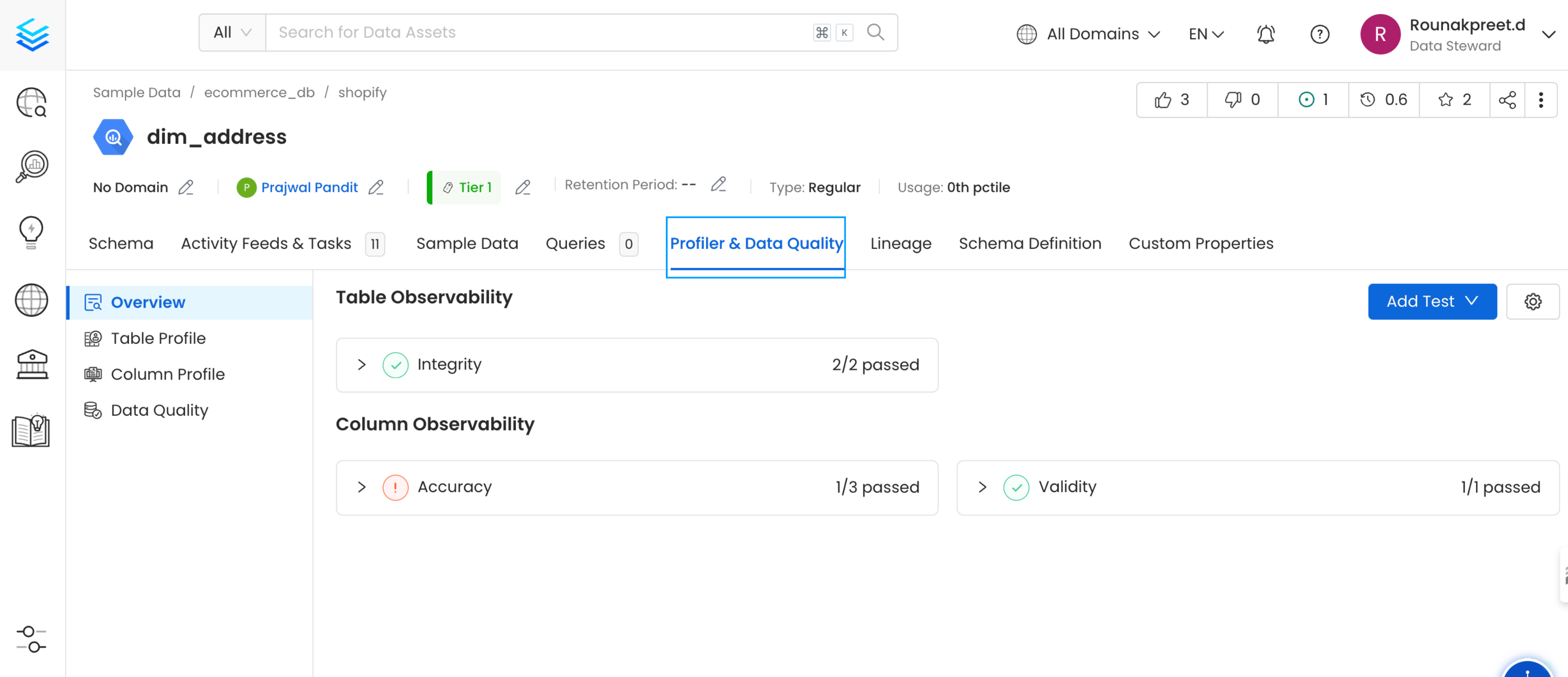
* First, select the dataset and navigate to the **Tests** section in the OpenMetadata UI.
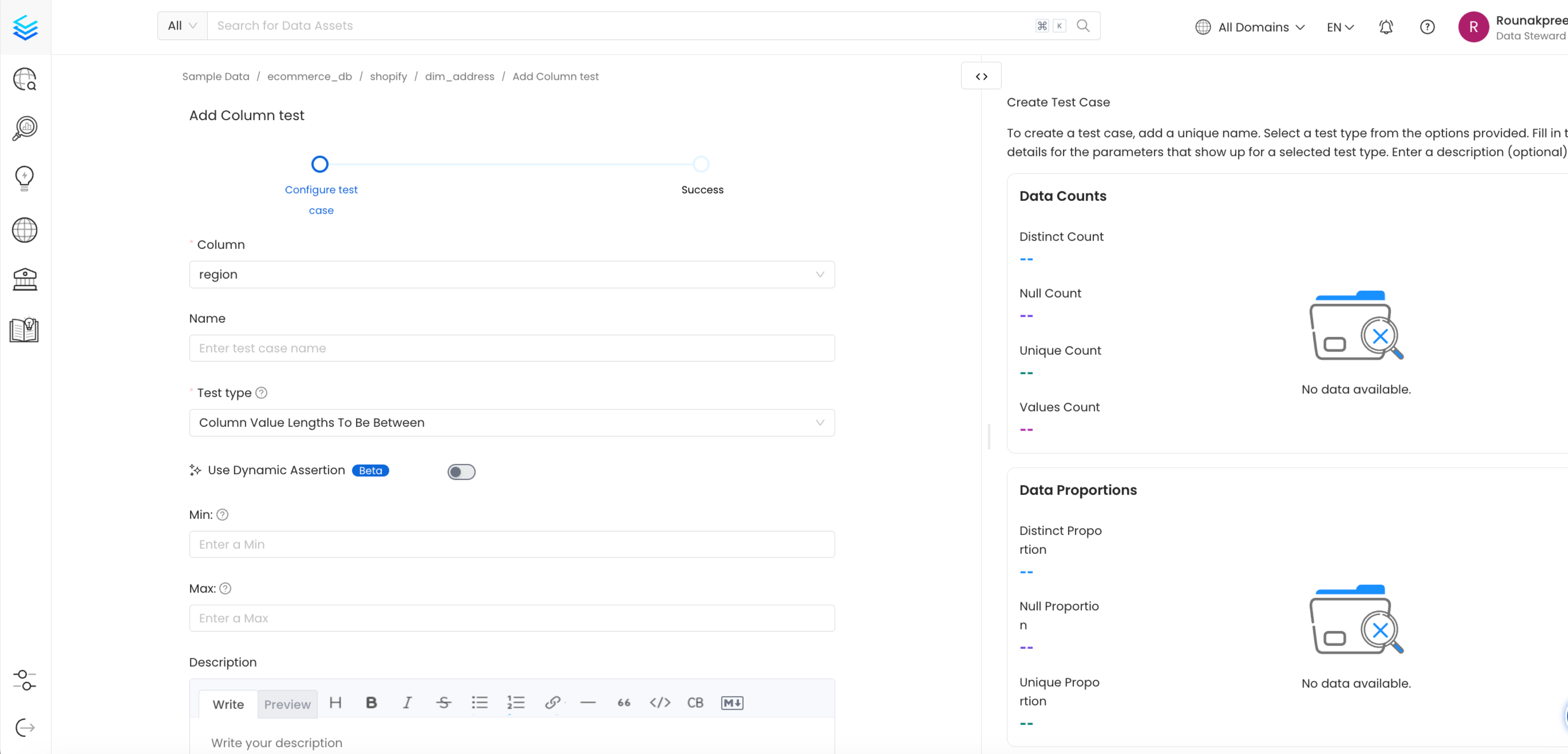
* Define your test parameters. You can either create a **static test** (e.g., "no null values" or "data should not exceed a certain range") or configure **dynamic assertions** to let the system learn from the data.
 ### 2. Configure Manual Tests
* For more controlled monitoring, set up **manual thresholds** (e.g., sales should not exceed a maximum value of 100). This provides specific control over data validation criteria.
### 3. Enable Dynamic Assertions
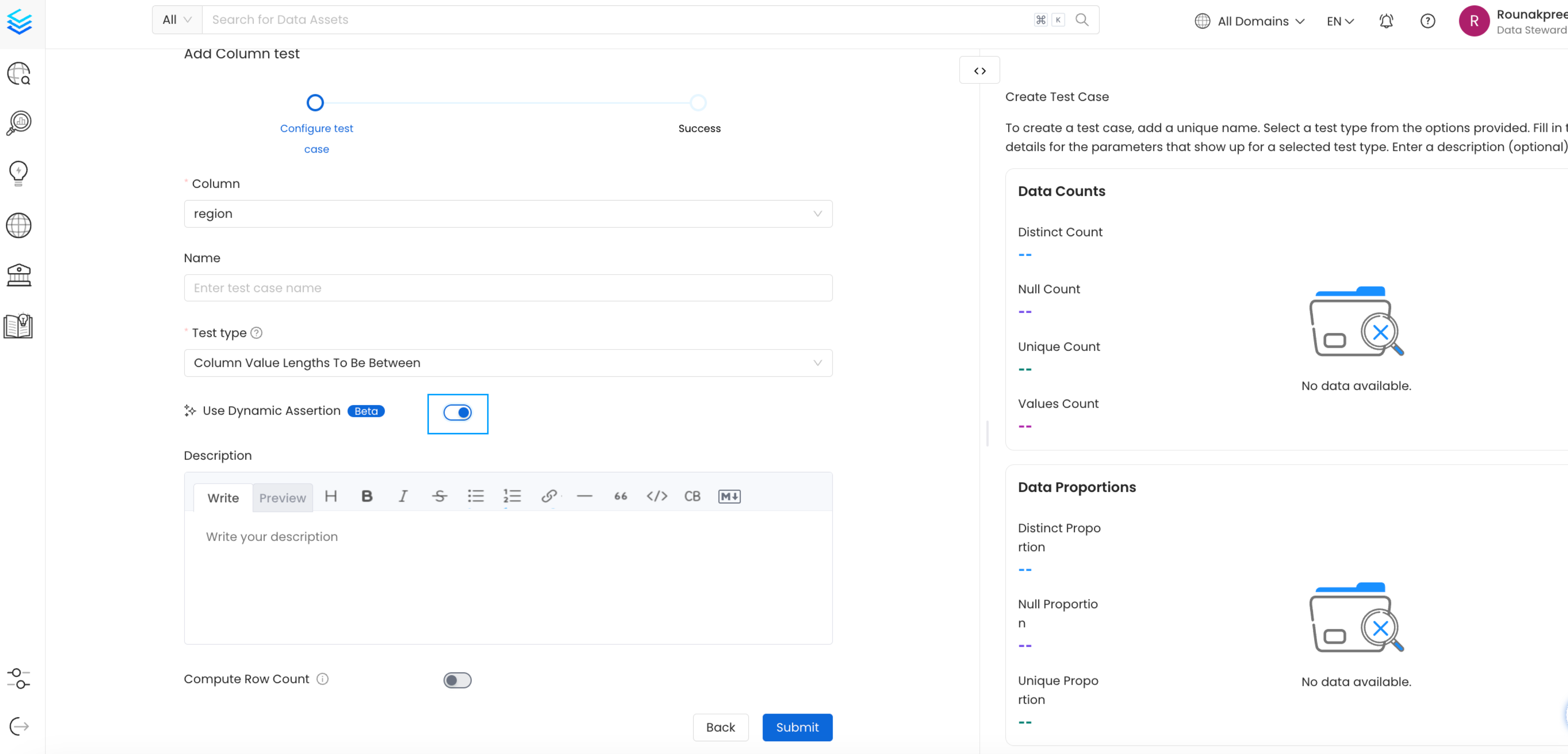
* For data that naturally fluctuates or evolves, enable **dynamic assertions**. OpenMetadata will start profiling your data regularly to learn its normal behavior.
* Over time (e.g., five weeks), the system will establish expected value ranges and detect any deviations from these patterns.
### 2. Configure Manual Tests
* For more controlled monitoring, set up **manual thresholds** (e.g., sales should not exceed a maximum value of 100). This provides specific control over data validation criteria.
### 3. Enable Dynamic Assertions
* For data that naturally fluctuates or evolves, enable **dynamic assertions**. OpenMetadata will start profiling your data regularly to learn its normal behavior.
* Over time (e.g., five weeks), the system will establish expected value ranges and detect any deviations from these patterns.
 ### 4. Monitor Incidents
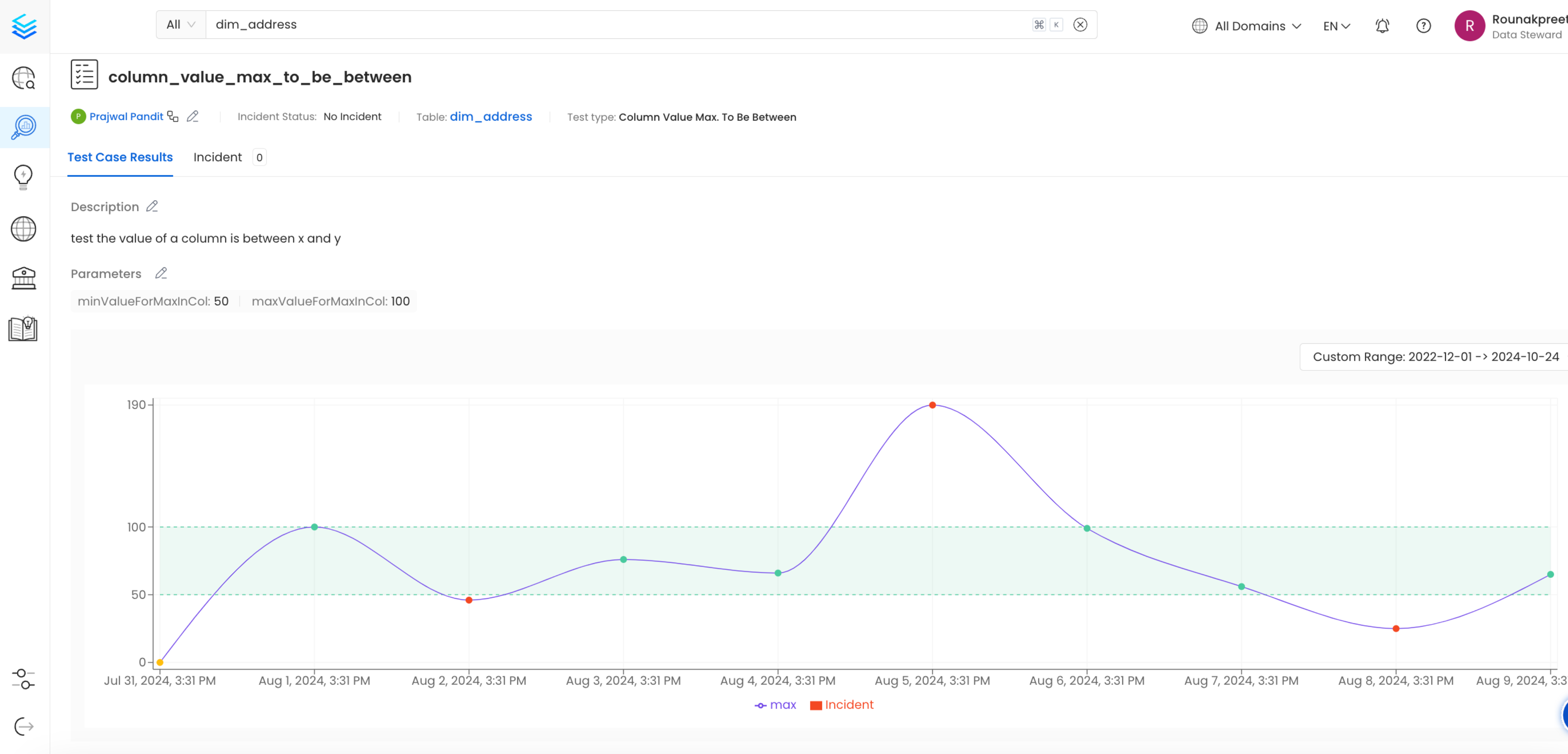
* After configuring tests, monitor for any **incidents** triggered by anomalies detected in the system.
* Investigate significant spikes, drops, or unusual behaviors in the data, which may indicate system errors, backend failures, or unexpected external factors.
### 4. Monitor Incidents
* After configuring tests, monitor for any **incidents** triggered by anomalies detected in the system.
* Investigate significant spikes, drops, or unusual behaviors in the data, which may indicate system errors, backend failures, or unexpected external factors.
 ## Best Practices
* **Use Static Assertions for Simple Rules**: For basic data validation, such as preventing null values or enforcing a minimum threshold, static assertions are effective and straightforward to configure.
* **Leverage Dynamic Assertions for Evolving Data**: When dealing with datasets that naturally fluctuate (e.g., sales or user activity), dynamic assertions can save time and ensure incidents are only triggered when significant anomalies occur.
* **Regularly Review Incidents**: Stay on top of incidents generated by anomaly detection to promptly identify and address data quality issues.
* **Combine Manual and Dynamic Methods**: For datasets with well-defined boundaries and evolving characteristics, combining manual thresholds and dynamic assertions provides comprehensive anomaly detection coverage.
This documentation is built and hosted on [Mintlify](https://mintlify.com), a developer documentation platform.
## Best Practices
* **Use Static Assertions for Simple Rules**: For basic data validation, such as preventing null values or enforcing a minimum threshold, static assertions are effective and straightforward to configure.
* **Leverage Dynamic Assertions for Evolving Data**: When dealing with datasets that naturally fluctuate (e.g., sales or user activity), dynamic assertions can save time and ensure incidents are only triggered when significant anomalies occur.
* **Regularly Review Incidents**: Stay on top of incidents generated by anomaly detection to promptly identify and address data quality issues.
* **Combine Manual and Dynamic Methods**: For datasets with well-defined boundaries and evolving characteristics, combining manual thresholds and dynamic assertions provides comprehensive anomaly detection coverage.
This documentation is built and hosted on [Mintlify](https://mintlify.com), a developer documentation platform.