
Steps to Set Up Anomaly Detection
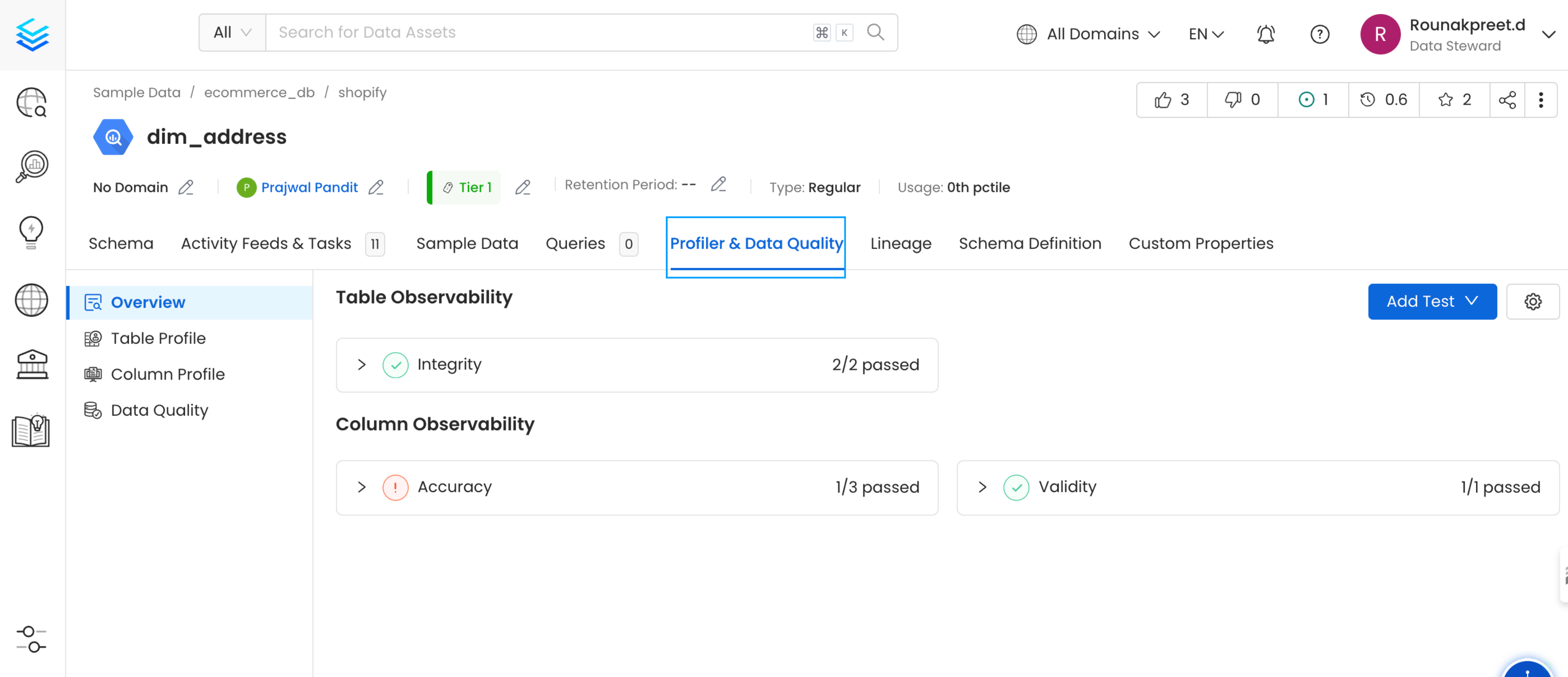
1. Create a Test from the UI
- First, select the dataset and navigate to the Tests section in the OpenMetadata UI.
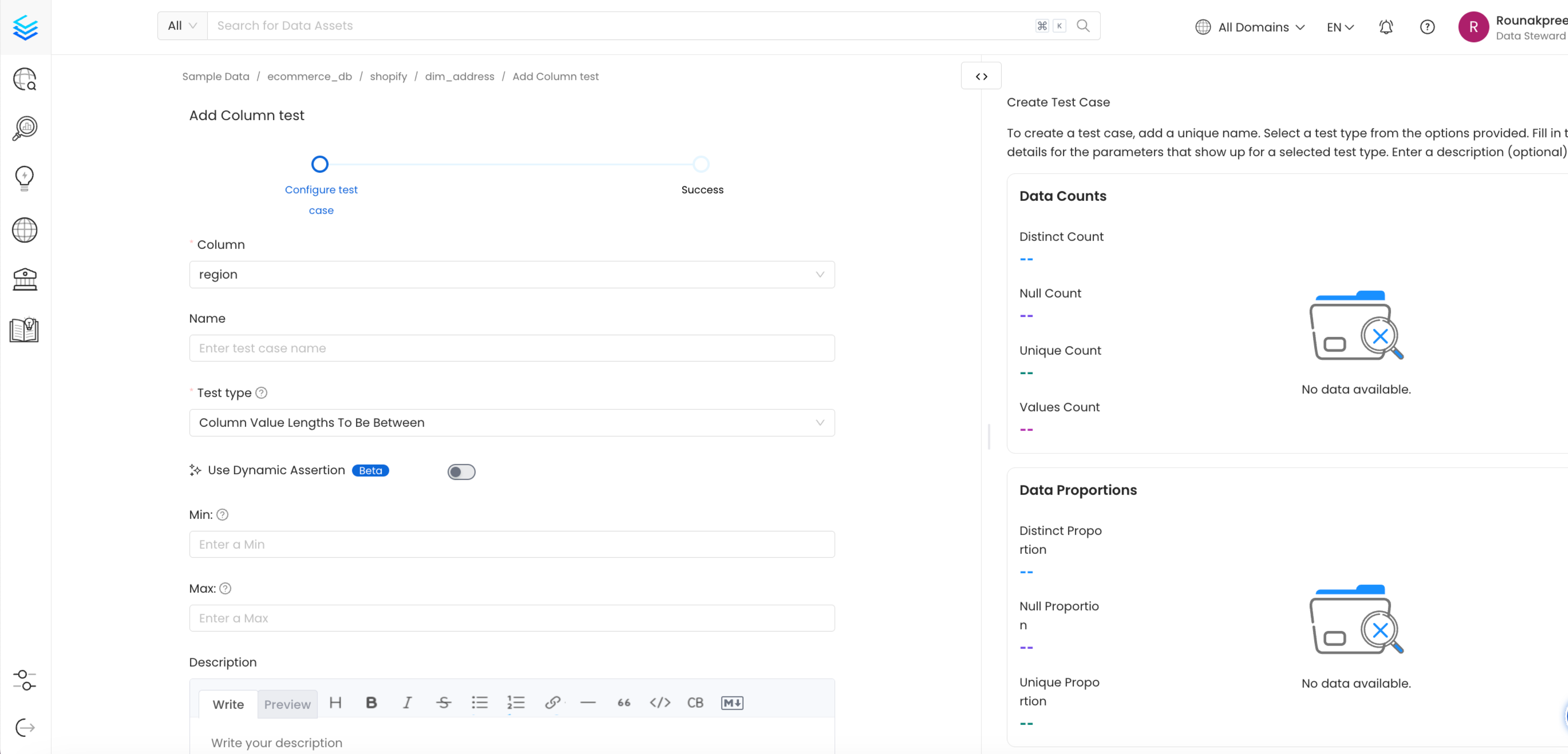
- Define your test parameters. Create a static test with explicit rules, such as “no null values” or “data should not exceed a certain range”.
2. Set Explicit Thresholds
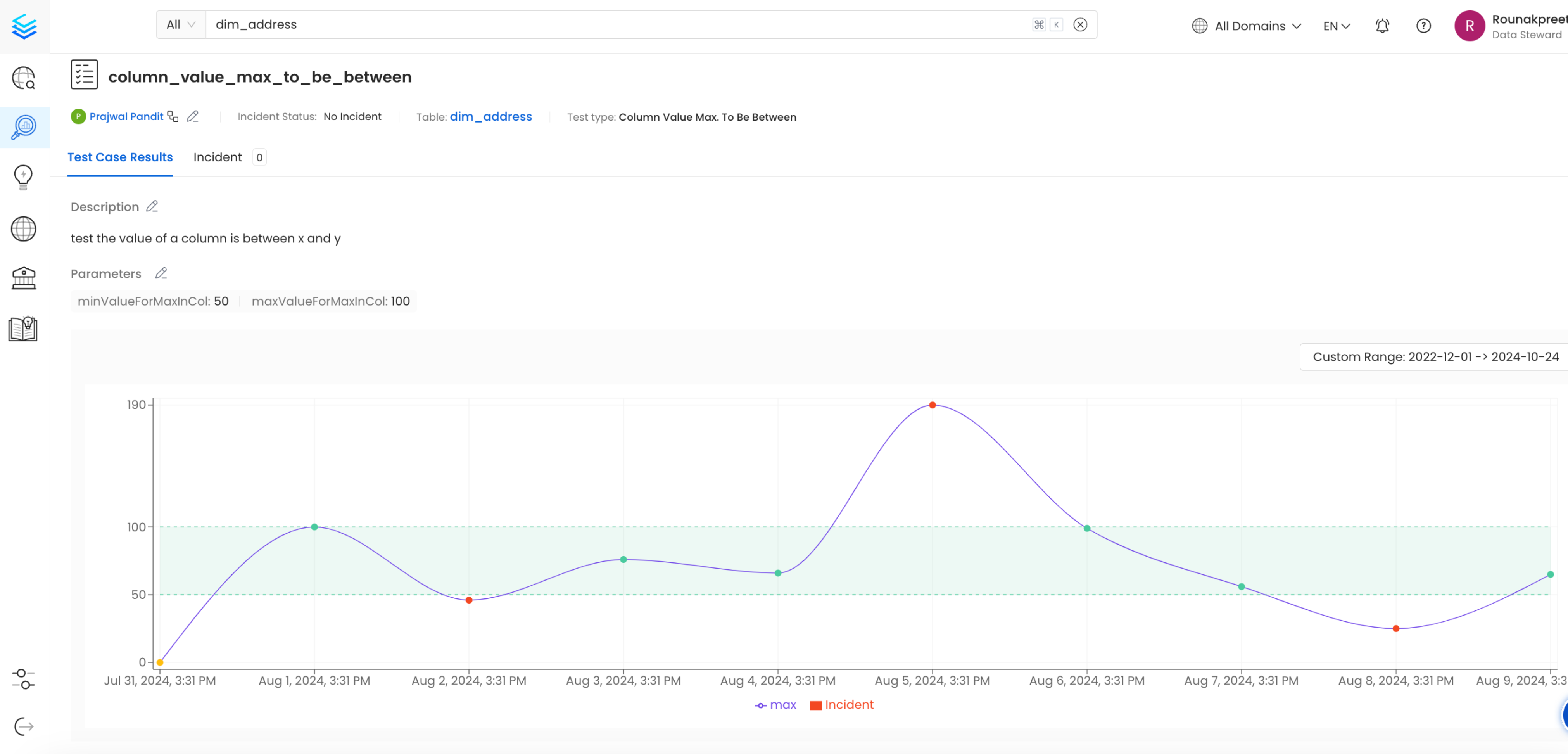
- Set thresholds that match your data requirements (for example, sales should not exceed a maximum value of 100). OpenMetadata doesn’t learn thresholds automatically, so review them when your data changes.
3. Monitor Incidents
- After configuring tests, monitor for any incidents triggered by anomalies detected in the system.
- Investigate significant spikes, drops, or unusual behaviors in the data, which may indicate system errors, backend failures, or unexpected external factors.
Best Practices
- Use Static Assertions for Clear Rules: For basic data validation, such as preventing null values or enforcing a minimum threshold, static assertions are effective and straightforward to configure.
- Review Thresholds When Data Changes: For datasets that naturally fluctuate (for example, sales or user activity), update your thresholds as the data evolves so incidents are only triggered by real problems.
- Regularly Review Incidents: Stay on top of incidents generated by anomaly detection to promptly identify and address data quality issues.