> ## Documentation Index
> Fetch the complete documentation index at: https://docs.open-metadata.org/llms.txt
> Use this file to discover all available pages before exploring further.
# Column Tests - UI Config | OpenMetadata Quality Config Guide
> Configure column-level data quality tests in the OpenMetadata UI, covering uniqueness, nullness, regex, and range checks.
# Column Tests - UI Config
For table-level tests, see the [Tests UI Overview](https://docs.open-metadata.org/v2.1.x/how-to-guides/data-quality-observability/quality/tests-ui.md).
Column tests validate the values inside a specific column, rather than the table as a whole. Use them to catch problems like duplicate or missing values, values that fall outside an expected range or pattern, or statistical properties (such as the mean, median, or standard deviation) drifting outside what's expected.
Column tests also support nested fields. Select the nested column in the UI or identify it with its dotted path, such as `customer.address.postcode`. OpenMetadata resolves the path through the nested column hierarchy and applies dimensions and inherited tags to the nested field.
### Column Values to Be Unique
This test checks that every value in a column is distinct, with no duplicates anywhere. It's typically used on primary keys or other identifier columns, where duplicate values would indicate a data integrity problem.
* **Dimension**: `Uniqueness`
* **When to Use**
* Primary keys or natural identifiers.
* Fields like email, username, or ID.
* **Behavior**
| Condition | Status |
| - | - |
| All values are unique | ✅ |
| Any duplicate value found | ❌ |
### Column Values to Be Not Null
This test checks that a column never contains missing (NULL) values. It's useful for required fields where a missing value would break downstream reports or logic. It does not catch empty strings, which are not NULL — use [Column Values to Match Regex](#column-values-to-match-regex) for that.
* **Dimension**: `Completeness`
* **When to Use**
* Mandatory fields such as `email`, `amount`, `created_at`.
* Required keys or business-critical columns.
* **Behavior**
| Condition | Status |
| - | - |
| No NULLs present | ✅ |
| NULL count is within the failure threshold | ✅ |
| NULL count is above the failure threshold | ❌ |
With no threshold set, any NULL value fails the test.
> [!NOTE]
>
> The failure threshold is available only on test definitions that show **Failure Threshold** and **Threshold Unit** in the form.
#### Set a Failure Threshold (Optional)
Use a threshold when a small number of NULLs is acceptable. By default no failures are tolerated.
1. Go to the table.
2. Open the **Data Observability** tab.
3. Click **Add Test**.
4. In **Select Test Type**, pick **Column Values To Be Not Null**.
5. In **Failure Threshold**, enter the number of failures to tolerate. It can't be negative.
6. In **Threshold Unit**, choose how the threshold is measured:
* **rows**: a count of failing rows. In the API this is `ABSOLUTE`.
* **% of rows**: a share of the rows evaluated. The value can't be higher than 100. In the API this is `PERCENTAGE`.
7. Check the **Preview**. It restates your choice, for example "Fail when more than 0 row(s) in column fail this test." A second line shows what the check is measured on, for example "Measured on the 100% sample this table is profiled with."
8. Optional: Turn on **Compute Row Count**.
9. Confirm the **Data Quality Dimension**.
10. Enter a name.
11. Click **Create**.
Keep **Show Hint** on to read each field description in the **Form Hint** panel.
For example, a threshold of `5` with **% of rows** lets up to 5% of the evaluated rows be NULL before the test fails. The result message shows the numbers used, such as "Found 120 null rows out of 9,981 evaluated (1.20%). Threshold is 1%." With a threshold of `0`, the message says no tolerance was applied.
With **% of rows**, results stay comparable when the profiler samples the table, because the share doesn't depend on the sample size. A **rows** count does.
### Column Values to Match Regex
This test checks that every value in a column matches a pattern you define using a regular expression, for example to confirm that a column only contains validly formatted email addresses or postal codes. OpenMetadata uses native database regex support where available, and falls back to SQL `LIKE` semantics on dialects that don't support it.
* **Dimension**: `Validity`
* **When to Use**
* Emails, zip codes, IDs, structured formats.
* **Behavior**
| Condition | Status |
| - | - |
| All values match regex | ✅ |
| Any value does not match | ❌ |
### Column Values to not Match Regex
This test checks that no value in a column matches a pattern you want to block, defined using a regular expression (`forbiddenRegex`). If even one value matches that forbidden pattern, the test fails, which makes it useful for catching placeholder values, test data, or other known-bad formats that shouldn't reach production. OpenMetadata uses native database regex support where available, and falls back to SQL `NOT LIKE` semantics on dialects that don't support it.
* **Dimension**: `Validity`
* **When to Use**
* Prevent forbidden values, test strings, or patterns.
* **Behavior**
| Condition | Status |
| - | - |
| No value matches forbidden pattern | ✅ |
| Any value matches the pattern | ❌ |
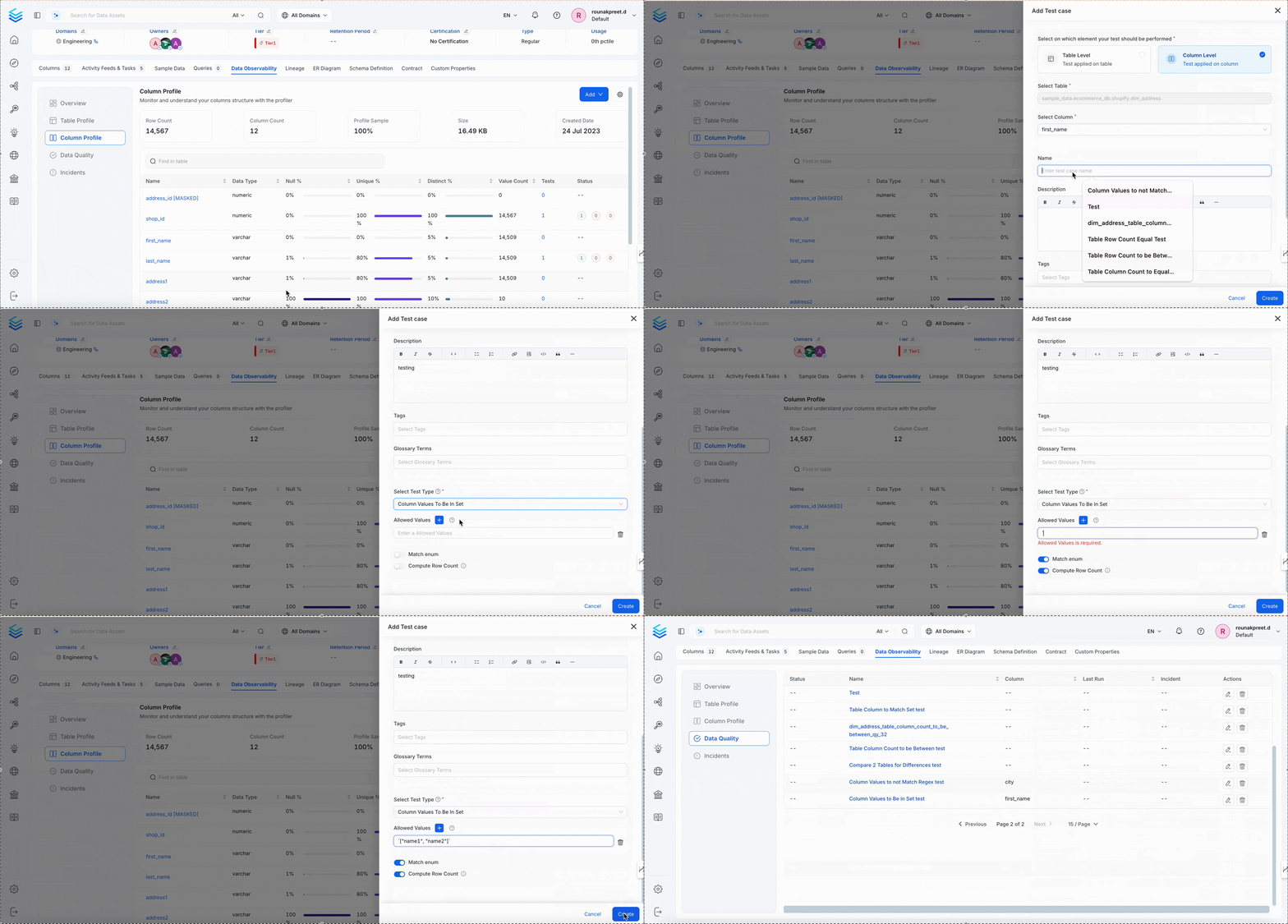
### Column Values to Be in Set
This test checks that every value in a column comes from a predefined allowlist of acceptable values. It's a good fit for columns that represent a fixed set of categories, such as a status or country code field, where any unexpected value likely points to bad data.
* **Dimension**: `Validity`
* **When to Use**
* Enum values: `status`, `currency`, `country_code`.
* **Behavior**
| Condition | Status |
| - | - |
| All values in set (if `matchEnum = true`) | ✅ |
| Any value not in set (if `matchEnum = true`) | ❌ |
| Any value from set exists (if `matchEnum = false`) | ✅ |
| No values from set found (if `matchEnum = false`) | ❌ |
### Column Values to Be Not In Set
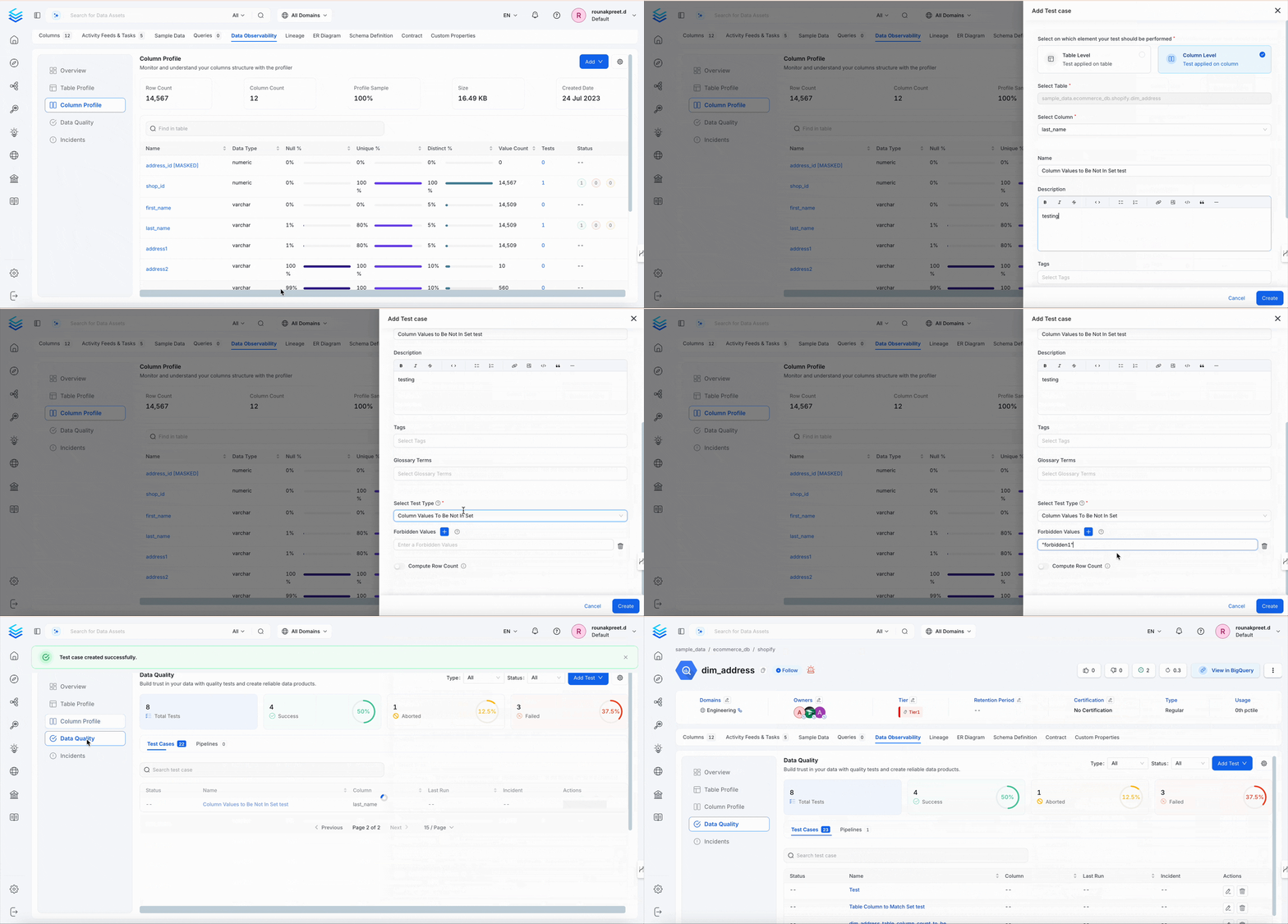
This test checks that no value in a column matches an entry in a blocklist of values you want to exclude. It's useful for catching known placeholder or invalid entries, such as `"NA"` or `-1`, that shouldn't appear in clean data.
* **Dimension**: `Validity`
* **When to Use**
* Block invalid values like `"NA"`, `"Unknown"`, `-1`.
* **Behavior**
| Condition | Status |
| - | - |
| No values from forbidden set | ✅ |
| Any value from forbidden set found | ❌ |
### Column Values to Be Between
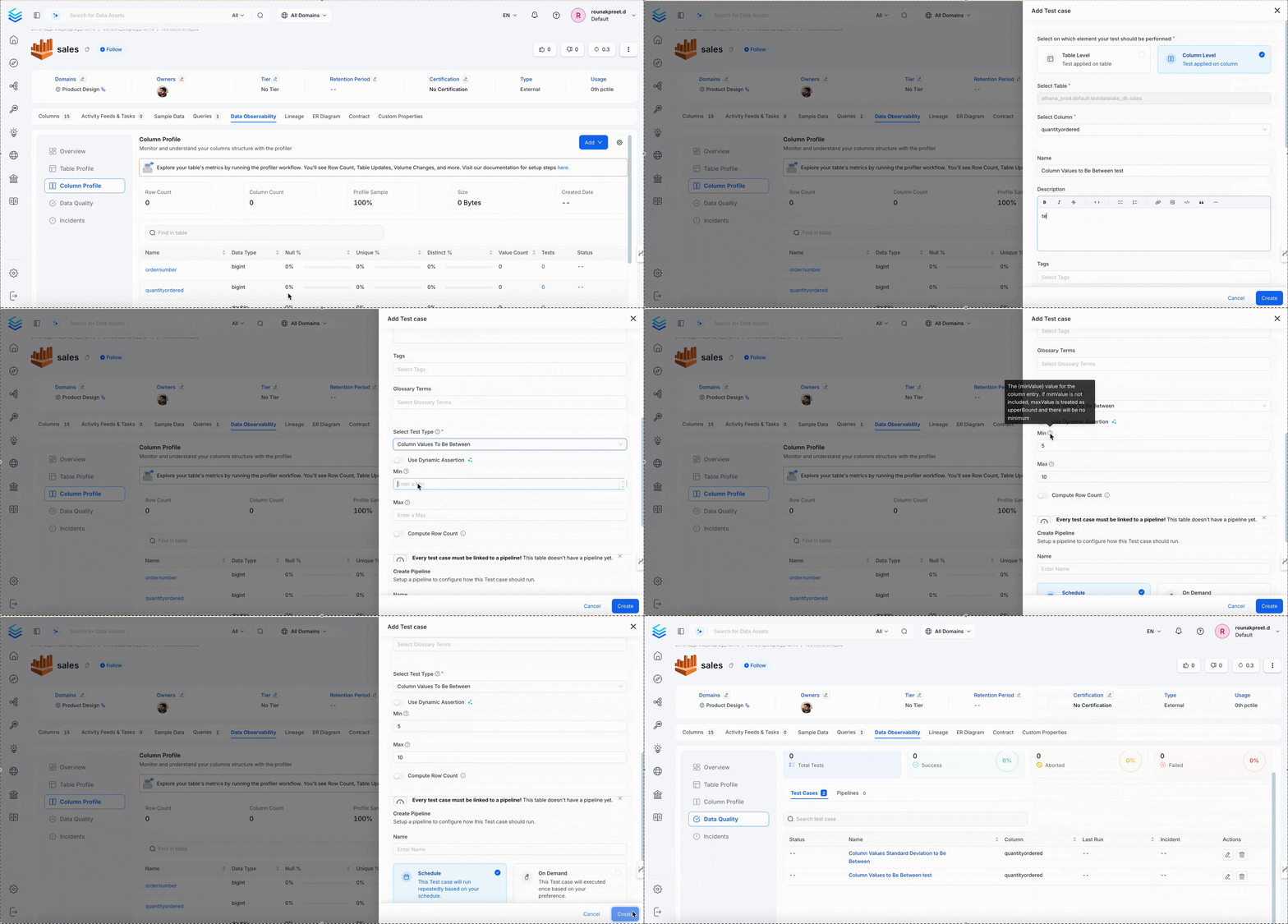
This test checks that every value in a column falls within a minimum and maximum range you define. It's commonly used for numeric thresholds such as age, price, score, or percentage, and for date or timestamp ranges when supported by the connector.
* **Dimension**: `Accuracy`
* **When to Use**
* Numeric thresholds such as age, price, score, or percentage.
* Date or timestamp ranges when supported by the connector.
* **Behavior**
| Condition | Status |
| - | - |
| Value within `[min, max]` | ✅ |
| Value \< min or > max | ❌ |
### Column Values Missing Count to Be Equal
This test counts how many values in a column are missing, counting both true NULLs and any strings you've defined as representing a missing value (such as `"NA"` or `"N/A"`), and checks that this count matches a target you expect. It's useful when a small, known number of missing values is acceptable, but you still want to be alerted if that number changes.
* **Dimension**: `Completeness`
* **When to Use**
* Auditing known missing values.
* Accounting for `"NA"`, `"N/A"`, `"null"`.
* **Behavior**
| Condition | Status |
| - | - |
| Missing count = expected value | ✅ |
| Missing count ≠ expected value | ❌ |
### Column Values Lengths to Be Between
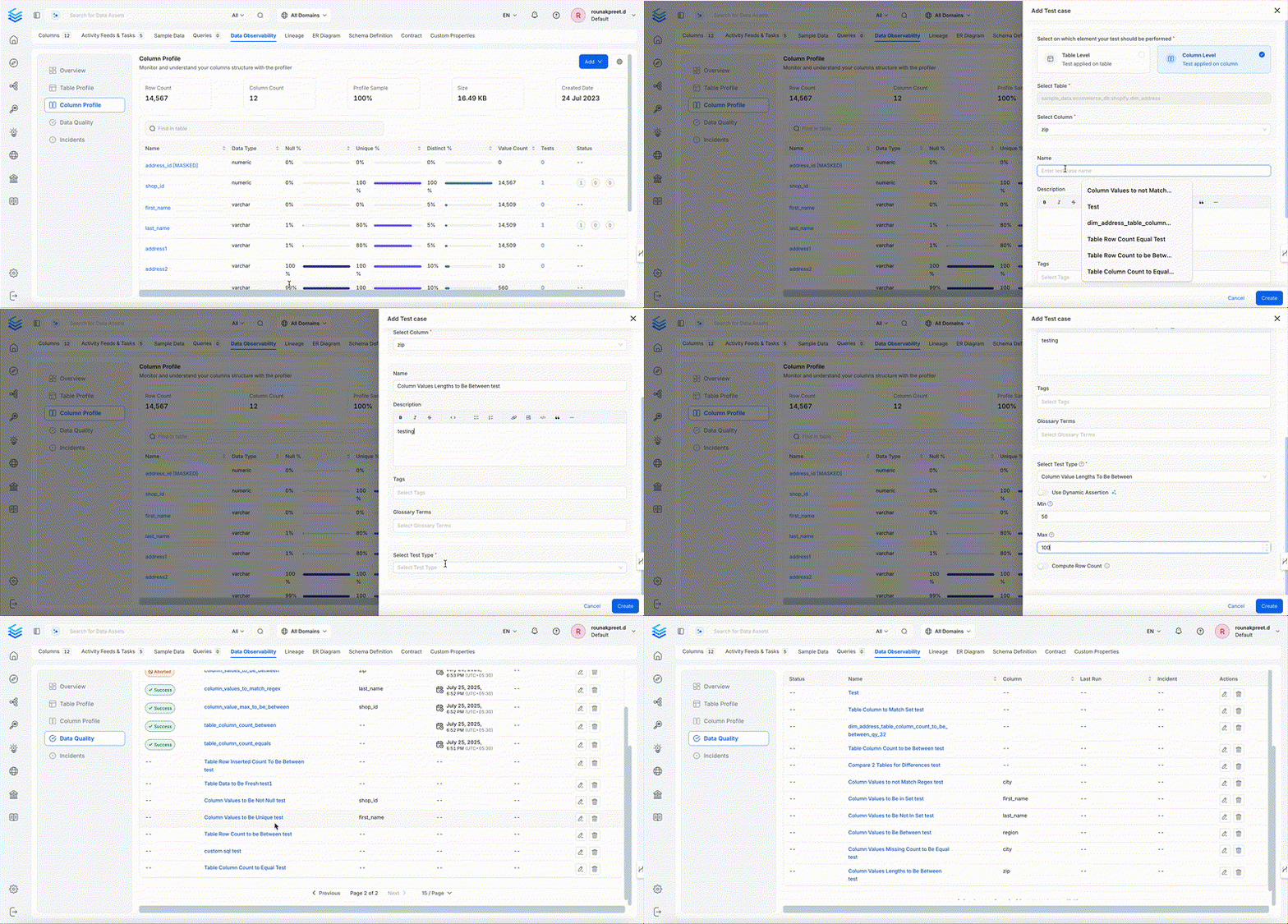
This test checks that every string value in a column has a character length within a minimum and maximum range you define. It helps catch values that are unexpectedly too short or too long, which can otherwise break UI display limits or downstream processing.
* **Dimension**: `Accuracy`
* **When to Use**
* To validate field length constraints like `name`, `address`, or `description`.
* To catch too-short or too-long values that may break UI or downstream logic.
* **Behavior**
| Condition | Status |
| - | - |
| All values have length within `[min, max]` | ✅ |
| Any value length \< min or > max | ❌ |
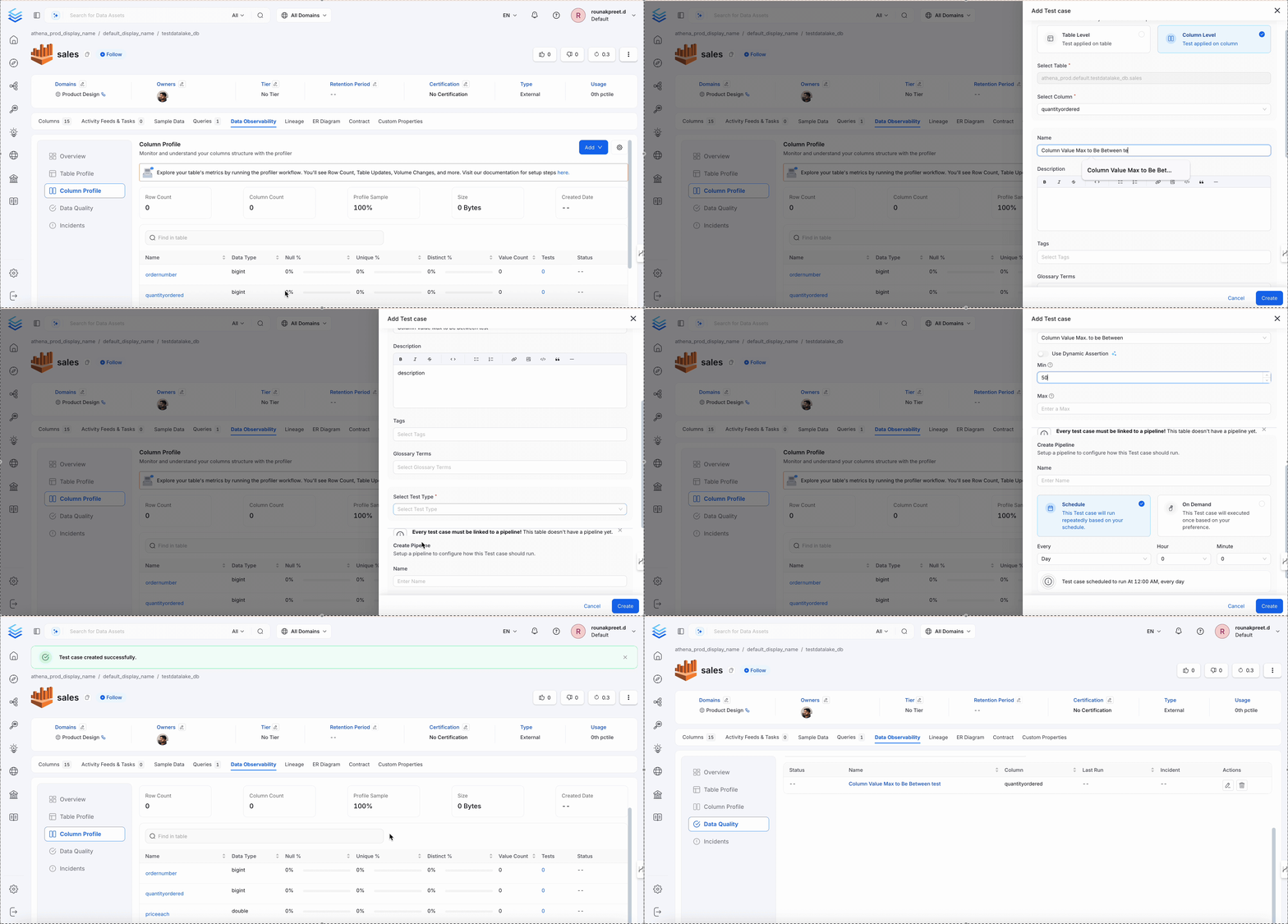
### Column Value Max to Be Between
This test looks at the single highest value in a column and checks that it falls within a range you define. It's a useful cap check for columns like `score`, `amount`, or `age`, where an unusually high maximum often signals bad or unvalidated input.
* **Dimension**: `Accuracy`
* **When to Use**
* Cap validation for `score`, `amount`, `age`.
* **Behavior**
| Condition | Status |
| - | - |
| Max value in range `[min, max]` | ✅ |
| Max \< min or Max > max | ❌ |
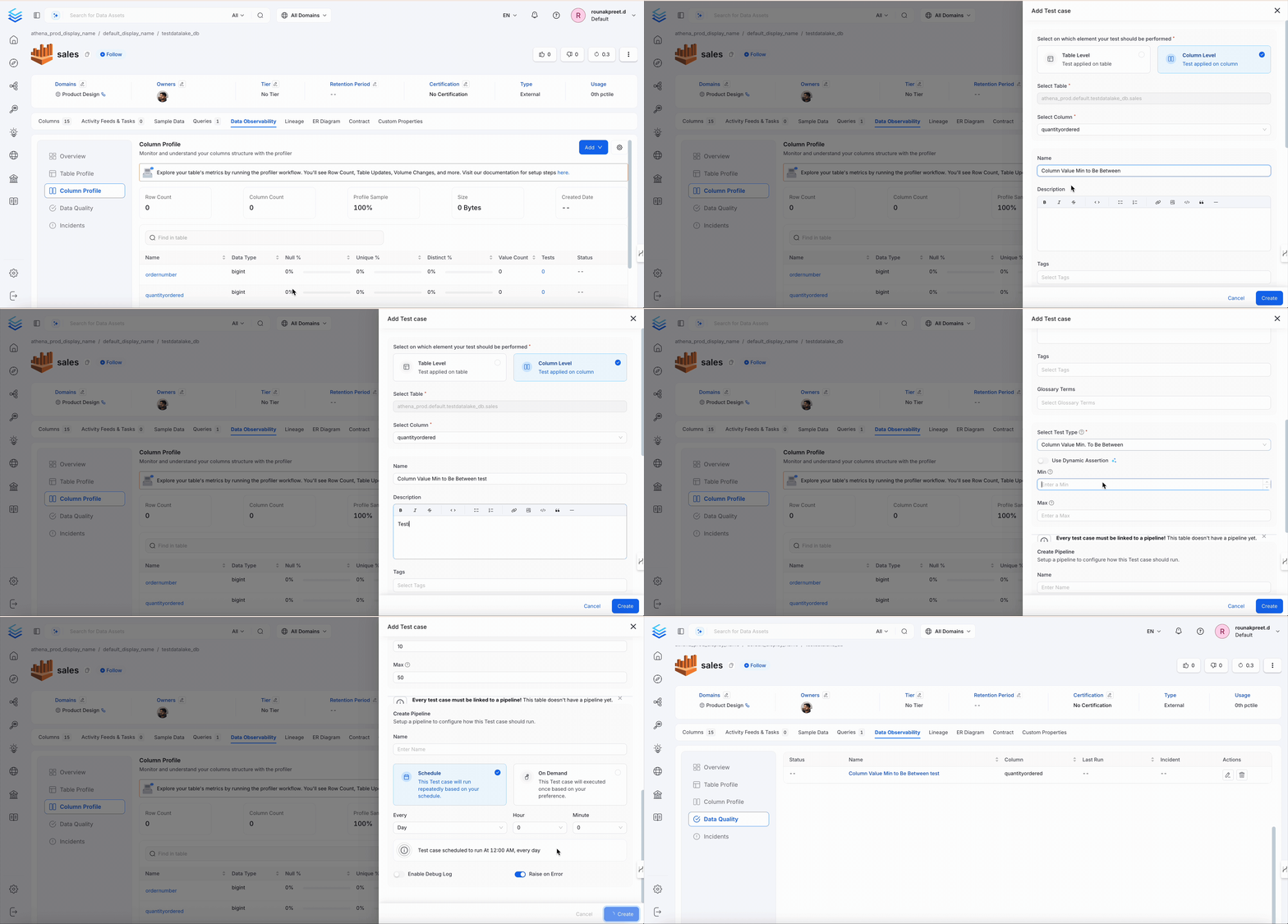
### Column Value Min to Be Between
This test looks at the single lowest value in a column and checks that it falls within a range you define. It's useful for catching unexpected negative or unusually low values in fields like `discount` or `price`.
* **Dimension**: `Accuracy`
* **When to Use**
* Threshold validation for `discount`, `price`, and so on.
* **Behavior**
| Condition | Status |
| - | - |
| Min value in range `[min, max]` | ✅ |
| Min \< min or Min > max | ❌ |
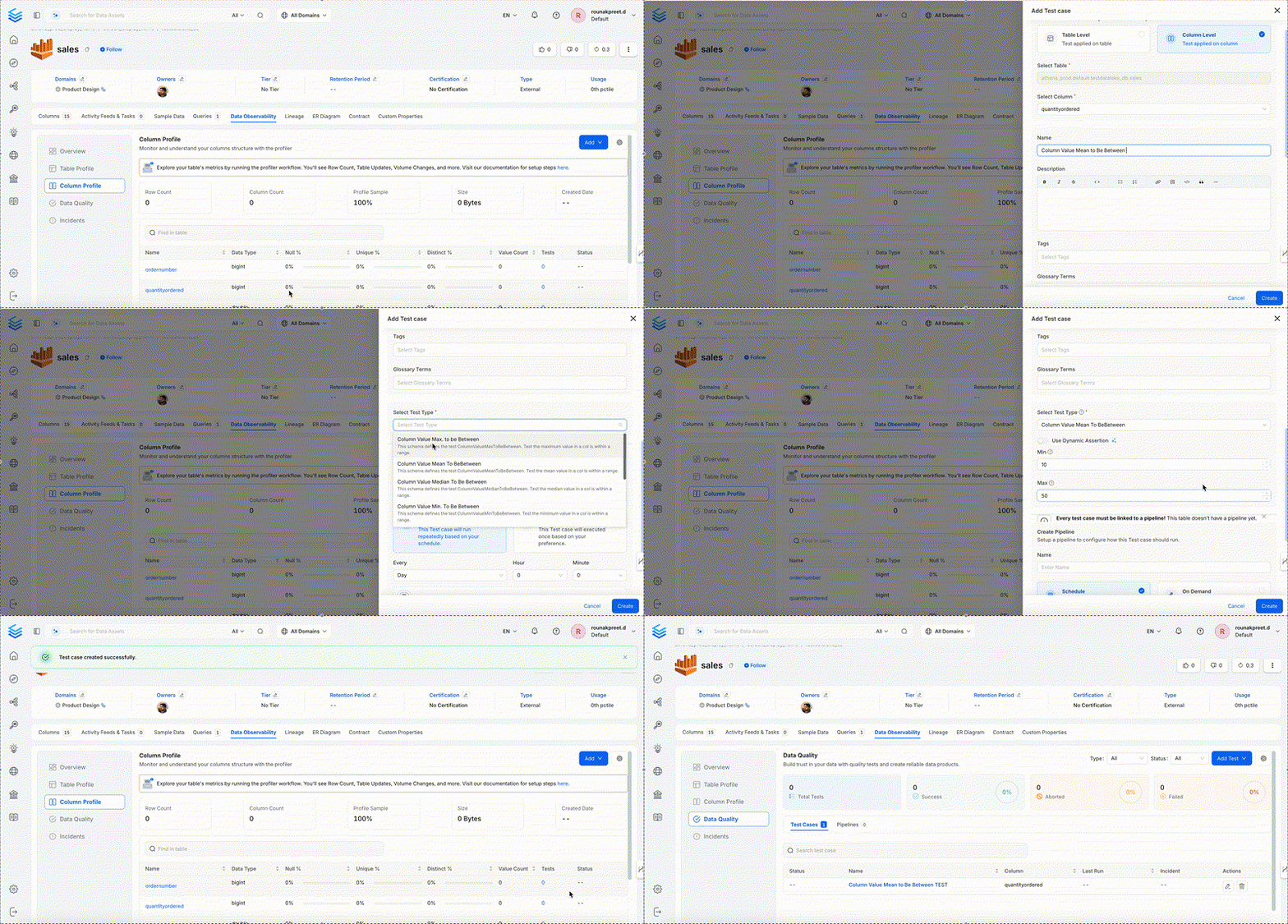
### Column Value Mean to Be Between
This test calculates the average (mean) of all values in a column and checks that it falls within an expected range. It's a good way to spot gradual shifts in your data, such as dataset drift or a pipeline that starts producing systematically different values.
* **Dimension**: `Accuracy`
* **When to Use**
* Check dataset drift or pipeline behavior.
* **Behavior**
| Condition | Status |
| - | - |
| Mean value in `[min, max]` | ✅ |
| Mean \< min or Mean > max | ❌ |
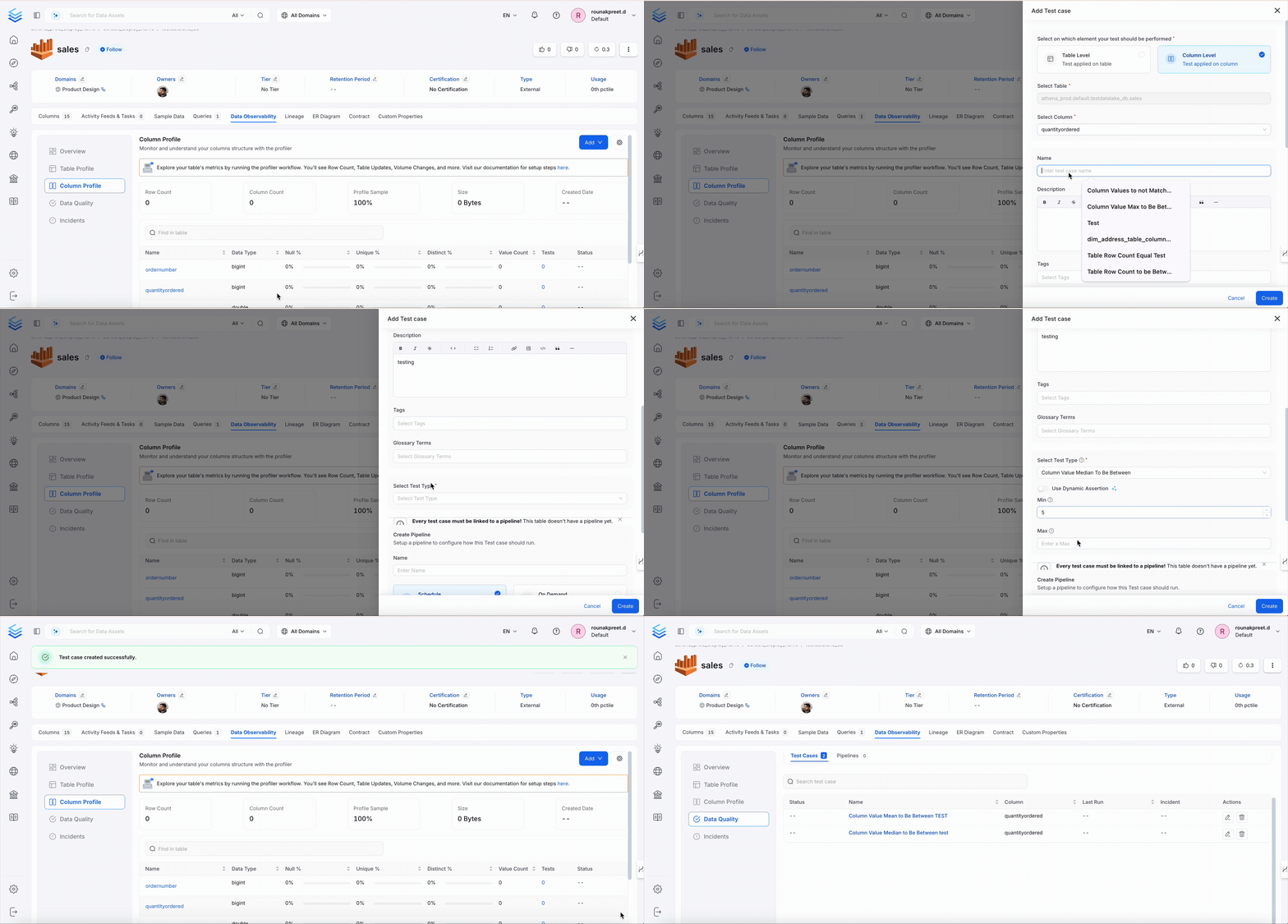
### Column Value Median to Be Between
This test calculates the median, the middle value when all values are sorted, of a column and checks that it falls within an expected range. Because the median isn't skewed by extreme outliers the way an average can be, it's a good complement to a mean check for fields like income, score, or latency.
* **Dimension**: `Accuracy`
* **When to Use**
* Median income, score, latency checks.
* **Behavior**
| Condition | Status |
| - | - |
| Median in range `[min, max]` | ✅ |
| Median \< min or Median > max | ❌ |
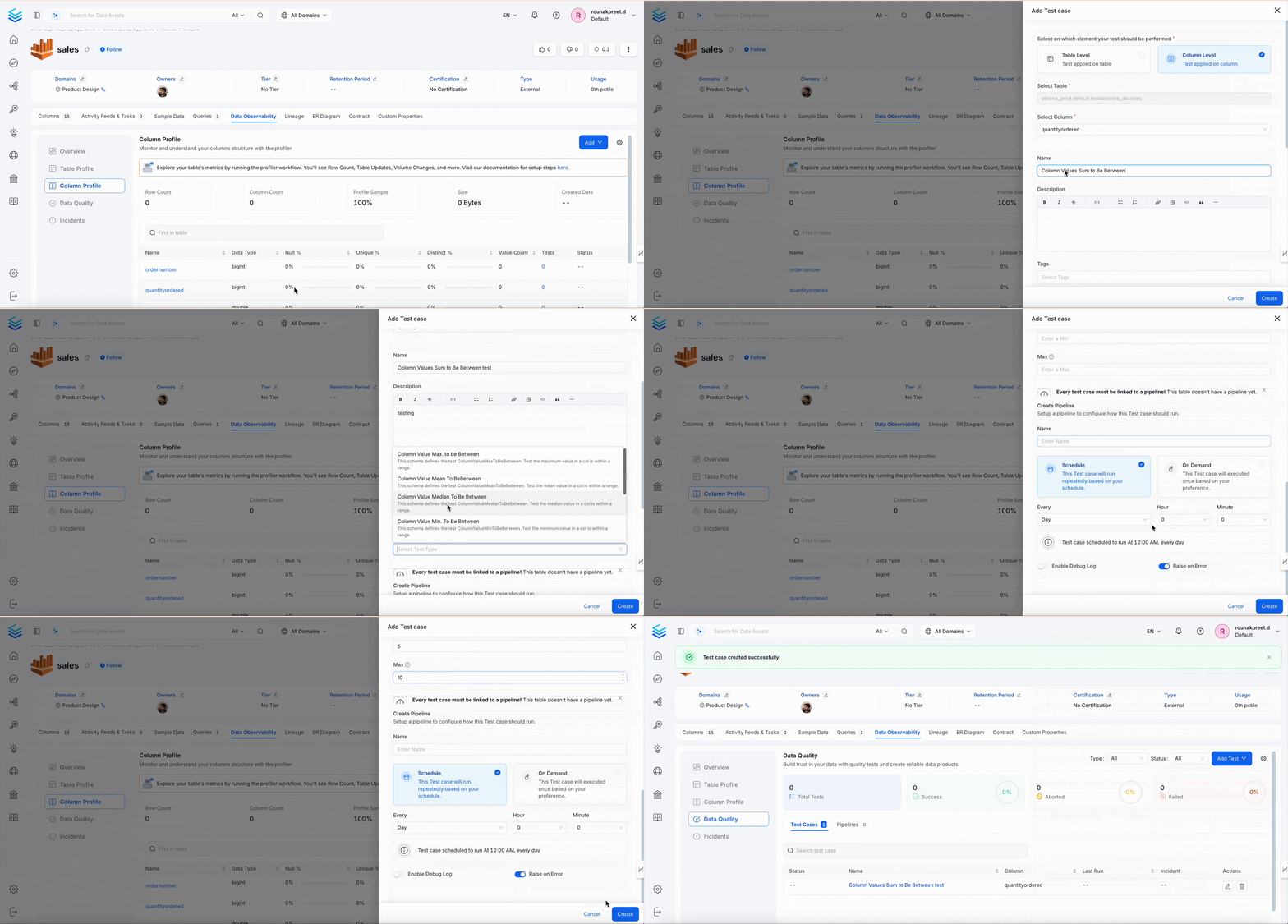
### Column Values Sum to Be Between
This test adds up every value in a column and checks that the total falls within a range you define. It's commonly used for financial or volume metrics, such as total revenue or units sold, where an unexpected total often points to missing or duplicated records.
* **Dimension**: `Accuracy`
* **When to Use**
* Revenue, units sold, total scores, and so on.
* **Behavior**
| Condition | Status |
| - | - |
| Sum in range `[min, max]` | ✅ |
| Sum \< min or Sum > max | ❌ |
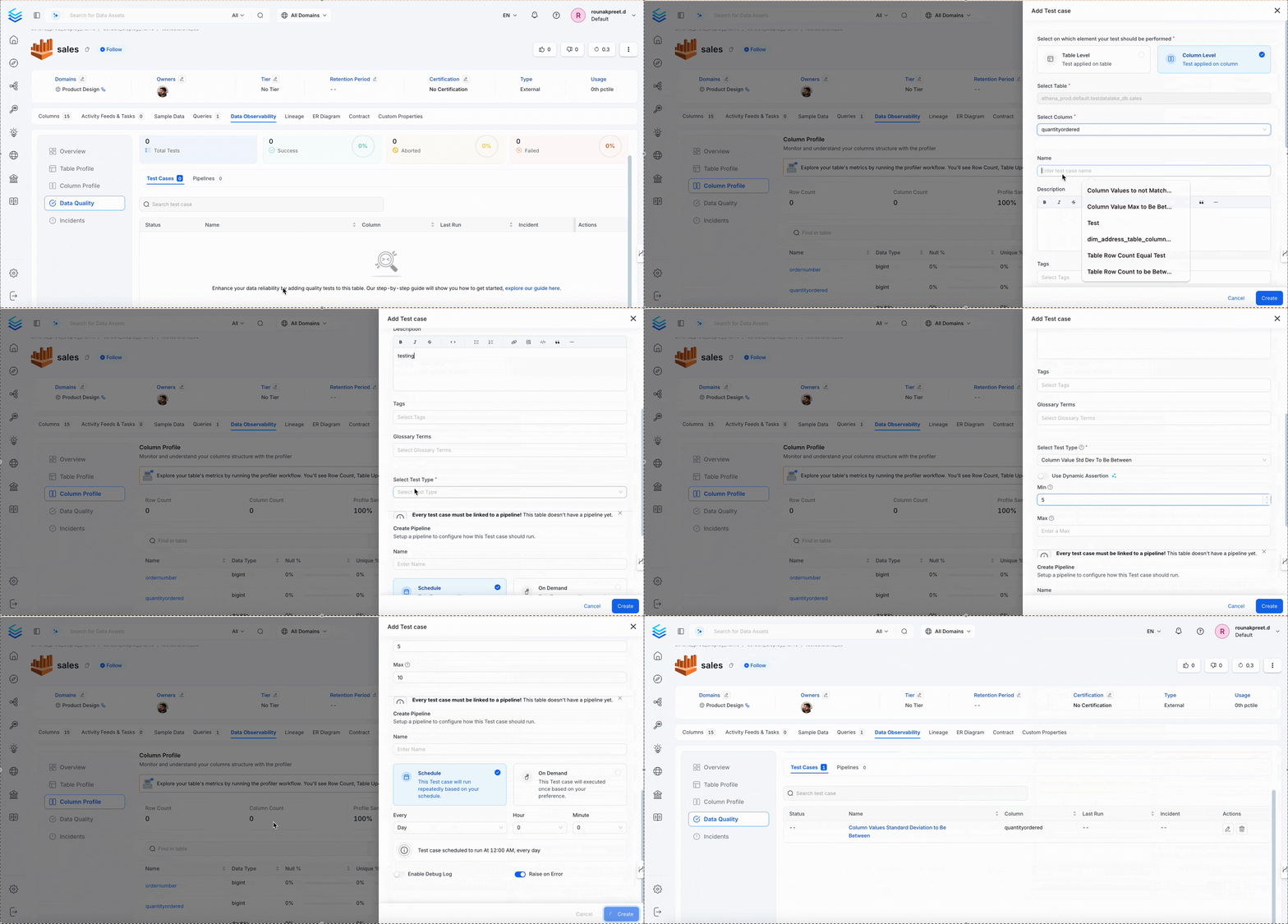
### Column Values Standard Deviation to Be Between
This test measures how spread out the values in a column are, using standard deviation, and checks that this spread falls within an acceptable range. It's useful for catching data that has suddenly become far more variable or far more uniform than expected.
* **Dimension**: `Accuracy`
* **When to Use**
* Monitoring variance in numeric datasets.
* **Behavior**
| Condition | Status |
| - | - |
| Std Dev in `[min, max]` | ✅ |
| Std Dev \< min or > max | ❌ |
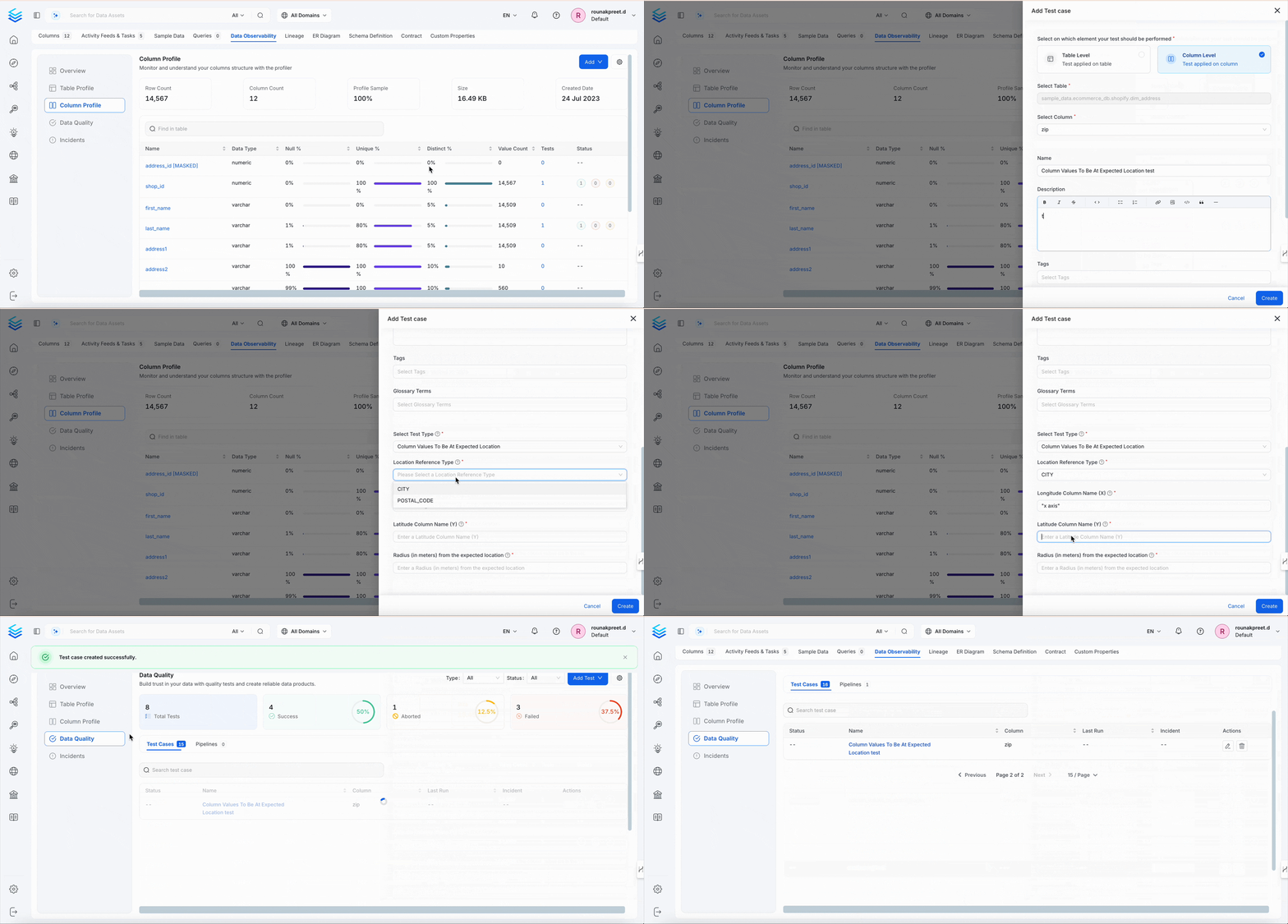
### Column Values To Be At Expected Location
This test checks that latitude and longitude values in a column fall within a defined geographic area, such as a radius around an expected location. It's useful for validating address or location data, for example confirming that store or delivery coordinates fall within the region they're supposed to.
* **Dimension**: `Accuracy`
* **When to Use**
* Verifying address coordinates.
* Mapping regional data.
* **Behavior**
| Condition | Status |
| - | - |
| Coordinates within buffer of expected location | ✅ |
| Any record outside allowed radius | ❌ |
This documentation is built and hosted on [Mintlify](https://mintlify.com), a developer documentation platform.