
Data Asset Rules
Data Asset Rules let you enforce metadata validations at the instance level. Each rule is a condition an asset must satisfy, such as belonging to only one domain, or having an owner assigned. If an asset doesn’t satisfy an enabled rule, users can’t save further changes to it until the violation is fixed.How to Access
To access and configure these rules, navigate to Settings > Preferences > Data Asset Rules.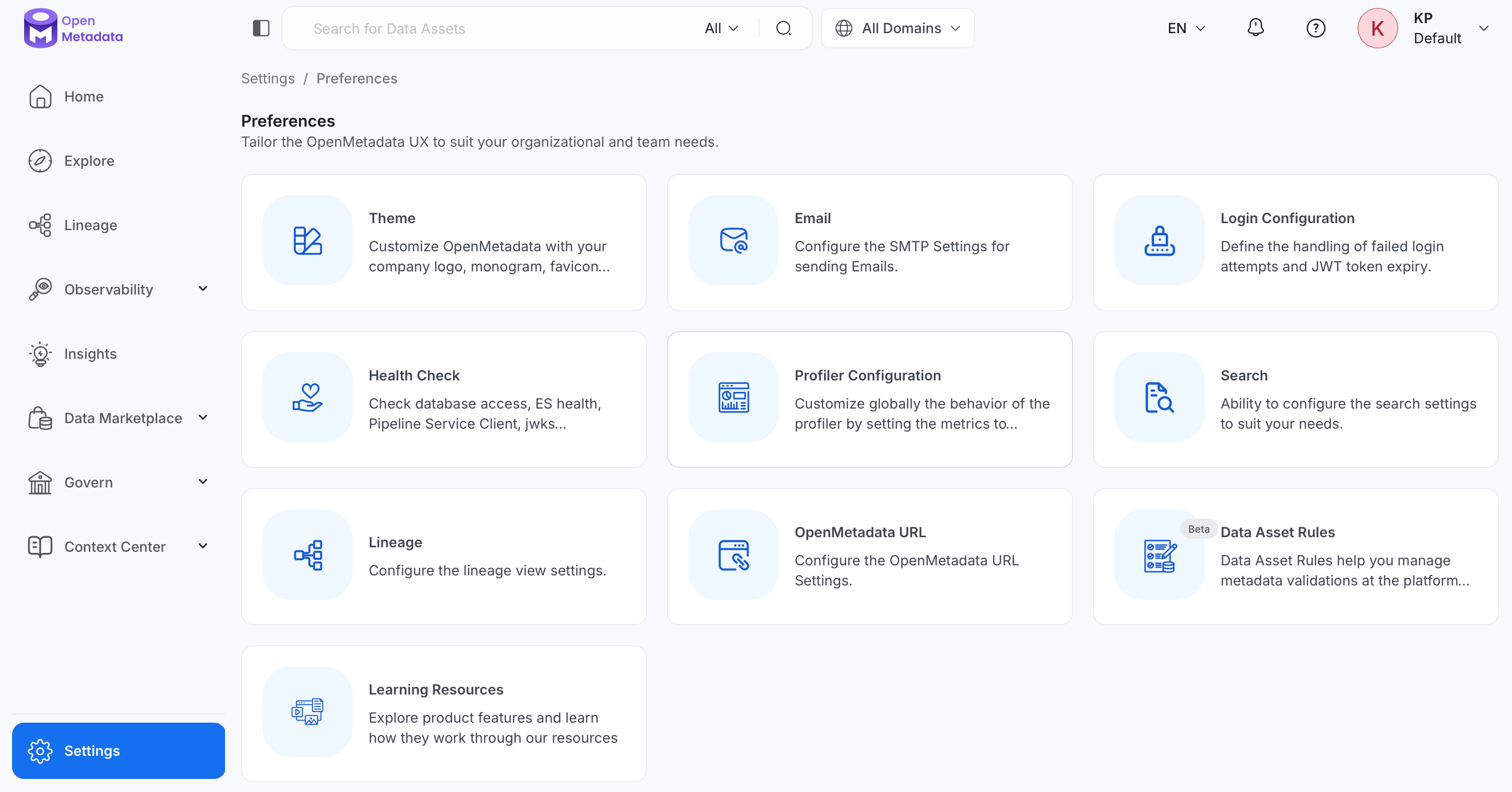
How Enforcement Works
Data Asset Rules are enforced as follows:- OpenMetadata evaluates rules whenever a user creates or updates an asset, including through bulk comma-separated values (CSV) import.
- An enabled rule blocks the creation of any new asset that violates it, until the violation is resolved.
- An existing asset that already violates a rule can still be edited, as long as the edit doesn’t introduce additional rule violations. This lets you fix issues incrementally instead of resolving every violation in a single update.
- OpenMetadata only enforces enabled rules. Disabling a rule stops it from blocking saves, but doesn’t retroactively fix assets that already violate it.
Default Rules
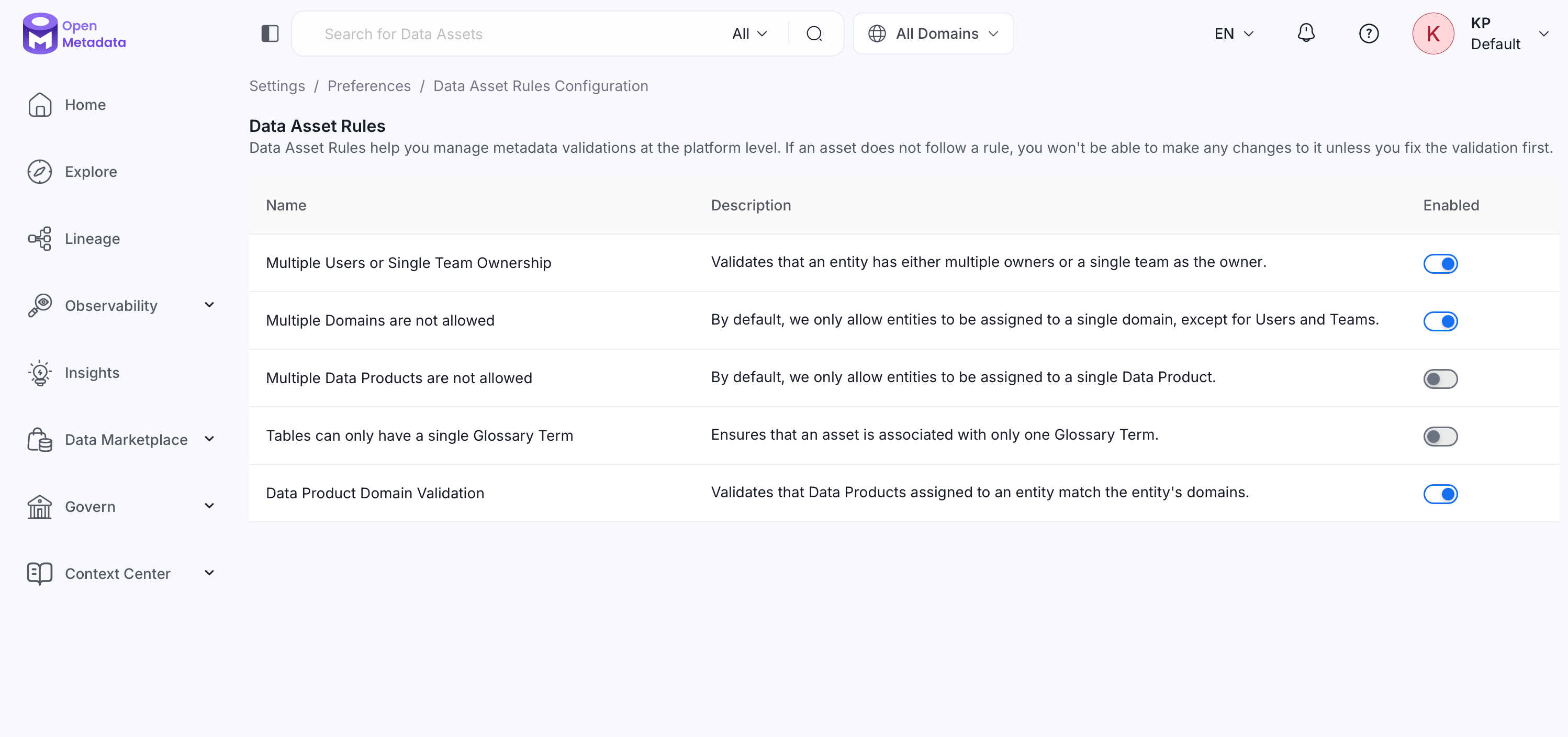
OpenMetadata includes five system-defined rules. Each has its own Enabled toggle, so each rule can be turned on or off independently:- Multiple Users or Single Team Ownership (enabled by default): An asset’s owner must be either one or more individual users, or a single team. It can’t be a mix of both, or more than one team. Disable this if your organization needs more flexible ownership assignments.
- Multiple Domains are not allowed (enabled by default): Most asset types can only be assigned to a single domain at a time. Users and Teams are exempt from this rule and can belong to multiple domains. Disable this if your organization needs assets to span more than one domain.
- Multiple Data Products are not allowed (disabled by default): An asset can only be linked to one Data Product at a time. Enable this to keep Data Product membership exclusive rather than letting an asset belong to several Data Products at once.
- Tables can only have a single Glossary Term (disabled by default): A table can only have one Glossary Term associated with it. Enable this to enforce a single business term per table rather than allowing several to be attached.
- Data Product Domain Validation (enabled by default): Any Data Product assigned to an asset must belong to the same domain(s) as the asset itself. This keeps Data Product membership aligned with domain ownership, so, for example, a table owned by the Finance domain can’t be added to a Data Product that belongs to Marketing.
Related
- Data Contracts use a similarly-shaped mechanism scoped to a single asset instead of the whole platform.
- Data Products and Domains cover how the domain and Data Product rules apply in practice, including a known limitation with subdomains.
- How to Assign or Change Data Ownership covers the ownership rule.
- How to Add Assets to Glossary Terms covers the Glossary Term rule.