
Ontology Library
Most organizations do not need to invent a model of Customer from first principles. Their industry already has one. The Ontology Library ships compact, standards-aligned starter packs you can install as a reference glossary and adapt. Open it from the Library button in the Ontology Studio header.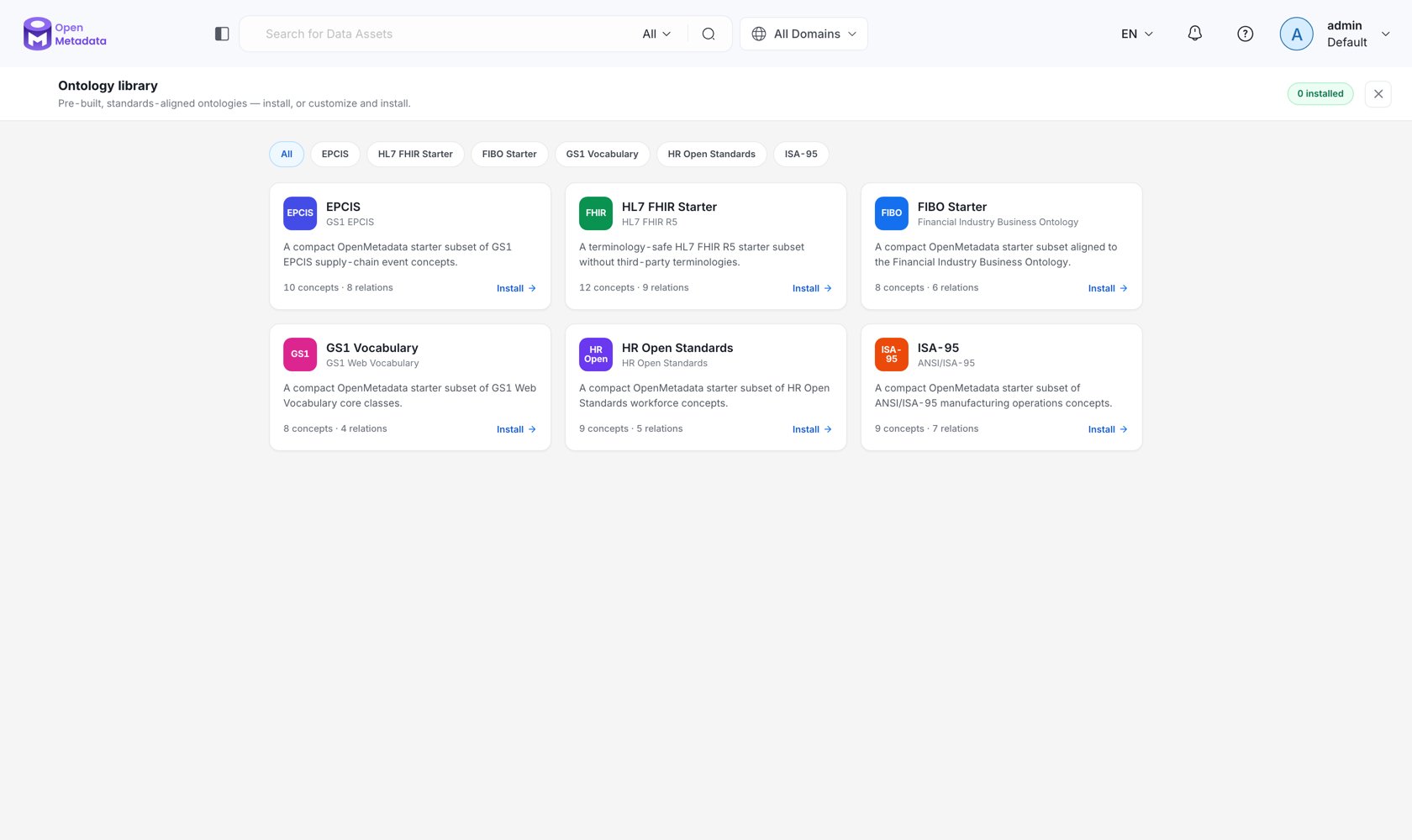
What Ships
These are deliberately starter subsets, not full standards. FIBO in its entirety is tens of thousands of classes; a compact, curated subset is what actually gets adopted. Each pack links to the upstream
sourceUrl when you need the complete specification, and each ships under a license that permits redistribution — third-party terminologies with restrictive licensing (for example, in FHIR) are excluded rather than shipped ambiguously.Installing a Pack
1
Open the catalog
Click Library in the studio header. The catalog shows each pack with its standard, version, license, and installed state.
2
Choose modules
Packs are split into modules. Selecting a module automatically selects its dependencies, and the concept and relationship counts update live. A graph preview highlights the selected modules around the standard.
3
Name the target glossary
Install into a new glossary (enter a name) or an existing one.
4
Dry run
Validate first. The dry run reports how many concepts and relationships are ready to install and surfaces problems without writing anything.
5
Install
Confirm. OpenMetadata creates the reference glossary, its concepts, typed relationships, and — for admins — any relationship types the pack requires.
Integrity and Governance
- Content is checksum-verified. Every module records a SHA-256 of its Turtle payload, checked at install time. A tampered or truncated pack fails to install rather than partially applying.
- Installation is permissioned. Installing into an existing glossary requires edit permission on it; installing into a new one requires create permission. Only admins can create the relationship types a pack needs — a non-admin install proceeds without them rather than silently escalating.
- Installed packs are recorded. The target glossary’s ontology configuration keeps an
installedPackslist keyed by stable pack ID, so you always know what a reference model was assembled from. - Reference models can be read-only. Set
readOnlyon the glossary’s ontology configuration to prevent direct edits to an installed standard — then build your own model at a less foundational layer and import it.
Catalog-only Packs
A pack can be listed but still require independently licensed content before installation. Those show an External payload required state in the catalog and remain catalog-only until the content is supplied — the metadata is present so you can plan, without OpenMetadata redistributing content it is not licensed to ship.API
Next
Import & Export
Bring in an ontology that is not in the library.
Core Concepts
Layers, imports, and why the dependency direction matters.