
Requirements
OpenMetadata is integrated with OpenLineage up to version 1.7.0 and will continue to work for future OpenLineage versions. OpenLineage is an open framework for data lineage collection and analysis. At its core is an extensible specification that systems can use to interoperate with lineage metadata. Apart from being a specification, it is also a set of integrations collecting lineage from various systems such as Apache Airflow and Spark.OpenLineage Connector Events
OpenLineage connector consumes OpenLineage events from either a Kafka broker or AWS Kinesis Data Streams and translates them to OpenMetadata Lineage information.Kafka Configuration
Configure the OpenLineage event producer that matches how you run your pipelines.Airflow OpenLineage Events (Kafka)
To configure your Airflow instance:- Install the appropriate provider in Airflow
- Configure the OpenLineage provider by following Airflow’s provider structure guide
- Use
kafkatransport mode as OpenLineage events are collected from the Kafka topic. Detailed configuration options can be found here
- Use
Spark OpenLineage Events (Kafka)
Configure Spark Session to produce OpenLineage events compatible with the OpenMetadata connector:AWS Kinesis Configuration
The OpenLineage connector also supports consuming events from AWS Kinesis Data Streams. This is useful when your data pipelines publish OpenLineage events to Kinesis instead of Kafka.Kinesis Requirements
- An AWS Kinesis Data Stream receiving OpenLineage events
- AWS credentials with permissions to read from the Kinesis stream:
kinesis:GetRecordskinesis:GetShardIteratorkinesis:DescribeStreamkinesis:ListShards
Spark OpenLineage Events (Kinesis)
Configure Spark Session to produce OpenLineage events to Kinesis:Metadata Ingestion
To ingest metadata from OpenLineage, you need to create a service connection. The service connects OpenLineage with OpenMetadata. Once you create a service, OpenMetadata automatically starts ingesting metadata.Step 1: Add New Service
-
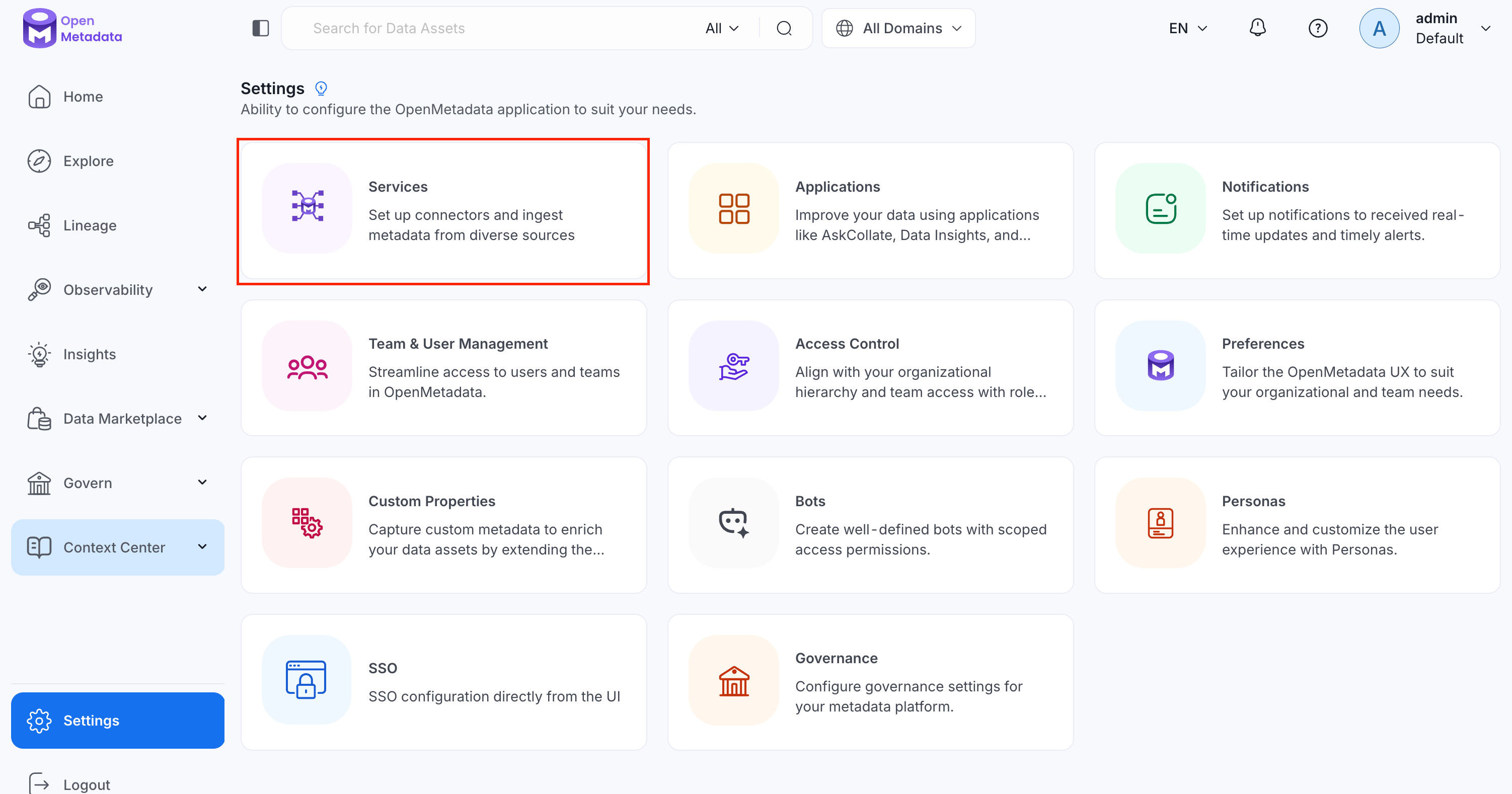
Navigate to Settings > Services.
-
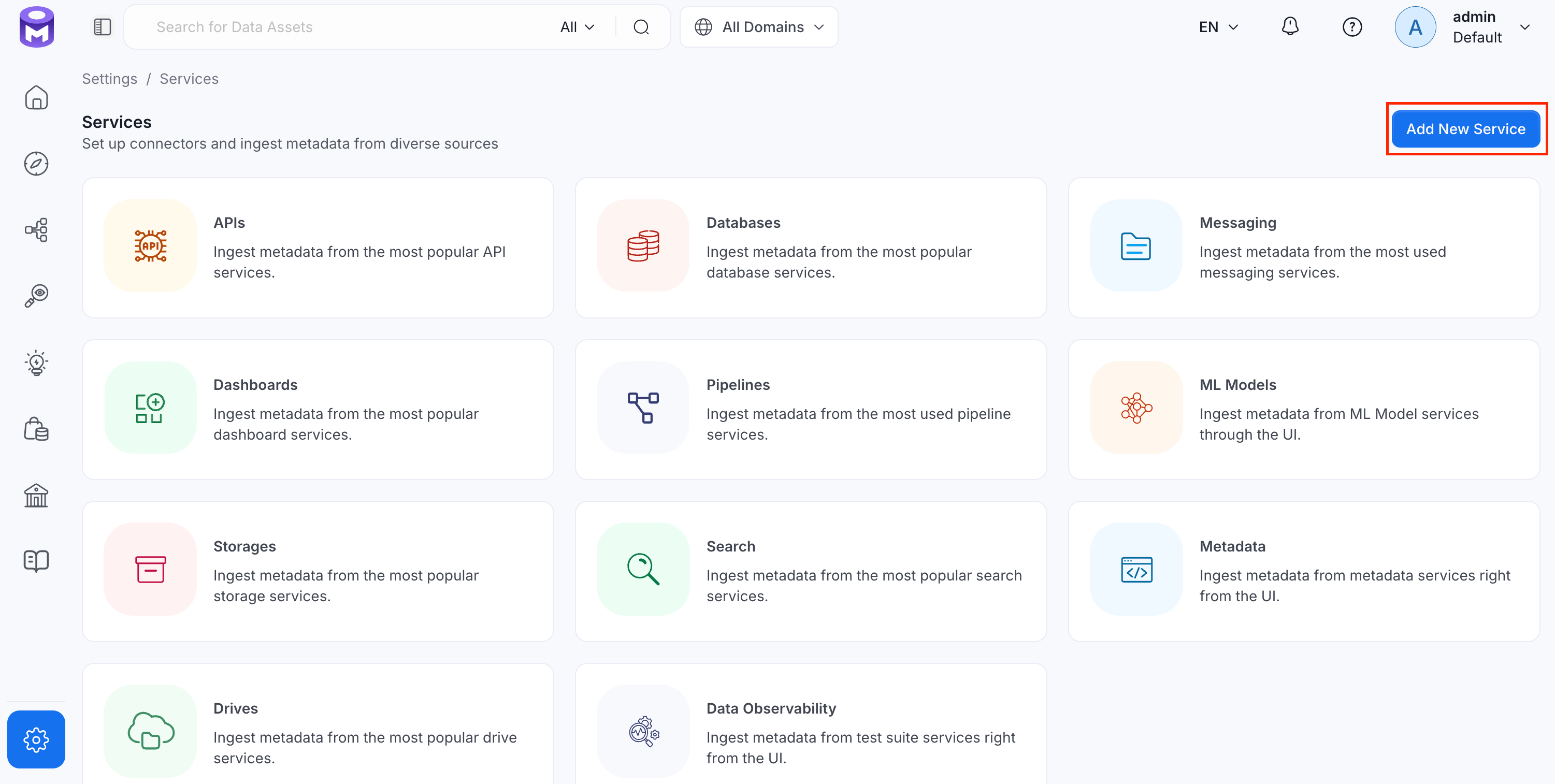
Click Add New Service.
Step 2: Select a Service and Connector
From the service type dropdown, select Pipeline Services, then click the OpenLineage connector tile.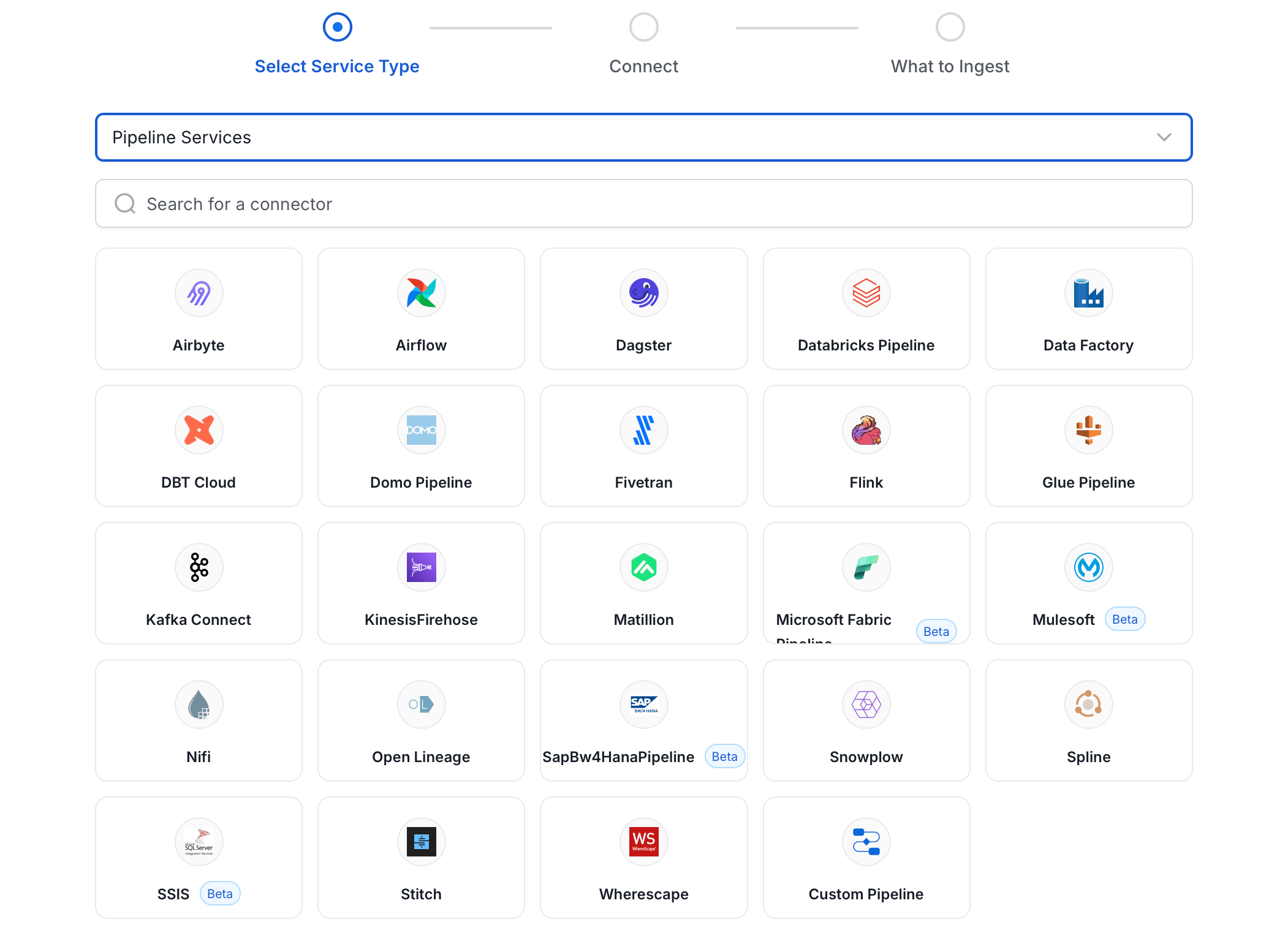
Step 3: Add Service Name and Description
- Enter a unique, descriptive Service Name. OpenMetadata identifies services by their service name. Enter a name that distinguishes this deployment from other OpenLineage services you are ingesting metadata from.
- Optional: Enter a Description for the service.
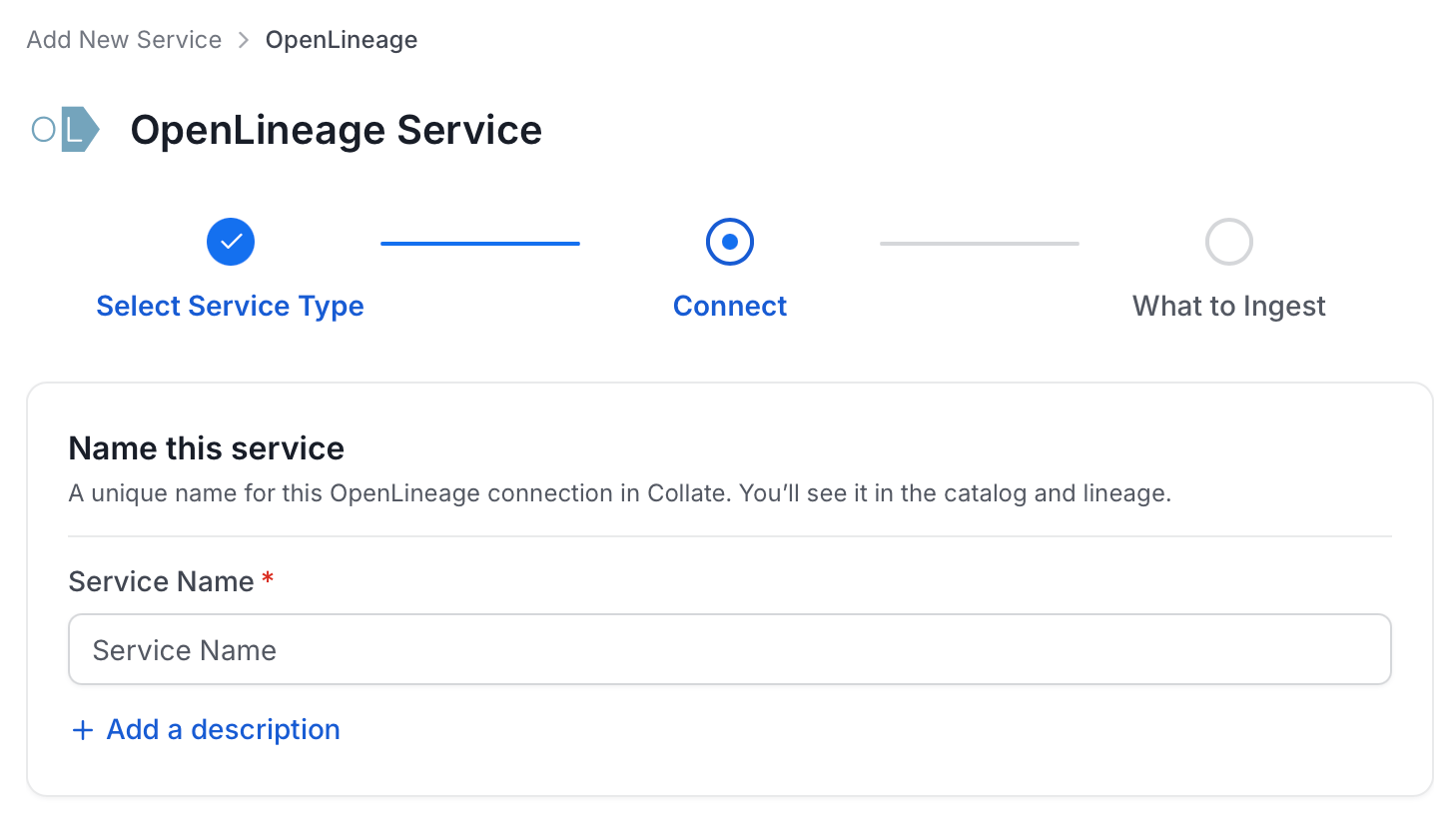
Note: The service name cannot be changed after it is set.
Step 4: Configure Connection Options
Specify your source credentials and verify the connection.Enter Connection Details
Enter the connection details for OpenLineage. A help panel displays inline guidance for each field.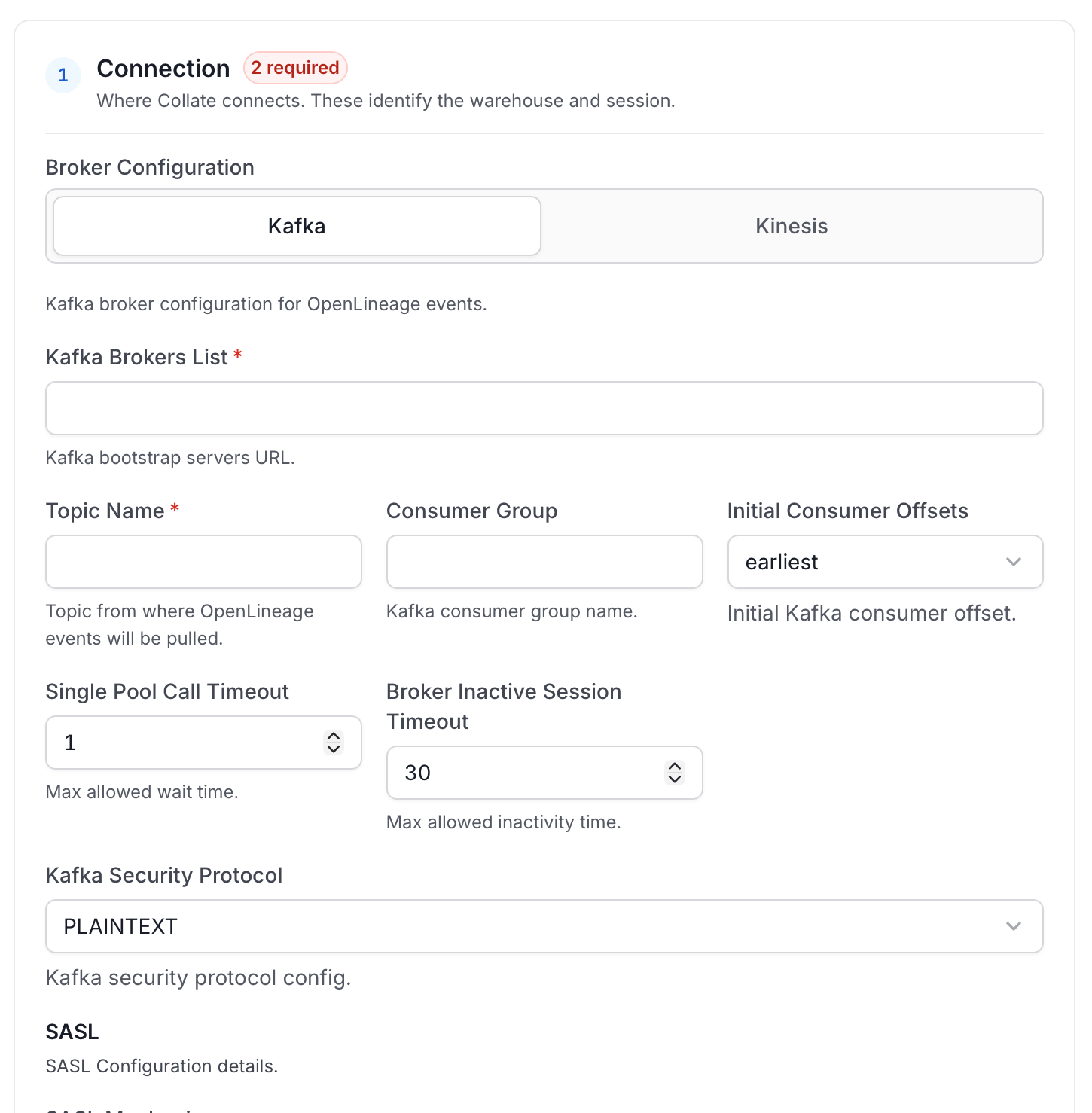
Test Connection
Once the credentials have been added, click on Test Connection and Save the changes.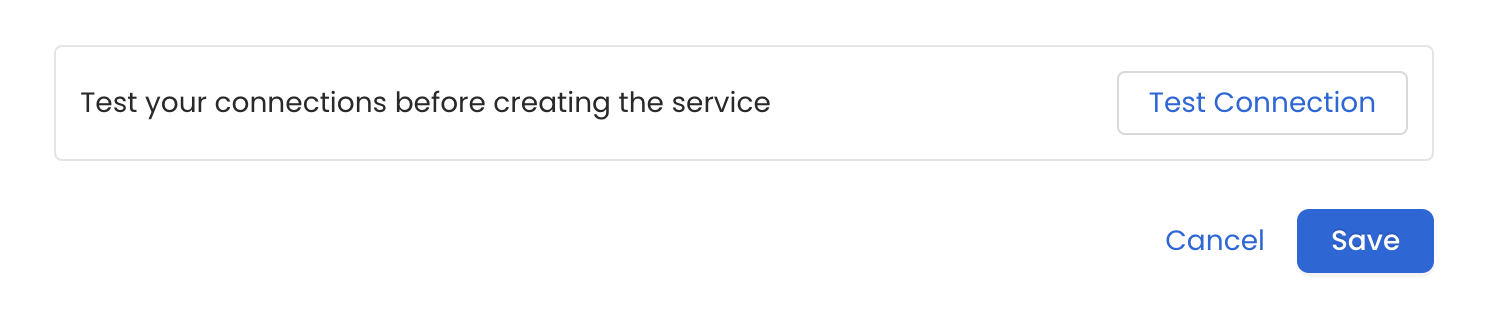
Step 5: Configure Ingestion Options
In the What to Ingest step, use filter patterns to control which assets OpenMetadata ingests from your OpenLineage service. Filter patterns use regular expressions applied to pipeline names.How Filter Patterns Work
- Include: Add one or more comma-separated regular expressions. OpenMetadata ingests only assets whose names match at least one expression. Leave blank to include all assets.
- Exclude: Add one or more comma-separated regular expressions. OpenMetadata skips any asset whose name matches an expression. Leave blank to exclude nothing.
- contains: matches any name containing the value. For example,
salesmatchesmy_sales_dataandsales_2024. - starts with: matches names beginning with the value. For example,
prod_matchesprod_dbandprod_schema. - ends with: matches names ending with the value. For example,
_rawmatchesevents_rawandlogs_raw. - is exactly: matches the exact name only. For example,
analyticsmatches onlyanalytics. - matches regex: matches names using a regular expression. For example,
^prod_.*_v\d+$matchesprod_events_v1.
Filter Options
The Pipeline section includes one filter option, Pipeline, which controls which pipelines OpenMetadata ingests from OpenLineage. Each section provides the following controls:- Scan Mode: Choose one of the following scan modes:
- Scan all: Ingests every asset of that type the connector can access. This is the default.
- Only specific: Enables include rules so only assets matching at least one rule are ingested.
- Always exclude: Add permanent exclusion rules (shown in red). Assets matching these rules are never ingested, regardless of include rules.
- Preview: Shows a real-time summary of what will be in scope based on your current rules.
- Include rules (available only in Only specific mode): Click + Add to define a rule. Added rules appear as chips; an asset is included if it matches any rule.
Step 6: Create & Deploy
Click Create & Deploy to deploy the agent and start the first metadata ingestion run. OpenMetadata saves the service configuration and immediately begins pulling metadata from the source. To monitor ingestion progress or view the service you just added, go to Settings > Services and select your service.Configure Metadata Agent and Schedule Ingestion
The Metadata Agent extracts pipelines, tasks, and other structural metadata from your source and keeps your OpenMetadata catalog in sync. It powers discovery, lineage, and governance across your data assets. When you click Create & Deploy, OpenMetadata automatically deploys a Metadata Agent for this service and triggers the first ingestion run. View its status and run history from the Agents tab on the service detail page. To configure the additional Metadata Agent and schedule ingestion, follow these steps:-
Navigate to Settings > Services and select the service type.
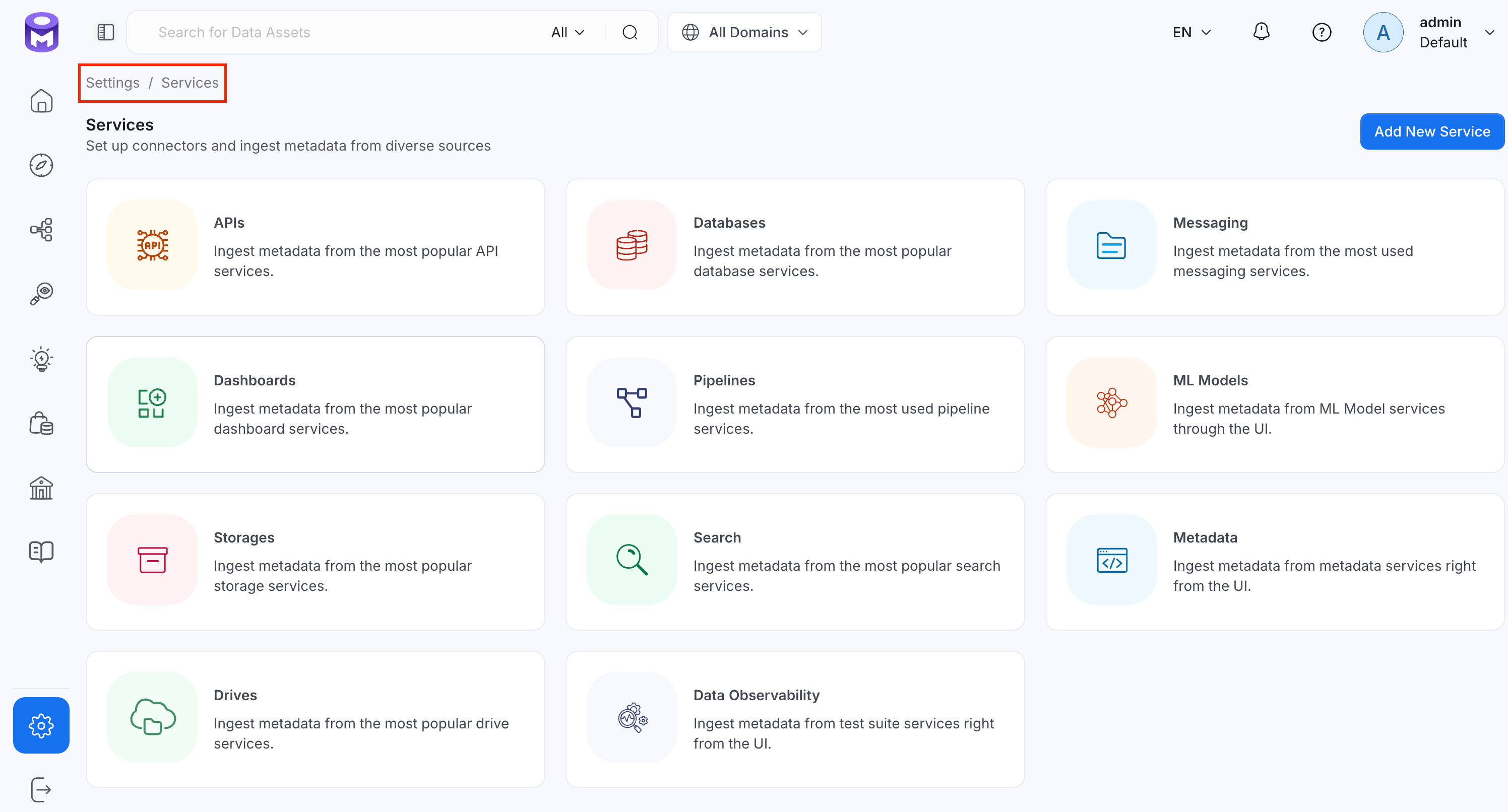
- Click the service you have added.
-
Select the Agents tab and click Add Agent > Metadata.
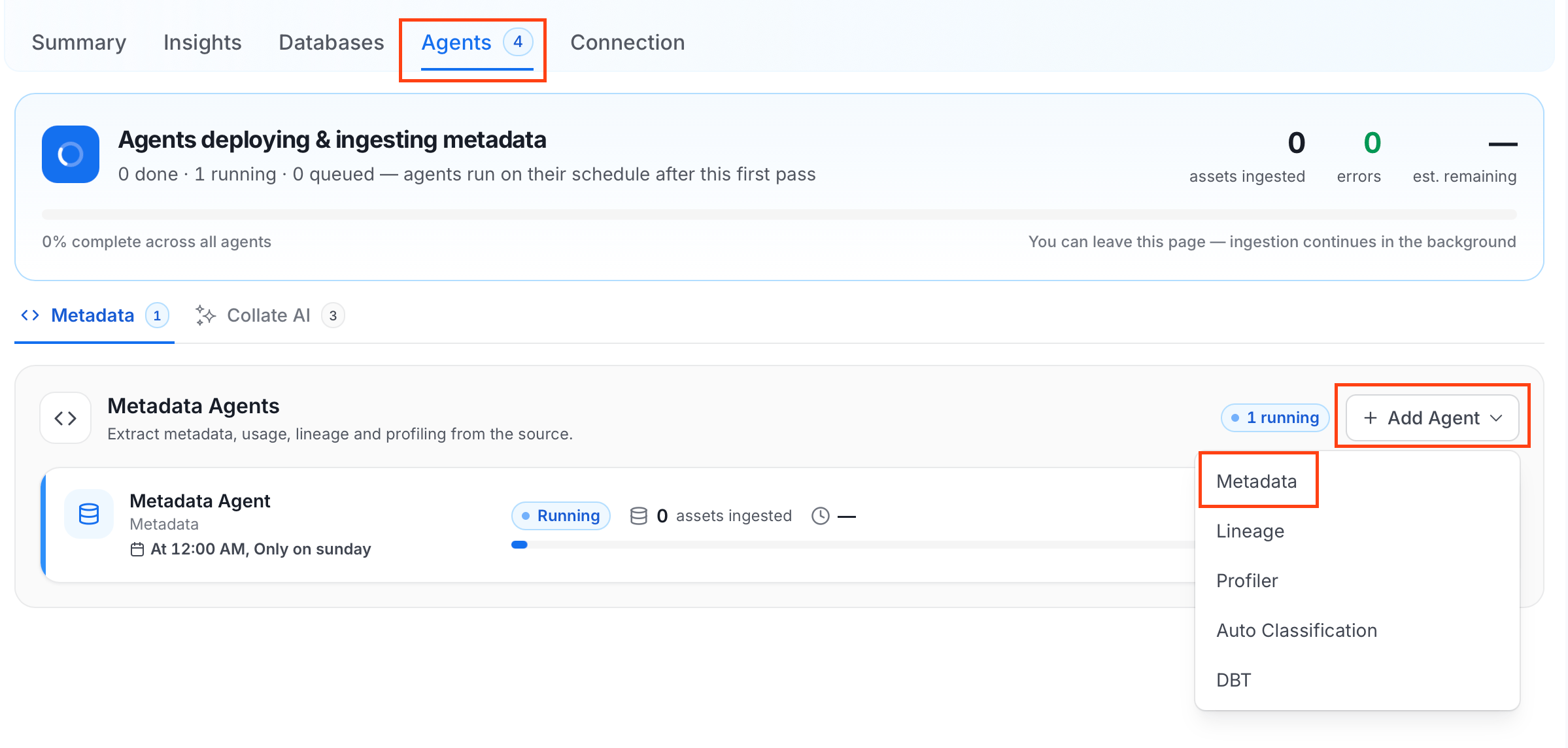
-
On the Configure Ingestion page, do the following and click Next.
-
Name this Ingestion: Enter a unique recognizable name for this ingestion pipeline.
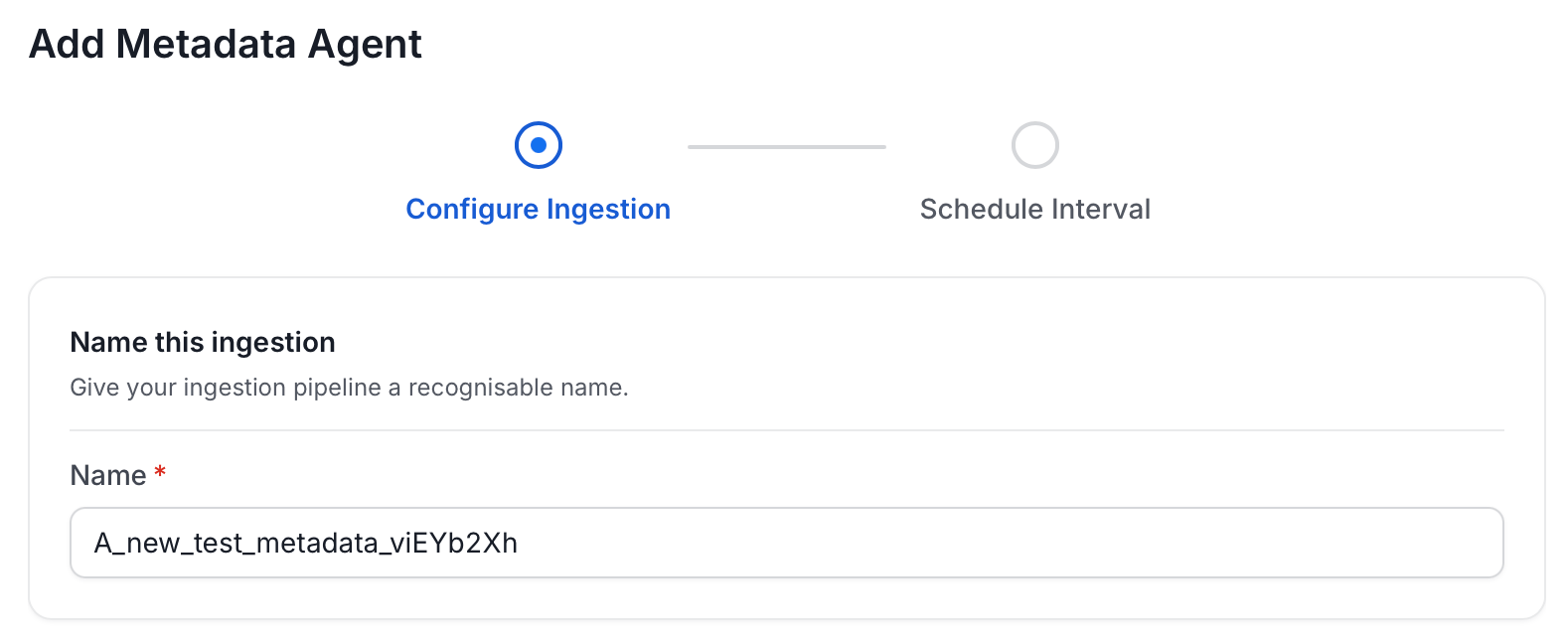
-
Agent Setup: Configure the core parameters for this agent. The following fields are available:
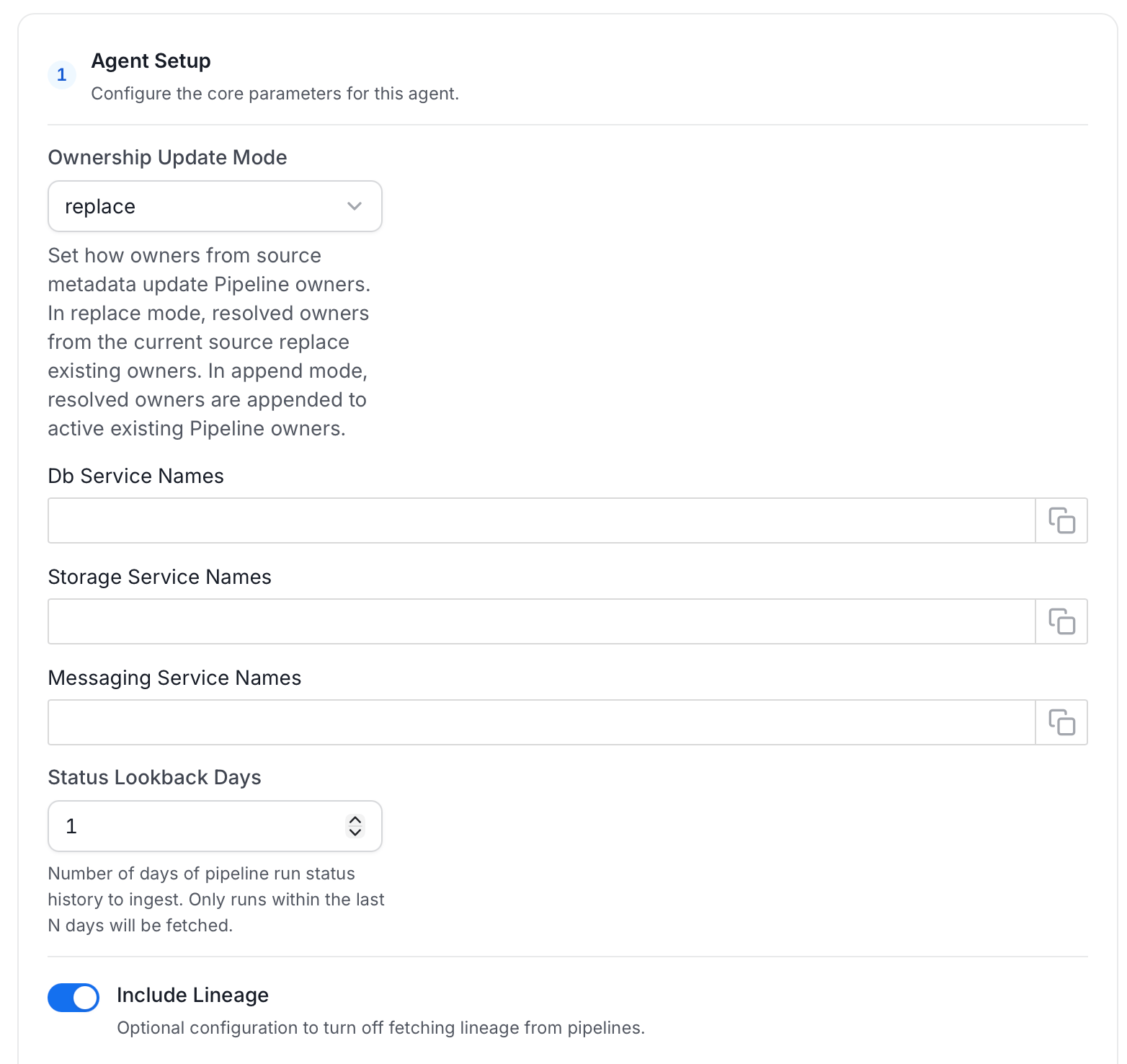
-
Filter Patterns: Apply include or exclude rules to scope which pipelines this agent ingests. These follow the same filter options described in Step 5: Configure Ingestion Options.
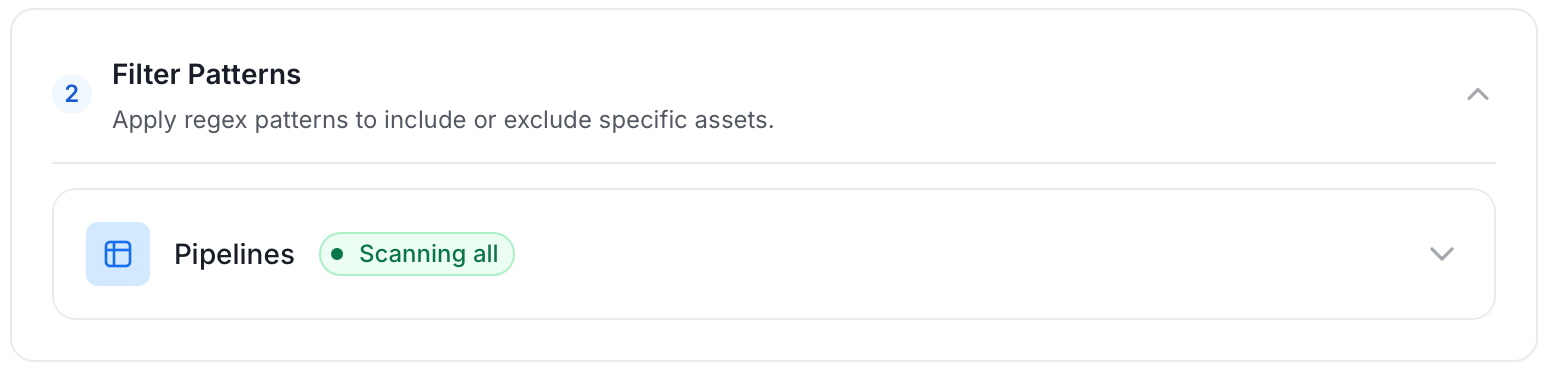
-
Scope & Behaviour: Control what metadata to include and how to handle deletions. Toggle each option on or off based on your needs:
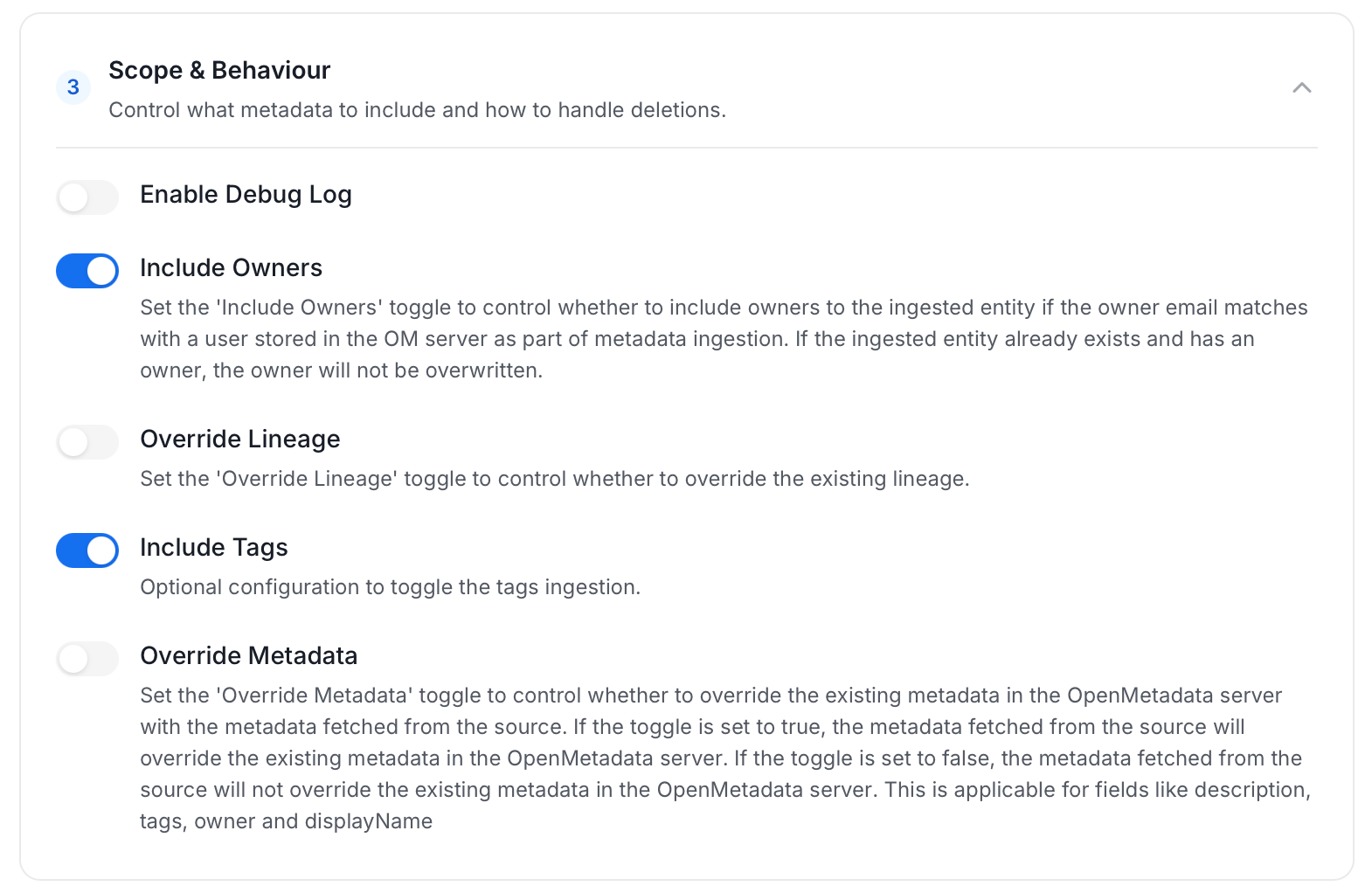
-
Name this Ingestion: Enter a unique recognizable name for this ingestion pipeline.
-
On the Schedule Interval page, set when the agent runs:
- Schedule: Choose a preset interval (Hourly, Daily, Weekly, Monthly) or enter a custom cron expression.
- On-Demand: No automatic schedule; trigger the agent manually when needed.
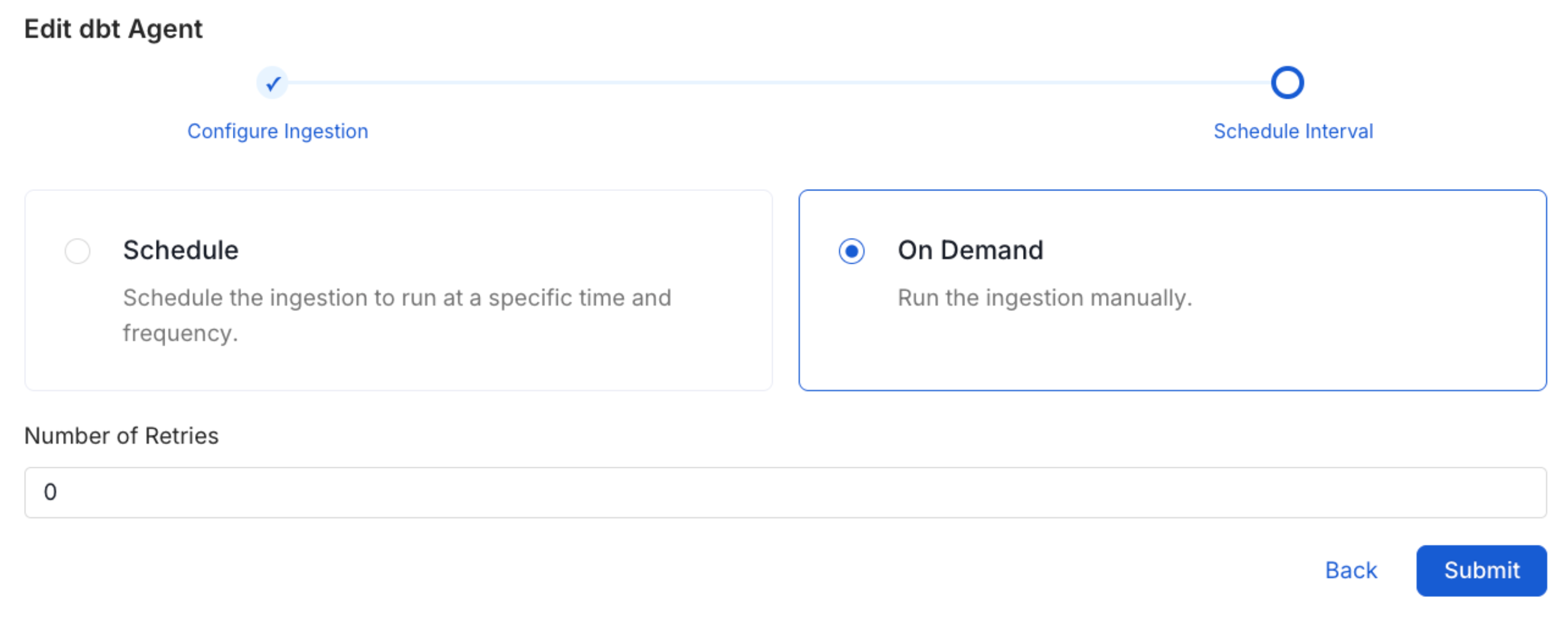
- Click Add to deploy the agent.
Providing Connection Details Programmatically via API
You can also create and configure the OpenLineage service using the Python SDK instead of the UI.1. Preparing the Client
Configure the SDK client with your OpenMetadata host and JWT token.2. Creating the OpenLineage Pipeline Service (Kafka)
Create the pipeline service pointing at your Kafka broker.3. Creating the OpenLineage Pipeline Service (Kinesis)
Create the pipeline service pointing at your Kinesis stream instead.Related
Usage Workflow
Learn more about how to configure the Usage Workflow to ingest Query information from the UI.
Lineage Workflow
Learn more about how to configure the Lineage from the UI.
Profiler Workflow
Learn more about how to configure the Data Profiler from the UI.
Data Quality Workflow
Learn more about how to configure the Data Quality tests from the UI.
dbt Integration
Learn more about how to ingest dbt models’ definitions and their lineage.