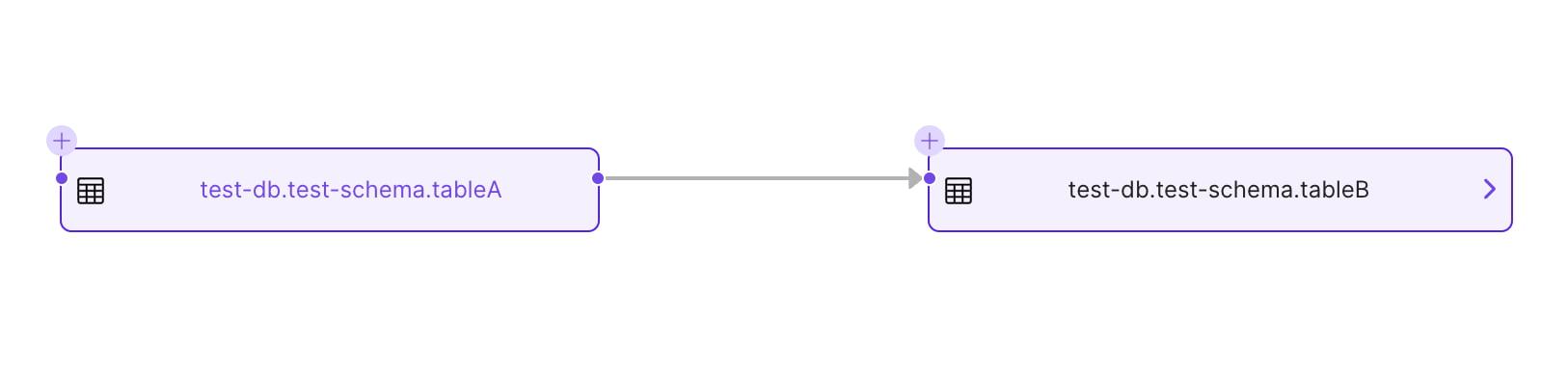
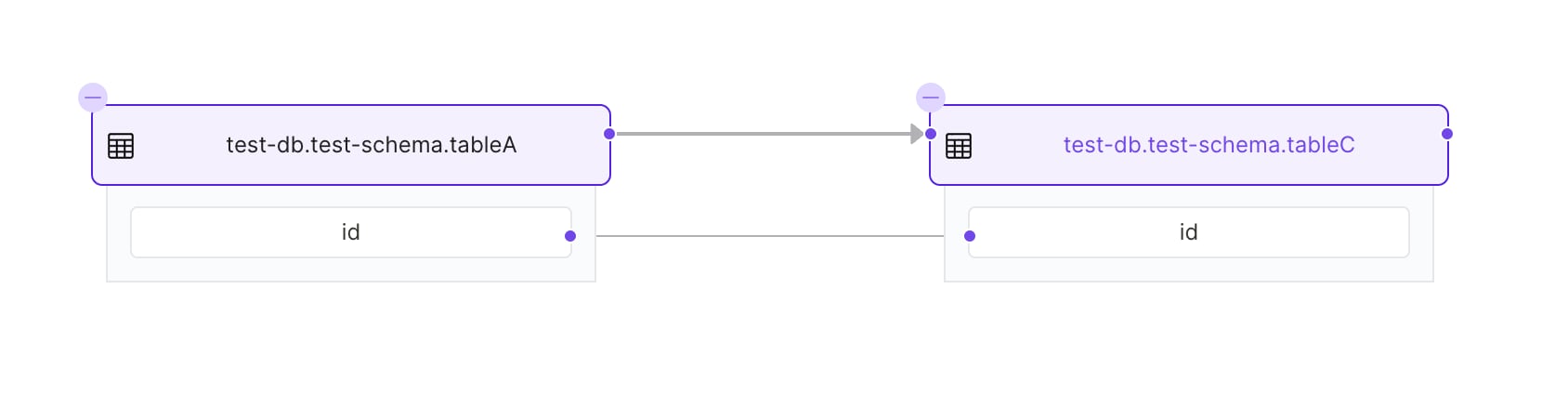
Learn to implement data lineage tracking with OpenMetadata’sPython SDK. Complete guide with code examples, API usage, and best practices for data flow …
In this guide, we will use the Python SDK to create and fetch Lineage information.For simplicity, we are going to create lineage between Tables. However, this would work with ANY entity.You can find the Lineage Entity defined here,
as well as the Entity defining the payload to add a new lineage: AddLineage.
Note that in OpenMetadata, the Lineage information is just a possible relationship between Entities. Other types
of relationships for example could be:
Contains (a Database contains Schemas, which at the same time contain Tables),
or Ownership of any asset.
The point being, any Entity existent in OpenMetadata can be related to any other via Lineage.
In the following sections we will:
Create a Database Service, a Database, a Schema and two Tables,
Add Lineage between both Tables,
Get the Lineage information back.
A prerequisite for this section is to have previously gone through the following docs.
We are mocking a MySQL instance. Note how we need to pass the right configuration class MysqlConnection, as a
parameter for the generic DatabaseConnection type.
Any Entity that is created and linked to another Entity, has to hold the fullyQualifiedName to the Entity it
relates to. In this case, a Database is bound to a specific service.
And finally, Tables are contained in a specific Schema, so we use the fullyQualifiedName here as well.We are doing a simple example with a single column.
You can also get lineage by entity type and ID using Lineage.get_entity_lineage(entity_type="table", entity_id="entity-id", upstream_depth=1, downstream_depth=1).
Note how when adding lineage information we give to the API an AddLineage
Request. This is composed of an Entity Edge, whose definition you can find here.In a nutshell, an Entity Edge has:
The Entity Reference as the lineage origin,
The Entity Reference as the lineage destination,
Optionally, Lineage Details.
In the Lineage Details property we can pass further information specific about Table to Table lineage:
sqlQuery specifying the transformation,
An array of columnsLineage as an object with an array of source and destination columns, as well as their own specific transformation function,
Optionally, the Entity Reference of a Pipeline powering the transformation from Table A to Table B.
The simple Lineage.add_lineage(...) helper covers direct edges. For advanced payloads, construct an AddLineageRequest
and submit it with Lineage.add_lineage_request(...).Let’s see how to do that and play with the possible combinations.First, import the required classes and create a new table:
from metadata.sdk import Tablesfrom metadata.generated.schema.api.lineage.addLineage import AddLineageRequestfrom metadata.generated.schema.type.entityReference import EntityReferencefrom metadata.generated.schema.type.entityLineage import ( ColumnLineage, EntitiesEdge, LineageDetails,)# Prepare a new tabletable_c = CreateTableRequest( name="tableC", databaseSchema=create_schema_entity.ifullyQualifiedName, columns=[Column(name="id", dataType=DataType.BIGINT)],)table_c_entity = metadata.create_or_update(data=table_c)
We can as well pass the reference to the pipeline used to create the lineage (e.g., the ETL feeding the tables).To prepare this example, we need to start by creating the Pipeline Entity. Again, we’ll need first
to prepare the Pipeline Service:
SQL-based lineage parsing is not part of metadata.sdk.api.Lineage today. If you need lineage generated from raw SQL,
use the lineage ingestion workflow or CLI. The older add_lineage_by_query helper belongs to the legacy
metadata.ingestion.ometa client surface, not the current metadata.sdk API.
To create the automated sql lineage via CLI, you need to make sure that you have installed the openmetadata-ingestion package in your local environment using command pip install openmetadata-ingestion.Once that is done you will have to prepare a yaml file as follows.
serviceName: local_mysqlquery: insert into target_table(id) as select id from source_table# filePath: test.sql# parseTimeout: 360 # timeout in secondsworkflowConfig: # loggerLevel: DEBUG # DEBUG, INFO, WARN or ERROR openMetadataServerConfig: hostPort: <OpenMetadata host and port> authProvider: <OpenMetadata auth provider>
serviceName: Name of the database service which contains the table involved in query.
query: You can specify the raw sql query within the yaml file itself.
filePath: In case the query is too big then you can also save query in a file and pass the path to the file in this field.
parseTimeout: Timeout for the lineage parsing process.
workflowConfig: The main property here is the openMetadataServerConfig, where you can define the host and security provider of your OpenMetadata installation.
Once the yaml file is prepare you can run the command