Ingest Data Products from dbt
Assign tables to Data Products from your dbt project. List the Data Products undermeta.openmetadata.dataProducts in your dbt model. During dbt ingestion, OpenMetadata adds the table as an asset of each listed Data Product.
A Data Product is a curated group of data assets that is managed and shared as a single unit. To learn more, see Data Products.
Requirements
The Data Product must already exist in OpenMetadata before ingestion. OpenMetadata never creates Data Products from dbt. If a listed Data Product isn’t found, OpenMetadata logs a warning and ingestion continues. If the Data Product belongs to a Domain, the table’s Domain must match it. Otherwise, OpenMetadata rejects the assignment. To set the table’s Domain from dbt, see Ingest Domain from dbt.Steps for Ingesting dbt Data Products
Follow these steps to assign tables to Data Products from dbt.1. Create or Select a Data Product in OpenMetadata
Create the Data Product in OpenMetadata, or use an existing one. Note its name. For more information, see Add a Data Product.2. Add Data Products in the schema.yml File
Add a list of Data Product names undermodel->name->meta->openmetadata->dataProducts in your schema.yml file. A table can belong to more than one Data Product.
For more details on the dbt meta field, see the dbt documentation.
manifest.json file then reflects the assignment under node_name->config->meta->openmetadata->dataProducts.
3. View the Data Products on Tables
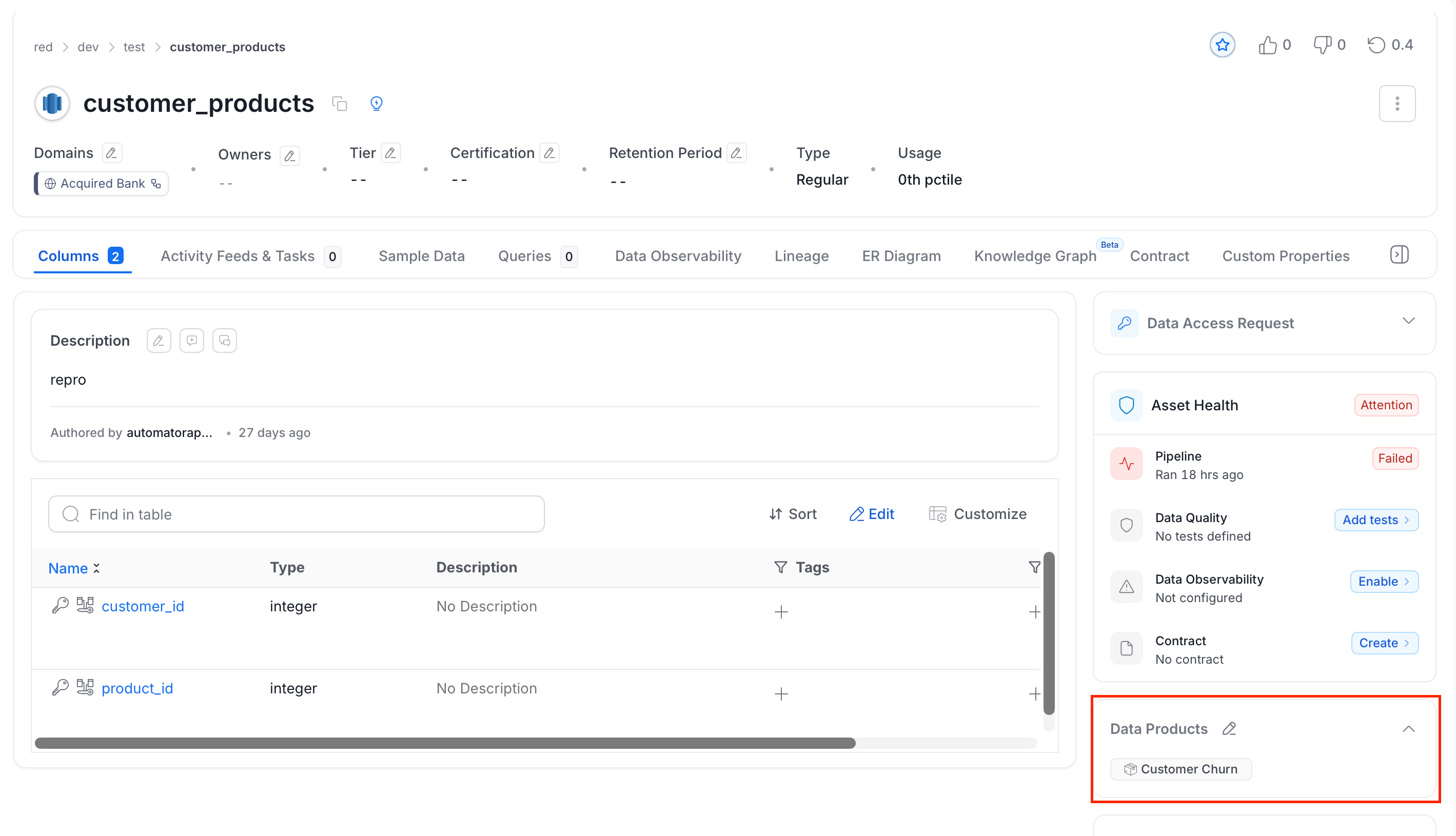
After ingestion, the table appears in the Assets of each Data Product. It also shows the Data Products on its details page.