Context Center
Overview
Context Center is a shared knowledge base for company context: Articles, Memories, and Documents. Open Context Center from the left sidebar to browse, create, and manage this content. MCP assistants can search Articles, Glossary Terms, and Metrics, and read an Article in full. They can also retrieve the question and answer notes that OpenMetadata extracts from uploaded Documents.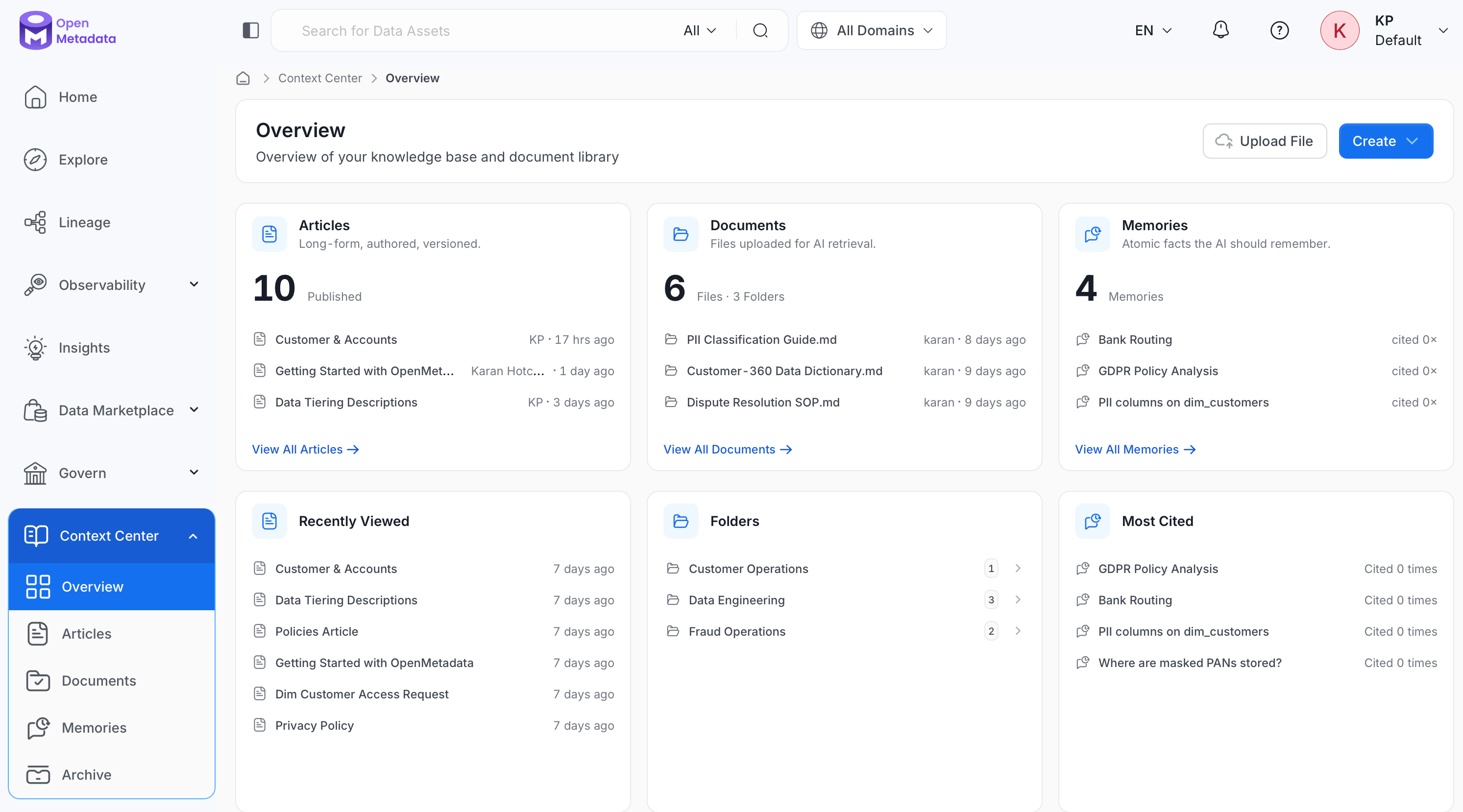
Purpose
Without Context Center, an AI assistant connected via MCP can only answer questions using what’s in your data catalog: table schemas, column descriptions, lineage, and so on. But a lot of what teams actually need to know lives outside the catalog: a written data governance policy, a runbook for handling a recurring incident, an internal definition of a business metric, or a preference one person has for how they like answers formatted. Context Center gives that knowledge a home. After OpenMetadata extracts question and answer notes from an uploaded file, MCP assistants can use those notes alongside catalog metadata through thecompany_context tool. The find_context tool searches Articles, Glossary Terms, and Metrics. Use get_entity_details with include: ["content"] to read an Article in full. The company_context tool doesn’t return Articles or Memories.
How to Use
Context Center holds three kinds of content, each suited to a different kind of knowledge:- Articles: Long-form pages your team writes and maintains, such as policies, playbooks, and internal documentation.
- Memories: Short, atomic facts, such as preferences, runbook steps, and FAQs, created either by an AI assistant during a conversation or manually by a user.
- Documents: Files organized into folders. MCP assistants can retrieve the question and answer notes that OpenMetadata extracts from uploaded files.
My Data Page Widget
Add the Context Center widget to your Home page to see your Articles at a glance. Customize your landing page and add it from the widget library. It shows the Articles owned by you or your team, and clicking it opens Context Center > Articles. For more detail about how to add a widget, see How to Customize a Landing Page.When to Use
- Writing or maintaining a policy, standard, or how-to guide that people should be able to find and reference: use an Article.
- Capturing a quick fact, preference, or answer to a recurring question that doesn’t need a full page: create a Memory.
- Making an existing file, such as a PDF report, a spreadsheet, or a compliance audit, available to the
company_contextMCP tool once OpenMetadata extracts question and answer notes from it: upload it as a Document.
Overview
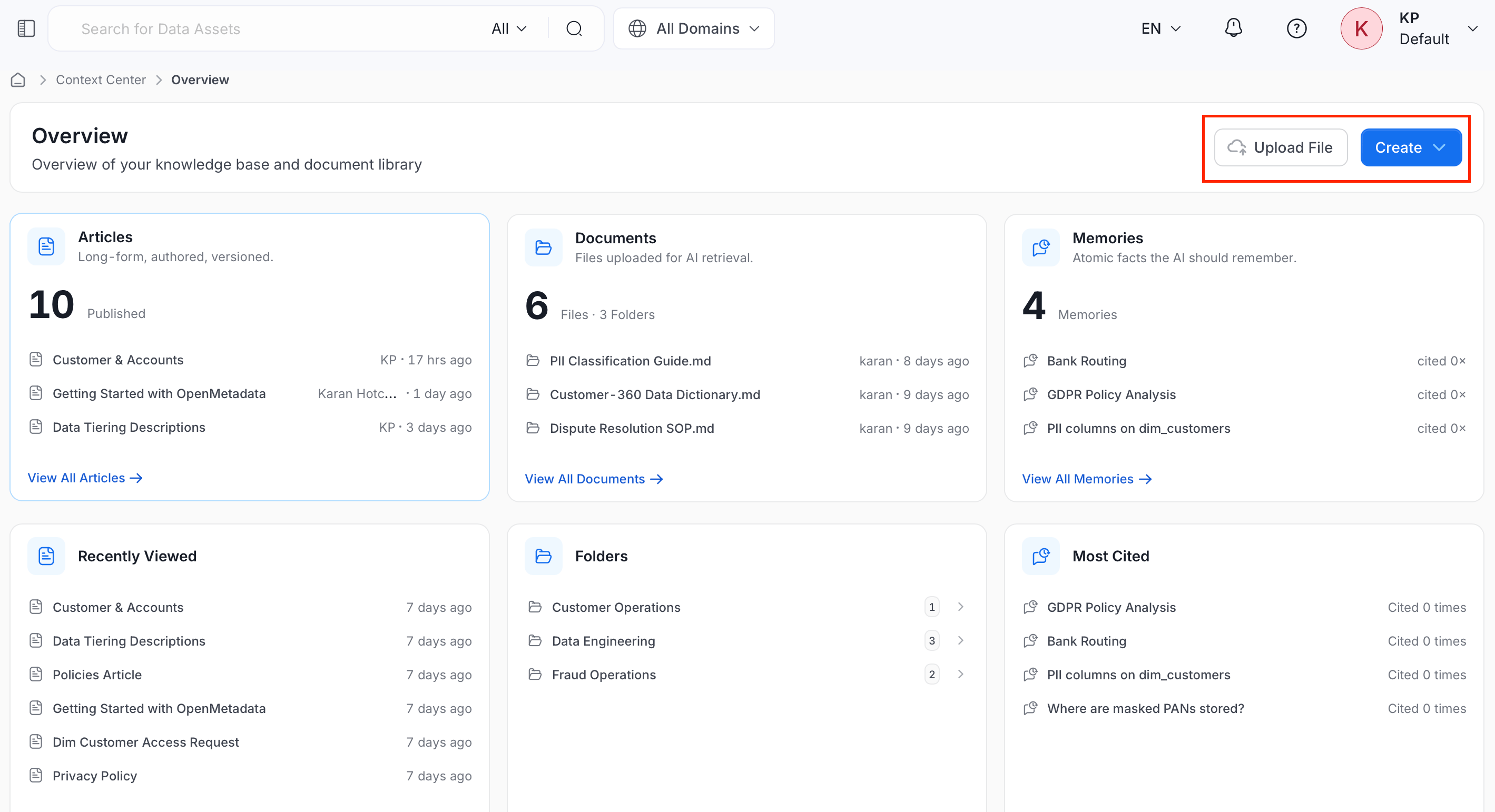
Opening Context Center takes you to its Overview page, an at-a-glance summary of everything in your knowledge base.- Articles and Documents: One card per content type, each showing a short description of what it holds, a total count (for example,
3 Publishedor3 Files · 2 Folders), and its three most recent items with author and last-edited time. Click View All on any card to open that section’s full list. - Memories: A total count (for example,
4 Memories) and its three most recent items, each showing a citation count instead of author or edit time. - Recently Viewed: The items you opened most recently across all content types, newest first.
- Folders: The folders you’ve created to organize Documents, each showing how many files it contains.
- Most Cited: Your Memories ranked by citation count, shown as
Cited N times.