
Export Data Asset
Exporting a Data Asset is simple. Below are the steps to bulk export various data assets, such as Database Services, Databases, Schemas, and Tables.How to Bulk Export a Database Service
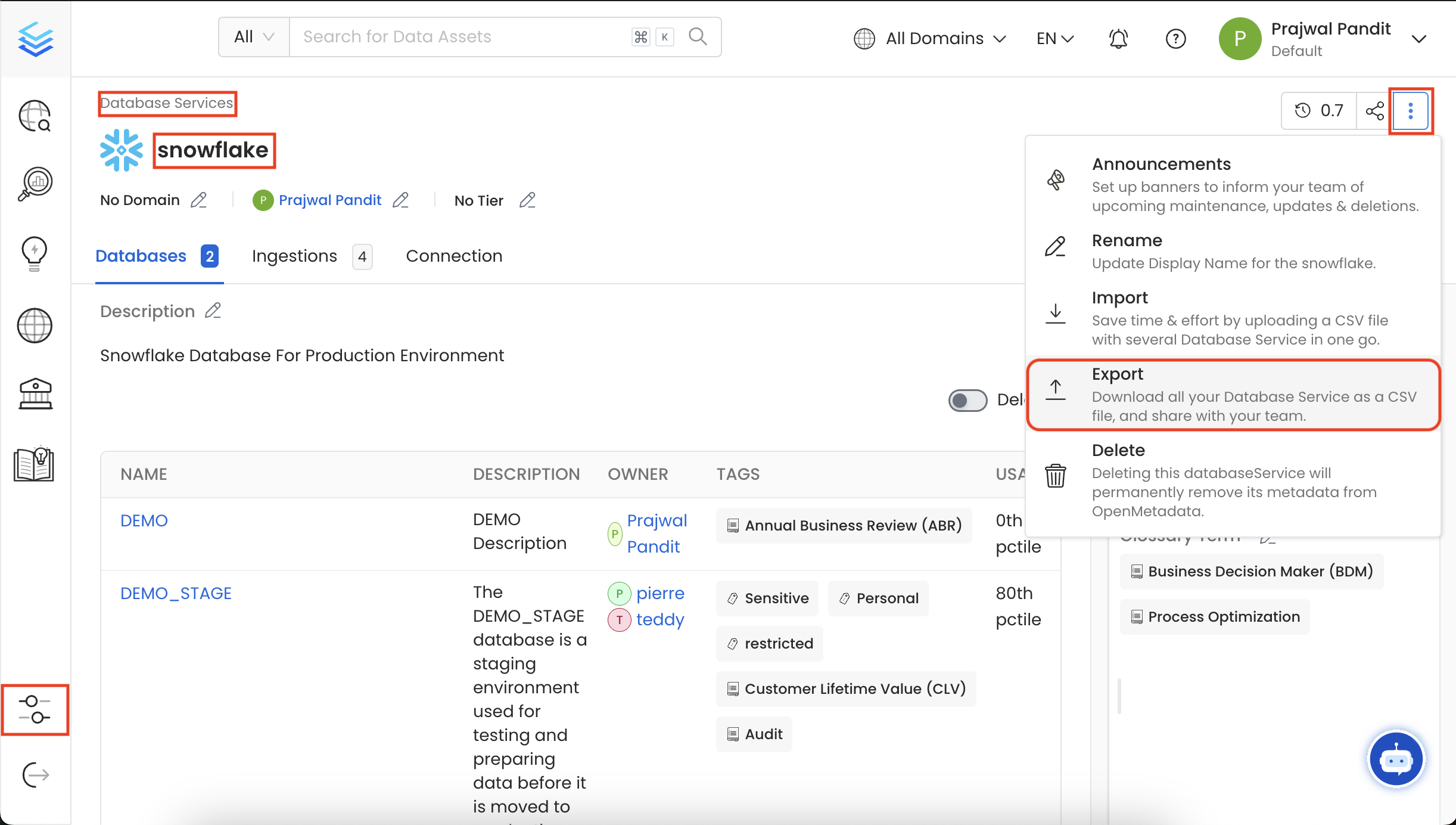
- Navigate to the Database Service you want to export by going to Settings > Services > Database.
- For this example, we are exporting in the
Snowflakeservice. - Click on the ⋮ icon and select Export to download the Database Service CSV file.
How to Bulk Export a Database
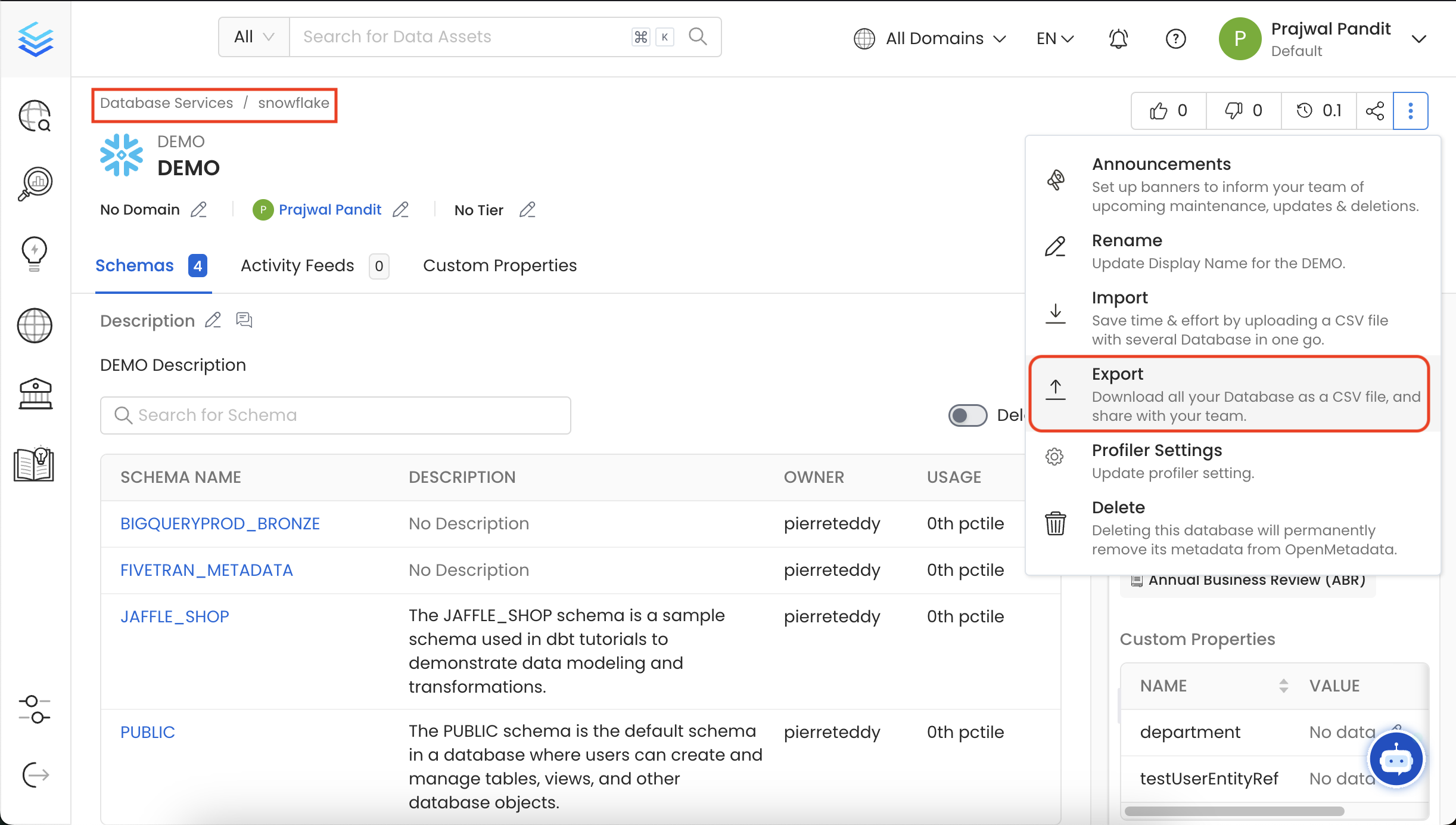
- In this example, we are exporting in the
DEMOdatabase under Snowflake. - Click on the ⋮ icon and select Export to download the Database CSV file.
How to Bulk Export a Database Schema
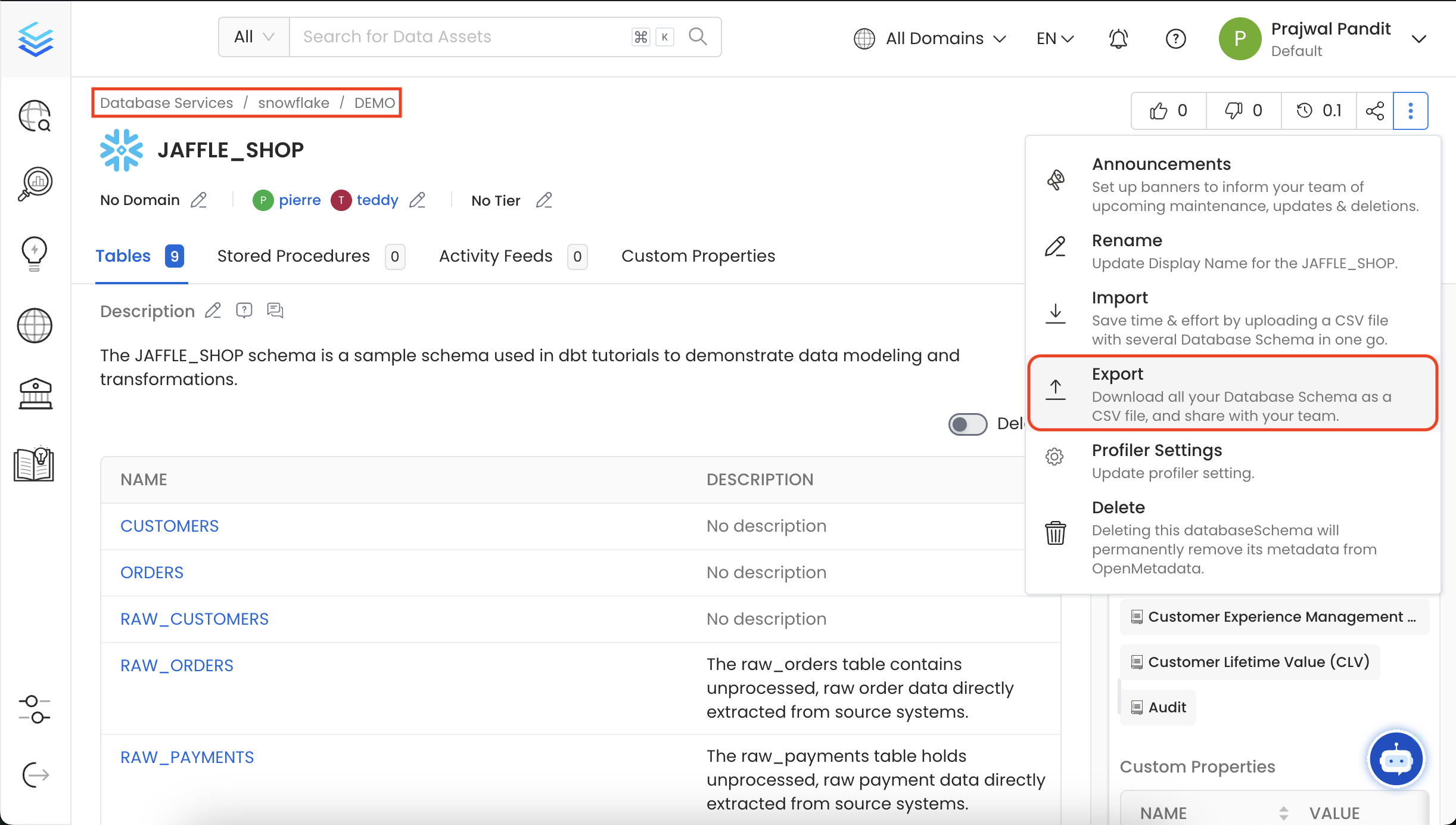
- In this example, we are exporting in the
JAFFLE_SHOPschema under Snowflake > DEMO. - Click on the ⋮ icon and select Export to download the Database Schema CSV file.
How to Bulk Export a Tables
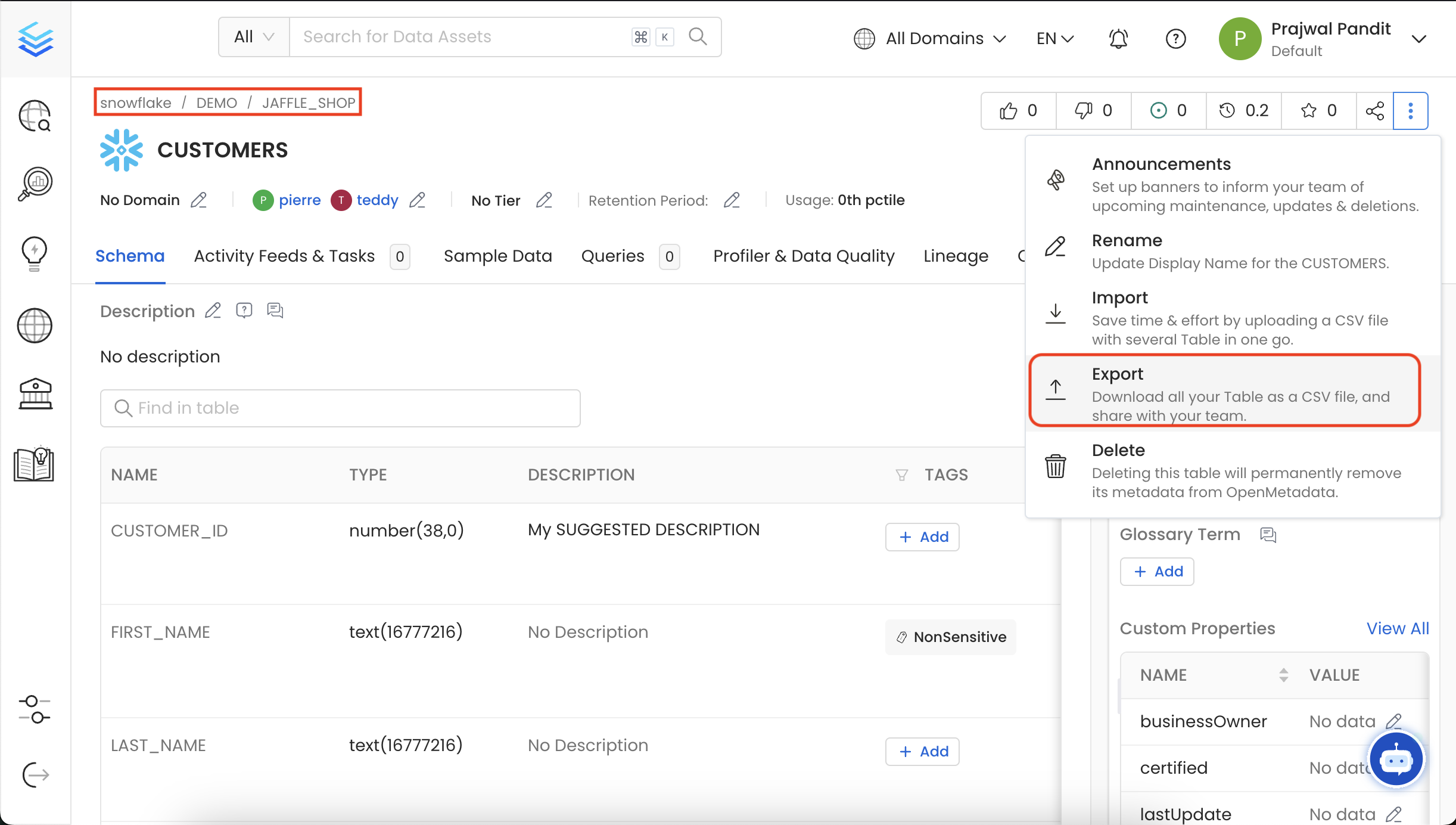
- In this example, we are exporting in the
CUSTOMERStable under Snowflake > DEMO > JAFFLE_SHOP. - Click on the ⋮ icon and select Export to download the Table CSV file.
Data Asset Import
Quickly import a data assets as a CSV file.