Column Tests - UI Config
For table-level tests, see the Tests UI Overview. Column tests validate the values inside a specific column, rather than the table as a whole. Use them to catch problems like duplicate or missing values, values that fall outside an expected range or pattern, or statistical properties (such as the mean, median, or standard deviation) drifting outside what’s expected.Column Values to Be Unique
This test checks that every value in a column is distinct, with no duplicates anywhere. It’s typically used on primary keys or other identifier columns, where duplicate values would indicate a data integrity problem.-
Dimension:
Uniqueness -
When to Use
- Primary keys or natural identifiers.
- Fields like email, username, or ID.
-
Behavior
Column Values to Be Not Null
This test checks that a column never contains missing (NULL) values. It’s useful for required fields where a missing value would break downstream reports or logic. It does not catch empty strings, which are not NULL — use Column Values to Match Regex for that.-
Dimension:
Completeness -
When to Use
- Mandatory fields such as
email,amount,created_at. - Required keys or business-critical columns.
- Mandatory fields such as
-
Behavior
Column Values to Match Regex
This test checks that every value in a column matches a pattern you define using a regular expression, for example to confirm that a column only contains validly formatted email addresses or postal codes. OpenMetadata uses native database regex support where available, and falls back to SQLLIKE semantics on dialects that don’t support it.
-
Dimension:
Validity -
When to Use
- Emails, zip codes, IDs, structured formats.
-
Behavior
Column Values to not Match Regex
This test checks that no value in a column matches a pattern you want to block, defined using a regular expression (forbiddenRegex). If even one value matches that forbidden pattern, the test fails, which makes it useful for catching placeholder values, test data, or other known-bad formats that shouldn’t reach production. OpenMetadata uses native database regex support where available, and falls back to SQL NOT LIKE semantics on dialects that don’t support it.
-
Dimension:
Validity -
When to Use
- Prevent forbidden values, test strings, or patterns.
-
Behavior
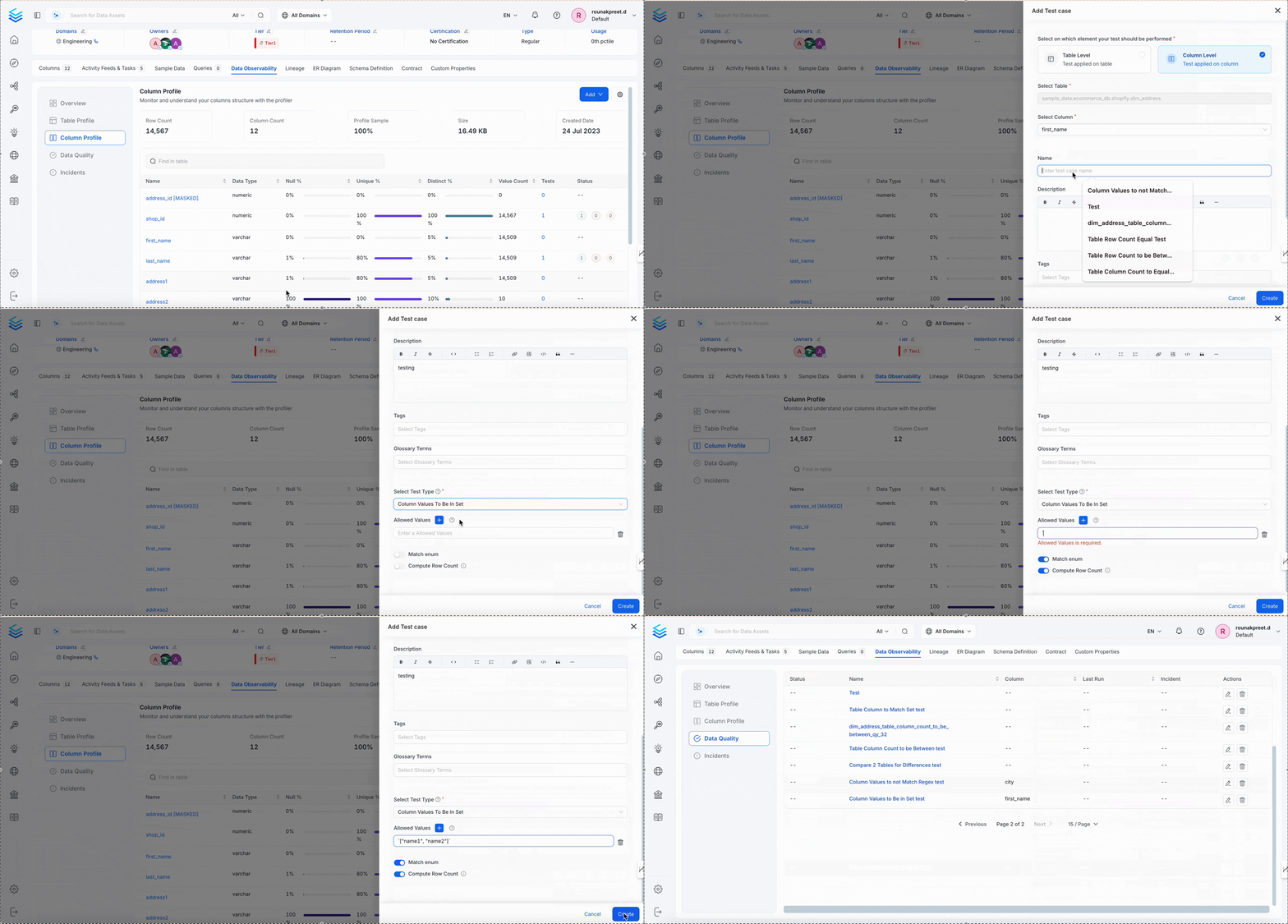
Column Values to Be in Set
This test checks that every value in a column comes from a predefined allowlist of acceptable values. It’s a good fit for columns that represent a fixed set of categories, such as a status or country code field, where any unexpected value likely points to bad data.-
Dimension:
Validity -
When to Use
- Enum values:
status,currency,country_code.
- Enum values:
-
Behavior
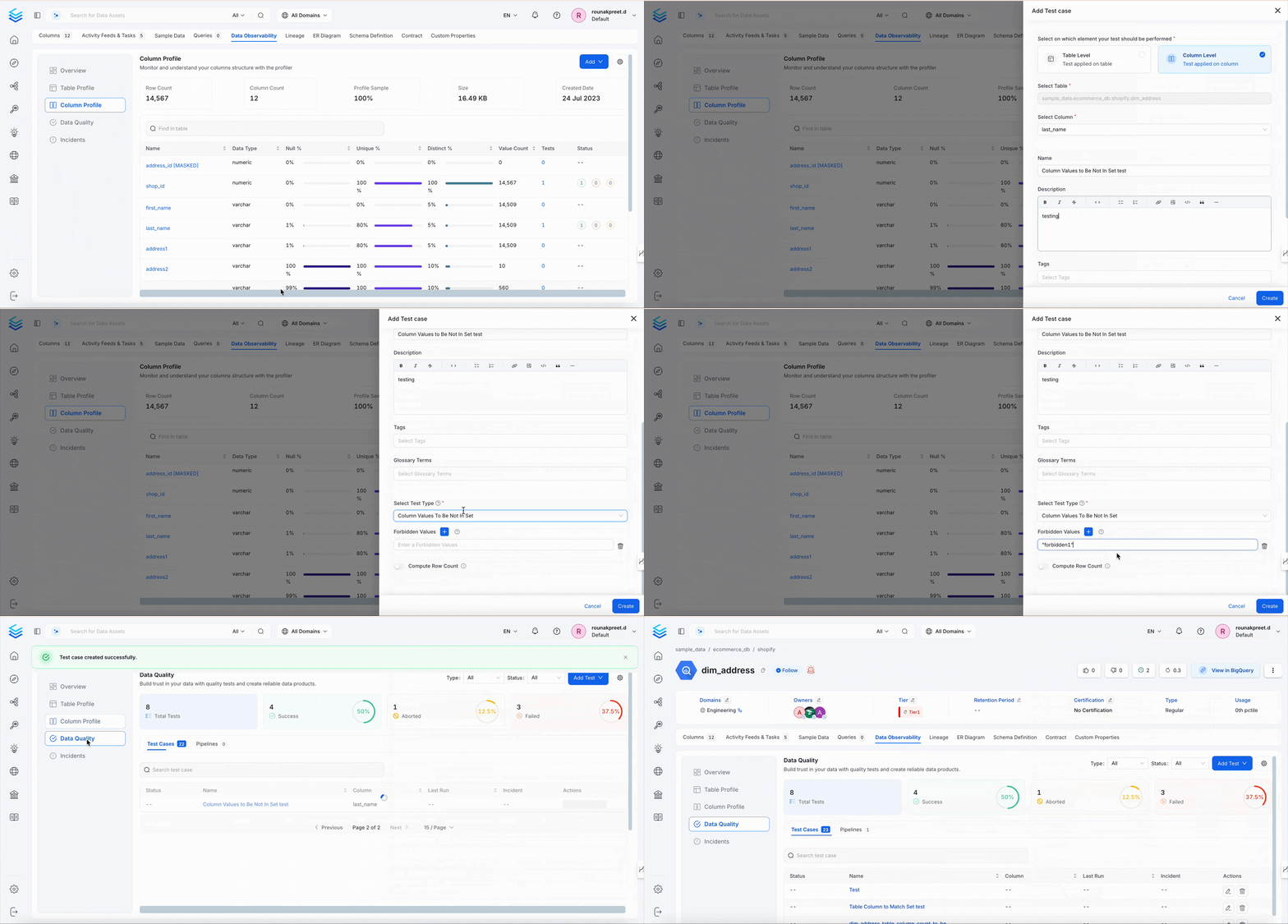
Column Values to Be Not In Set
This test checks that no value in a column matches an entry in a blocklist of values you want to exclude. It’s useful for catching known placeholder or invalid entries, such as"NA" or -1, that shouldn’t appear in clean data.
-
Dimension:
Validity -
When to Use
- Block invalid values like
"NA","Unknown",-1.
- Block invalid values like
-
Behavior
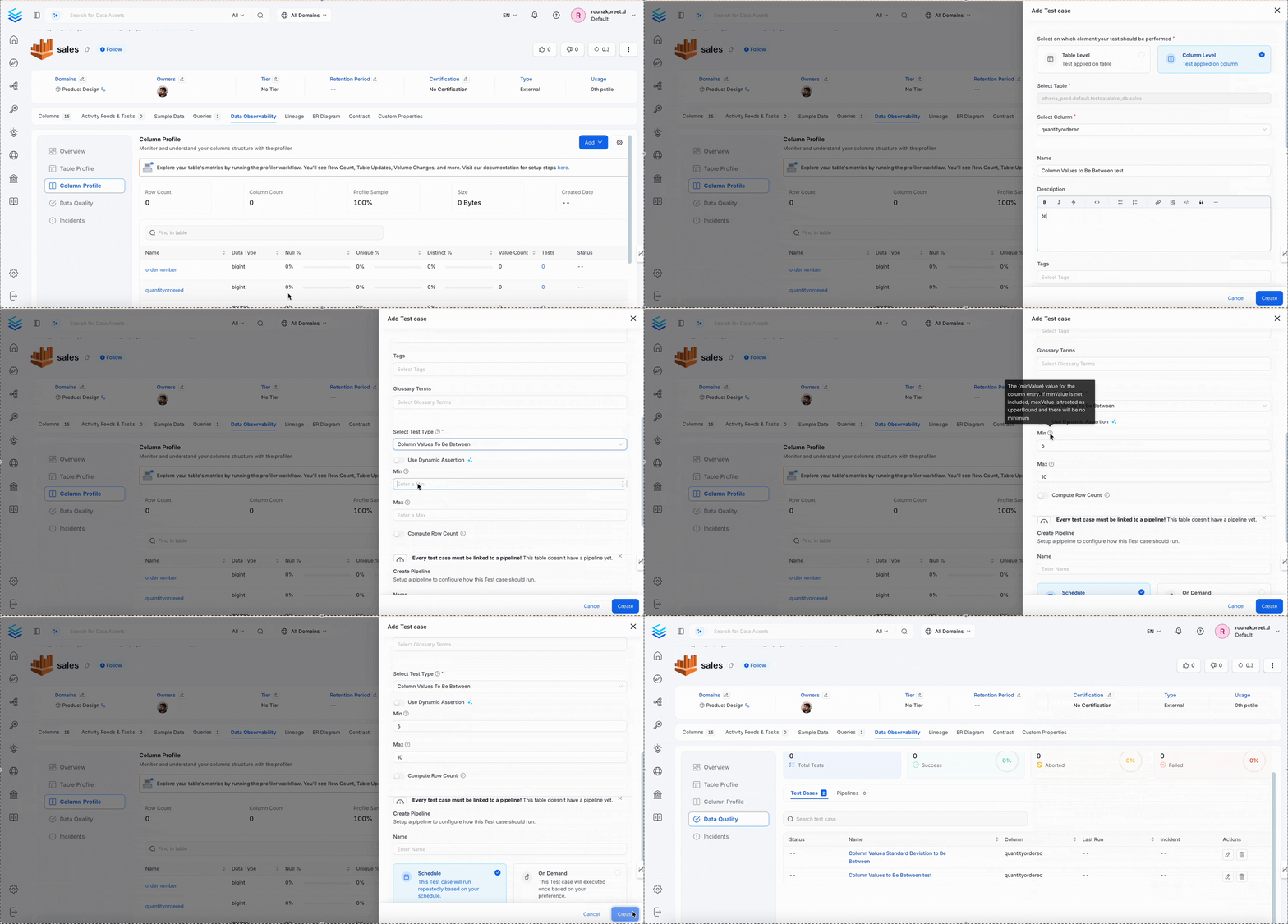
Column Values to Be Between
This test checks that every value in a column falls within a minimum and maximum range you define. It’s commonly used for numeric thresholds such as age, price, score, or percentage, and for date or timestamp ranges when supported by the connector.-
Dimension:
Accuracy -
When to Use
- Numeric thresholds such as age, price, score, or percentage.
- Date or timestamp ranges when supported by the connector.
-
Behavior
Column Values Missing Count to Be Equal
This test counts how many values in a column are missing, counting both true NULLs and any strings you’ve defined as representing a missing value (such as"NA" or "N/A"), and checks that this count matches a target you expect. It’s useful when a small, known number of missing values is acceptable, but you still want to be alerted if that number changes.
-
Dimension:
Completeness -
When to Use
- Auditing known missing values.
- Accounting for
"NA","N/A","null".
-
Behavior
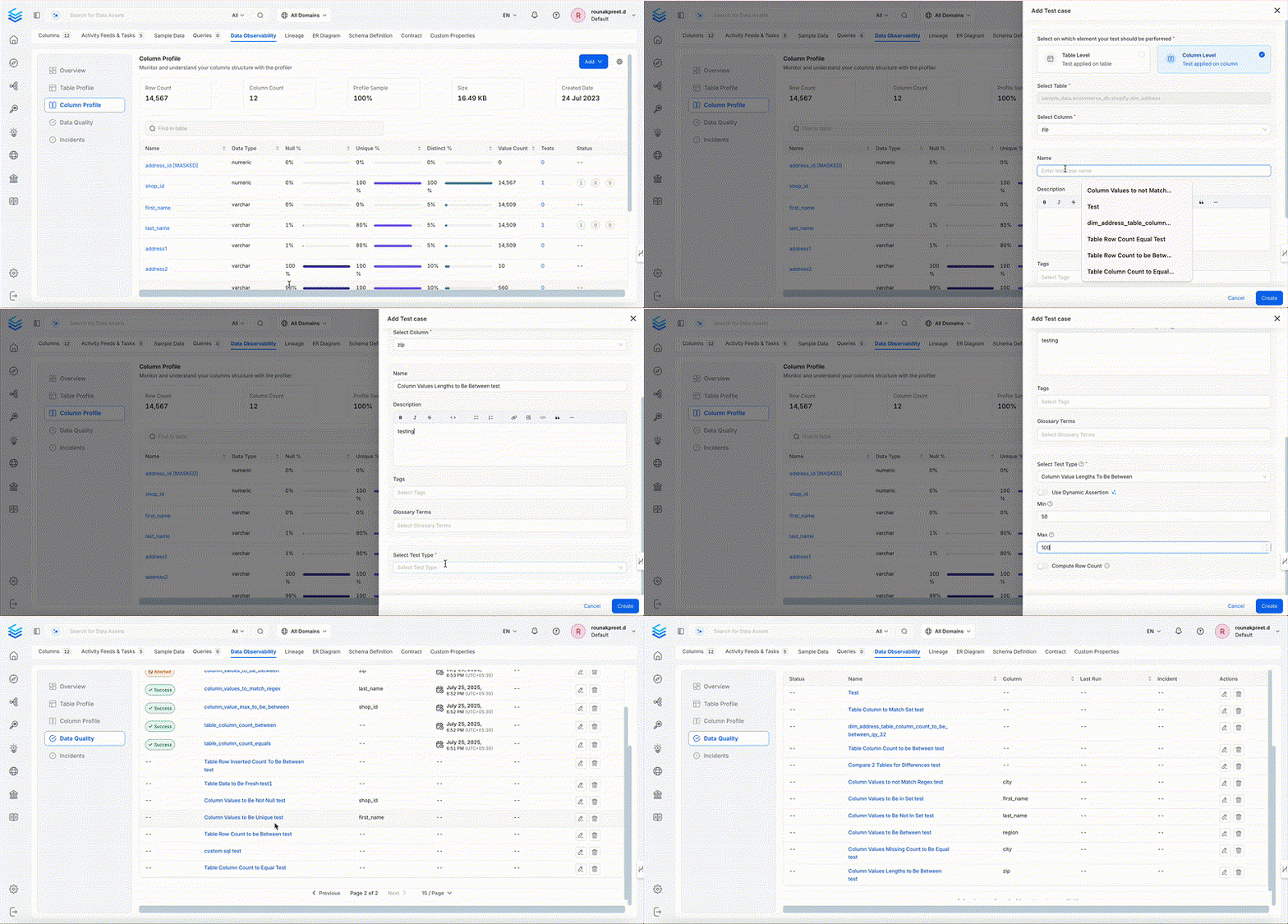
Column Values Lengths to Be Between
This test checks that every string value in a column has a character length within a minimum and maximum range you define. It helps catch values that are unexpectedly too short or too long, which can otherwise break UI display limits or downstream processing.-
Dimension:
Accuracy -
When to Use
- To validate field length constraints like
name,address, ordescription. - To catch too-short or too-long values that may break UI or downstream logic.
- To validate field length constraints like
-
Behavior
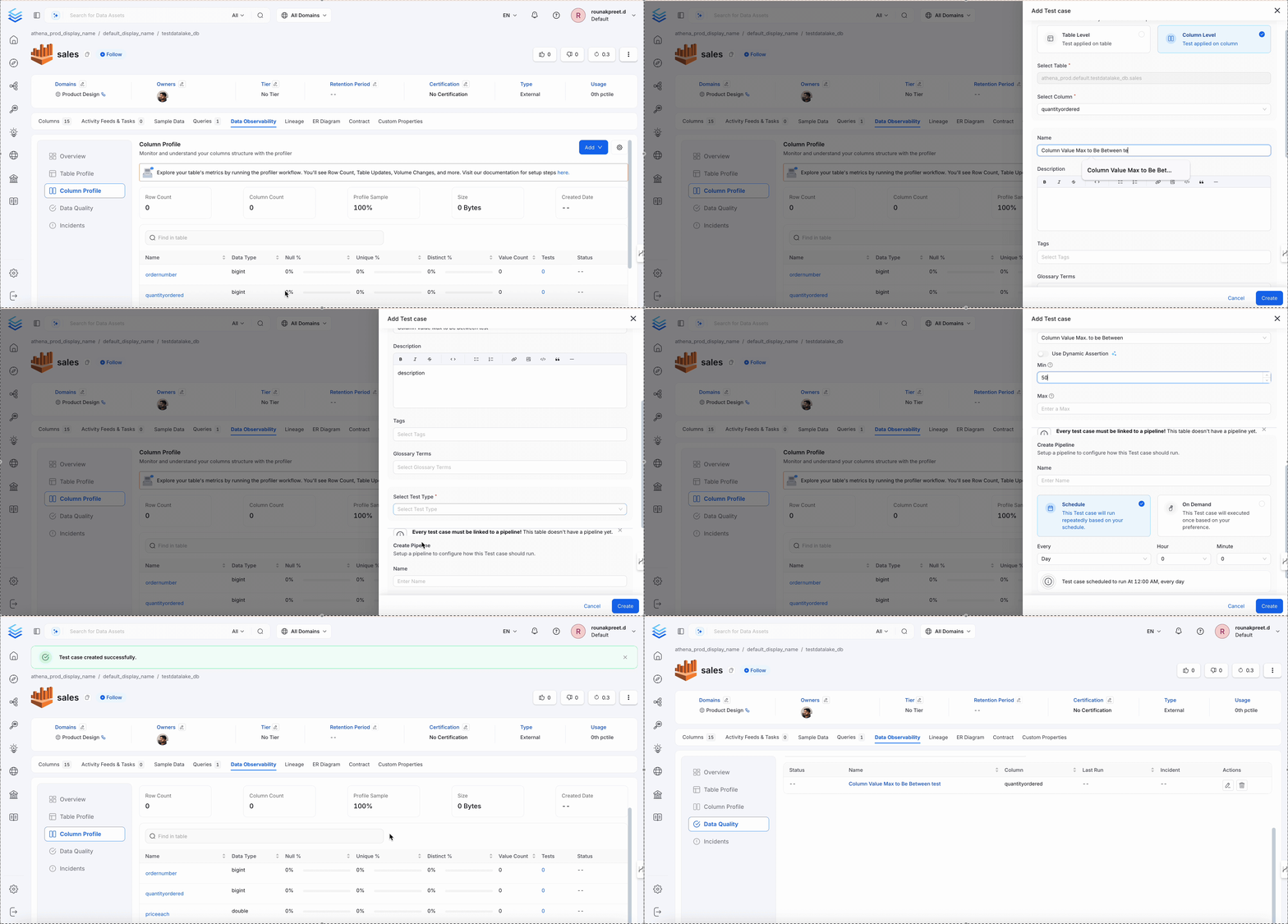
Column Value Max to Be Between
This test looks at the single highest value in a column and checks that it falls within a range you define. It’s a useful cap check for columns likescore, amount, or age, where an unusually high maximum often signals bad or unvalidated input.
-
Dimension:
Accuracy -
When to Use
- Cap validation for
score,amount,age.
- Cap validation for
-
Behavior
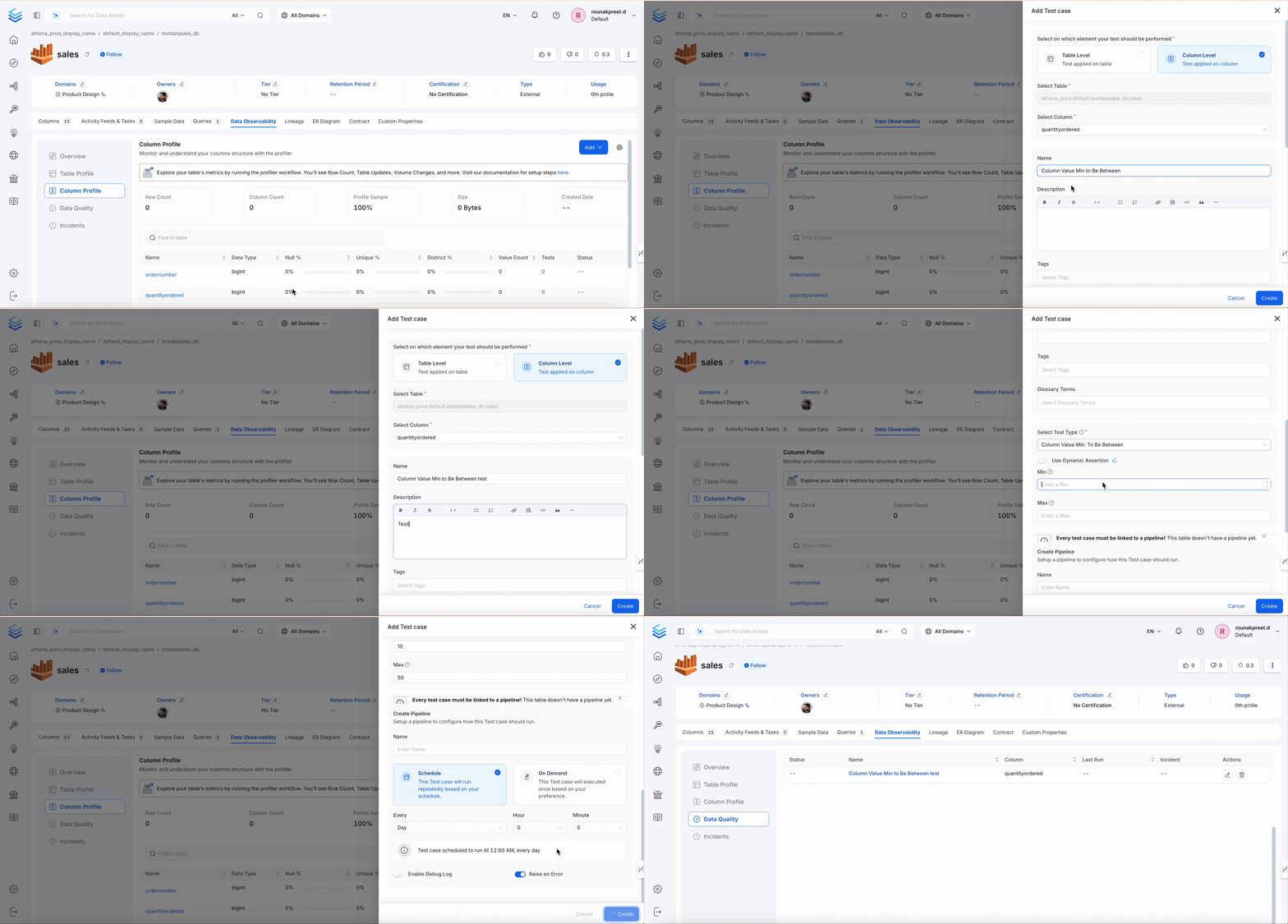
Column Value Min to Be Between
This test looks at the single lowest value in a column and checks that it falls within a range you define. It’s useful for catching unexpected negative or unusually low values in fields likediscount or price.
-
Dimension:
Accuracy -
When to Use
- Threshold validation for
discount,price, and so on.
- Threshold validation for
-
Behavior
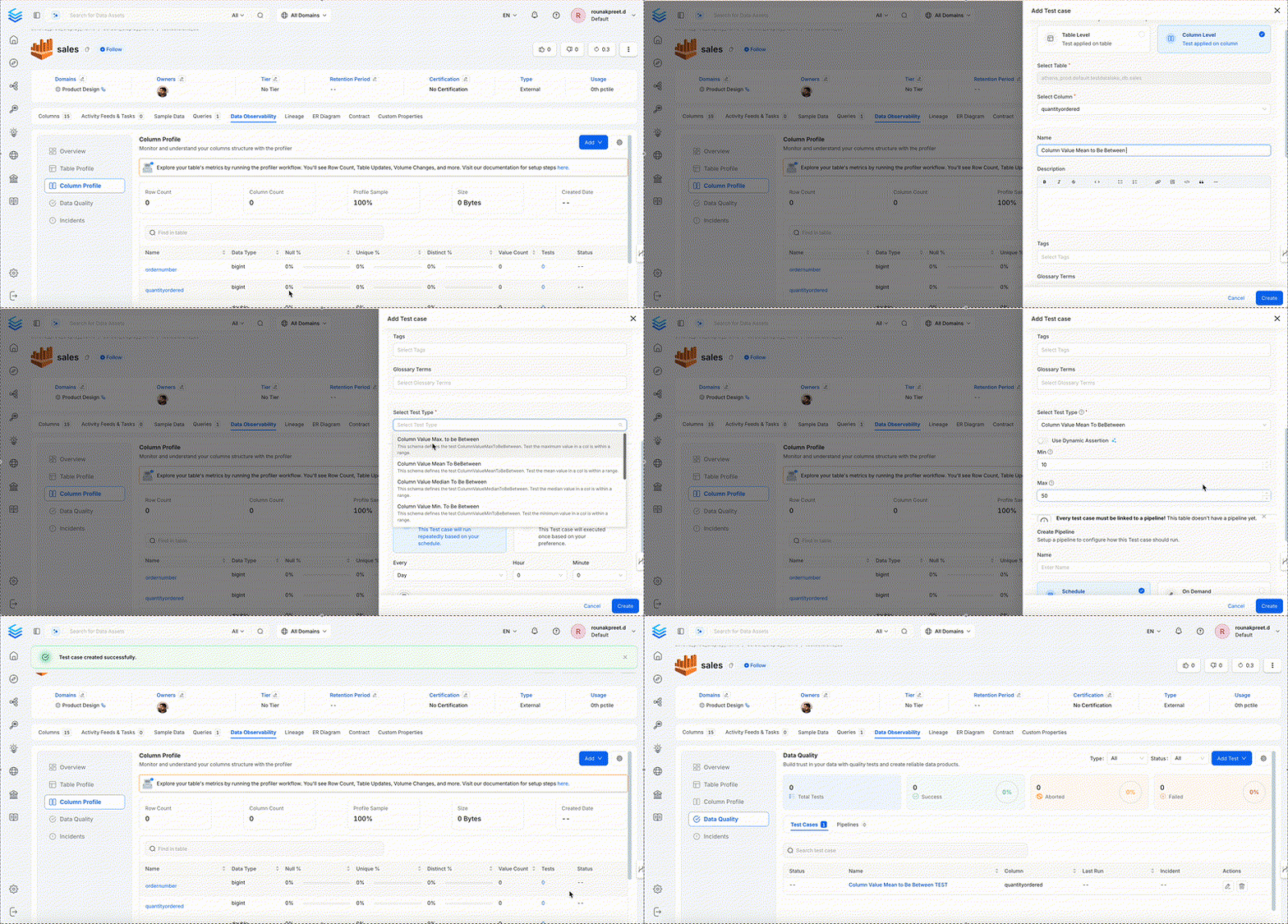
Column Value Mean to Be Between
This test calculates the average (mean) of all values in a column and checks that it falls within an expected range. It’s a good way to spot gradual shifts in your data, such as dataset drift or a pipeline that starts producing systematically different values.-
Dimension:
Accuracy -
When to Use
- Check dataset drift or pipeline behavior.
-
Behavior
Column Value Median to Be Between
This test calculates the median, the middle value when all values are sorted, of a column and checks that it falls within an expected range. Because the median isn’t skewed by extreme outliers the way an average can be, it’s a good complement to a mean check for fields like income, score, or latency.-
Dimension:
Accuracy -
When to Use
- Median income, score, latency checks.
-
Behavior
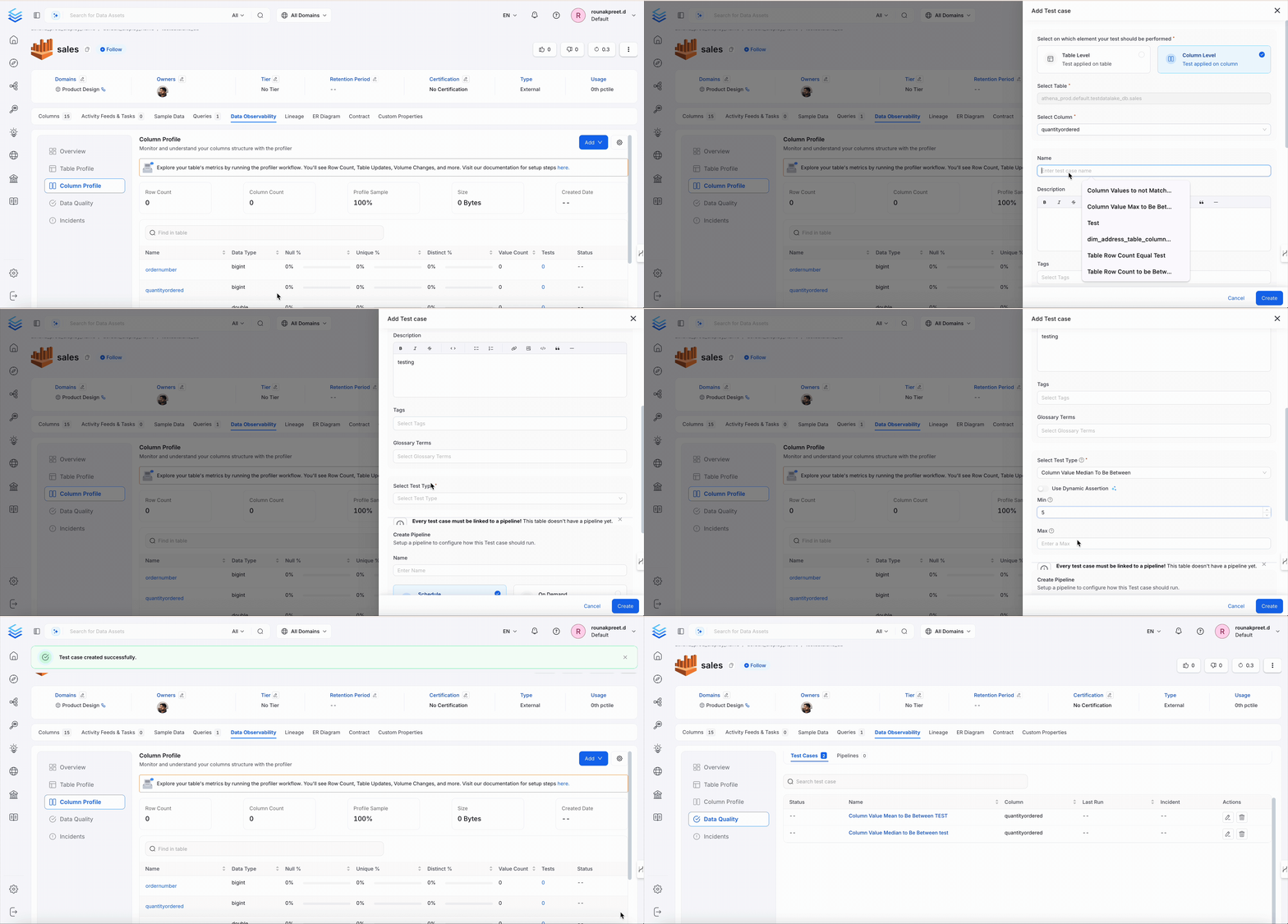
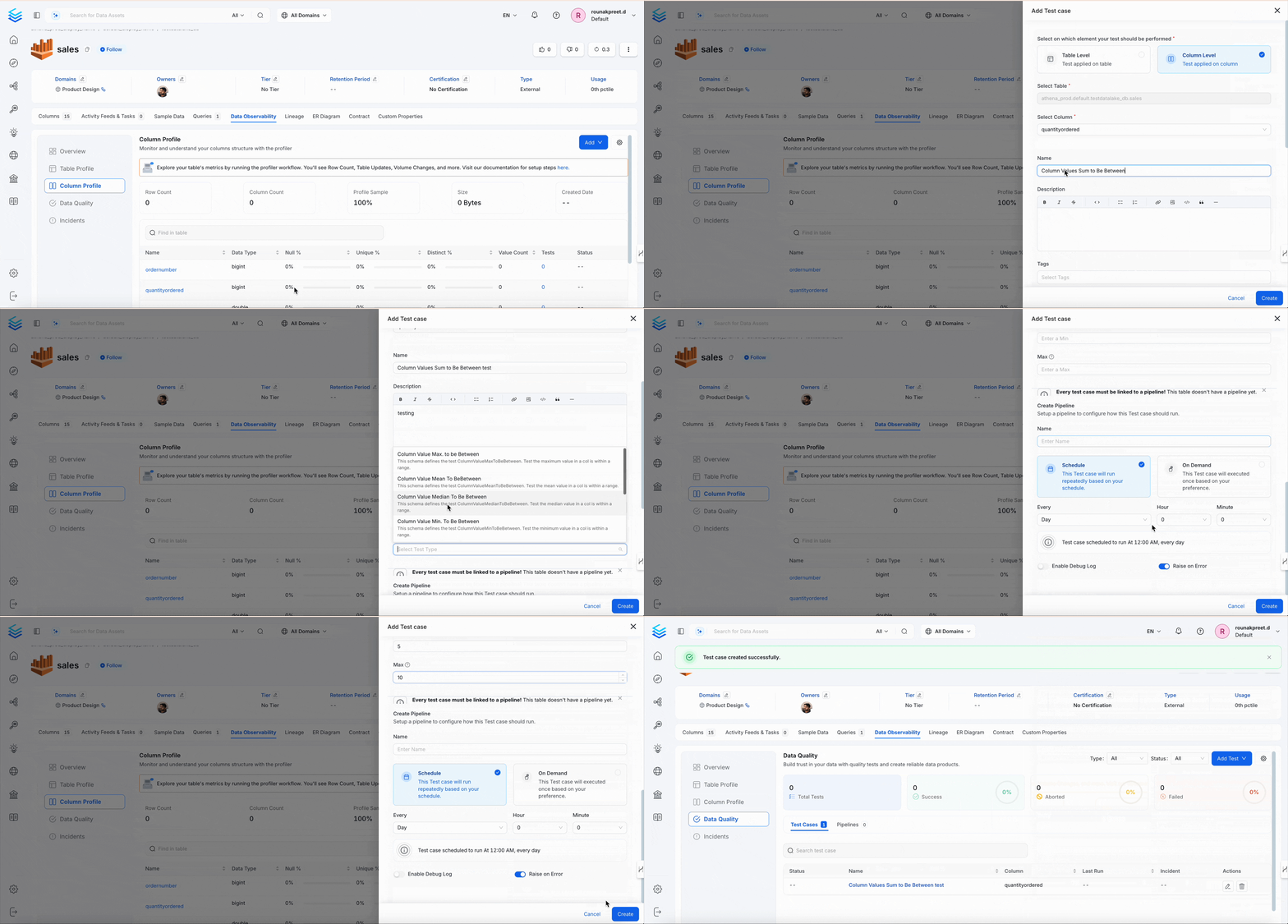
Column Values Sum to Be Between
This test adds up every value in a column and checks that the total falls within a range you define. It’s commonly used for financial or volume metrics, such as total revenue or units sold, where an unexpected total often points to missing or duplicated records.-
Dimension:
Accuracy -
When to Use
- Revenue, units sold, total scores, and so on.
-
Behavior
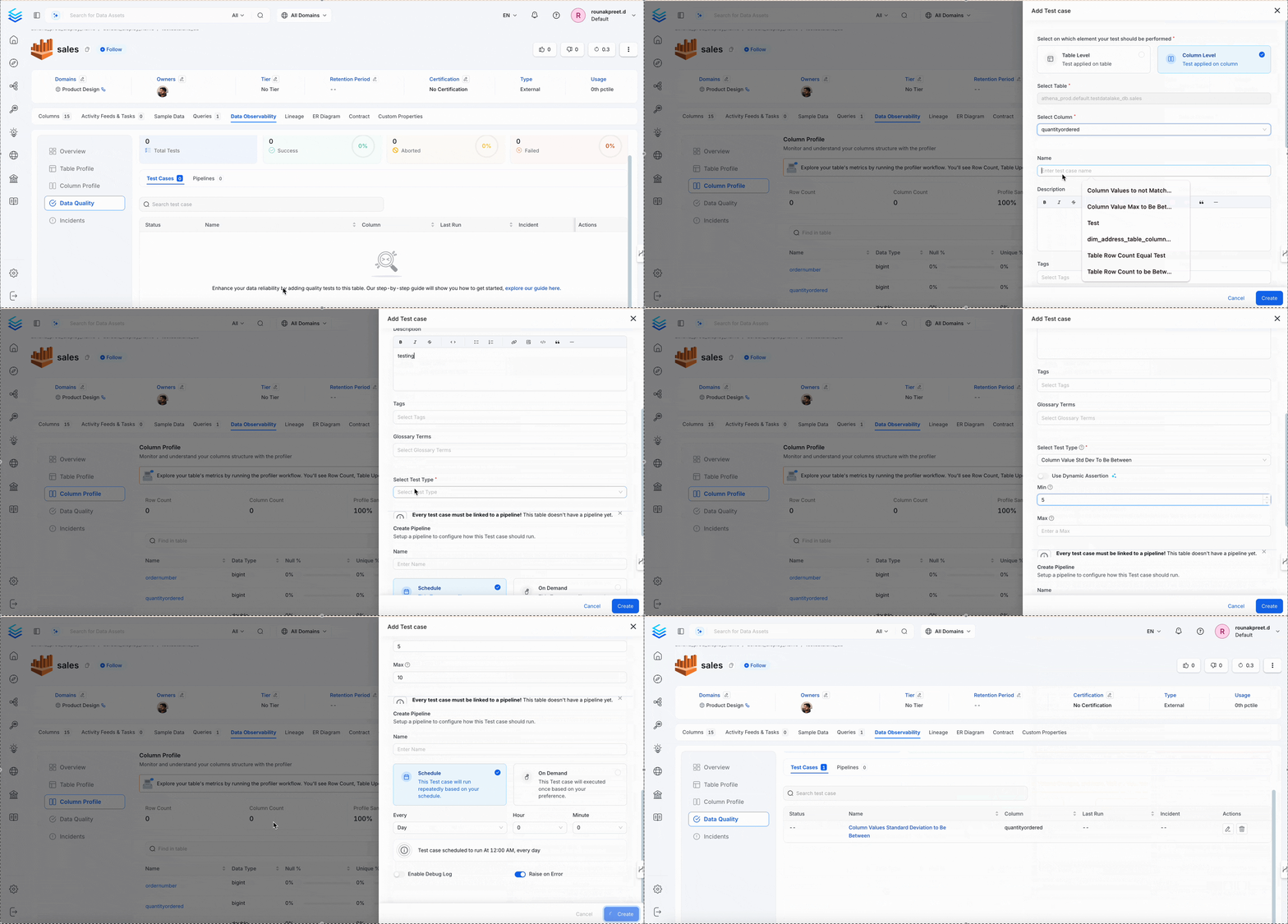
Column Values Standard Deviation to Be Between
This test measures how spread out the values in a column are, using standard deviation, and checks that this spread falls within an acceptable range. It’s useful for catching data that has suddenly become far more variable or far more uniform than expected.-
Dimension:
Accuracy -
When to Use
- Monitoring variance in numeric datasets.
-
Behavior
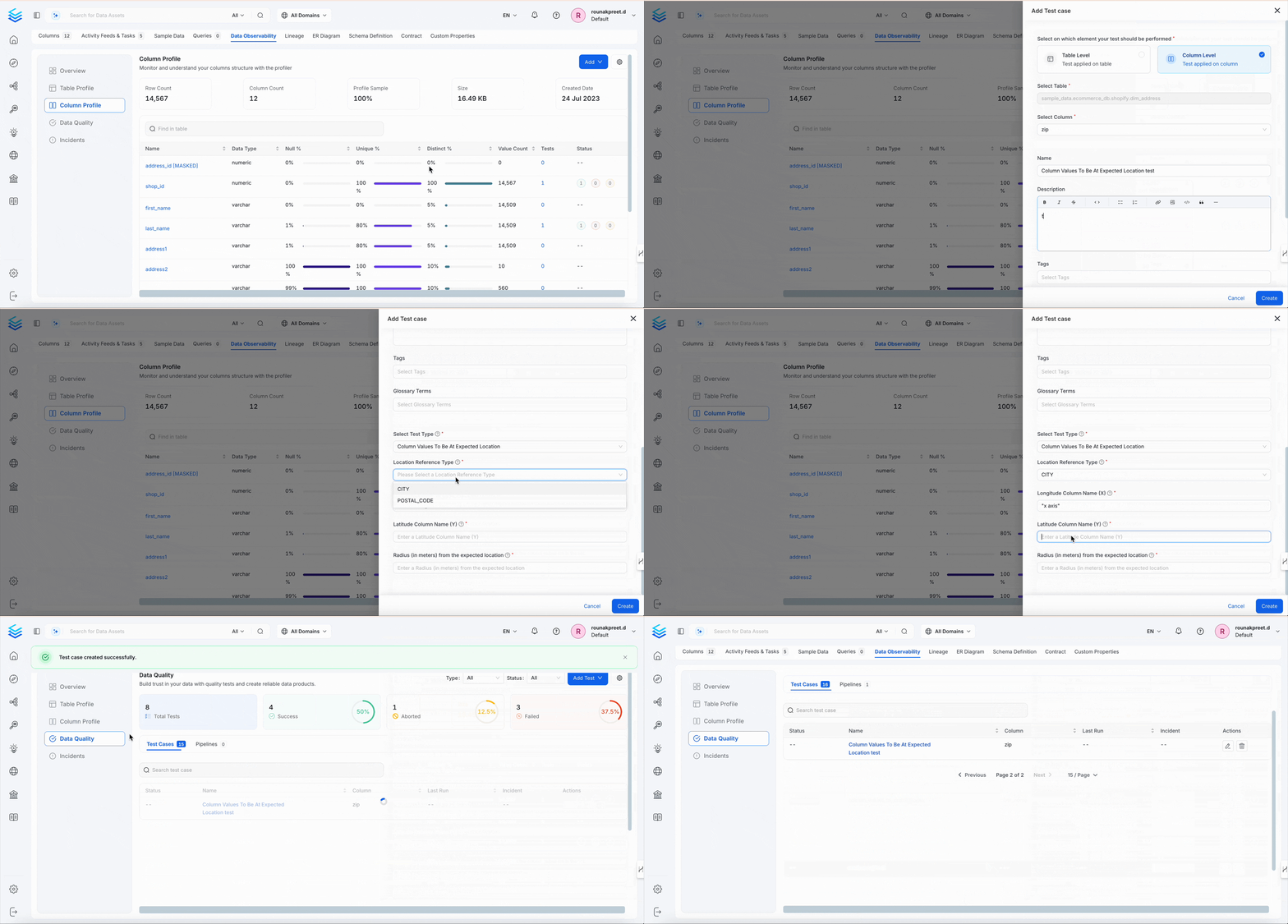
Column Values To Be At Expected Location
This test checks that latitude and longitude values in a column fall within a defined geographic area, such as a radius around an expected location. It’s useful for validating address or location data, for example confirming that store or delivery coordinates fall within the region they’re supposed to.-
Dimension:
Accuracy -
When to Use
- Verifying address coordinates.
- Mapping regional data.
-
Behavior