
How to Set Up Bots
Note: The Bots tile under Settings is only visible to users with Admin privileges. If you don’t see it, ask your organization’s OpenMetadata Admin to generate a bot token for you or grant you Admin access.
ingestion-bot. To configure ingestion-bot from the UI, go to the settings page and access the Bots tile.
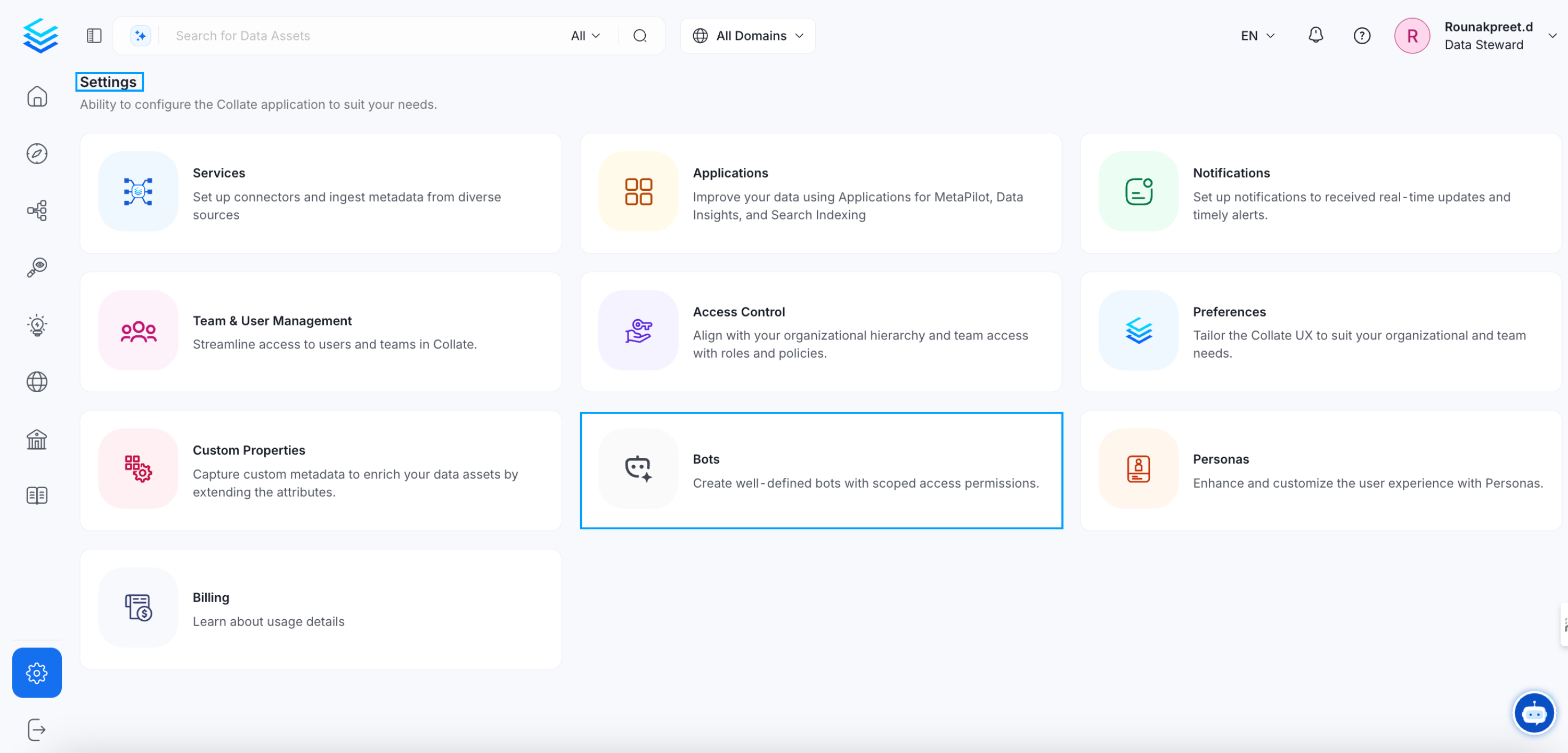
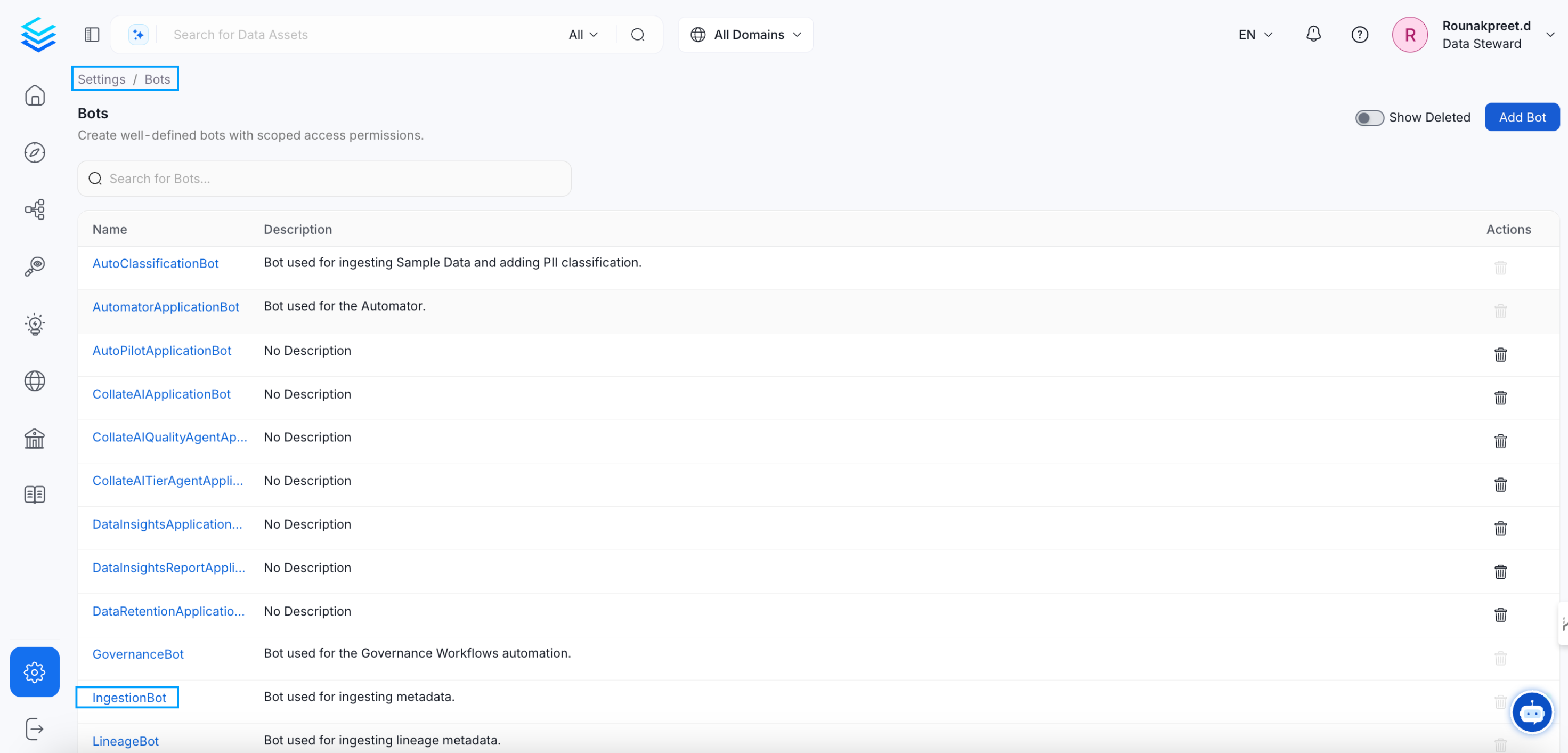
ingestion-bot.
Update ingestion-bot
Click on ingestion-bot and you will be redirected to it’s details page, there you can
- Revoke the token if already present
- Copy the generated token
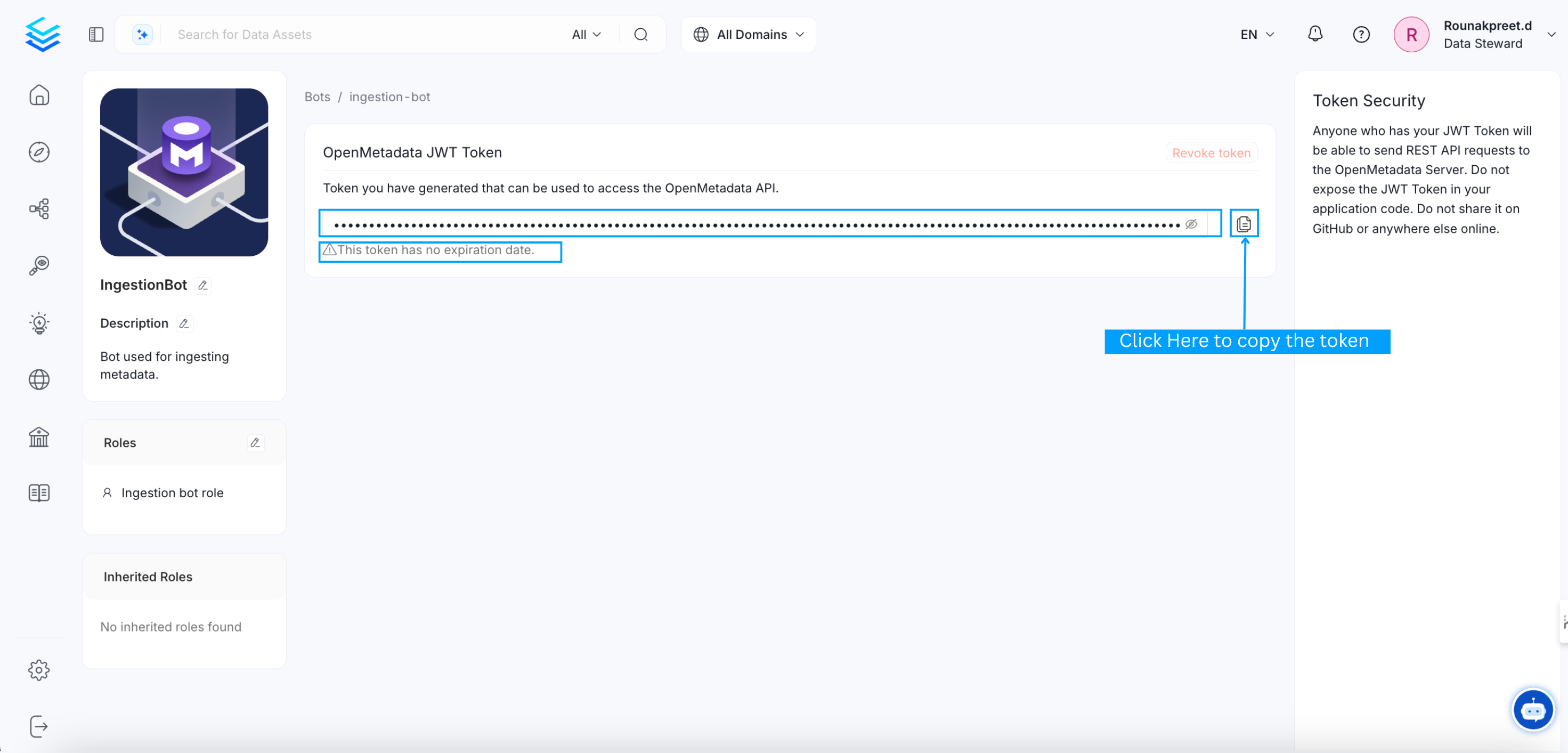
- Generate new token

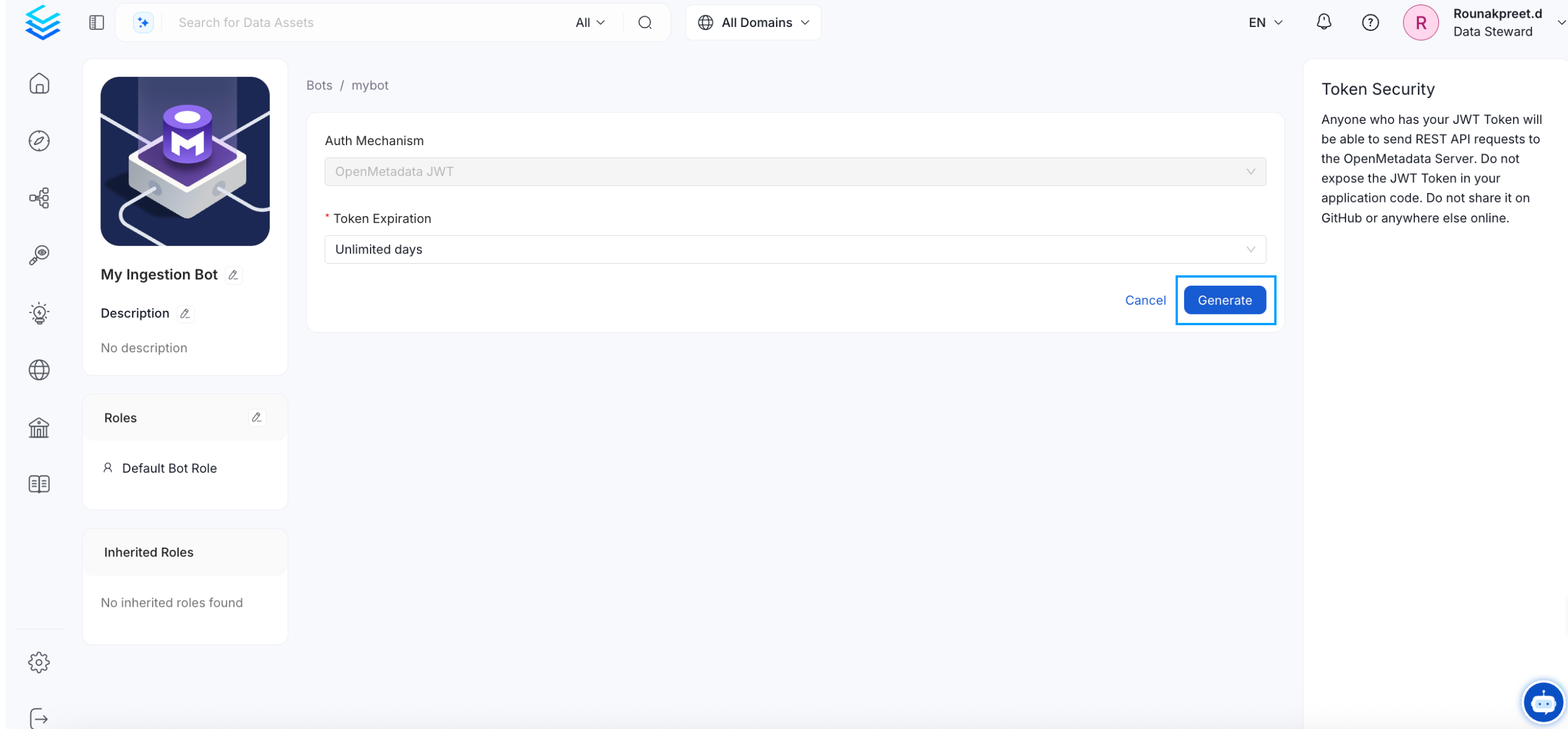
Create a new bot
Click theAdd bot button, and you will be directed to the bot creation page. Fill in the required details and then click on the Create button.
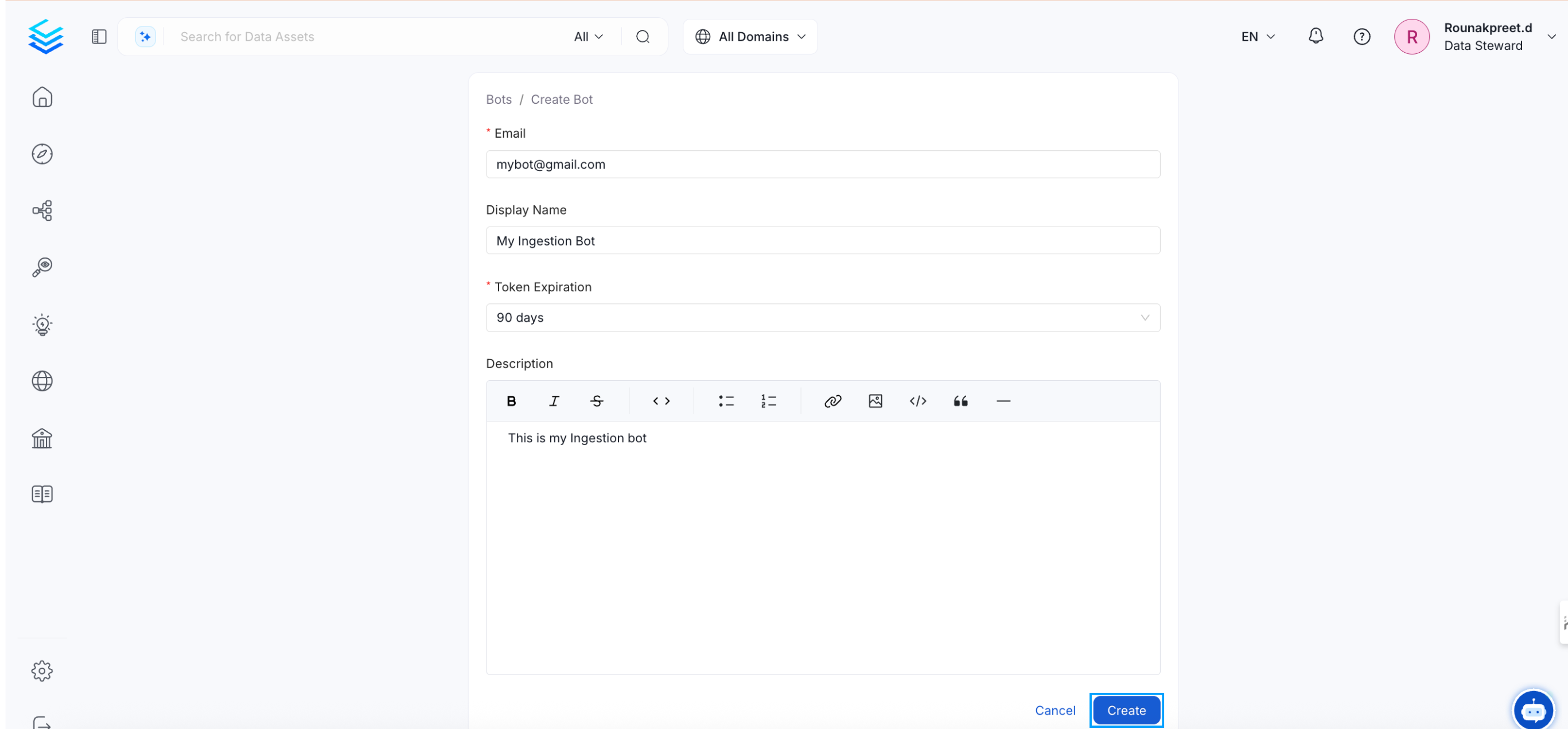
Notes:
1.ingestion-bot
The ingestion-bot bot is created (or updated if it already exists) as a system bot that cannot be deleted, and
the credentials used for this bot, if they did not exist before, will be the ones present in the OpenMetadata configuration.
Otherwise, a JWT Token will be generated to be the default authentication mechanism of the ingestion-bot.
2. JWT Token auth mechanism
If you decide to configure a JWT Token for the authentication mechanism ensure that you have also the value http://localhost:8585/api/v1/system/config/jwks
in your publicKeyUrls list:
- For bare metal configuration:
- For docker configuration, the value to be updated is
AUTHENTICATION_PUBLIC_KEYS:
- In the case of kubernetes, you have to update
publicKeysvalues:
ingestion-bot, redeploy the ingestion pipelines because the previous credentials are no longer valid.
Automate Bot Management Securely
Use a dedicated functional user account when an automation workflow creates or manages bots through the REST API. Do not use an individual administrator’s Personal Access Token (PAT). The workflow would stop when that person leaves, loses access, or revokes the token.- Create a functional user account for the automation workflow.
- Assign only the roles and policies required to create or update bots. Avoid granting the Admin role unless the workflow requires other administrative operations.
- Sign in as the functional account and create a PAT.
- Store the PAT in a secrets manager and inject it at runtime. Do not commit it to source control, place it directly in a script, or write it to logs.
- Set an expiration that matches your credential-rotation process. Rotate the PAT before it expires and revoke it immediately if it might have been exposed.