
ODCS Import and Export
OpenMetadata imports and exports data contracts in the Open Data Contract Standard (ODCS) format. An import converts the ODCS document into an OpenMetadata data contract on one data asset, usually a table. It doesn’t store the original file. ODCS covers more than an OpenMetadata contract does. Servers, pricing, support channels, and business names, for example, have no place on an OpenMetadata contract. This page explains what an import keeps, what it leaves out, and what happens to quality rules, so you know what to expect before you import.The contract page, including its YAML code view, shows the OpenMetadata contract that the import produced. It doesn’t show the original ODCS file. A long ODCS file often produces a much shorter contract. Keep the source file in version control if you need the full document.
Supported ODCS Versions
OpenMetadata reads theseapiVersion values:
Any other
apiVersion blocks the import. The document must also have kind: DataContract and a valid status (proposed, draft, active, deprecated, or retired).
Import ODCS
An import reads the file the same way the import report does. Preview the report first to see exactly what the import will do.Using UI
-
On the asset’s table details page, click the Contract tab.
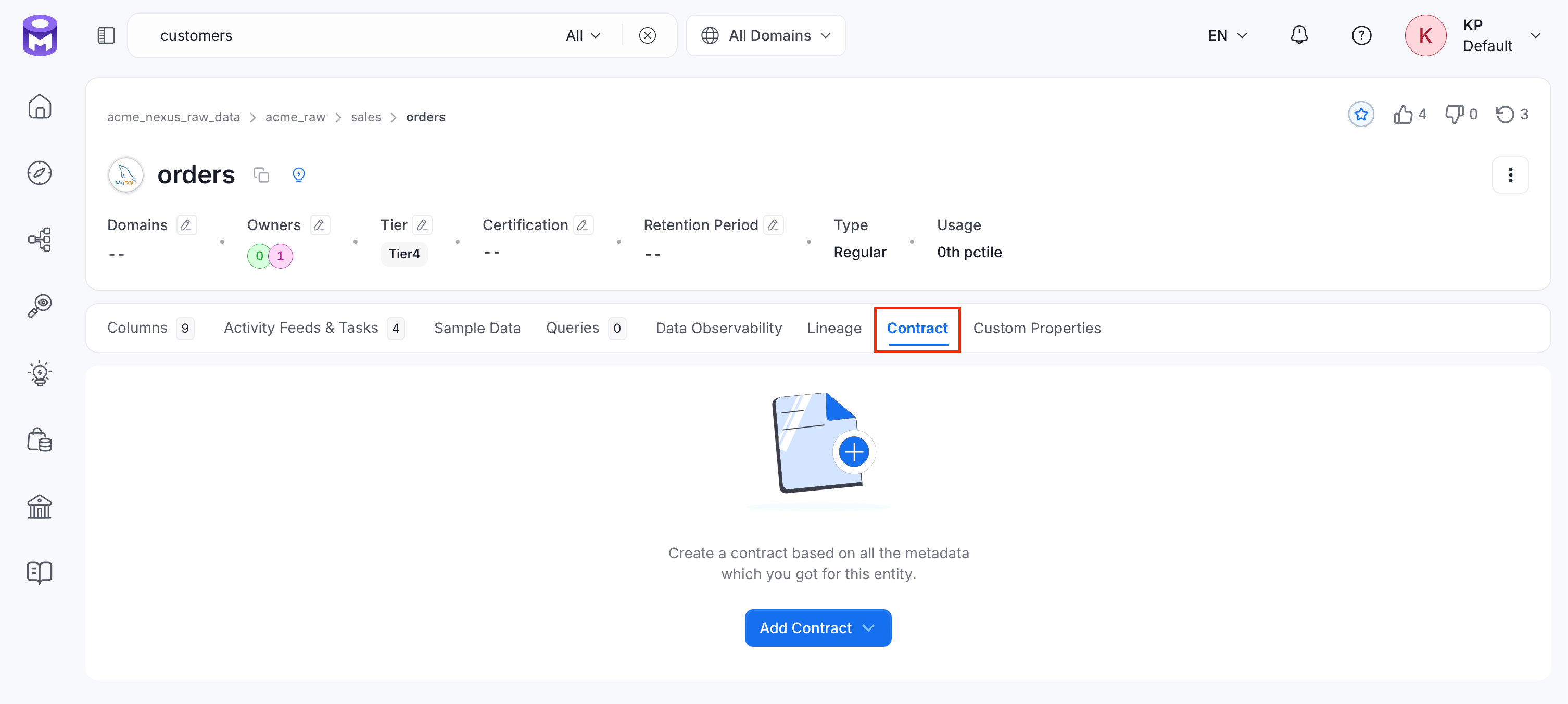
-
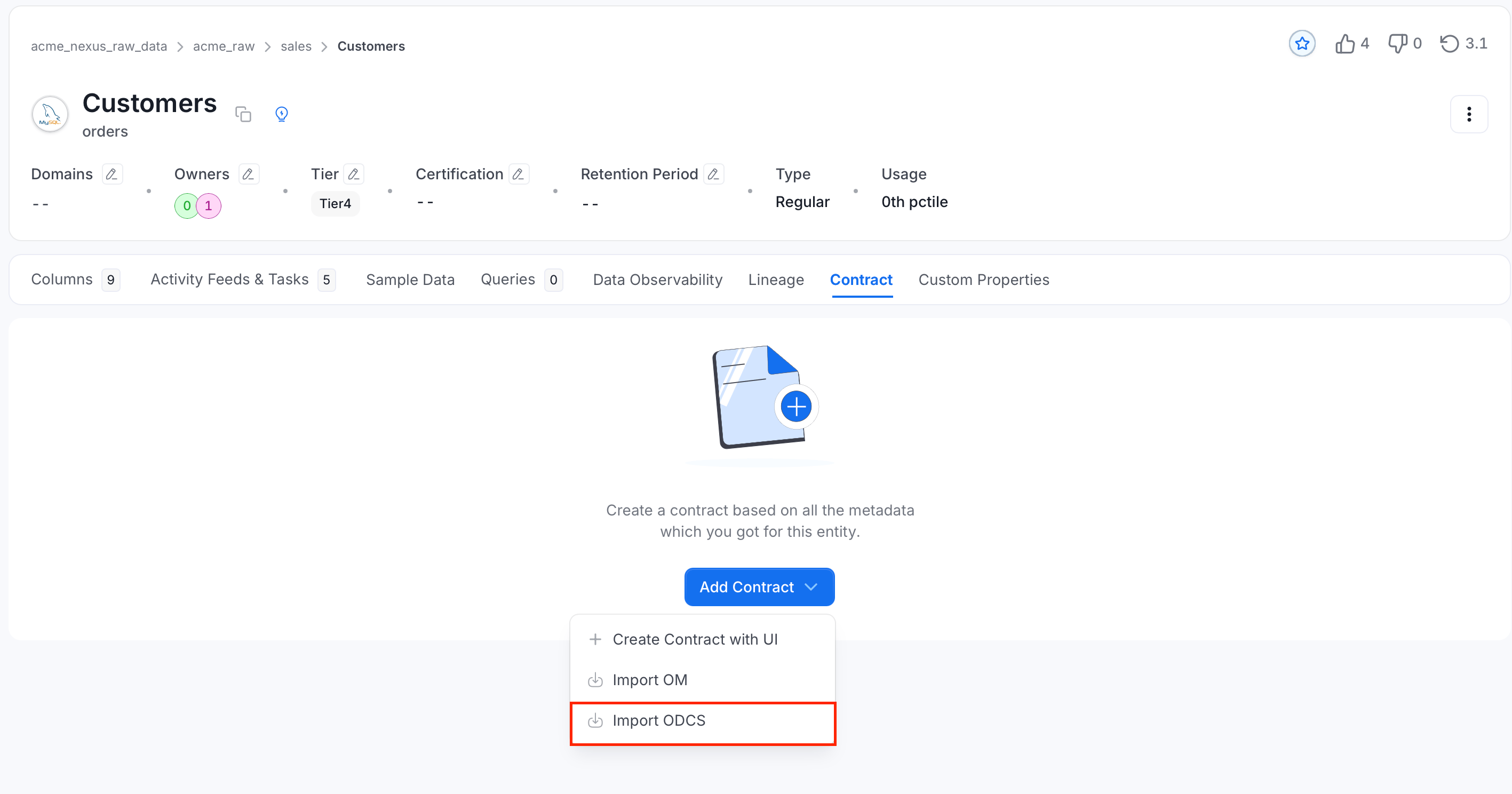
Select Add Contract > Import ODCS.
- Choose the ODCS YAML file.
- Optional: If the file contains more than one schema object, select the object that describes this asset.
- If the asset already has a contract, select Merge with Existing to keep the fields the file doesn’t set, or Replace Entire Contract.
- Review the status card and the Import Report below the preview.
- Optional: Clear Create Test Cases from Quality Rules to keep the quality rules with the contract without running them.
- Select Import, or Import with Warnings when the report lists warnings.
The status card also shows how many quality rules run as test cases, for example “33 of 35 quality rules run as test cases.” The report has four sections:
- Blocking Issues: What stops the import and why.
- Quality Rules: Each rule, the column it applies to, and its outcome: Test case, SLA, or Not Run. A test case outcome names the test definition and the test case. A Not Run outcome gives the reason.
- Not Imported: Fields the import leaves out, grouped by section (document, schema, SLA, team, roles, servers, support, and quality). Each entry gives the reason and, when the same field appears in many places, how many places.
- Kept for Export Only: Fields OpenMetadata stores so they come back on ODCS export, but doesn’t show on the contract.
Using API
Optional: Send the file toPOST /v1/dataContracts/odcs/validate/yaml to get a validation result with an odcsImportReport. Validation doesn’t create or update a contract.
To import the file, call PUT /v1/dataContracts/odcs/yaml with the required entityId and entityType query parameters. The default mode=merge keeps existing fields that the file doesn’t set; use mode=replace to replace the contract.
What Blocks an Import
Only problems the import can’t work around block it:- An unsupported
apiVersion, akindother thanDataContract, or a missing or invalidstatus. - A contract column that the asset doesn’t have, or a column listed twice.
- A schema on an asset type that doesn’t support one, such as a dashboard. See Supported Assets.
- A schema object name (
objectName) that isn’t in the file. - A missing asset.
- Quality rules that would create test cases you don’t have permission to create. Import without test cases to keep the rules without running them.
vector logical type added in ODCS v3.2.0, or freshness measured in minutes.
Field Mapping
The following tables list how an import treats each ODCS field. Each field is either imported into the contract, kept for export only, or not imported. A field that isn’t part of ODCS at all is reported as not imported.Document
Schema
A contract covers one asset, so an import reads one schema object. It picks the object named inobjectName, then the object named like the asset, then the first object. Other schema objects aren’t imported. A schema that lists columns directly, without an object around them, is read as the asset’s columns.
On the imported schema object:
On each property (column):
The import compares the contract columns with the asset’s columns or fields, as a contract run does. A contract column the asset doesn’t have blocks the import. A column whose type differs from the asset’s is reported as a warning. For how names and types are matched, see Schema.
Team and Roles
OpenMetadata keeps the contract’s owners, not the whole team. The team can be a list of members (ODCS v3.0) or an object withmembers (ODCS v3.1).
SLA Properties
Common unit spellings, such as
d, days, hrs, and yr, are accepted. The value must be a whole number. The element of a freshness property sets the SLA column. On a table, it must name one of the table’s columns.
These SLA values are reported and left out rather than failing the import:
- A property with no OpenMetadata equivalent, such as
frequencyoravailability. - A value that isn’t a whole number.
- A unit the SLA field doesn’t offer, such as freshness in minutes.
- A timezone OpenMetadata doesn’t list. The availability time is still imported, without a timezone.
- On a table, an
elementthat isn’t one of its columns.
driver, description, scheduler, schedule, customProperties, authoritativeDefinitions, and id fields of an SLA property aren’t imported.
Quality Rules
Quality rules are read from the document root, from the schema object, and from each property. Each rule becomes one of three things:- Test case: An OpenMetadata test case on the table or column, linked to the contract. It runs with the contract’s test suite, so its results count toward the contract’s quality validation.
- SLA: A
freshnessrule sets the contract’s refresh frequency instead of creating a test case. Contract runs don’t check SLA values, so the rule records the expectation but nothing checks it. - Not Run: The rule is stored with the contract and comes back on ODCS export, but nothing runs it.
Rules That Run as Test Cases
OpenMetadata also accepts the legacy counts
nullCount, missingCount, and duplicateCount, and reads metric arguments from arguments (v3.1.0) or directly on the rule (v3.0.x).
Comparisons become the test’s thresholds:
- Null, invalid, and duplicate values: No comparison, or
mustBe: 0, allows no failing rows.mustBeLessOrEqualToandmustBeLessThanset how many failing rows are allowed. Withunit: percent, the limit is a share of the rows. - Row count, text length, and value ranges:
mustBe,mustBeBetween, and themustBeGreaterThan,mustBeGreaterOrEqualTo,mustBeLessThan, andmustBeLessOrEqualTooperators become the range. - SQL rules: The rule needs exactly one comparison with a whole number. The
{object}and{property}placeholders (also written${object}and${property}) become the table and column names, quoted for the table’s database. A query that groups rows at the top level counts the rows it returns. Any other query compares the value it returns.
Rules That Don’t Run
These rules are stored with the contract and exported again, but nothing runs them:type: textrules, which describe an expectation in prose.type: customrules for any engine other thanopenmetadata, such as Soda, Great Expectations, dbt, or Monte Carlo. OpenMetadata has no executor for these engines.- Metrics with no OpenMetadata test equivalent, such as
uniqueValuesanddistinctValues, and metric names ODCS doesn’t define. - A column-level rule that isn’t attached to a column, or whose column isn’t in the table.
- A rule missing the argument its test needs, such as
invalidValueswithoutvalidValuesorpattern. - A comparison the test can’t express, such as
mustNotBeBetween, or a SQL rule with a fractional threshold. - A
freshnessrule measured in minutes or seconds. The contract’s refresh frequency is measured in hours or longer.
type: sql rule, or add an equivalent test case to the contract.
How Test Cases Are Created
- Names: A test case takes the rule’s
idas its name. Without anid, the name isodcs_followed by the rule’s name, for exampleodcs_order_id_is_never_null. Give each rule a stableidso test case names don’t change when you rename a rule. - Re-imports: Importing the same contract again updates the test cases it created last time instead of adding new ones.
- Existing test cases: If the table already has a test case with the same name that the contract doesn’t own, the import links it only when it runs the same test with the same parameters. Otherwise the import skips it and reports why.
- Replace mode: A rule removed from the contract is unlinked from the contract. Its test case isn’t deleted.
- Permissions: Creating test cases requires the Create Tests permission on the table. Updating a test case the contract created requires Edit Tests. Without them, the import report blocks the import. Clear Create Test Cases from Quality Rules, or send
createTestCases=falseto the API, to import the rules without running them. - Tables only: Quality rules run as test cases only for contracts on tables.
Exporting to ODCS
Export a contract as an ODCS document from the UI or the API.Using UI
- On the asset’s table details page, click the Contract tab.
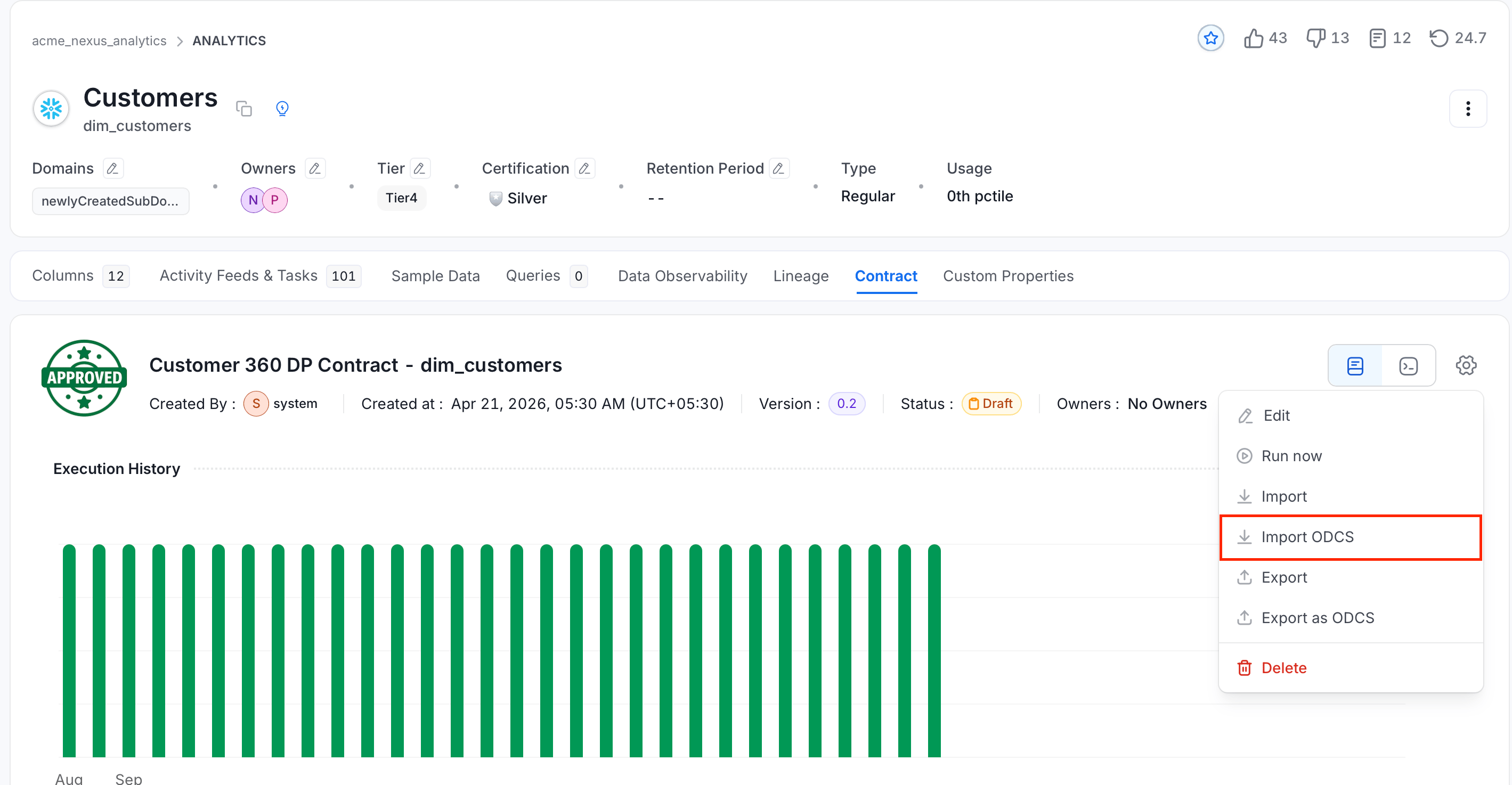
- Click the Settings icon and select Export as ODCS.
Using API
CallGET /v1/dataContracts/{id}/odcs/yaml.
What’s Exported
The export is an ODCS v3.1.0 document that includes:- The contract’s columns, as the properties of one schema object named after the asset.
- Owners, as team members with
role: owner. - Security policies, as roles.
- The SLA, as
slaProperties. The refresh frequency is always exported as afreshnessproperty, which other ODCS tools read. - Every stored quality rule, word for word.
- The contract’s other test cases, as ODCS rules. A test with an ODCS equivalent becomes a library or SQL rule. Any other test becomes a
type: customrule withengine: openmetadata, which recreates the same test case when imported. - The fields kept for export only.
Differences From the Bitol JSON Schema
OpenMetadata reads its own exports back without changes. A strict validator that checks the export against the Bitol ODCS v3.1.0 JSON Schema reports these differences:Recommended ODCS Format
For the most predictable imports, write contracts in this form:- Use
apiVersion: v3.1.0. - Use
metricwith the ODCS metricsnullValues,missingValues,invalidValues,duplicateValues, androwCount, and put their arguments underarguments. The olderrulefield still works, but ODCS v3.1.0 deprecates it. - Put table-level rules under the schema object’s
quality, and column-level rules under the property’squality. - Give each rule a stable
id. - State freshness as an SLA property in hours or longer, for example
property: freshness,value: 1,unit: d. - Write each SQL rule with the
{object}and{property}placeholders and exactly onemustBe…comparison with a whole number. - Keep vendor checks as
type: customrules with theirengine, knowing they’re stored but not run.
rule in some checks and metric in others, still imports. Check the import report to confirm what each rule becomes.
Imported onto a table with order_id, status, and updated_at columns, and with jane.doe as an OpenMetadata user, this example imports without warnings. It creates three test cases and sets the SLA’s refresh frequency:
Import & Export API
Endpoints for ODCS import, export, and validation.
Data Contract Specification
The sections of an OpenMetadata data contract.