
Auth Code Flow
Step 1: Create a New Application
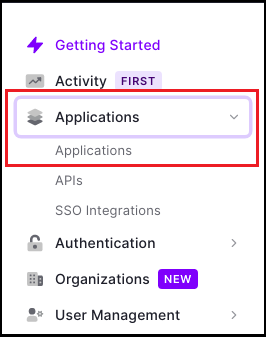
- Once you are on the Dashboard page, click on
Applications > Applicationsavailable on the left-hand side panel.
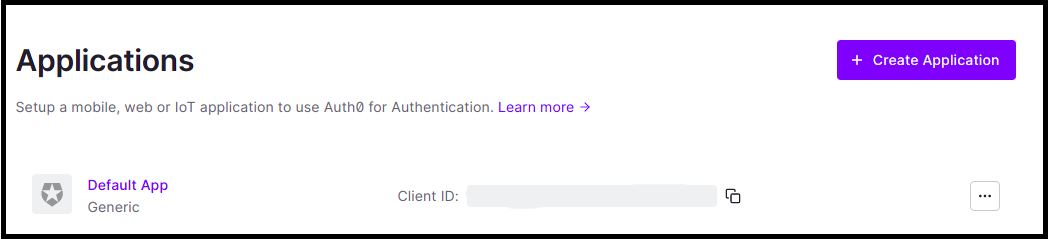
- Click on
Create Application.
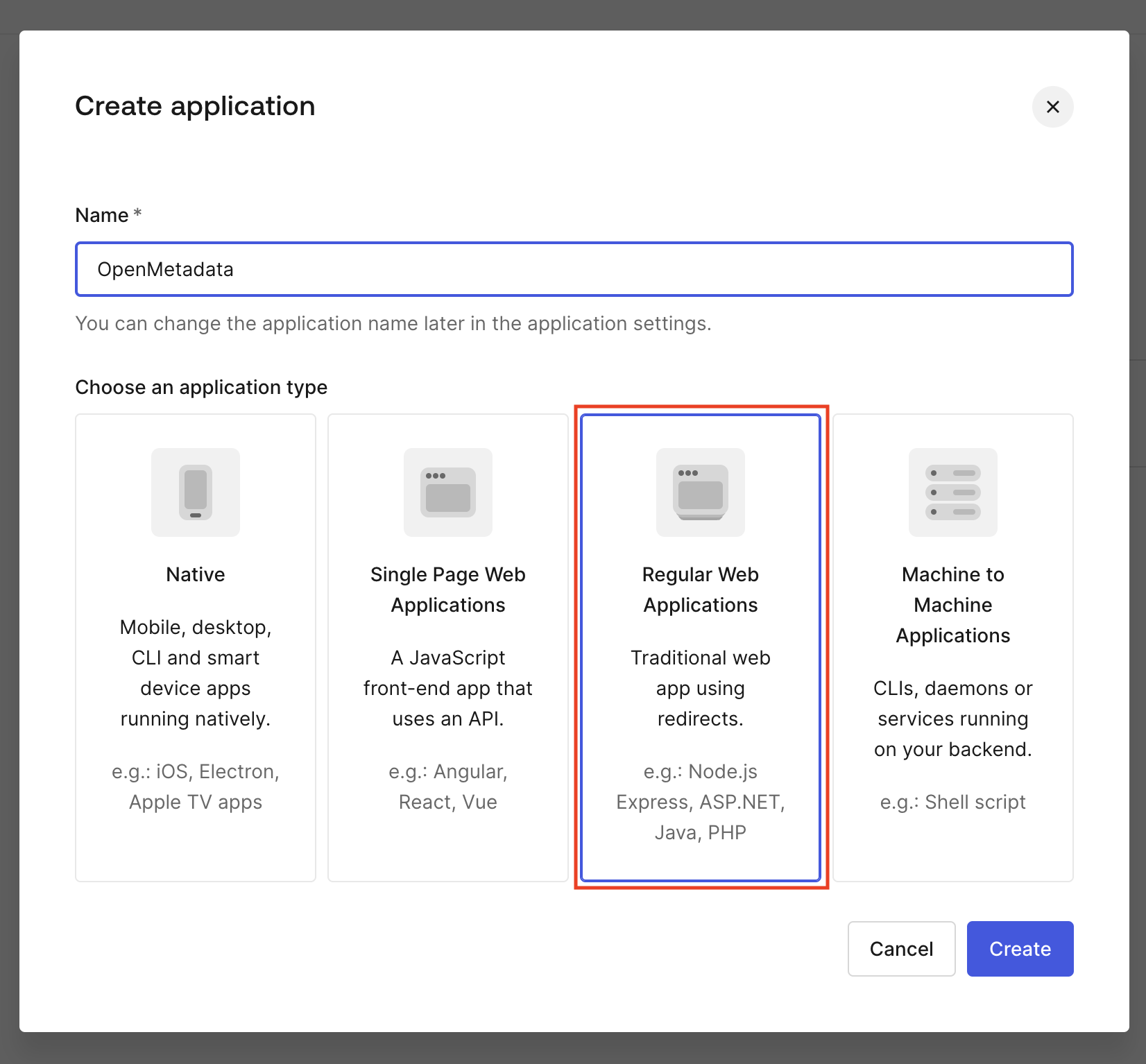
- Enter the Application name.
- Choose an application type and click on
Create.
Step 2: Where to Find the Credentials
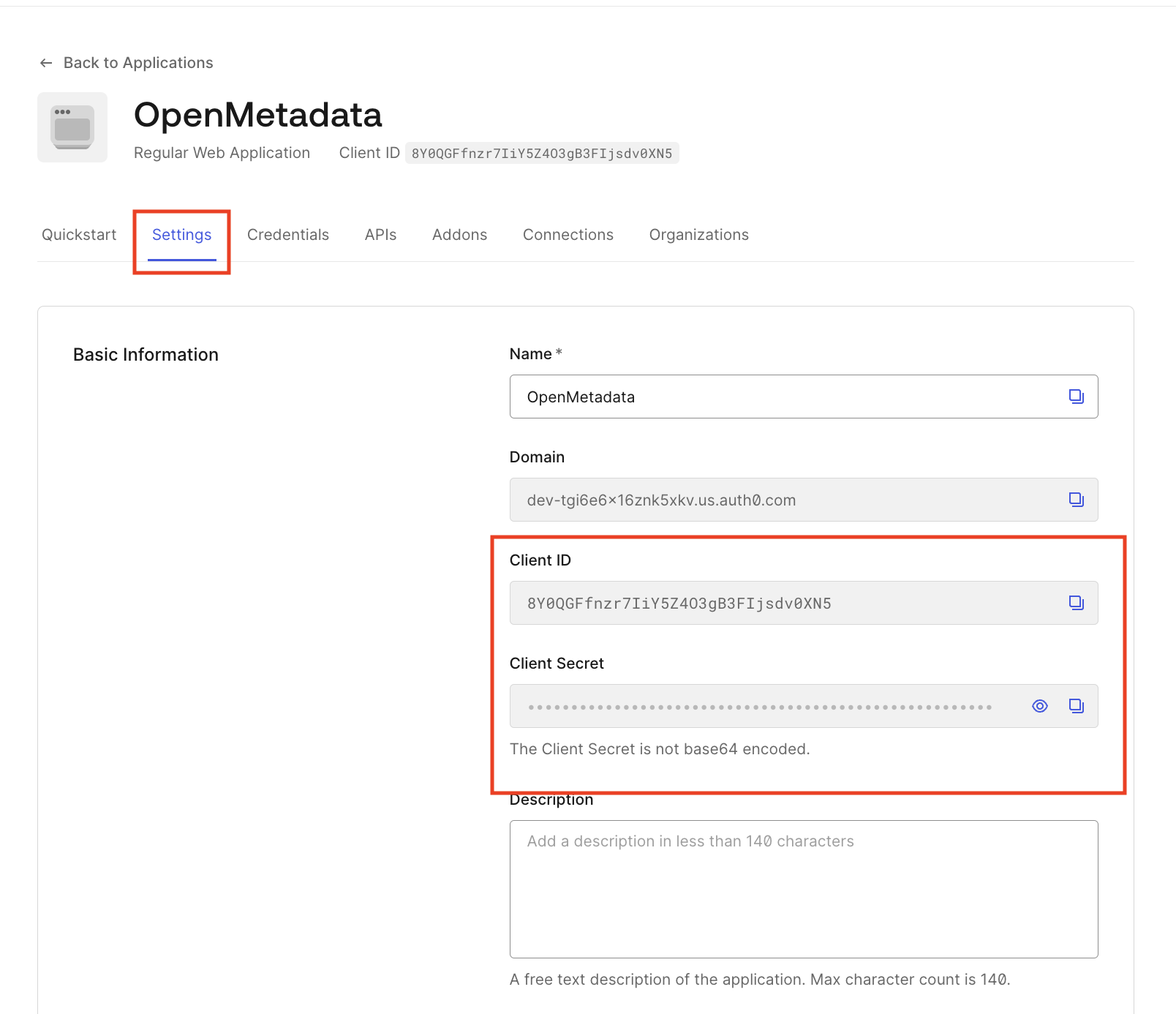
- Navigate to the Settings tab.
- You will find your
Client IDandClient Secret.
Docker Security
Configure Auth0 SSO for your Docker Deployment.
Bare Metal Security
Configure Auth0 SSO for your Bare Metal Deployment.
Kubernetes Security
Configure Auth0 SSO for your Kubernetes Deployment.
Auth
Go to Auth0 Configuration