
How to Setup a Glossary
To create a glossary manually in OpenMetadata:- Navigate to Govern > Glossary.
-
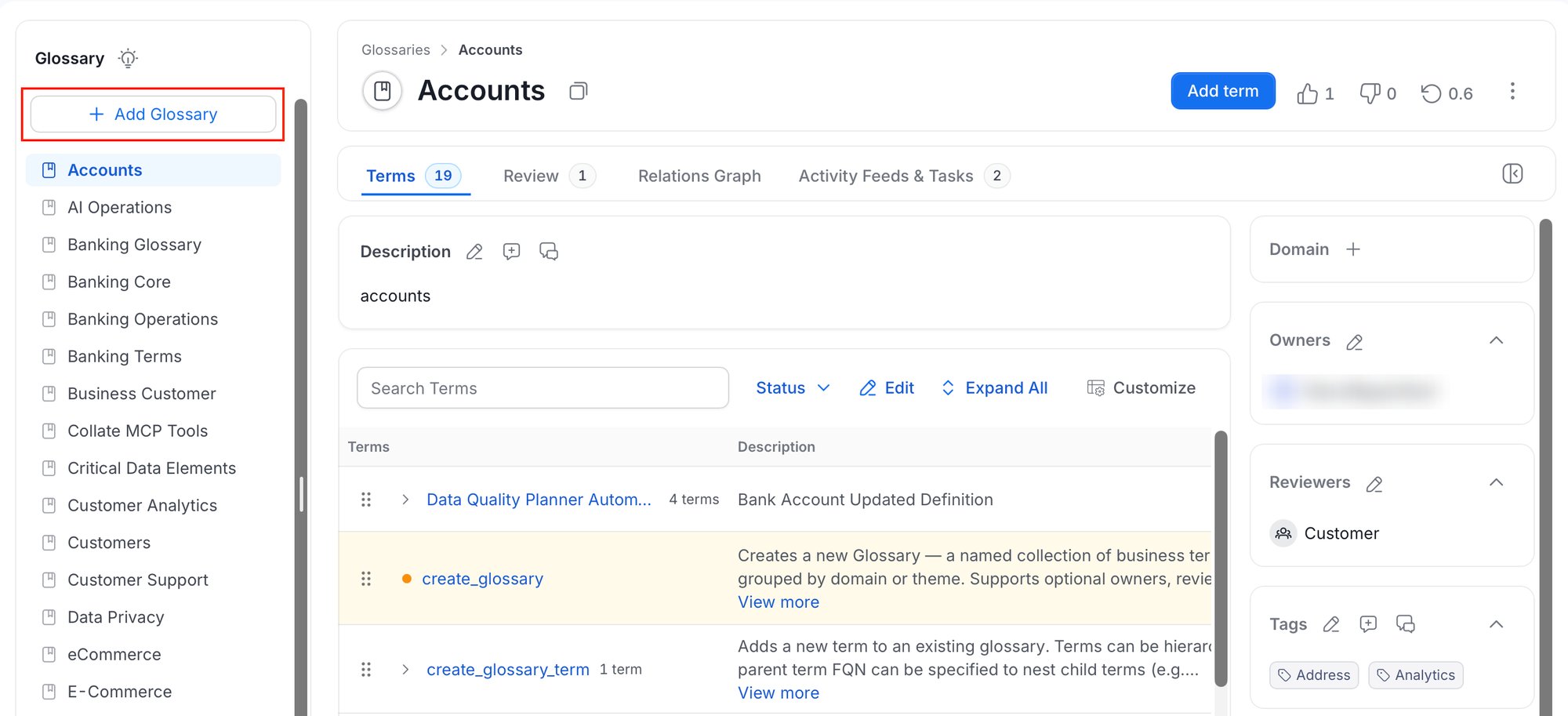
Click Add Glossary. The button is in the left panel, and also on the page when no glossary exists yet.
-
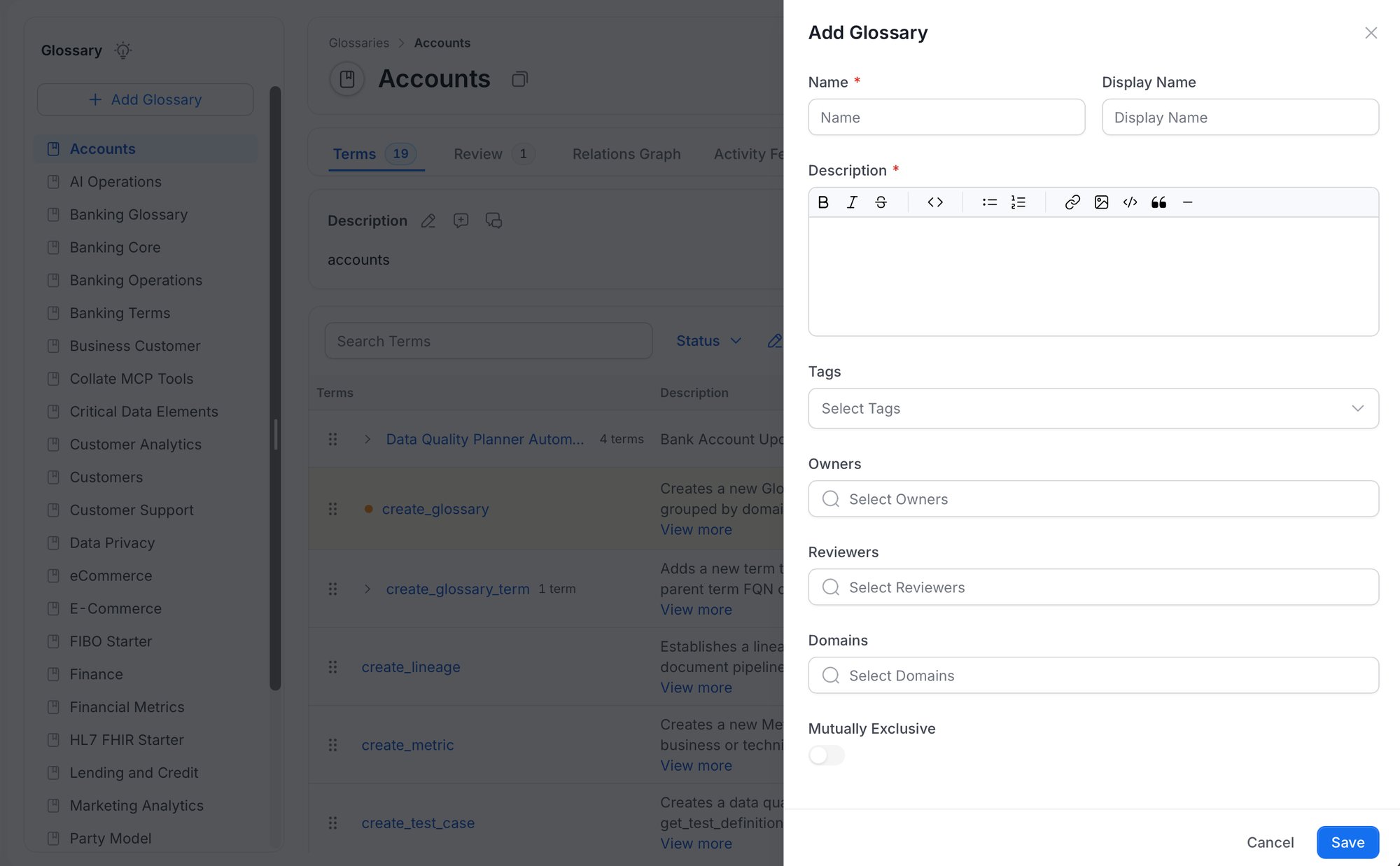
In the Add Glossary drawer that opens on the right, enter the details to configure the glossary. An asterisk (*) marks a required field:
- Name*: The name can have up to 128 characters, and can contain only letters, numbers, underscores, hyphens, periods, parentheses, and ampersands.
- Display Name: The name shown in the UI. It can have up to 128 characters.
- Description*: Describe the context or domain of the glossary.
- Tags: Classification tags can be added to a glossary.
- Owners: By default, a glossary can have multiple users or a single team as owners. Admins can change this in Data Asset Rules.
- Reviewers: Select the users or teams that review the glossary terms. You can add more than one reviewer.
- Domains: Select the domain of the glossary. By default, you can select only one domain.
- Mutually Exclusive: There are cases where only one term from a particular glossary is relevant for a data asset. For example, an asset can either be ‘PII-Sensitive’ or a ‘PII-NonSensitive’. It cannot be both. For such cases, a Glossary can be created where the glossary terms can be mutually exclusive. If this configuration is enabled, you won’t be able to assign multiple terms from the same Glossary to the same data asset.
- Click Save.
Add a Owner and Reviewers to a Glossary
Add the glossary Owners and Reviewers in the Add Glossary drawer. Either a Team or a User can be an Owner of the Glossary. Select the Owners field and search for the users or teams. Select more than one user to add several owners, or select a single team. Multiple users or teams can be added as Reviewers in the same way. If the Reviewers exist for a glossary, then the same details are reflected when adding a new term manually as well.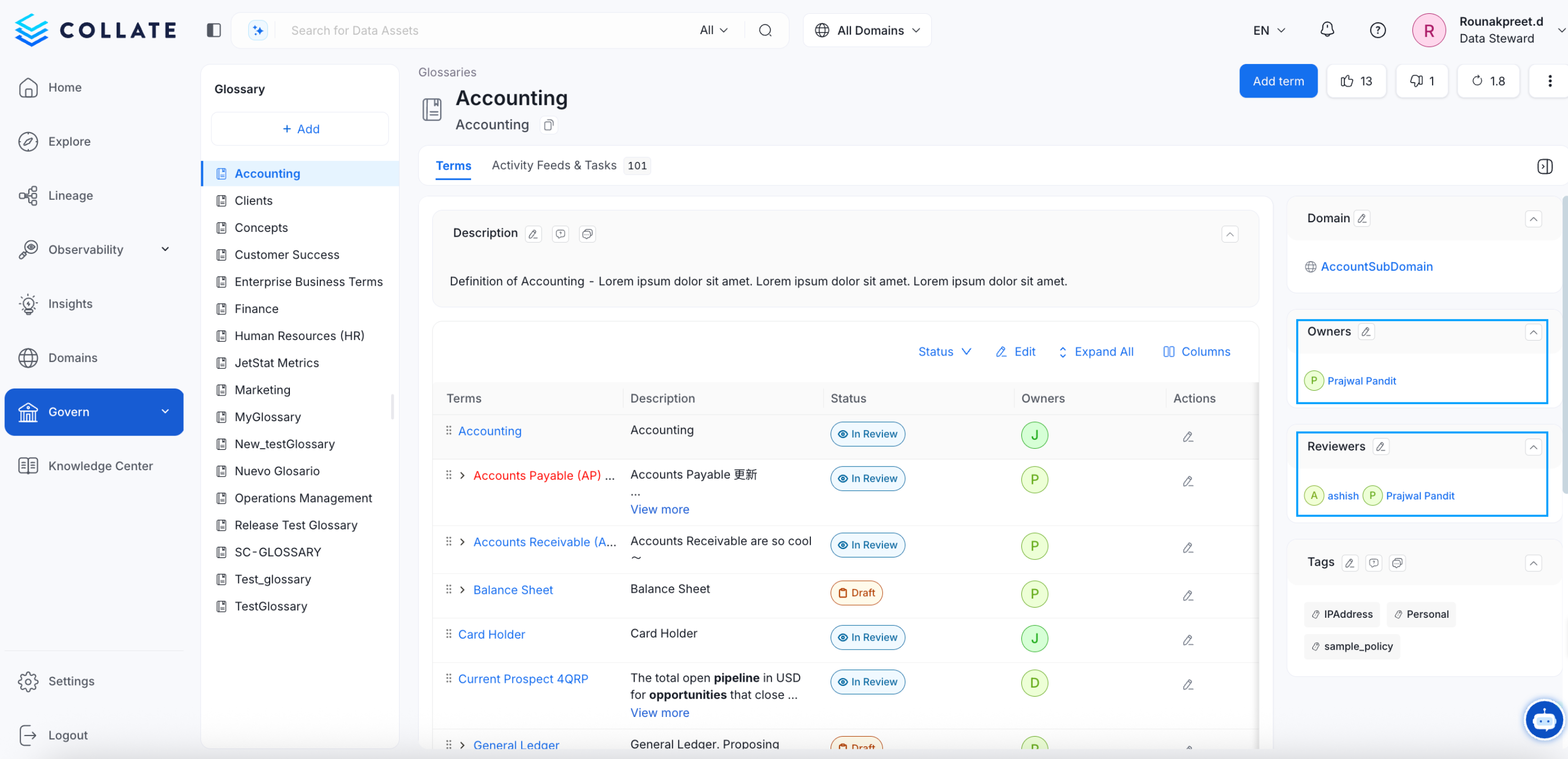
How to Create Glossary Terms
Setup Glossary Terms to define the terminology. Add tags, synonyms, related terms, links, etc.
How to Bulk Import a Glossary
Save time and effort by bulk uploading glossary terms using a CSV file.
How to Add Assets to Glossary Terms
Associate glossary terms to data assets making it easier for data discovery