Column Bulk Operations
Overview
Modern data platforms collect data from many systems. APIs generate application data. Databases such as MySQL, PostgreSQL, and Oracle store operational records. Data warehouses such as Snowflake or BigQuery power analytics. Files land in storage systems like S3. Search indexes also hold structured data. Across all these systems many columns represent the same concept. For example:customer_idcustomer_emailaddressorder_id
How Column Bulk Operations Works
The feature groups columns by their name across the entire metadata platform. For example, a column namedcustomer_id might appear in:
- MySQL tables
- PostgreSQL tables
- Snowflake warehouse tables
- Data lake tables
- Search indexes
Accessing Column Bulk Operations
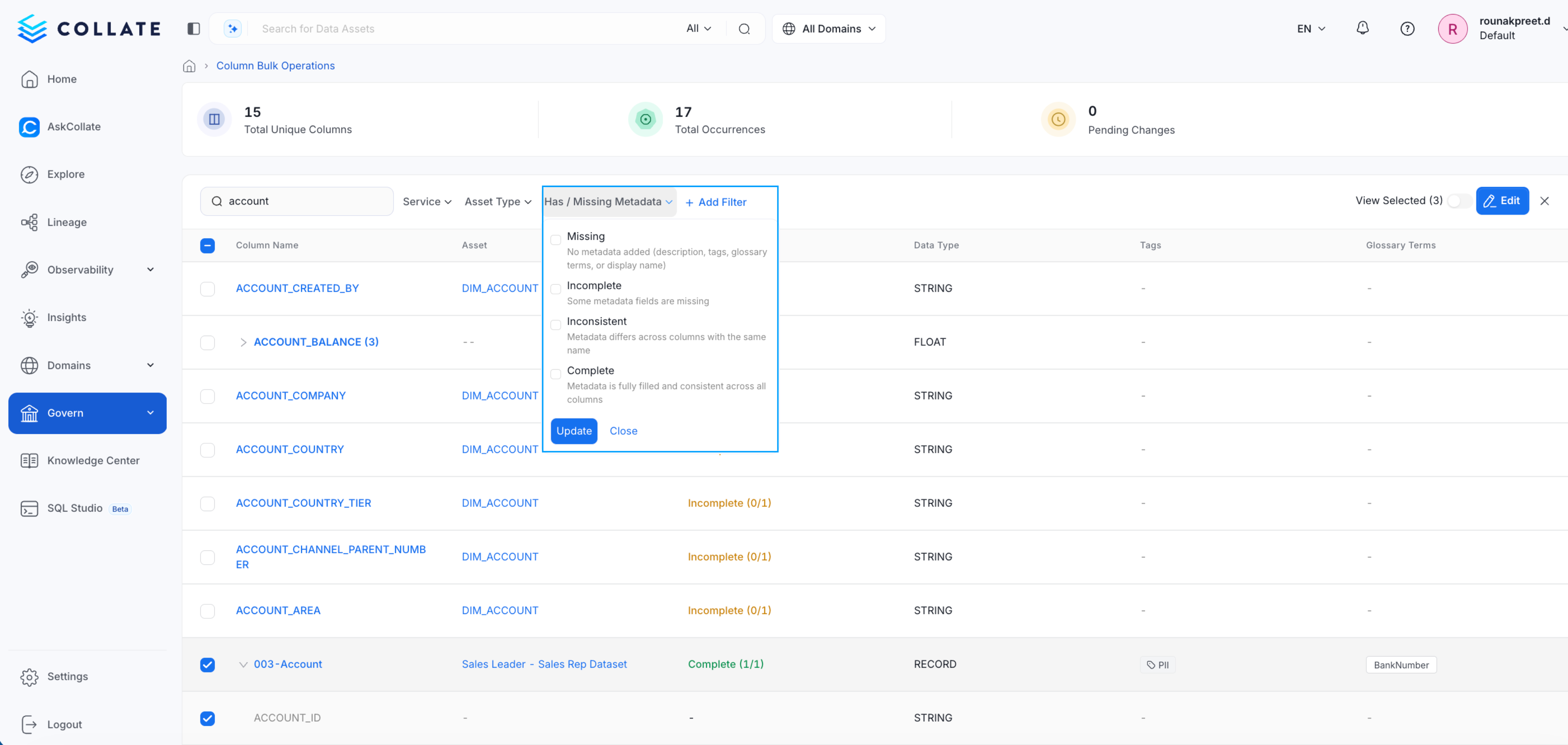
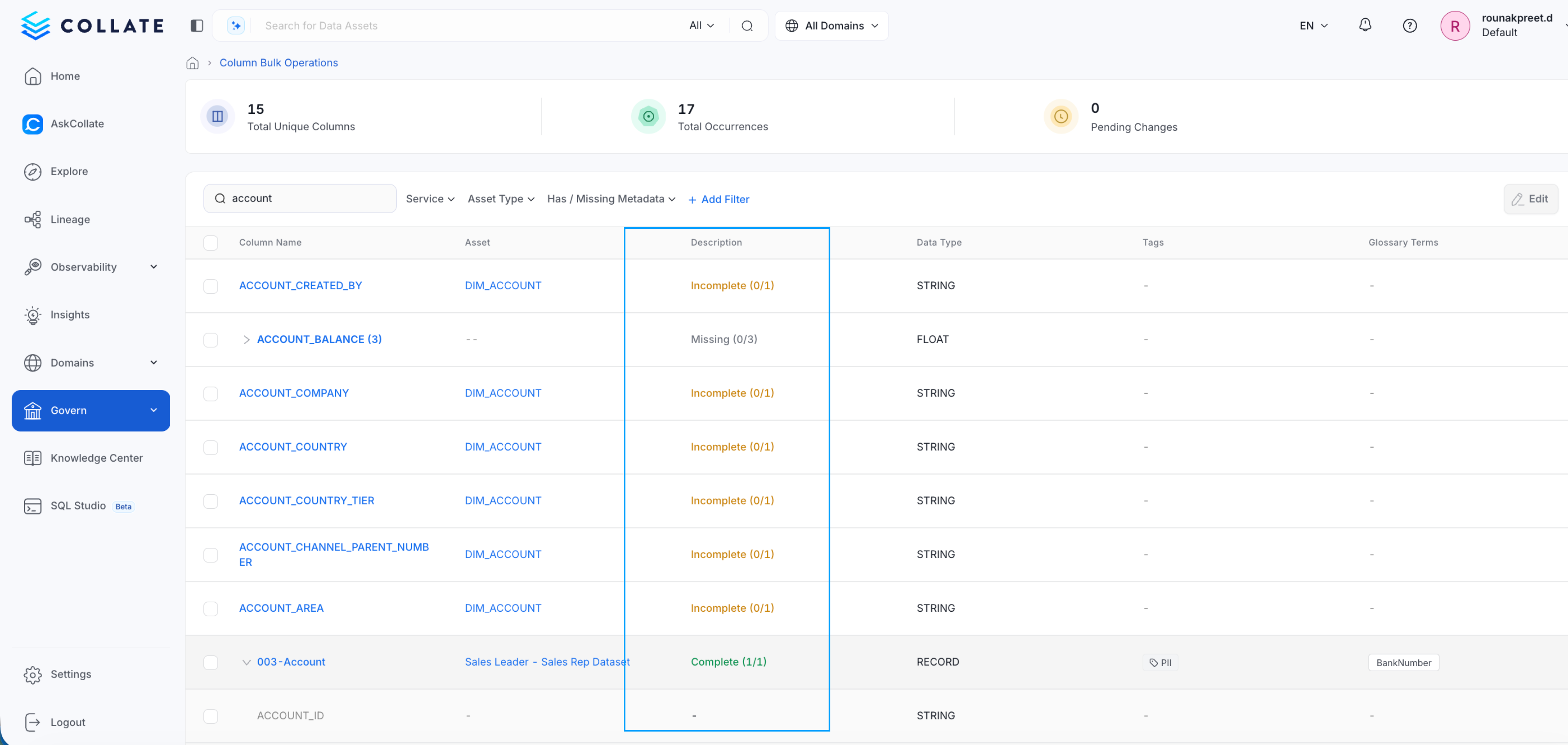
Navigate to: Governance → Column Bulk Operations This page provides a centralized view of all unique columns along with:- Number of occurrences
- Metadata completeness
- Governance metadata
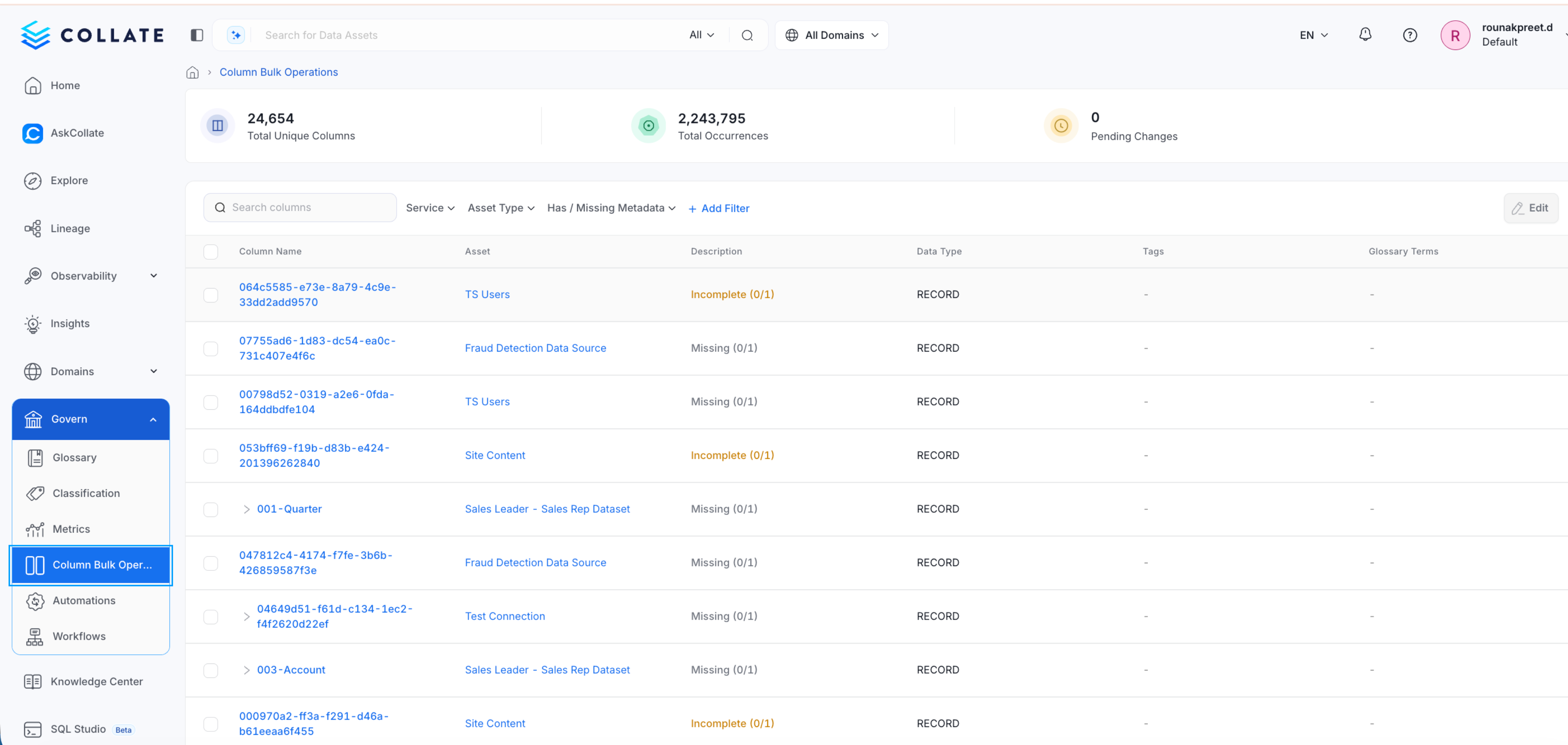
Updating Columns in Bulk
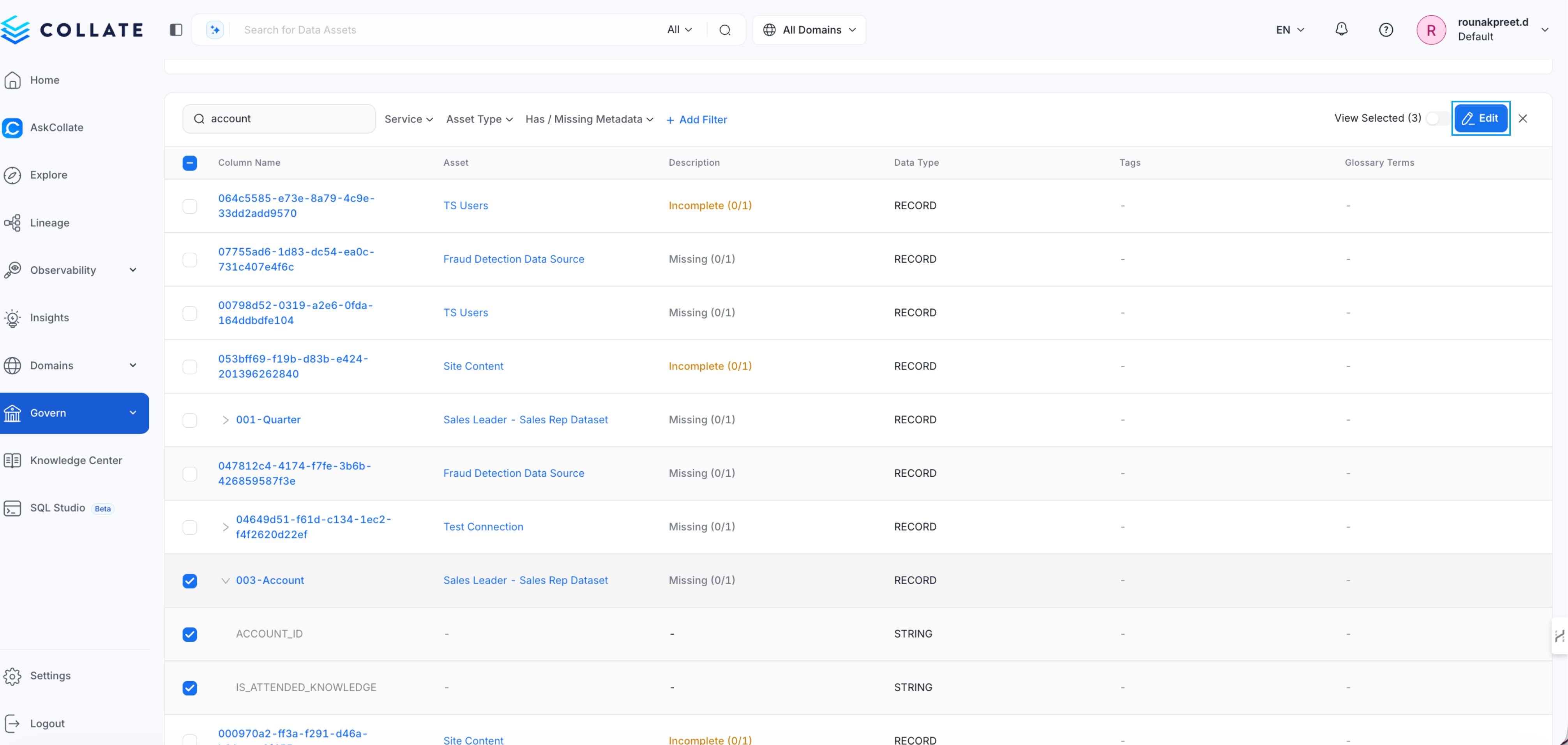
Instead of editing columns one table at a time, you can apply governance metadata across all instances.Steps
- Open Column Bulk Operations
- Search for a column name
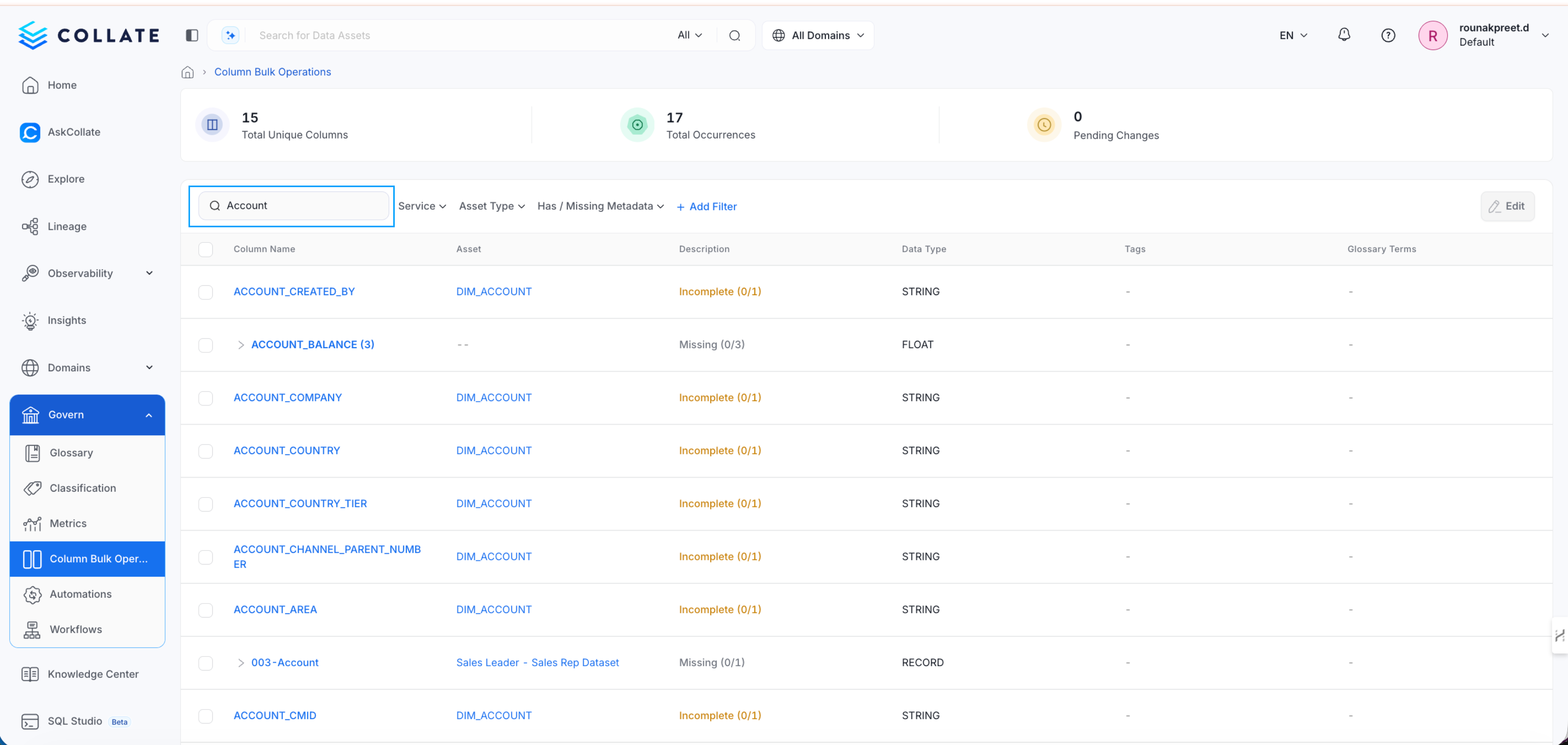
- Select the column group
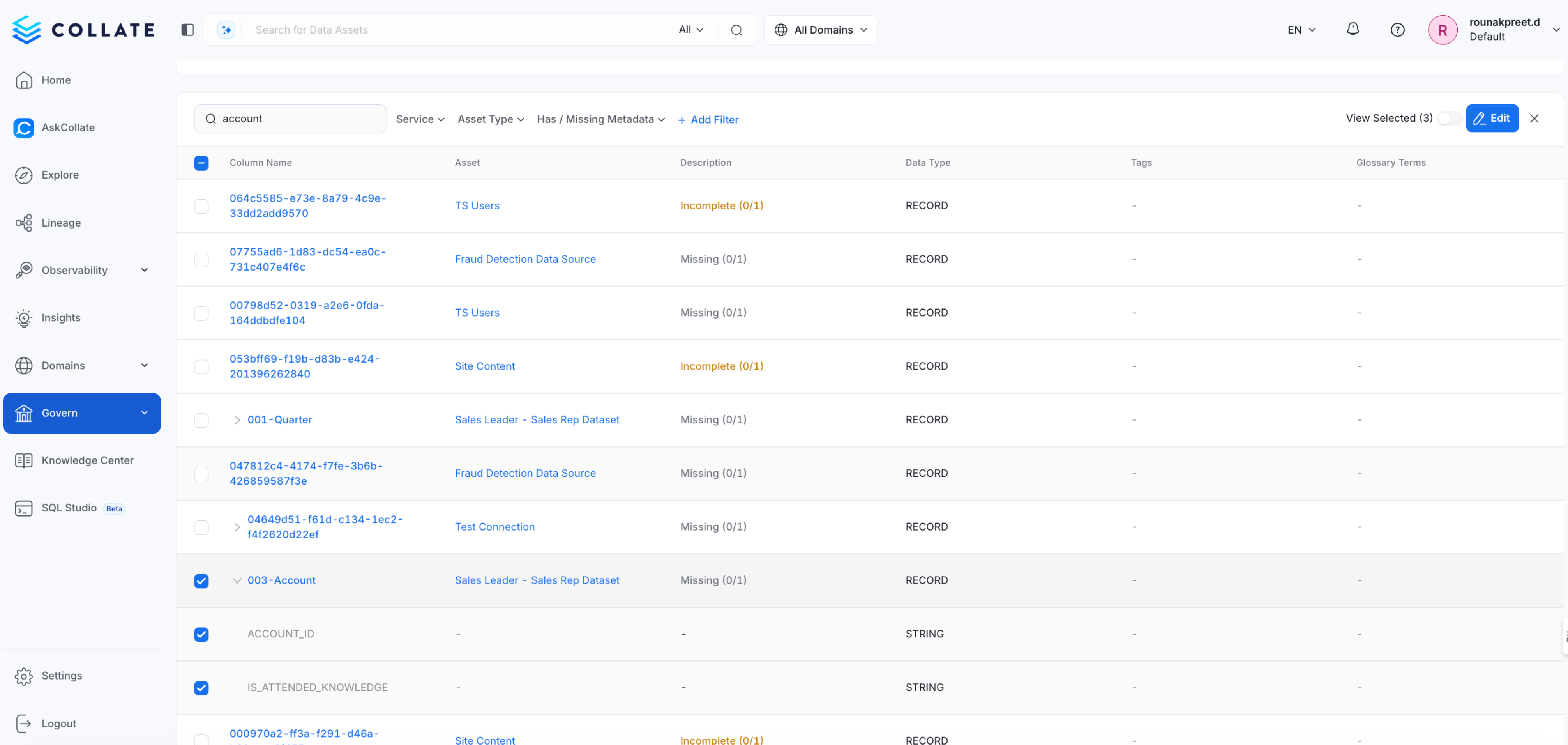
- Click Edit
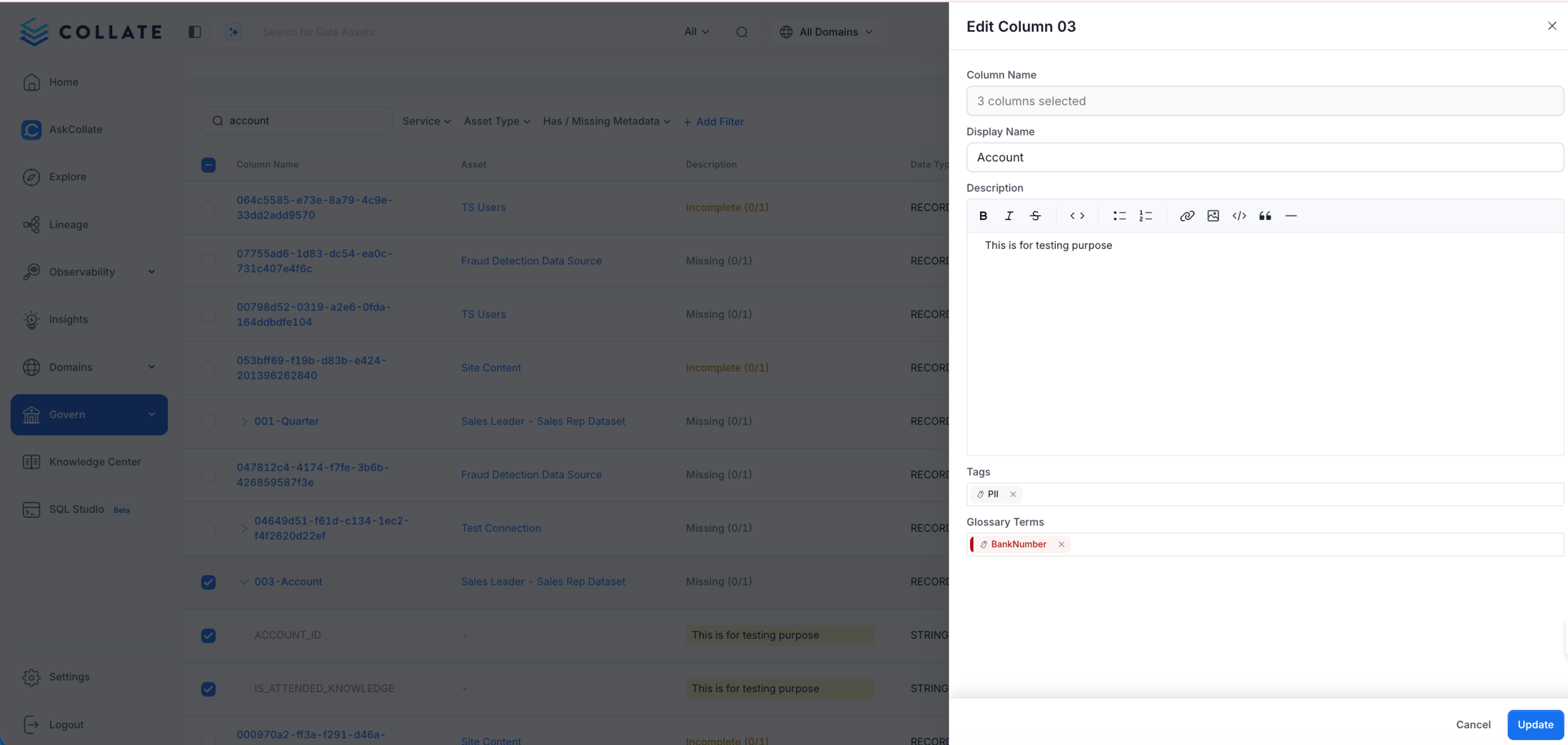
- Update metadata
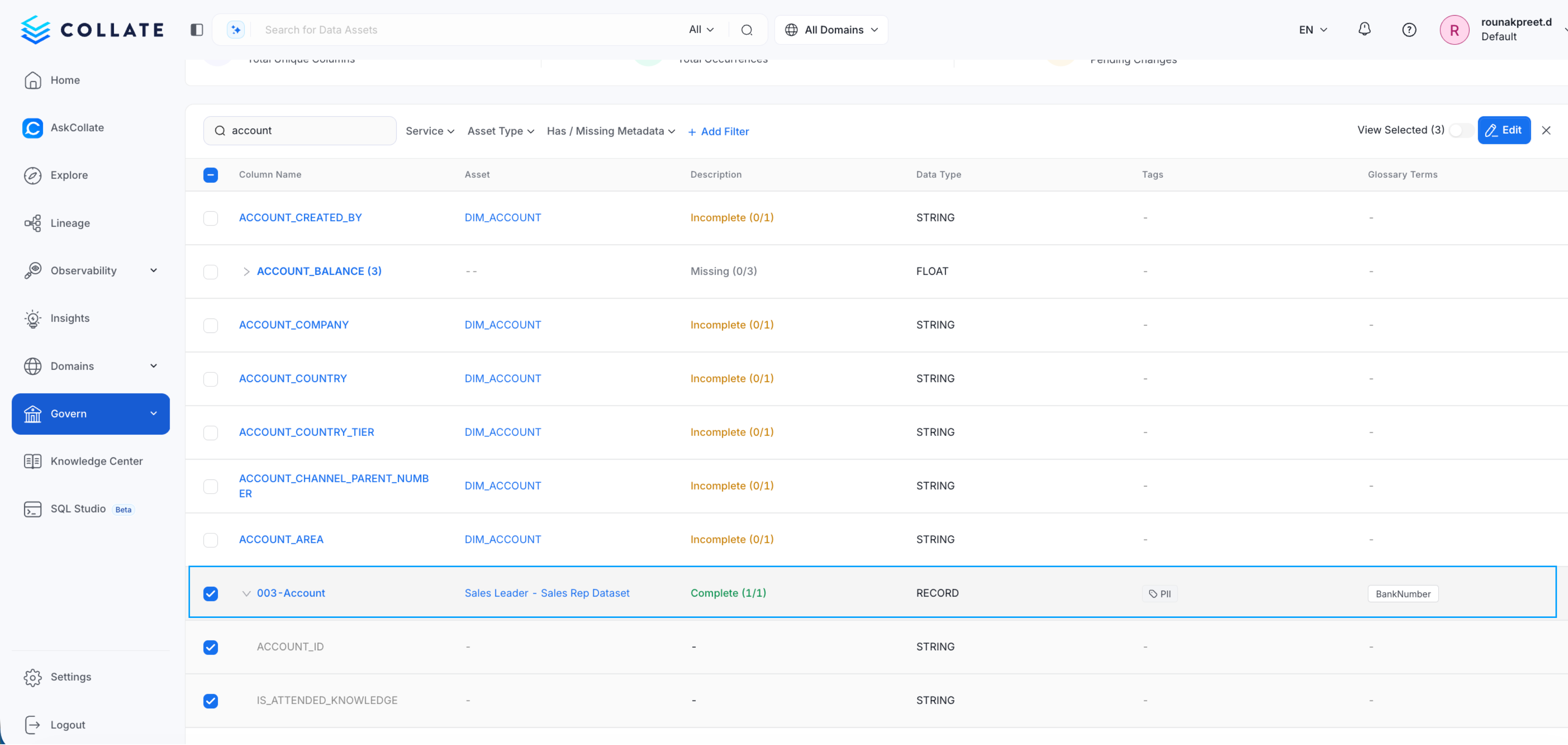
- Save changes
Metadata You Can Update
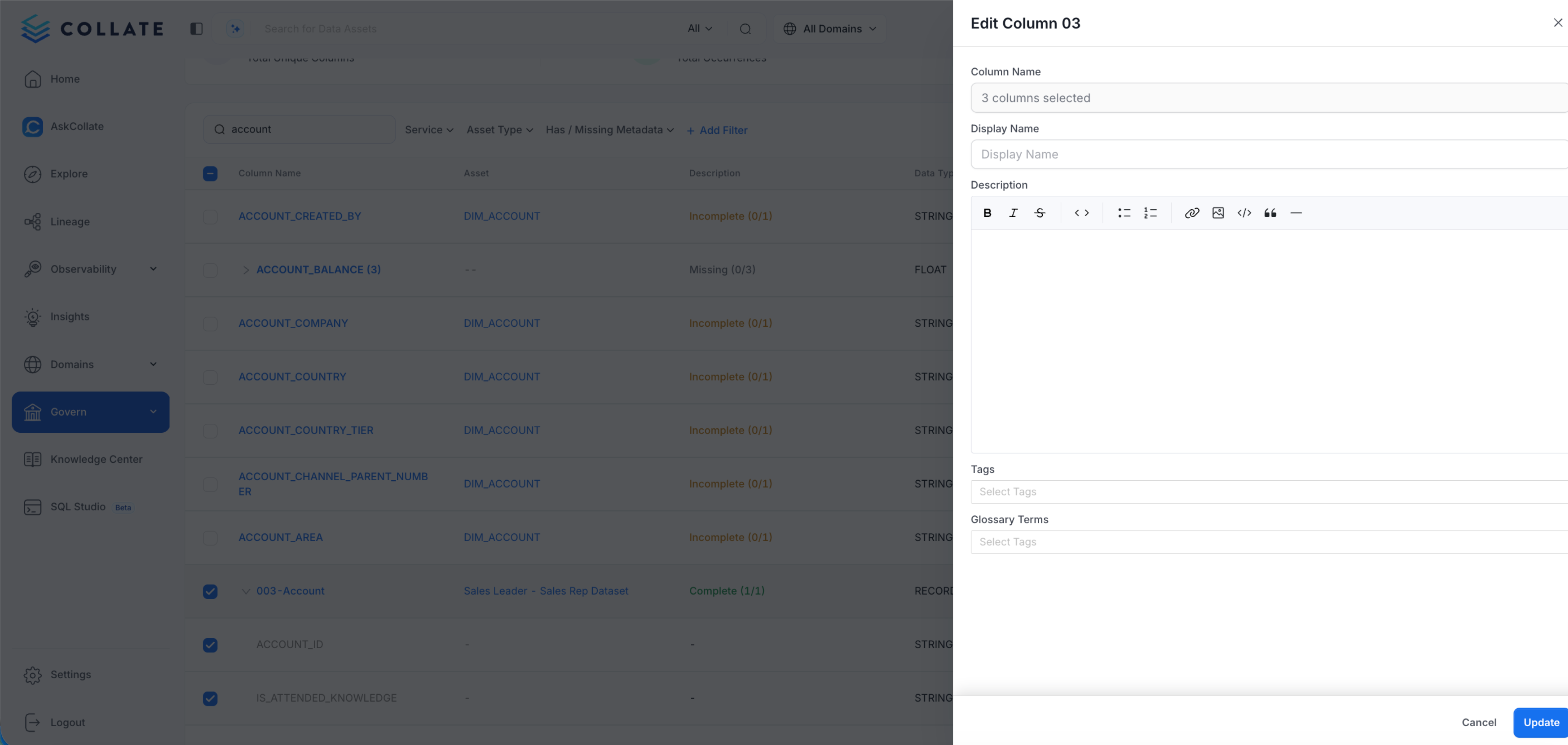
Column Bulk Operations supports several governance updates:- Column name: Standardize naming across systems.
- Description: Provide a consistent business definition.
- Tags and classifications: Apply governance labels such as PII or Sensitive.
- Glossary terms: Connect columns to business concepts.
Metadata Status
Column Bulk Operations highlights columns based on their metadata quality:- Incomplete: Columns missing documentation or governance metadata.
- Inconsistent: Columns where metadata differs across instances. For example, different descriptions or tags.
Filtering Columns
Filters help narrow the scope of governance work. You can filter by:- Column name
- Metadata status (such as incomplete or inconsistent)
- Service (such as Snowflake or BigQuery)