
Bulk Import Test Cases
Importing test cases from a CSV file lets you create or update several test cases at once, instead of adding them one at a time through the UI. You can import test cases for a single table, for a test suite, or across your entire platform. For more information about what each column in the file means, see the CSV Field Reference.Bulk Import Test Cases for a Table
To import test cases scoped to a single table:- In the left navigation menu, click Explore, and select the table whose test cases you want to import.
- Navigate to the Data Observability tab.
- In the Data Quality tab, click Test Cases if not selected.
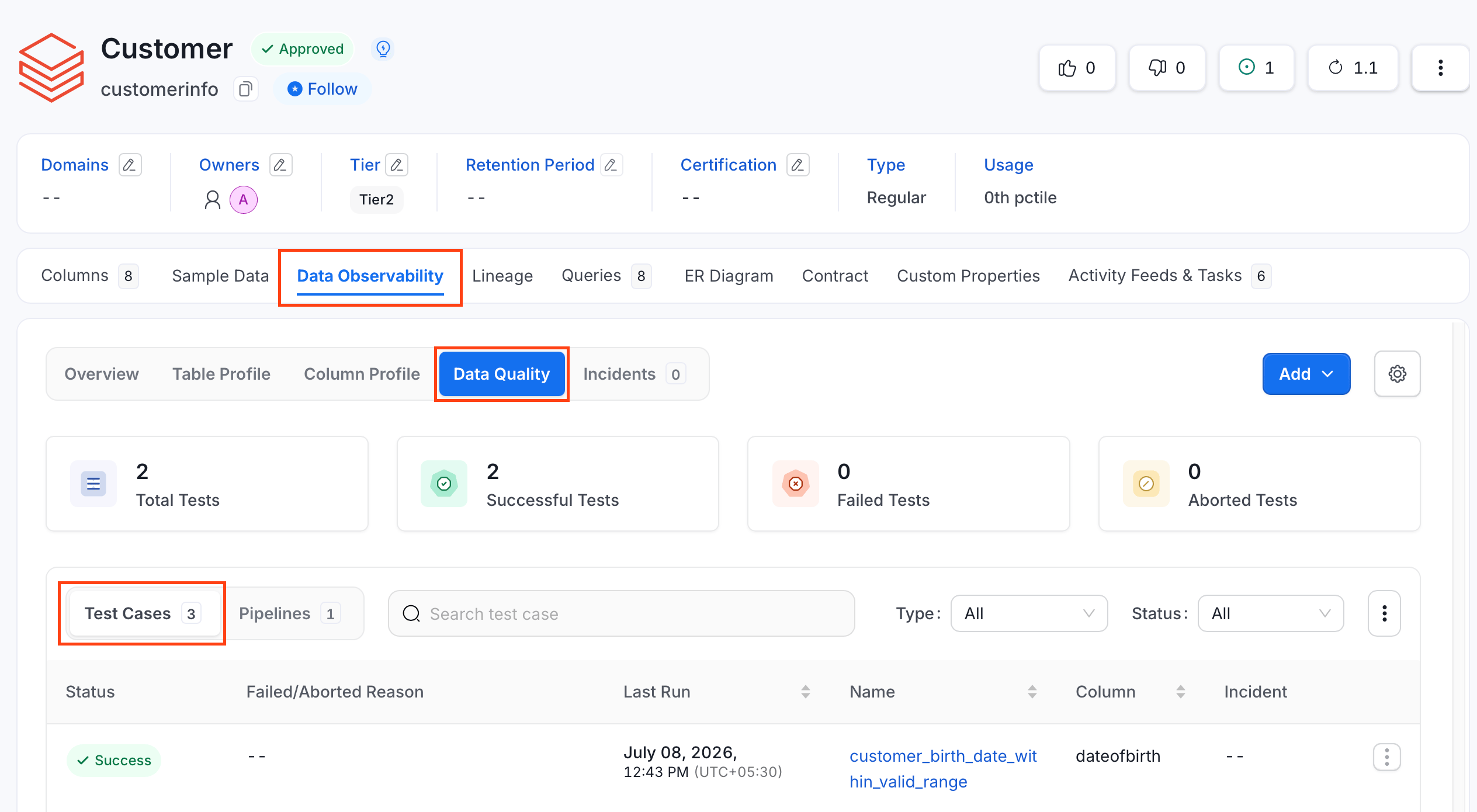
- Click the ⋮ icon and click Import.
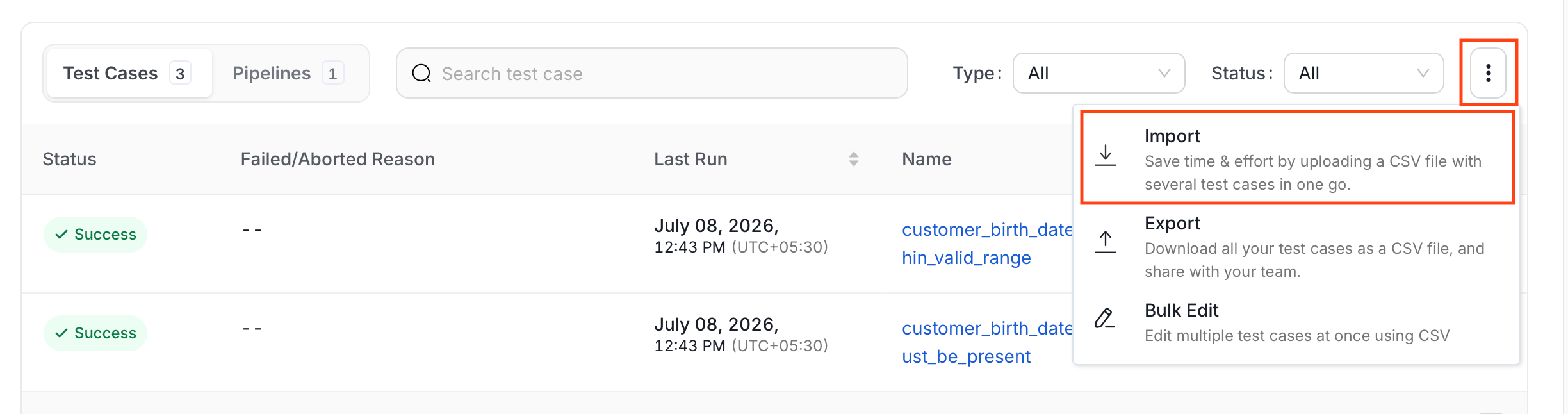
- Upload or drop the CSV file.
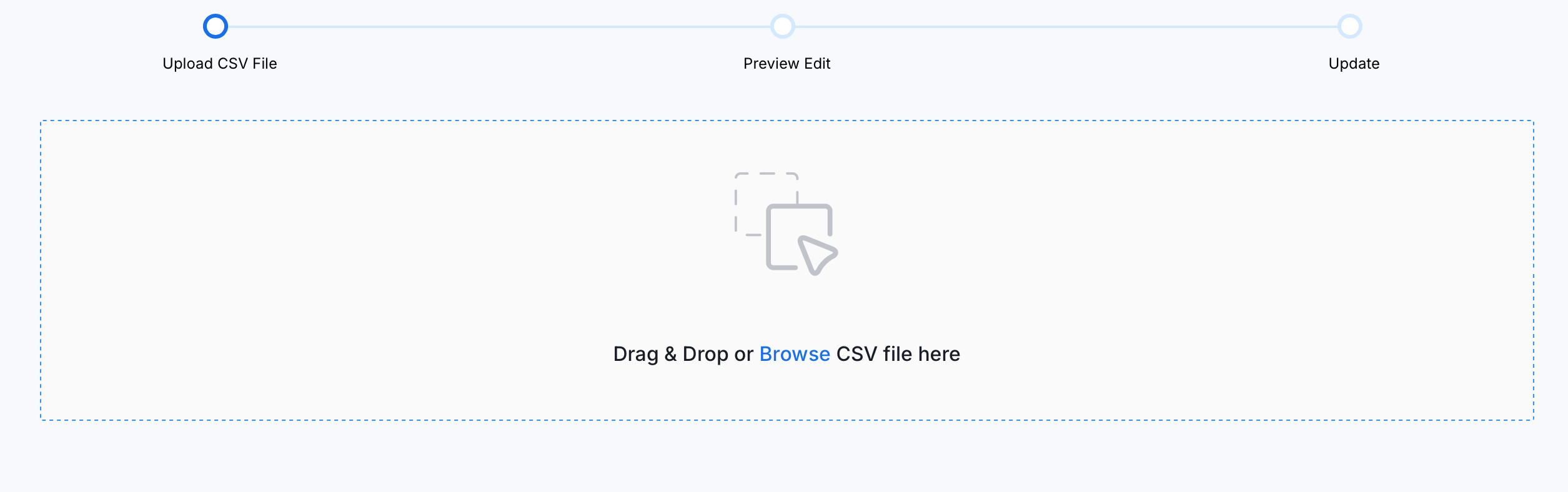
- Preview the uploaded file and add or modify rows using the inline editor.
- Validate your changes. A green or red tick in the Status column displays the success or failure of the test cases.
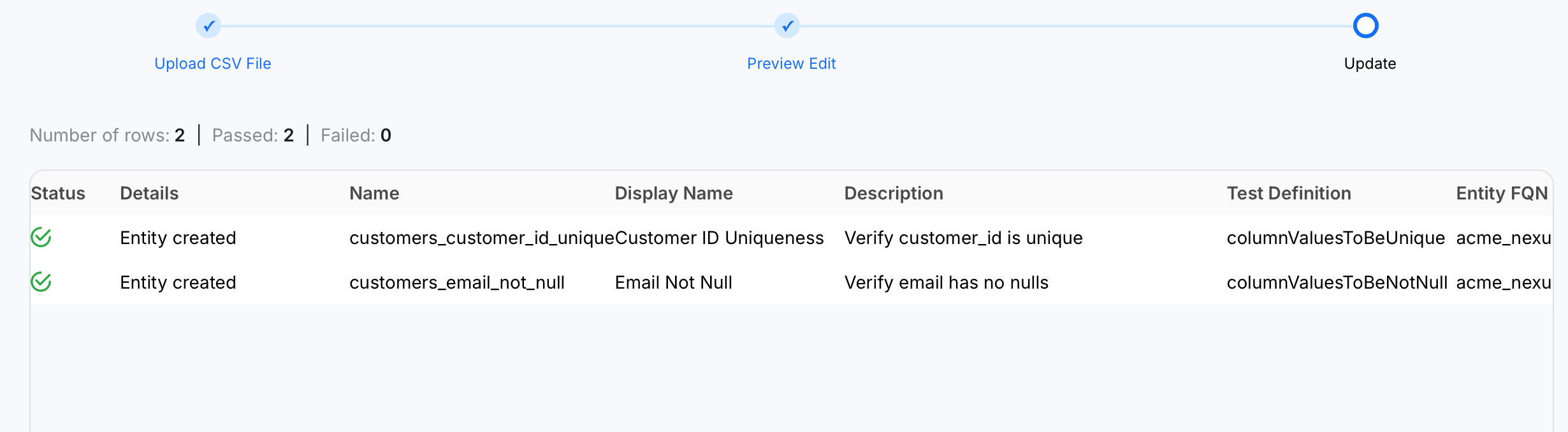
- Click Update to apply the changes.
Bulk Import Test Cases in a Suite
To import test cases scoped to a single test suite:- Navigate to Data Observability > Data Quality.
- Click the Test Suites tab and switch to Bundle Suites.
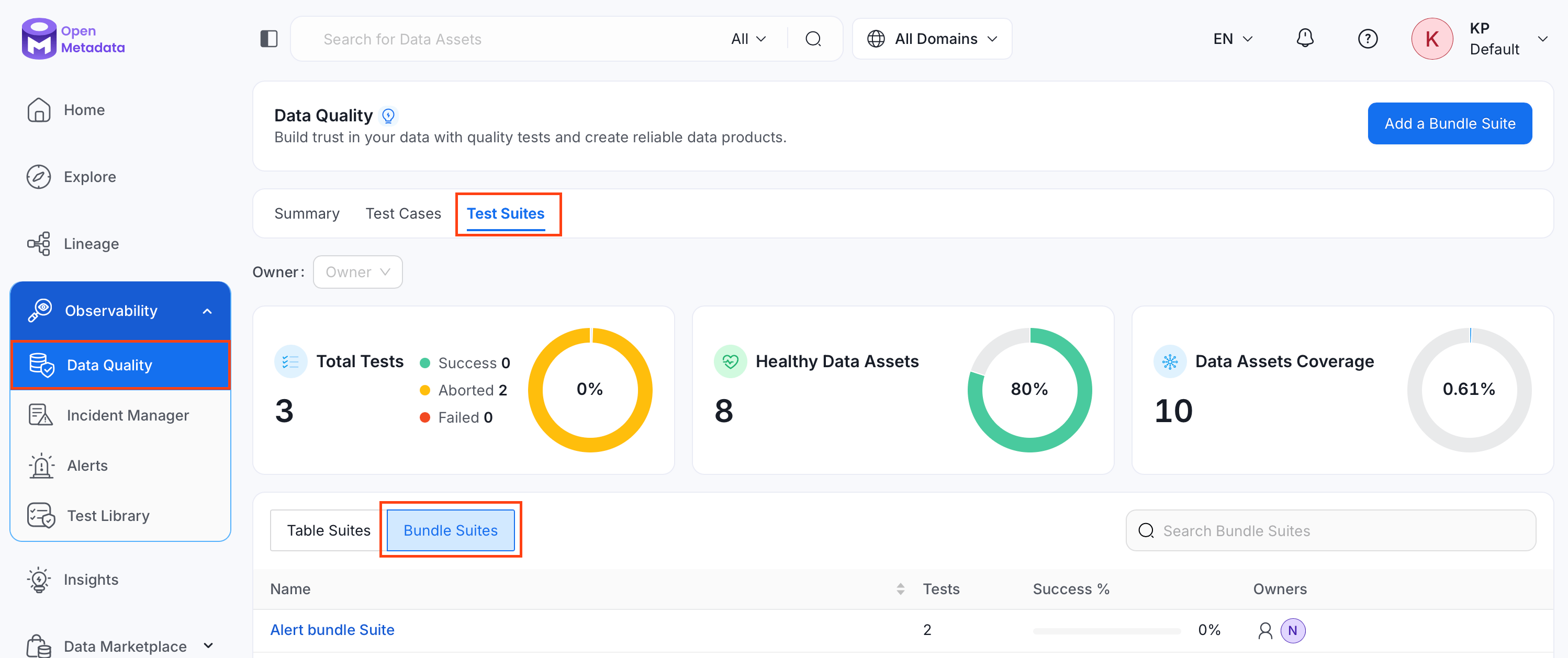
- Search and select the bundle suite whose test cases you want to import.
- Click the ⋮ icon and click Import.
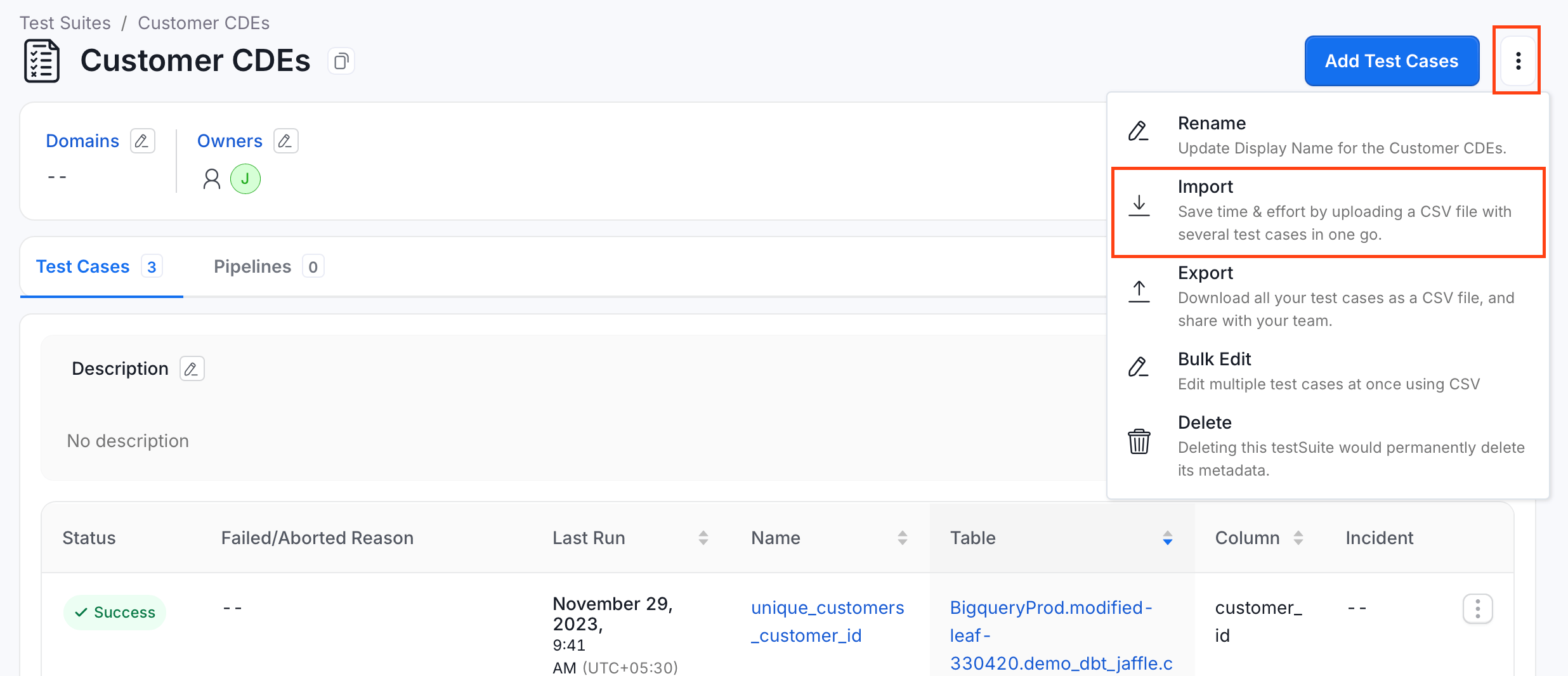
- Repeat steps 5 to 8 from Bulk Import Test Cases for a Table.
Bulk Import All Test Cases
To import test cases across your entire OpenMetadata instance:- Navigate to Data Observability > Data Quality, and click Test Cases.
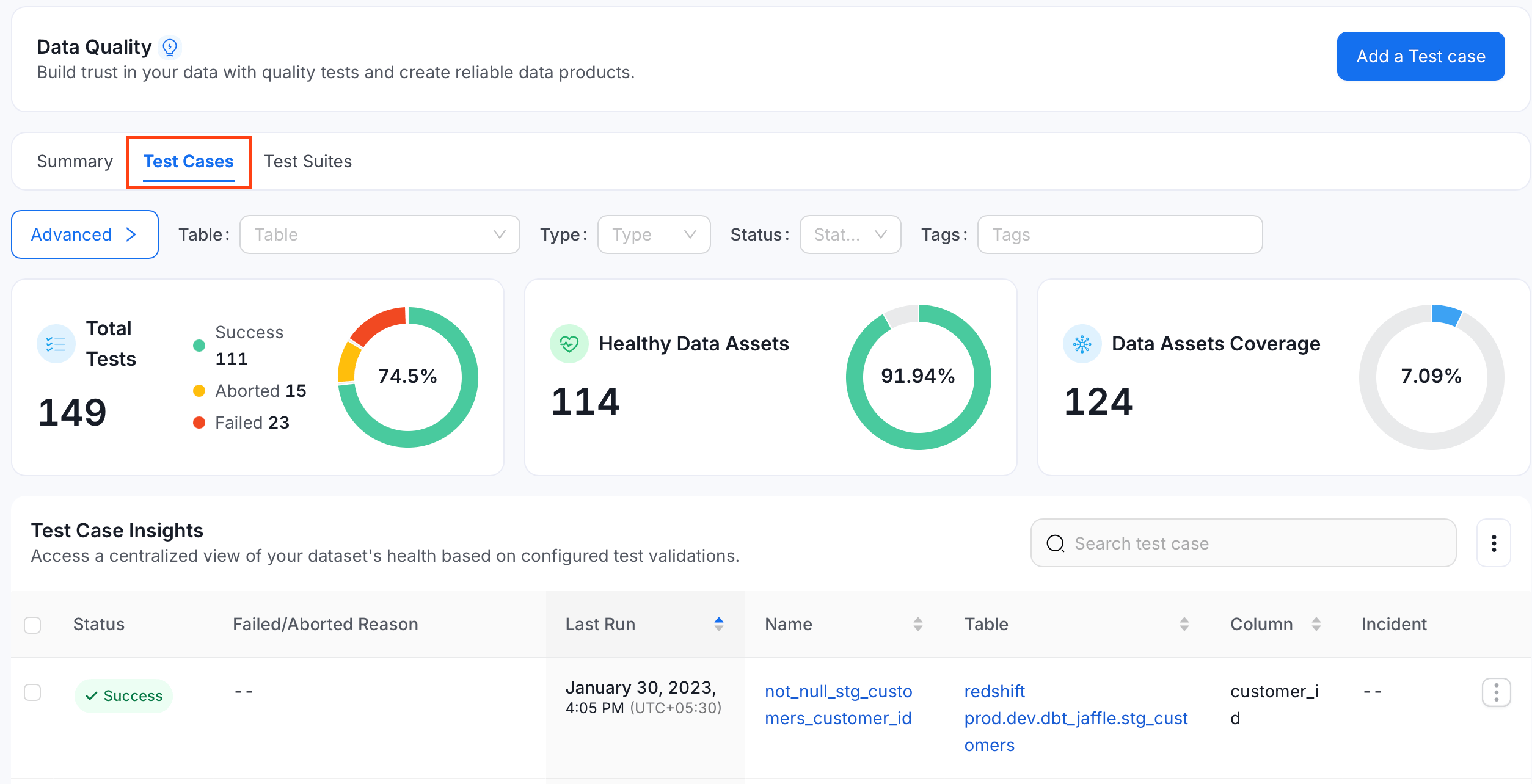
- Click the ⋮ icon and select Import.
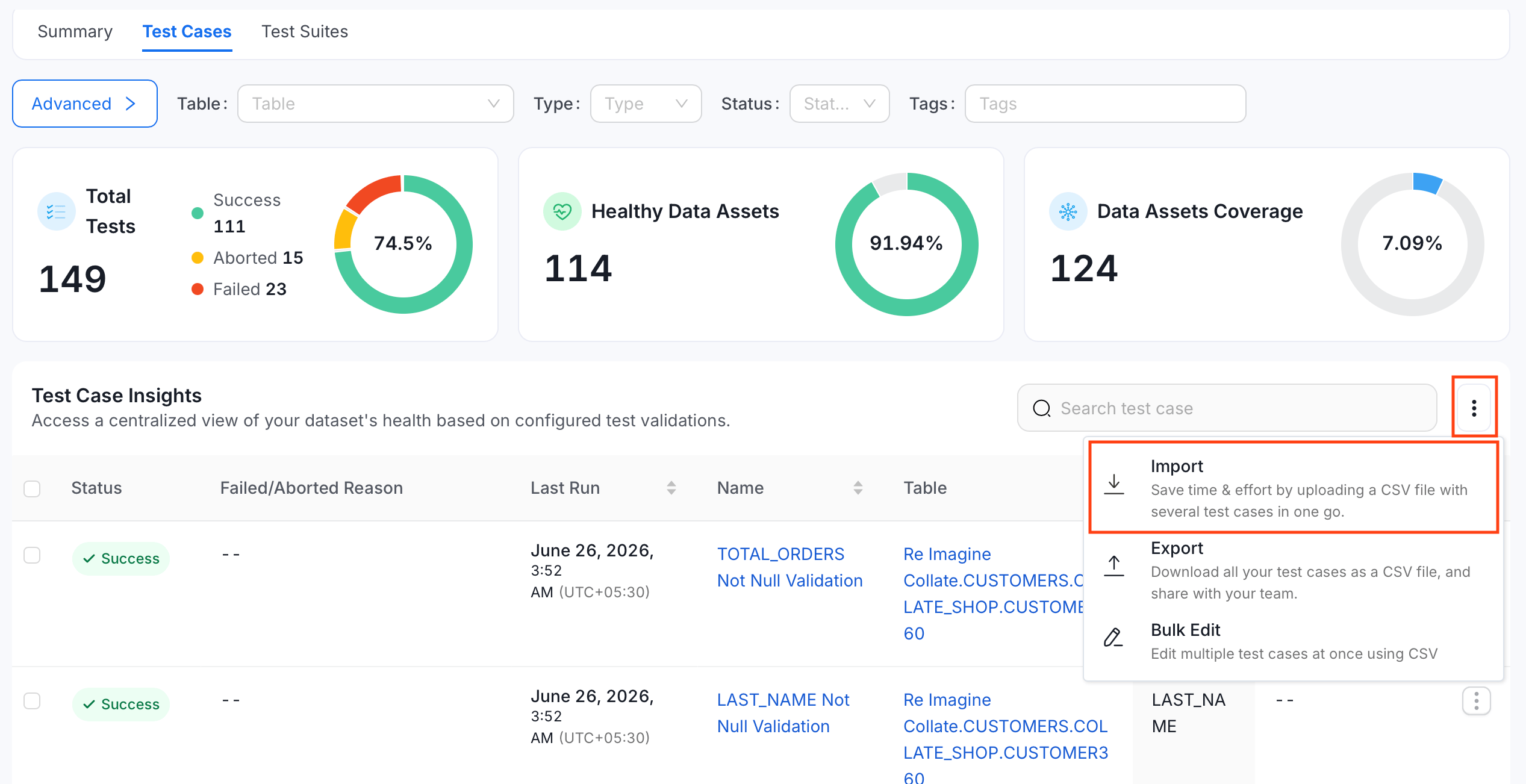
- Repeat steps 5 to 8 from Bulk Import Test Cases for a Table.
Import Using API
You can also import test cases using the API with the following endpoints:PUT /api/v1/dataQuality/testCases/name/{name}/import
PUT /api/v1/dataQuality/testCases/name/{name}/importAsync
{name} only matters when targetEntityType=testSuite: set it to the Fully Qualified Name (FQN) of the test suite that newly created test cases should be added to. For any other targetEntityType (or when it’s omitted), {name} isn’t used — each row’s entityFQN column determines which table or column the test case applies to. Both endpoints take the CSV file as the raw request body and support two query parameters:
- dryRun:
trueorfalse(defaulttrue). Validates the file without making changes, matching the preview step in the UI. - targetEntityType: The entity type the test cases are being added to, for example
tableortestSuite.
importAsync endpoint runs the import as a background job and is what the UI uses. The import endpoint returns the result synchronously.