
Sample Data Handling Using PII Tags
In OpenMetadata, sensitive information is protected through automatic masking of sample data when PII (Personally Identifiable Information) tags are applied.How It Works
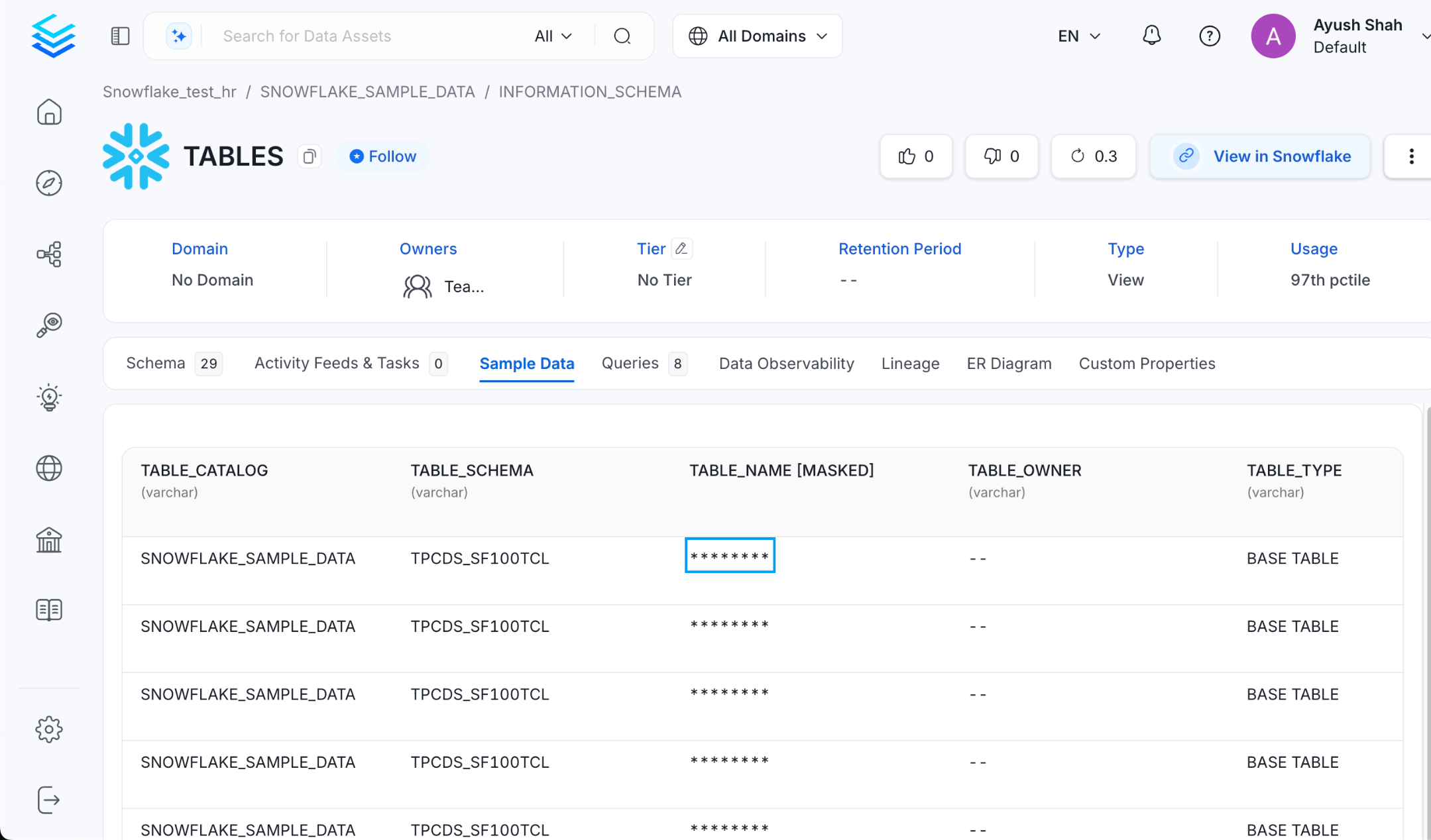
- If a PII tag is applied to a specific column:
- Only that column’s sample data will be masked and displayed as
********in the UI.
- Only that column’s sample data will be masked and displayed as
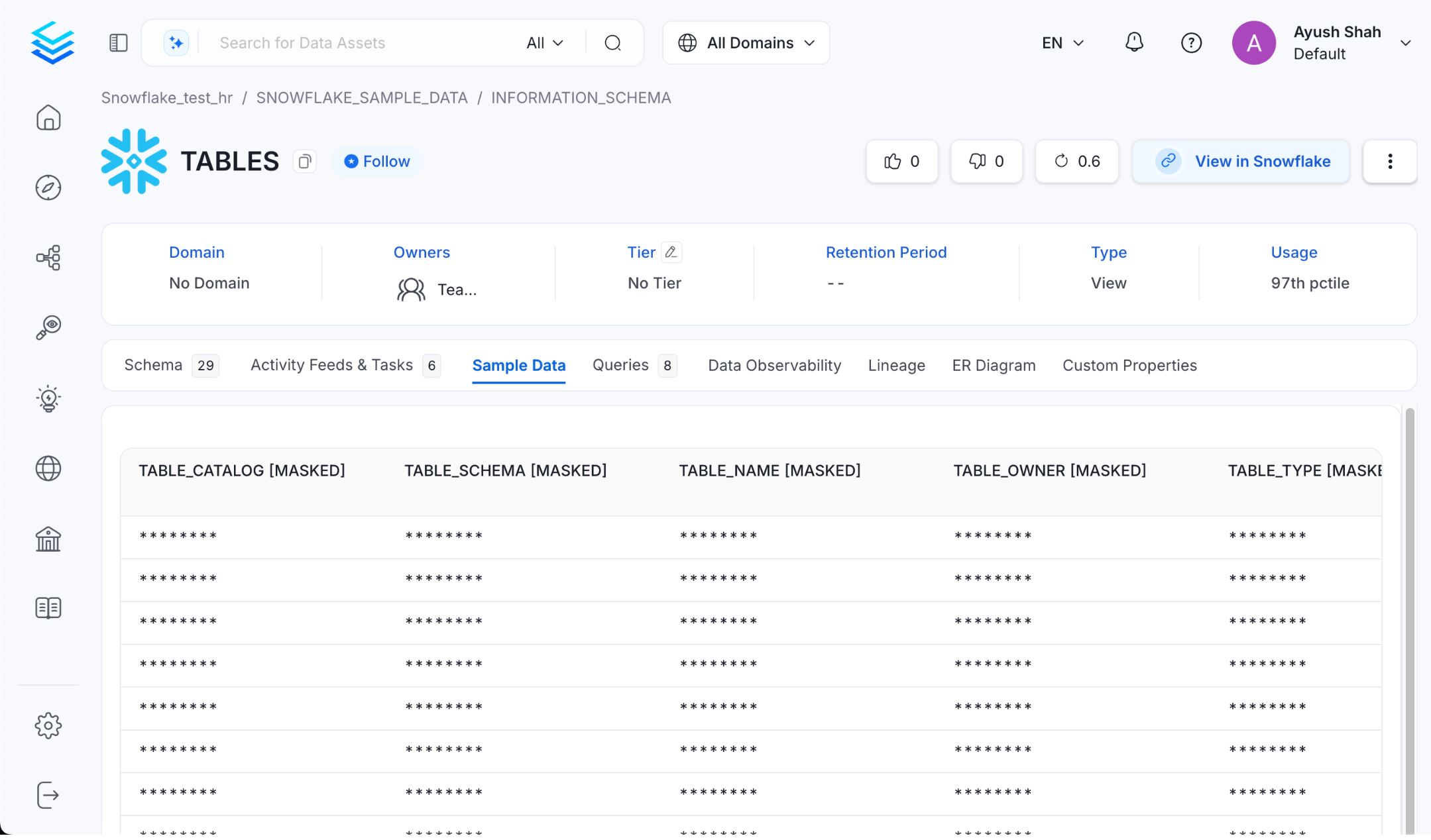
- If a PII tag is applied at the table level:
- All columns within that table will have their sample data masked automatically.
Example
When the tag is applied at the table level, the result would be:
How to Apply PII Tags
- Navigate to the column or table in the OpenMetadata UI.
- Apply the PII.Sensitive tag via the tagging options.
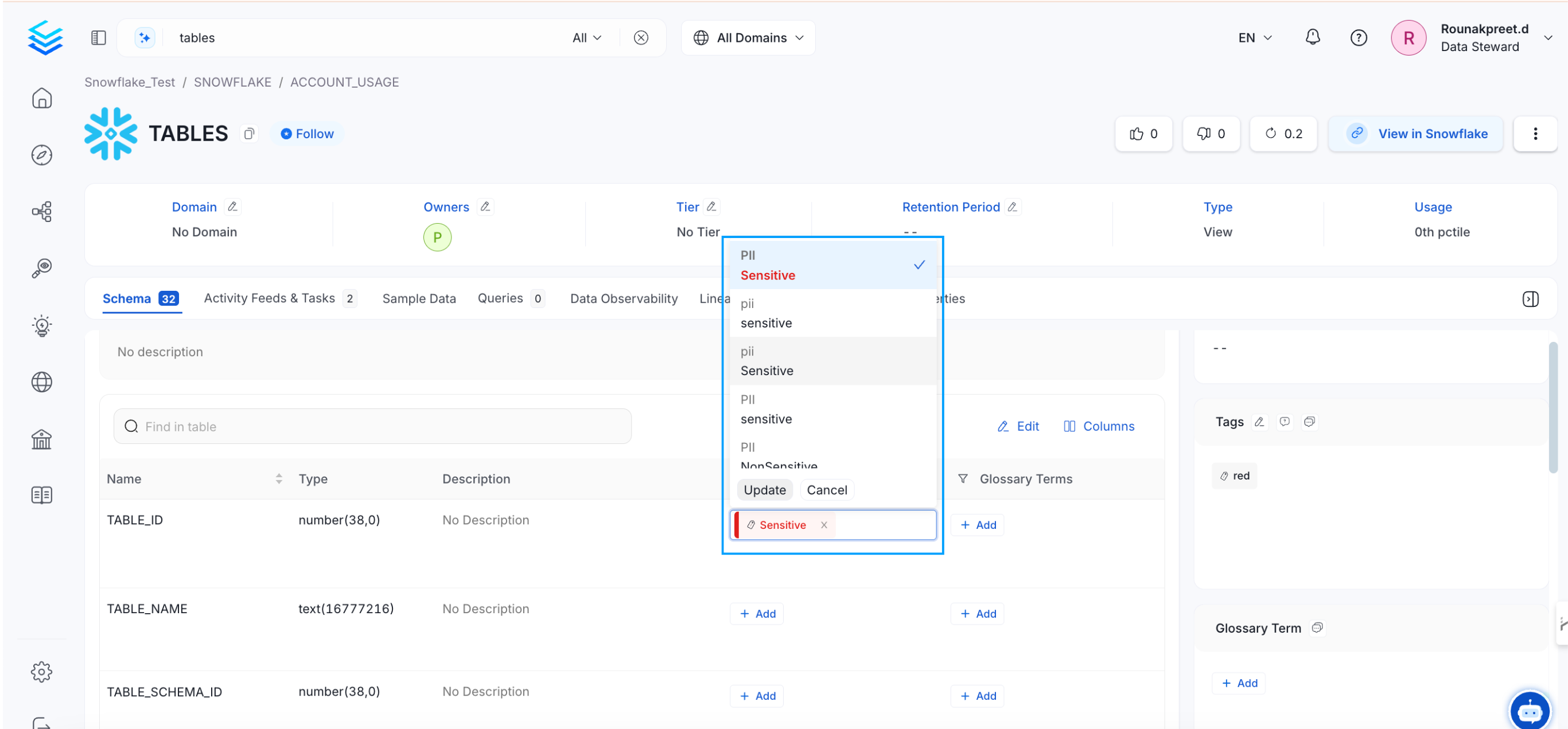
- Ensure auto-classification or manual tagging captures the correct columns during ingestion.
Access Control
Two separate controls protect sample data:- Permission to view sample data. Sample data has its own
ViewSampleDataoperation, andViewAllincludes it. A user without it still sees the Sample Data tab, but the tab shows a permission-denied message. You can’t hide the tab for a role. - PII masking. A column tagged
PII.Sensitiveis masked unless the user is an admin, a bot, or an owner of the table. HavingViewSampleDataalone doesn’t unmask the values.
For sensitive environments:
- Tag sensitive columns, or the whole table, with
PII.Sensitive. - Restrict who can view sample data. The default
OrganizationPolicy-ViewAll-Rulegives every userViewAll, which includesViewSampleData. Add aDenyrule forViewSampleDatato the roles that shouldn’t see it, as in Use Case 11, or edit that rule. - Make sure only the people who need to see the real values own sensitive tables.