
Bulk Export Test Cases
Exporting test cases to a CSV file gives you a copy of your test case metadata to review offline, or a template you can edit and re-import. You can export test cases for a single table, for a test suite, or across your entire platform. For more information about what each column in the file means, see the CSV Field Reference.Bulk Export Test Cases for a Table
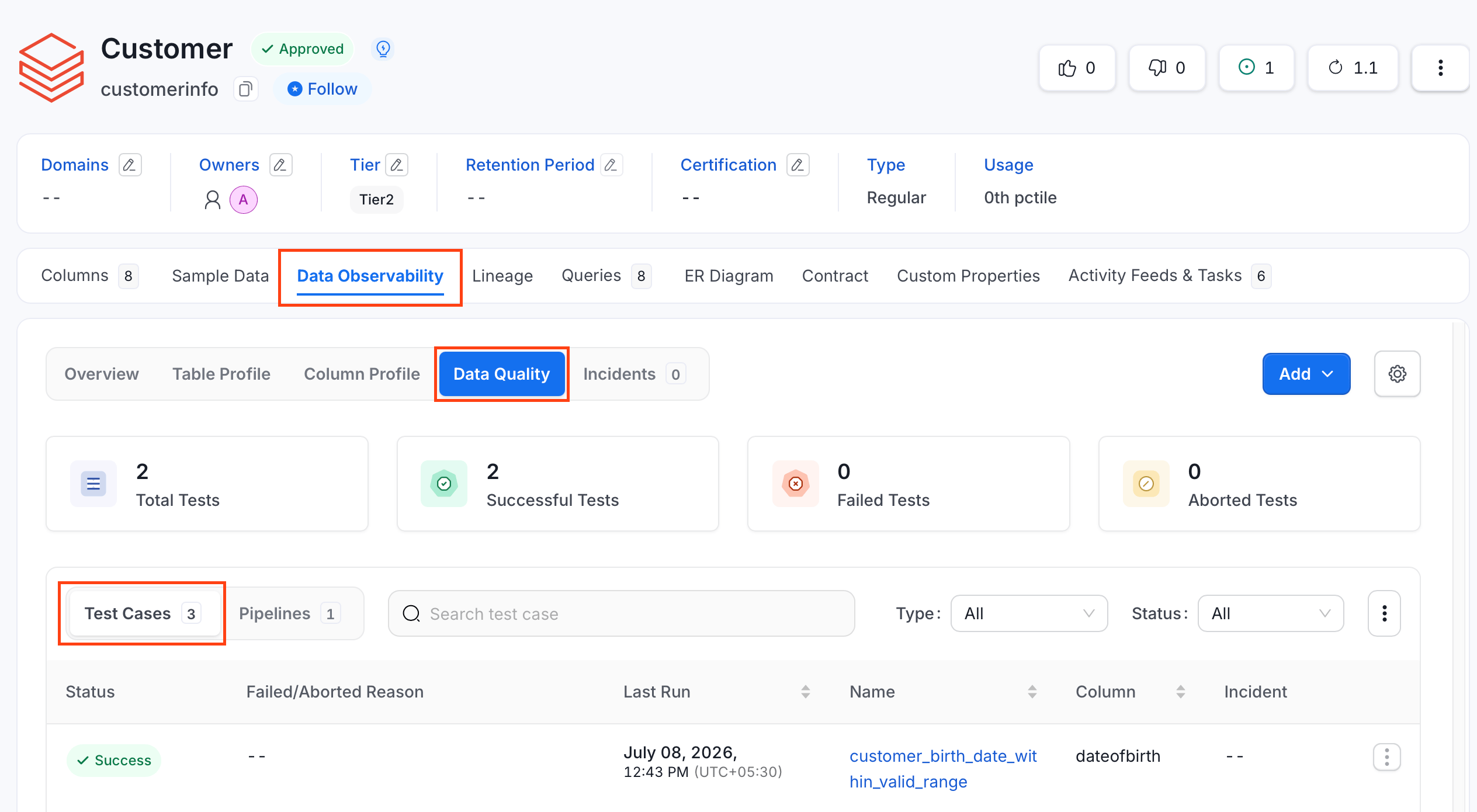
To export test cases scoped to a single table:- In the left navigation menu, click Explore, and select the table whose test cases you want to export.
- Navigate to the Data Observability tab.
- In the Data Quality tab, click Test Cases if not selected.
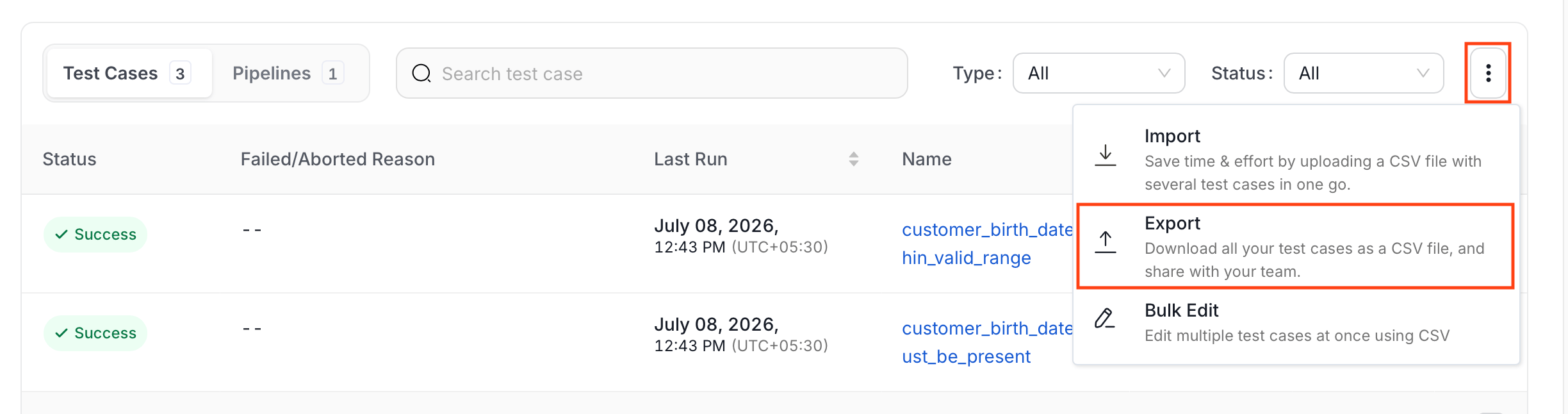
- Click the ⋮ icon and click Export.
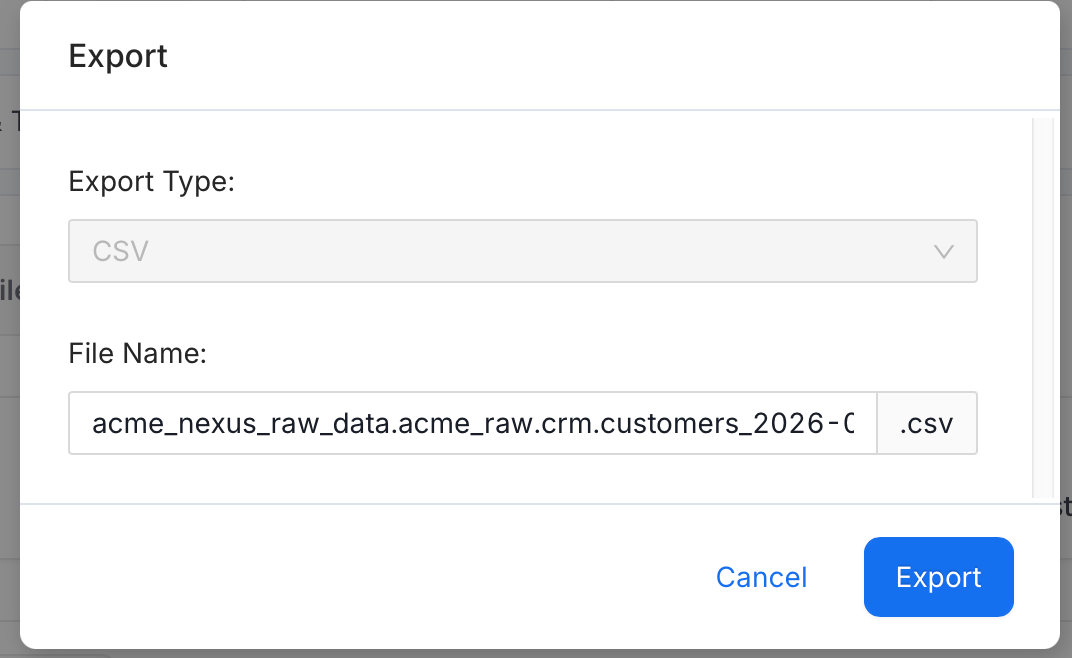
- In the export dialog, confirm the CSV format and start the export.
- OpenMetadata generates the file in the background and downloads it once it’s ready.
Bulk Export Test Cases in a Suite
To export test cases scoped to a single test suite:- Navigate to Observability > Data Quality.
- Click the Test Suites tab and switch to Bundle Suites.
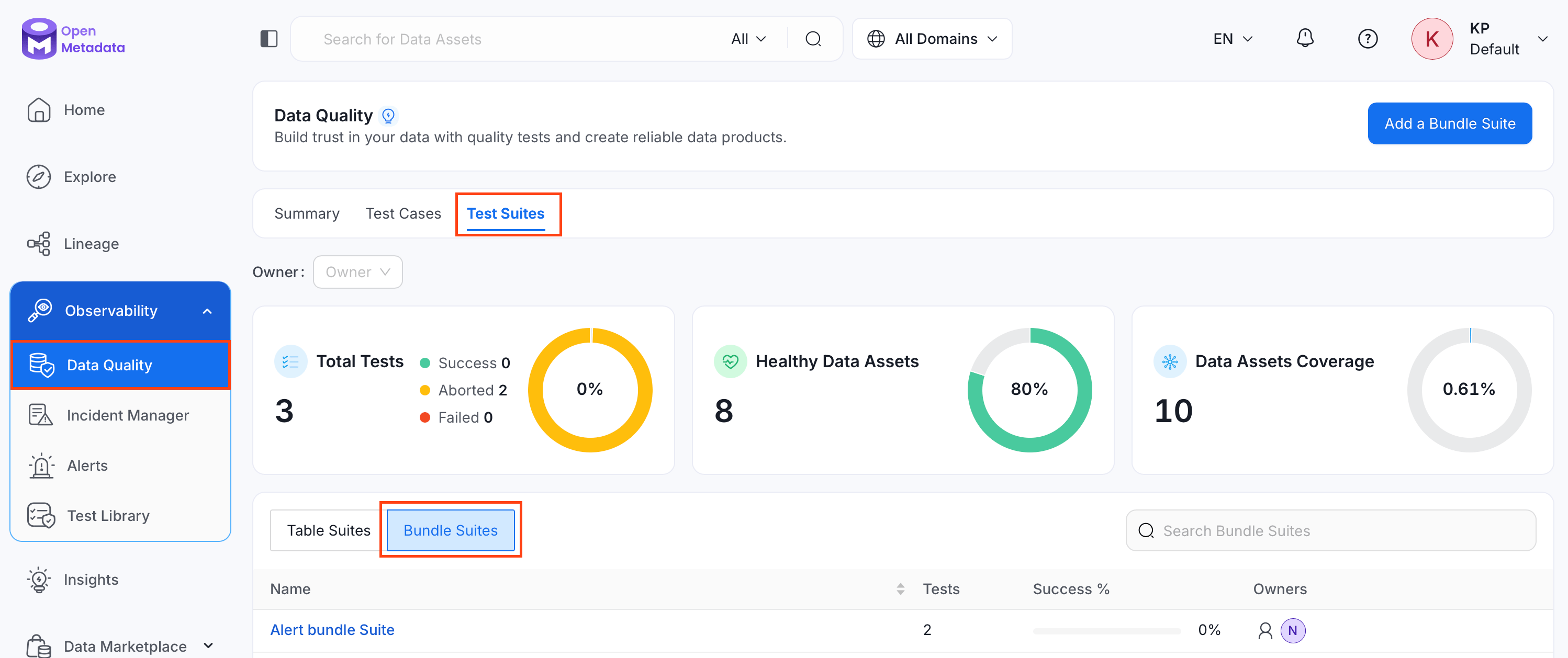
- Search and select the bundle suite whose test cases you want to export.
- Click the ⋮ icon and click Export.
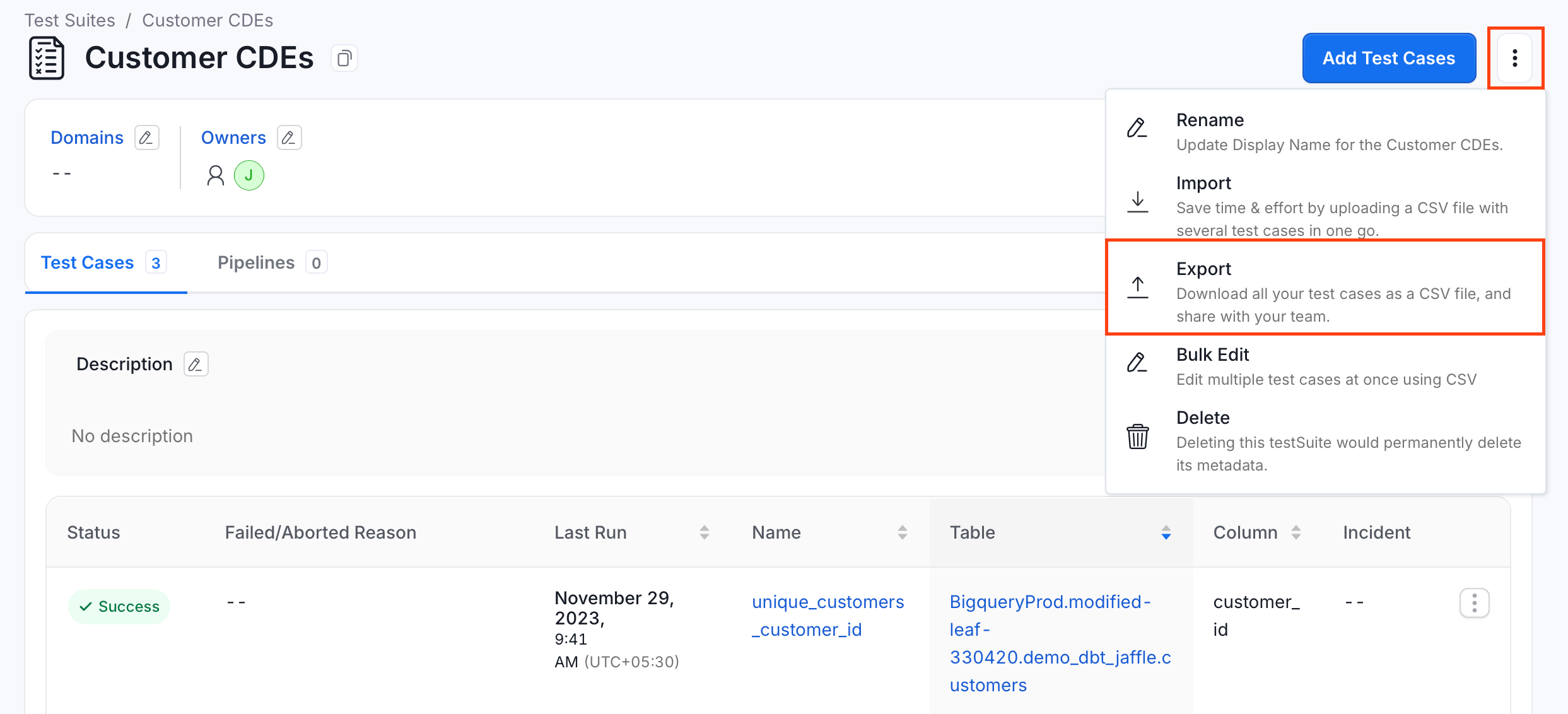
- Repeat steps 5 to 6 from Bulk Export Test Cases for a Table.
Bulk Export All Test Cases
To export test cases across your entire OpenMetadata instance:- Navigate to Observability > Data Quality, and click Test Cases.
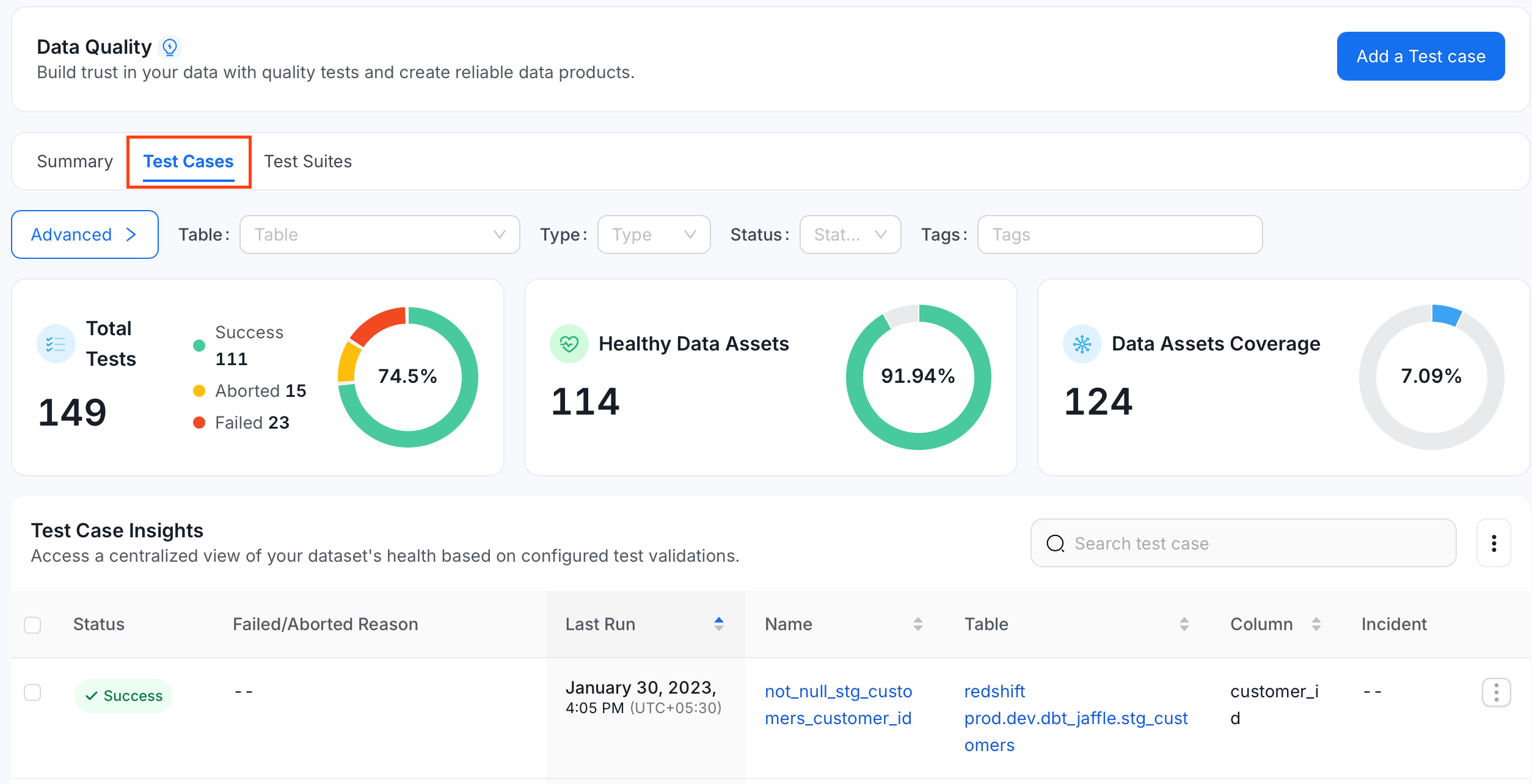
- Click the ⋮ icon and select Export.
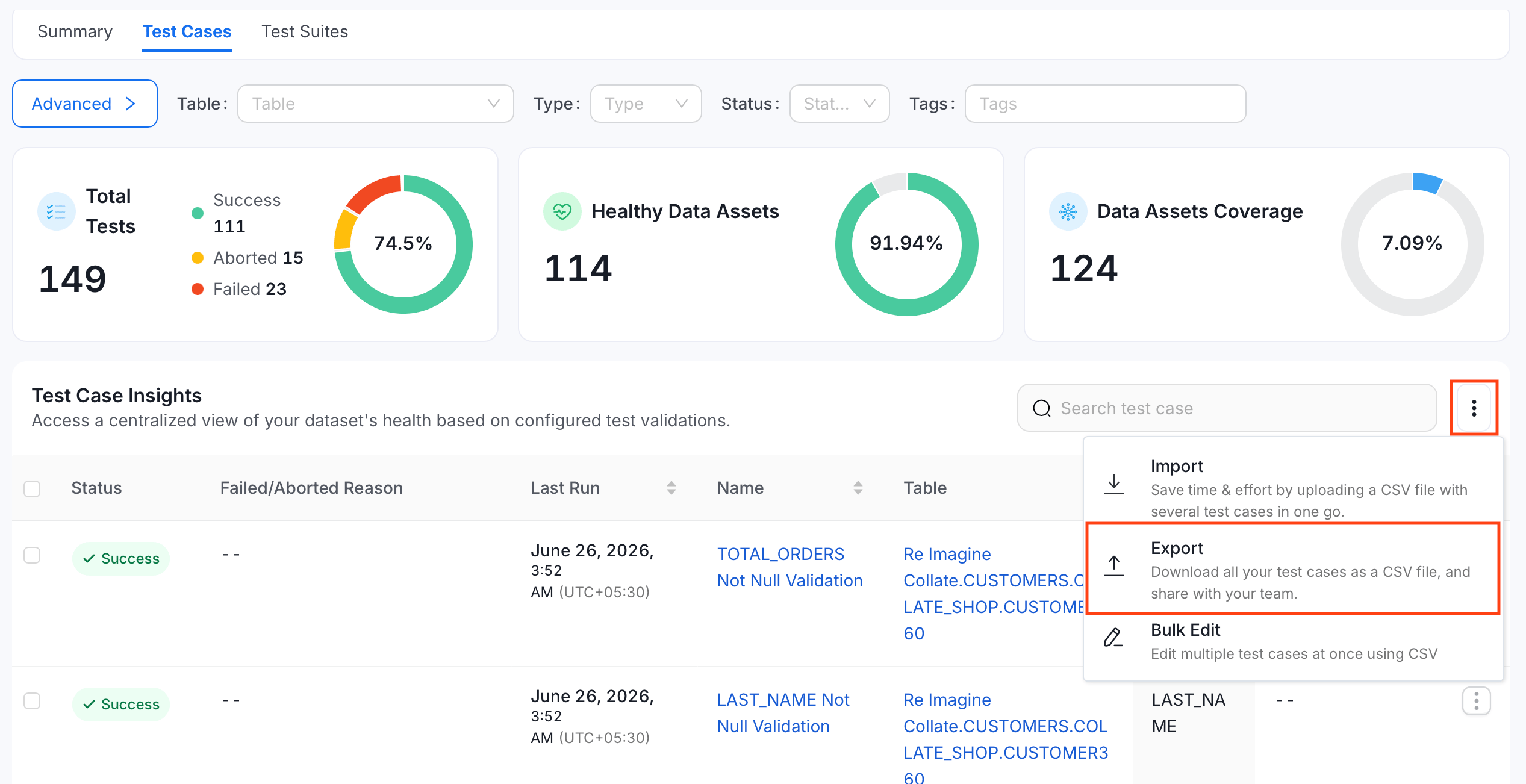
- Repeat steps 5 to 6 from Bulk Export Test Cases for a Table.
Filters and Search
Export respects the filters and search text active on the list you open it from, so only matching test cases are exported. To export everything in scope, clear the filters first. The filters that apply depend on where you start the export:- Data Quality > Test Cases: status, type, table, tags, tier, platform, service, dimension, data product, last-run window, and search.
- A table’s Data Quality tab: test type, status, and search.
- A test suite page: the filters available on that page.
Export Using API
You can also export test cases using the API with the following endpoints:GET /api/v1/dataQuality/testCases/name/{name}/export
GET /api/v1/dataQuality/testCases/name/{name}/exportAsync
Replace {name} with the Fully Qualified Name (FQN) of the table or test suite you’re exporting from, or with * to export every test case in the instance. The exportAsync endpoint runs the export as a background job and is what the UI uses. The export endpoint returns the CSV synchronously.
Both endpoints also accept optional query parameters to filter and page the export, such as testCaseStatus, testCaseType, entityFQN, entityLink, tags, tier, owner, q, testPlatforms, dataQualityDimension, serviceName, dataProductFqn, startTimestamp, endTimestamp, limit, and offset. With no parameters, the export covers every test case in scope. For details, see the Export Test Cases API reference.