
How to Create an Announcement
To add an announcement, follow these steps:- Navigate to Explore and the relevant Data Asset section to select a specific asset.
-
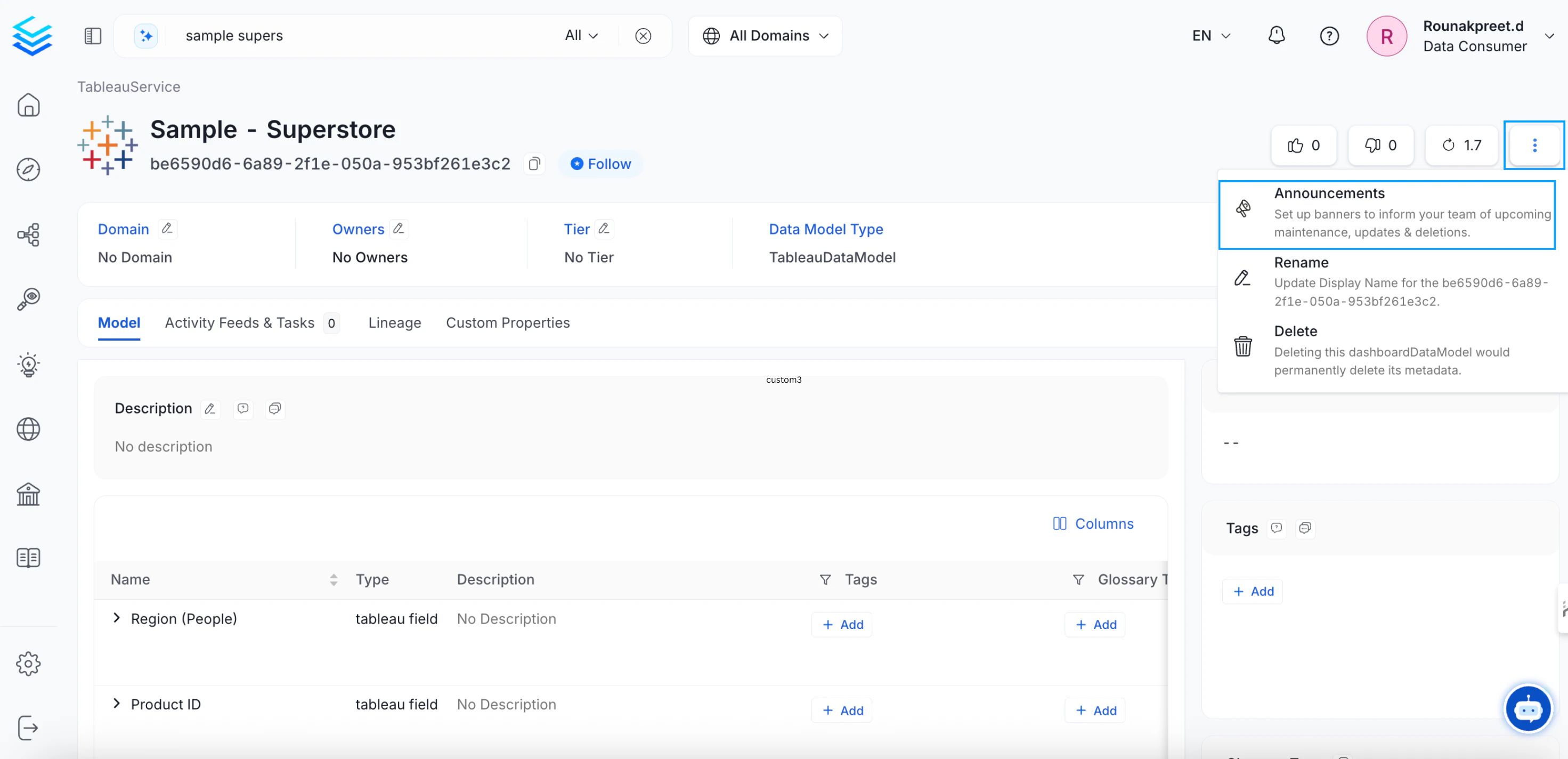
Click on the vertical ellipsis icon ⋮ located on the top right and select Announcements.
-
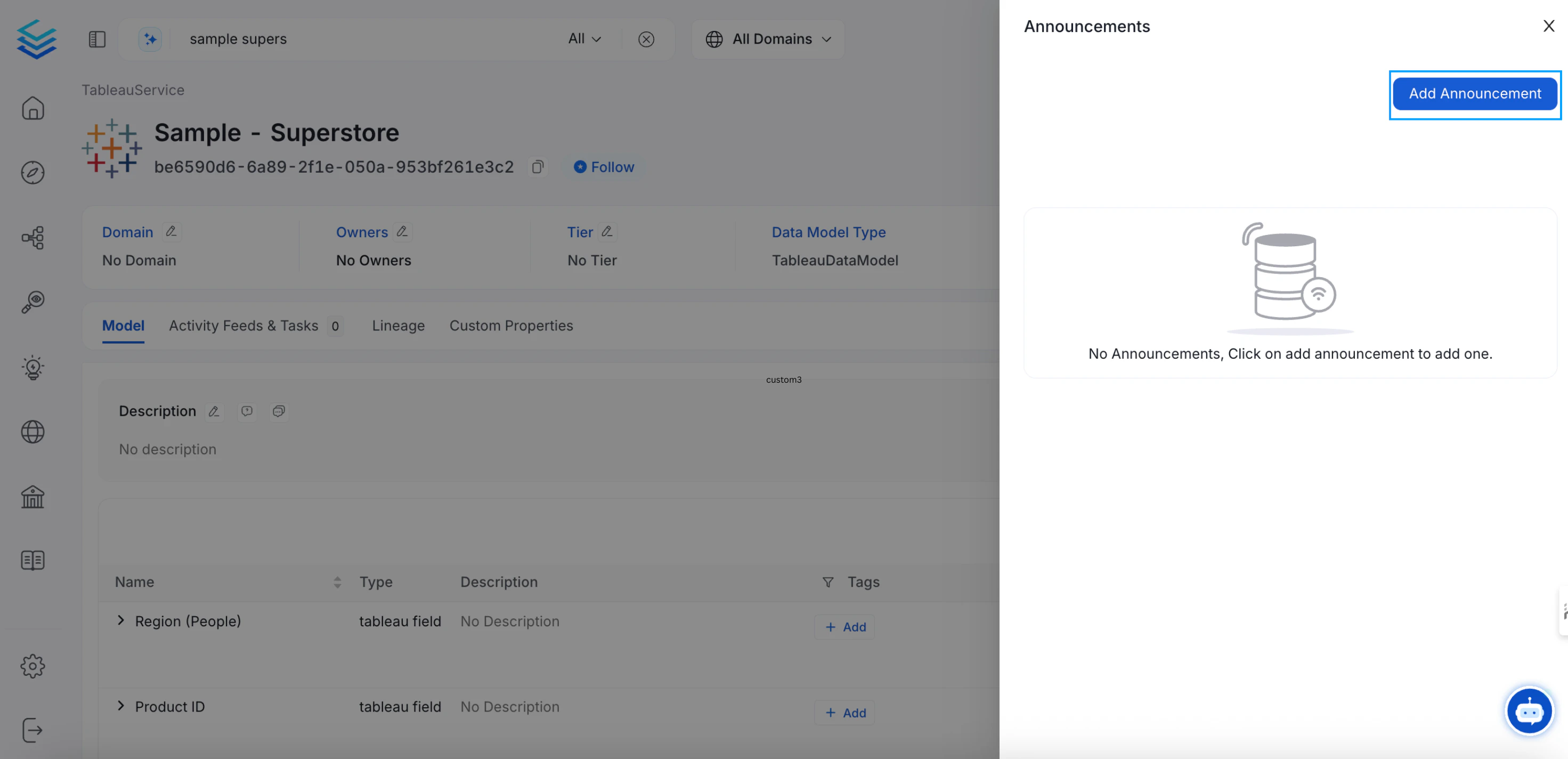
Click on Add Announcement.
-
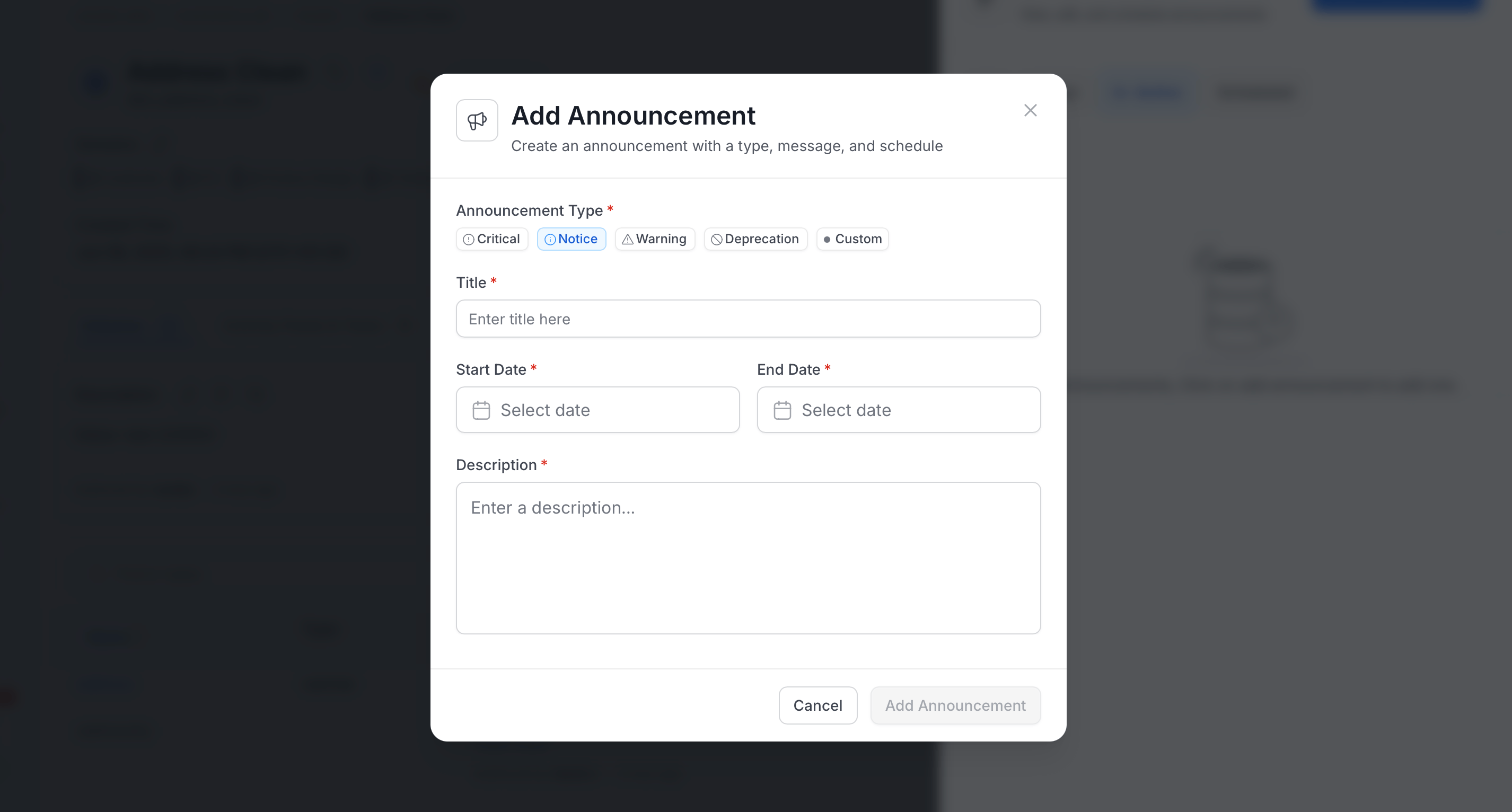
Enter the following information and click Submit:
- Announcement Type: Notice (default), Critical, Warning, Deprecation, or Custom. For Custom, also enter a Custom Name (up to 64 characters) and select a Color.
- Title: Title of the announcement.
- Start Date: Date the announcement starts displaying.
- End Date: Date the announcement stops displaying.
- Description: Details about the upcoming change.
Data Asset Versioning
Review all the major and minor changes with version history