
Ontology Studio
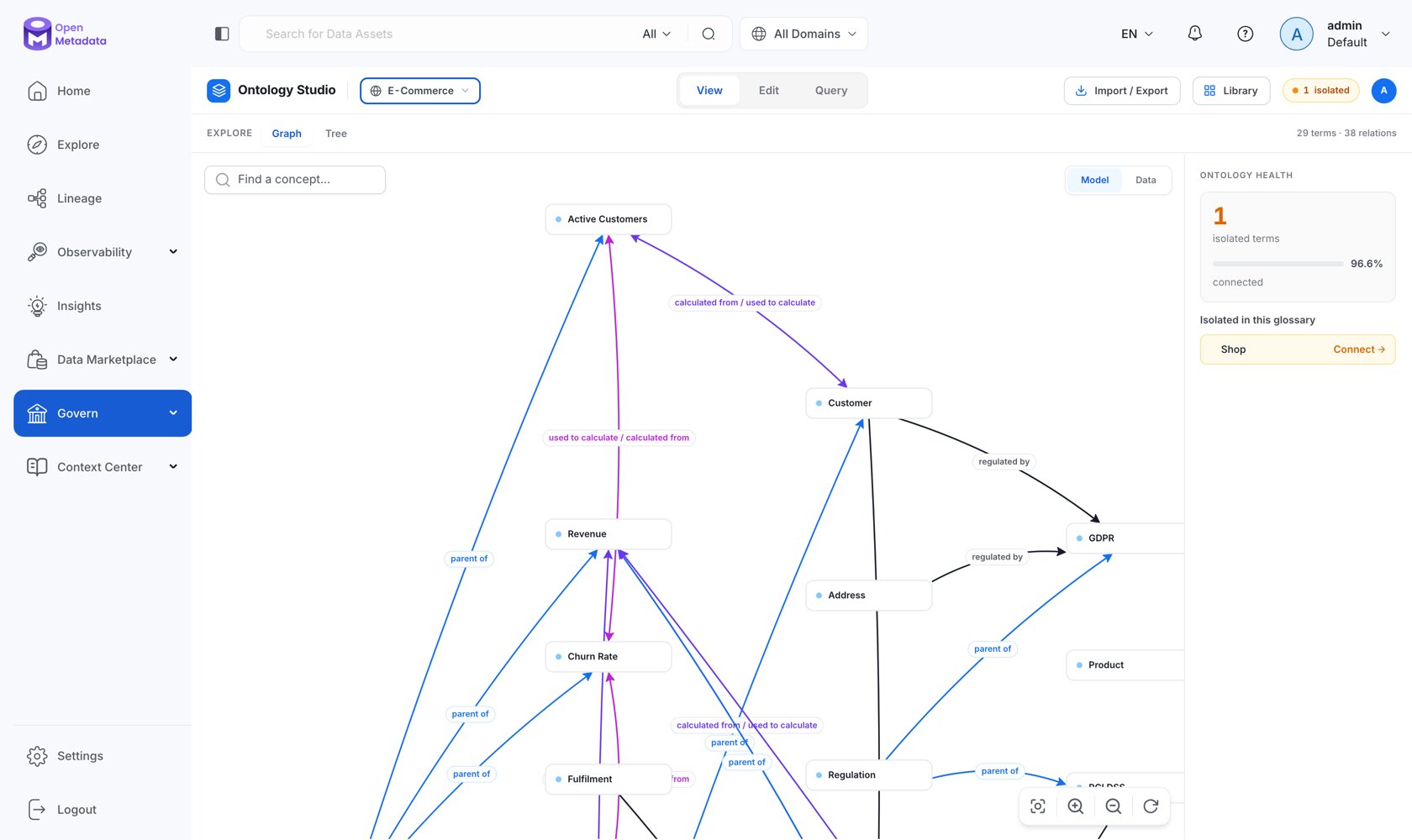
Ontology Studio is the workspace where your glossary stops being a list and becomes a model. It is one page with four modes — View, Edit, Query, and AI — over the same graph, so you never lose your place moving between reading the model, changing it, and interrogating it. Open it from Govern → Ontology Studio in the left navigation, or go directly to/governance/ontology.
The Shell
Every mode shares the same header:
Below the header, a sub-mode bar switches the surface within the current mode and shows a running
N terms · M relations count.
The Four Modes
View
Graph and Tree surfaces for reading the model — filters, health, search, export, and a details inspector for any concept or relation.
Edit
Graph authoring plus a Model workbench for IRIs, patterns, subsets, merges, and OWL constraints. Guarded by an editing lease.
Query
A SPARQL console with saved queries and shared templates, and a Visual builder for people who would rather not write SPARQL.
AI
Propose relationships, external mappings, SPARQL, and whole domain drafts — always as a reviewable draft, never applied directly.
What Each Mode Needs
GET /api/v1/rdf/status is the single source of truth the UI uses for this gating. It returns enabled, storageType, inference, projectionState (DISABLED / READY / REBUILDING / DEGRADED), and askCollateEnabled.A First Pass Through the Studio
1
Pick a model
Choose a glossary in the header. Studio scopes graph, tree, authoring, and query to that model. Leave it on All glossaries to see cross-glossary relationships.
2
Read the health signal
Look at the isolated badge. Isolated concepts are terms nobody has connected to anything — they are definitions, not a model. Getting that number down is the work.
3
Explore the shape
Use View → Graph for structure and View → Tree for hierarchy. The tree flags both isolated terms and polyhierarchic ones (concepts with more than one parent), which are the usual sources of ambiguity.
4
Connect what matters
Switch to Edit → Graph, take the lease, and draw typed relations between concepts. Add attributes and external mappings in the inspector.
5
Ask a question
Switch to Query. Start from a shared template, or use the visual builder and click Edit as SPARQL to see the query it produced.
Where the Data Comes From
Ontology Studio reads from ordinary OpenMetadata APIs, which is why most of it works with the triple store switched off:
The full endpoint list is in the Ontology API reference.