
Upgrade OpenMetadata
In this guide, you will find all the necessary information to safely upgrade your OpenMetadata instance to 1.12.6.Prerequisites
Every time that you plan on upgrading OpenMetadata to a newer version, make sure to go over all these steps:Version Compatibility Matrix
Before upgrading your OpenMetadata instance, verify that the versions of the external services used in your deployment meet the minimum supported requirements. Upgrading OpenMetadata without compatible versions of these services may cause migration failures or runtime issues.Note:
If your current deployment uses versions lower than the minimum supported versions listed above, upgrade the respective services before proceeding with the OpenMetadata upgrade process.Backup your Metadata
Before upgrading your OpenMetadata version we strongly recommend backing up the metadata. The source of truth is stored in the underlying database (MySQL and Postgres supported). During each version upgrade there is a database migration process that needs to run. It will directly attack your database and update the shape of the data to the newest OpenMetadata release. It is important that we backup the data because if we face any unexpected issues during the upgrade process, you will be able to get back to the previous version without any loss. Since version 1.4.0, OpenMetadata encourages using the builtin-tools for creating logical backups of the metadata: For PROD deployment we recommend users to rely on cloud services for their databases, be it AWS RDS, Azure SQL or GCP Cloud SQL. If you’re a user of these services, you can leverage their backup capabilities directly: You can refer to the following guide to get more details about the backup and restore:Backup Metadata
Learn how to back up MySQL or Postgres data.
Understanding the “Running” State in OpenMetadata
In OpenMetadata, the “Running” state indicates that the OpenMetadata server has received a response from Airflow confirming that a workflow is in progress. However, if Airflow unexpectedly stops or crashes before it can send a failure status update through the Failure Callback, OpenMetadata remains unaware of the workflow’s actual state. As a result, the workflow may appear to be stuck in “Running” even though it is no longer executing. This situation can also occur during an OpenMetadata upgrade. If an ingestion pipeline was running at the time of the upgrade and the process caused Airflow to shut down, OpenMetadata would not receive any further updates from Airflow. Consequently, the pipeline status remains “Running” indefinitely.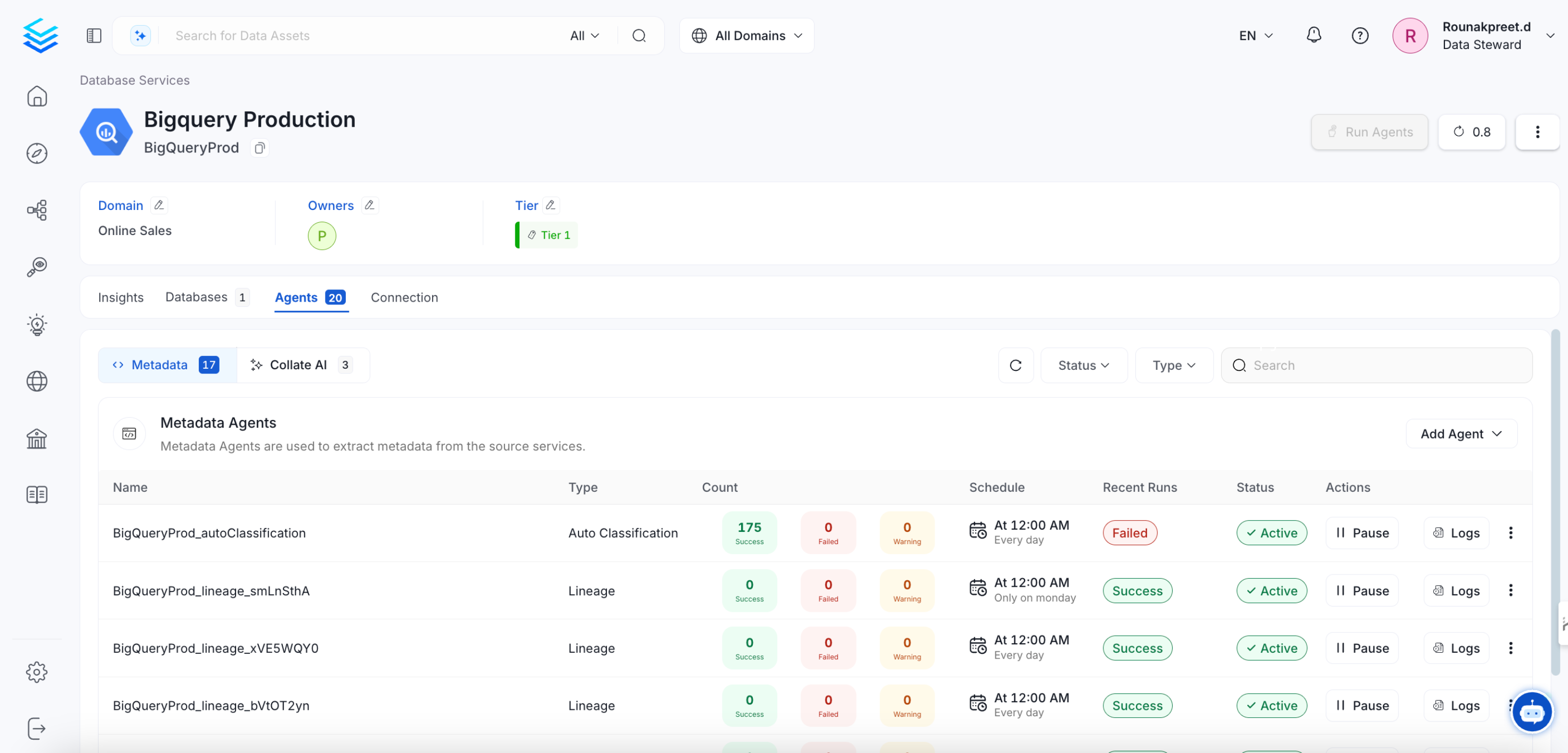
Expected Steps to Resolve
To resolve this issue:- Ensure that Airflow is restarted properly after an unexpected shutdown.
- Manually update the pipeline status if necessary.
- Check Airflow logs to verify if the DAG execution was interrupted.
Update sort_buffer_size (MySQL) or work_mem (Postgres)
Before running the migrations, it is important to update these parameters to ensure there are no runtime errors.
A safe value would be setting them to 20MB.
If using MySQL
You can update it via SQL (note that it will reset after the server restarts):
my.ini or my.cnf files with sort_buffer_size = 20971520.
If using RDS, you will need to update your instance’s Parameter Group
to include the above change.
If using Postgres
You can update it via SQL (not that it will reset after the server restarts):
postgresql.conf file
with work_mem = 20MB.
If using RDS, you will need to update your instance’s Parameter Group
to include the above change.
Note that this value would depend on the size of your query_entity table. If you still see Out of Sort Memory Errors
during the migration after bumping this value, you can increase them further.
After the migration is finished, you can revert this changes.
Enable pg_trgm Extension (Azure PostgreSQL Flexible Server)
Resolution Steps:
- Allow the extension - Go to Azure Portal → PostgreSQL Flexible Server → Server Parameters → Search for
azure.extensions→ Addpg_trgm(comma-separated if other extensions exist) - Restart the PostgreSQL server for changes to take effect
- Create the extension by running:
- Proceed with the migration
Upgrade your installation
Once your metadata is safe, follow the required upgrade instructions based on your environment:Upgrade a Kubernetes Deployment
Upgrade your Kubernetes installation
Upgrade a Docker Deployment
Upgrade your Docker installation
Upgrade a Bare Metal Deployment
Upgrade your Bare Metal installation
Post-Upgrade Steps
Reindex
With UI
Go toSettings -> Applications -> Search Indexing
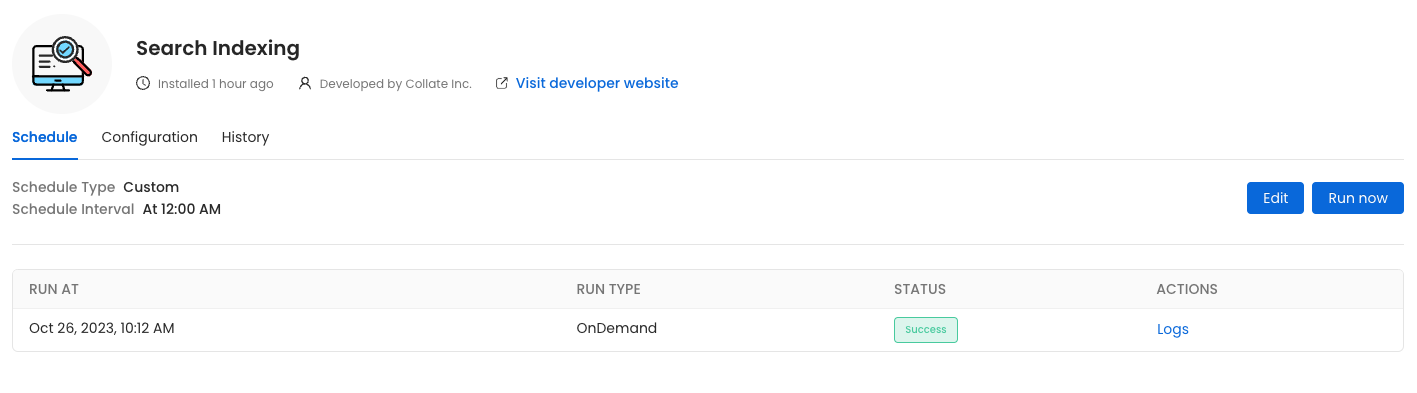
Run Now, ensure that the Recreate Indexes option is enabled to allow rebuilding the indexes as needed.
In the configuration section, you can select the entities you want to reindex.
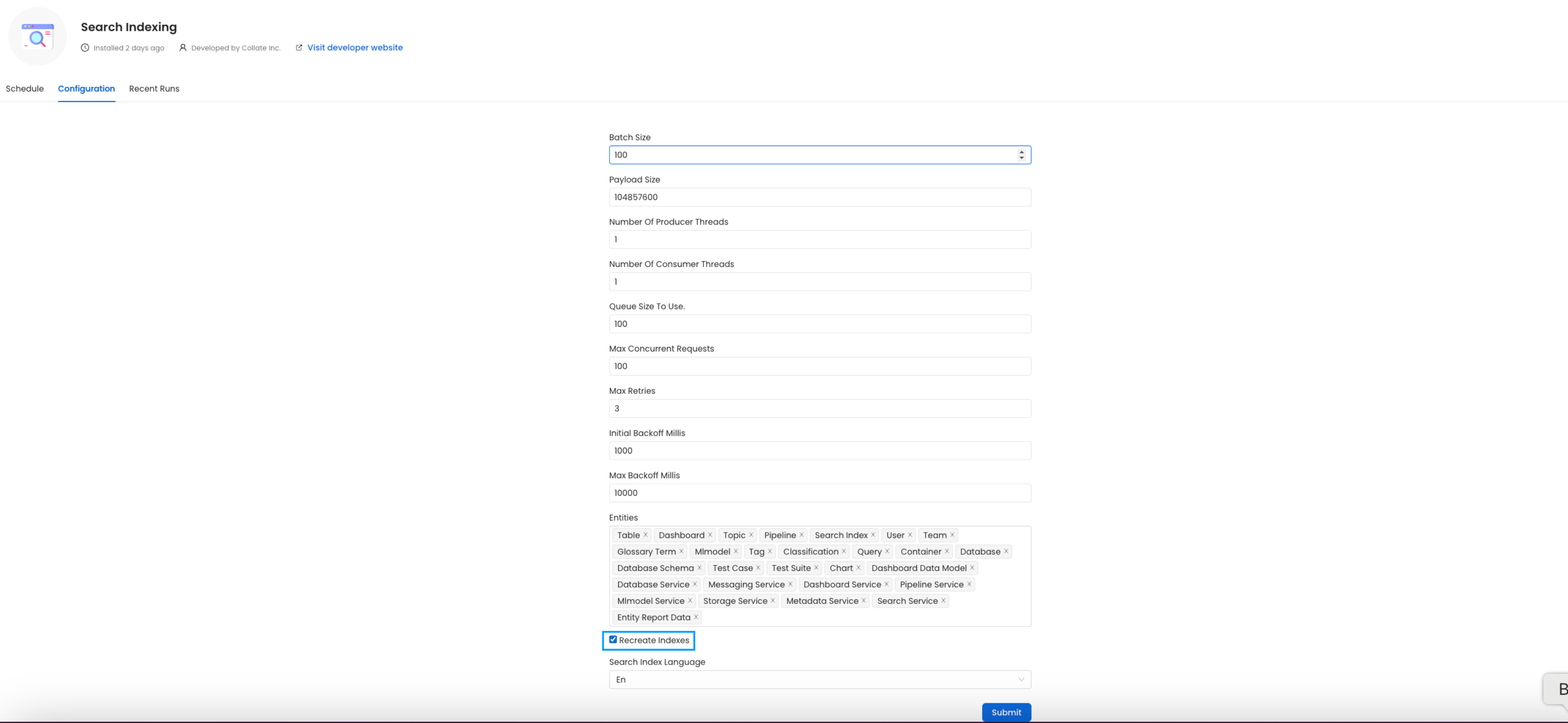
All the entities.
(Optional) Update your OpenMetadata Ingestion Client
If you are running the ingestion workflows externally or using a custom Airflow installation, you need to make sure that the Python Client you use is aligned with the OpenMetadata server version. For example, if you are upgrading the server to the versionx.y.z, you will need to update your client with
With Kubernetes
Follow these steps to reindex using the CLI:- List the CronJobs Use the following command to check the available CronJobs:
- Create a Job from a CronJob Create a one-time job from an existing CronJob using the following command:
- Check the Job Status Verify the status of the created job with:
- view logs To view the logs use the below command.
plugin parameter is a list of the sources that we want to ingest. An example would look like this openmetadata-ingestion[mysql,snowflake,s3]==1.2.0.
You will find specific instructions for each connector in the Connectors section.
Moreover, if working with your own Airflow deployment - not the openmetadata-ingestion image - you will need to upgrade
as well the openmetadata-managed-apis version:
Re Deploy Ingestion Pipelines
With UI
Go toSettings -> {Services} -> {Databases} -> Pipelines
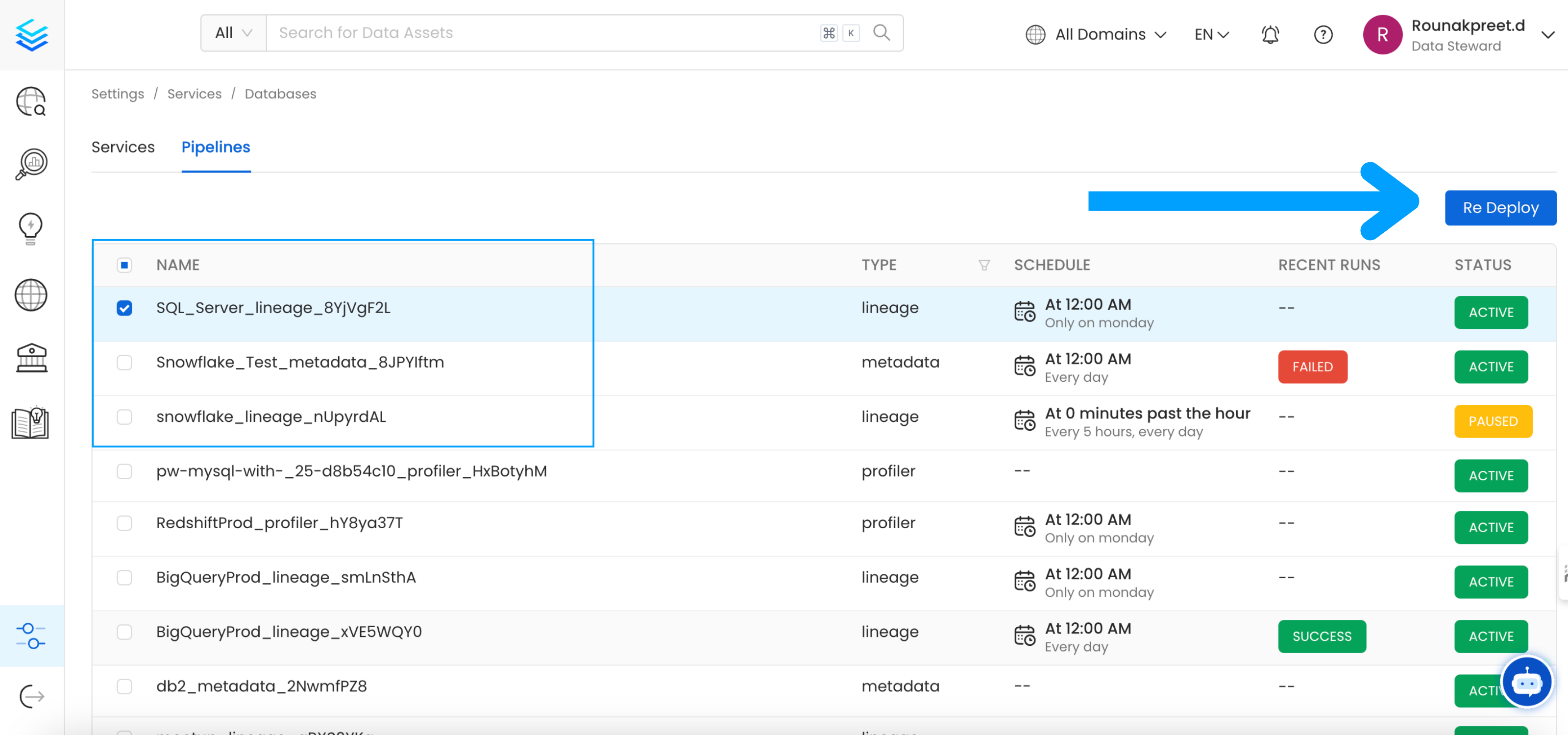
Re Deploy.
With Kubernetes
Follow these steps to deploy pipelines using the CLI:- List the CronJobs Use the following command to check the available CronJobs:
- Create a Job from a CronJob Create a one-time job from an existing CronJob using the following command:
- Check the Job Status Verify the status of the created job with:
- view logs To view the logs use the below command.
Openmetadata-ops Script
Overview
Theopenmetadata-ops script is designed to manage and migrate databases and search indexes, reindex existing data into Elastic Search or OpenSearch, and redeploy service pipelines.
Usage
Commands
- analyze-tables
- changelog
- check-connection
- deploy-pipelines
- drop-create
- info
- migrate
- migrate-secrets
- reindex
- repair
- validate