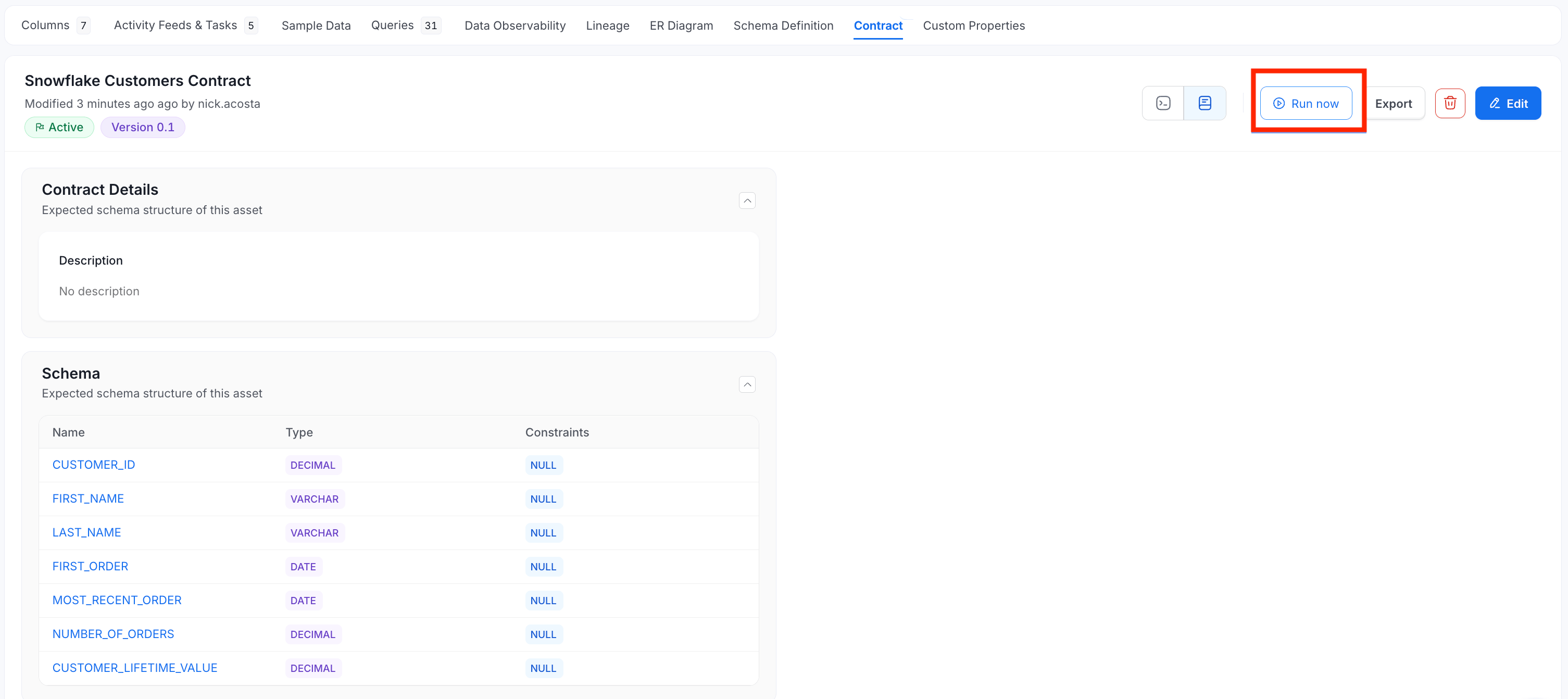
Create Data Contract
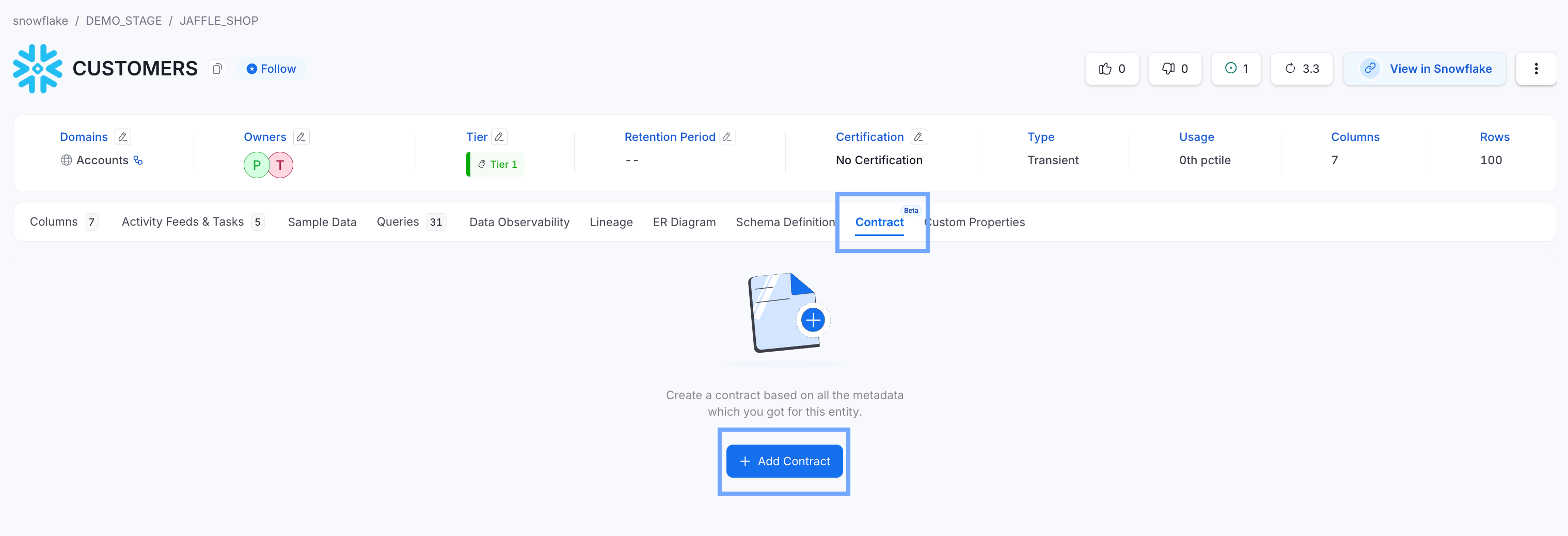
Data contracts are currently available for tables ingested into OpenMetadata. The following guide shows how a data contract was created for a snowflake.DEMO_STAGE.JAFFLE_SHOP.CUSTOMERS table. To create a Data Contract for a table in OpenMetadata:- On the table’s page, click Contract.
-
Click + Add Contract.
-
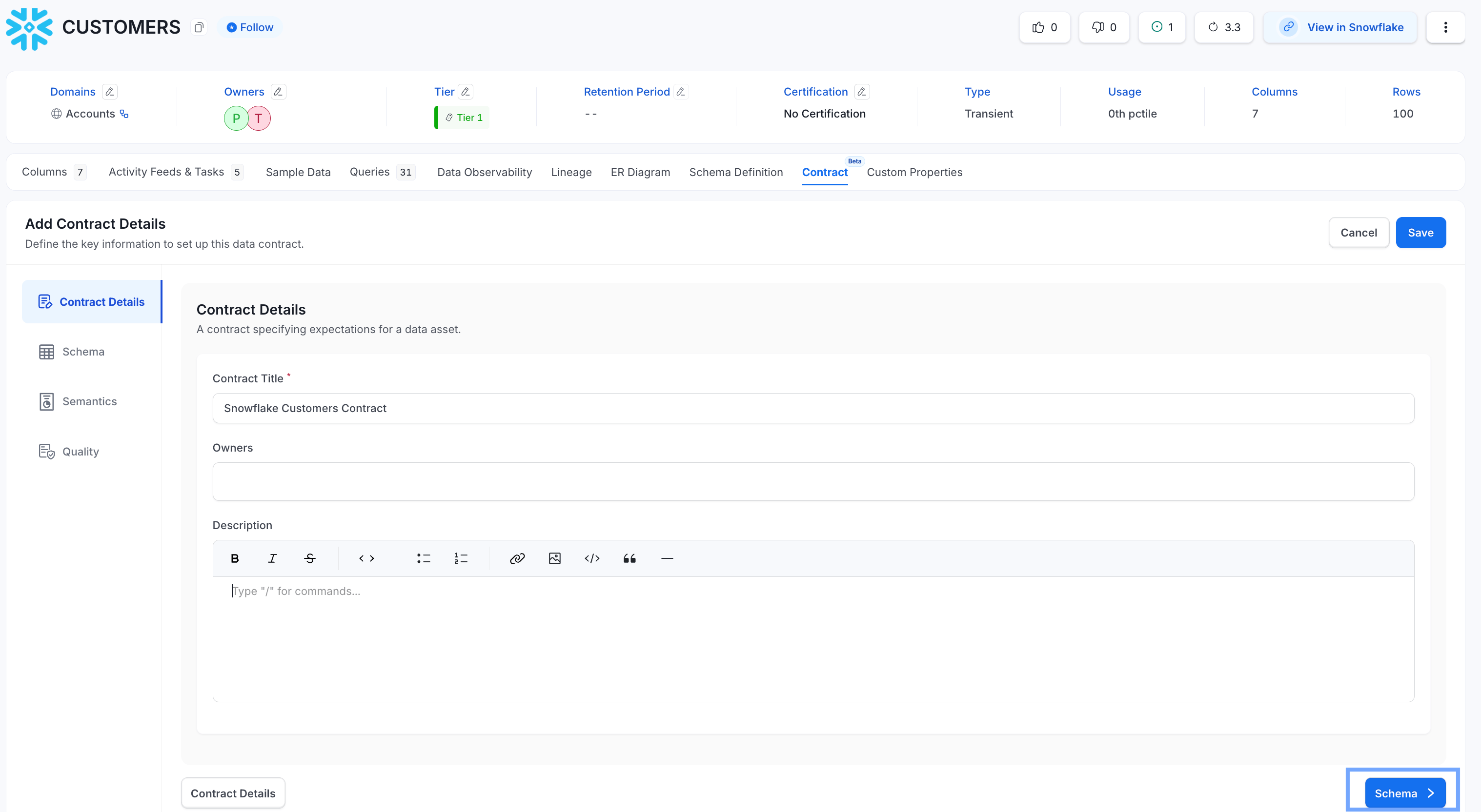
On the Contract Details tab, do the following:
- Enter a name for the data contract.
- Optional: Add Owners and a Description.
-
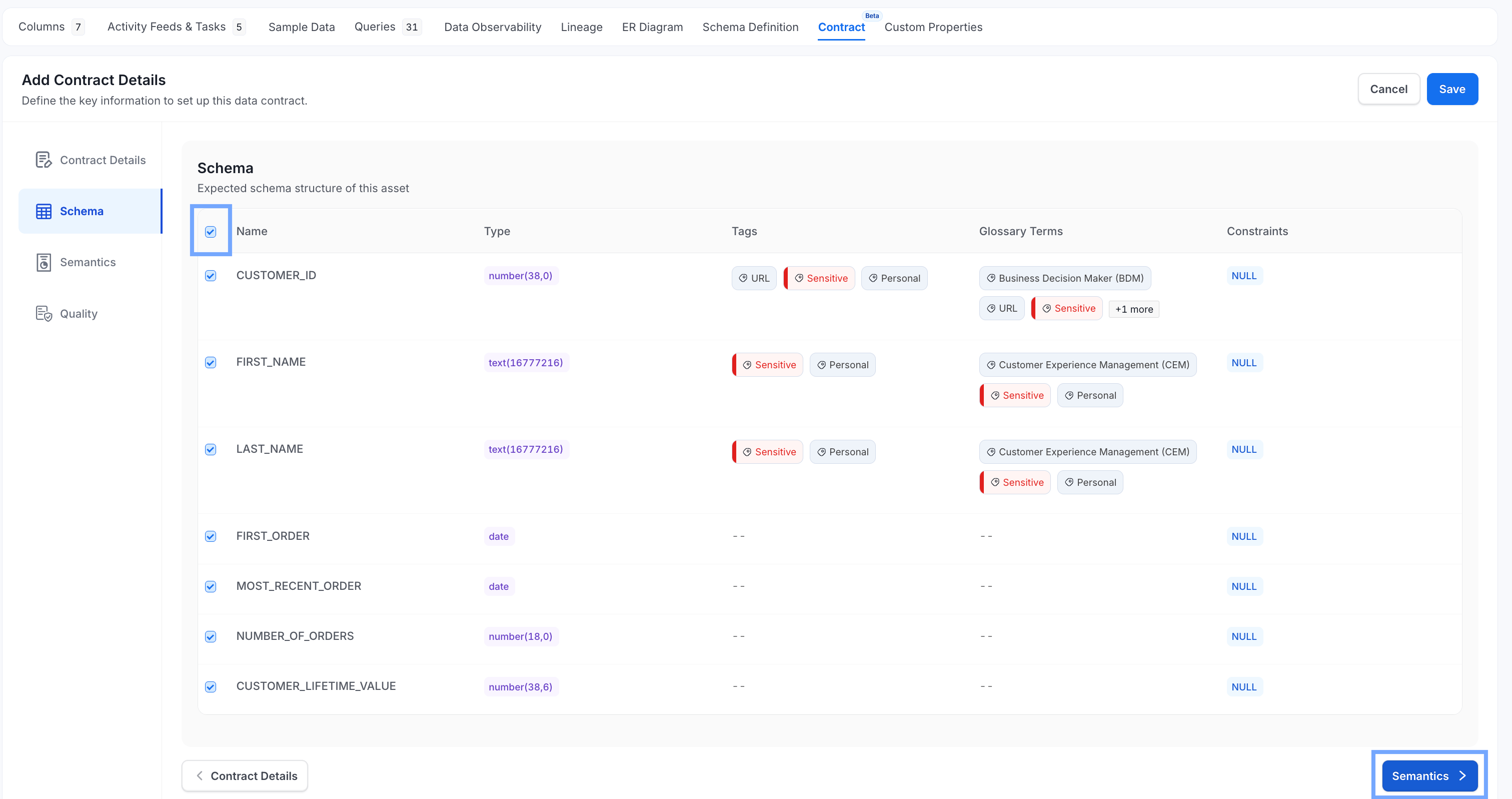
On the Schema tab, select the columns of the table to add to the data contract, or select all columns with the checkbox at the top right.
-
On the Semantics tab, add the business rules to enforce. For tables, rules can be created for:
- Identity fields: Service, Owners, Display Name, Name
- Classification fields: Description, Tags, Domain, Data Product, Tier
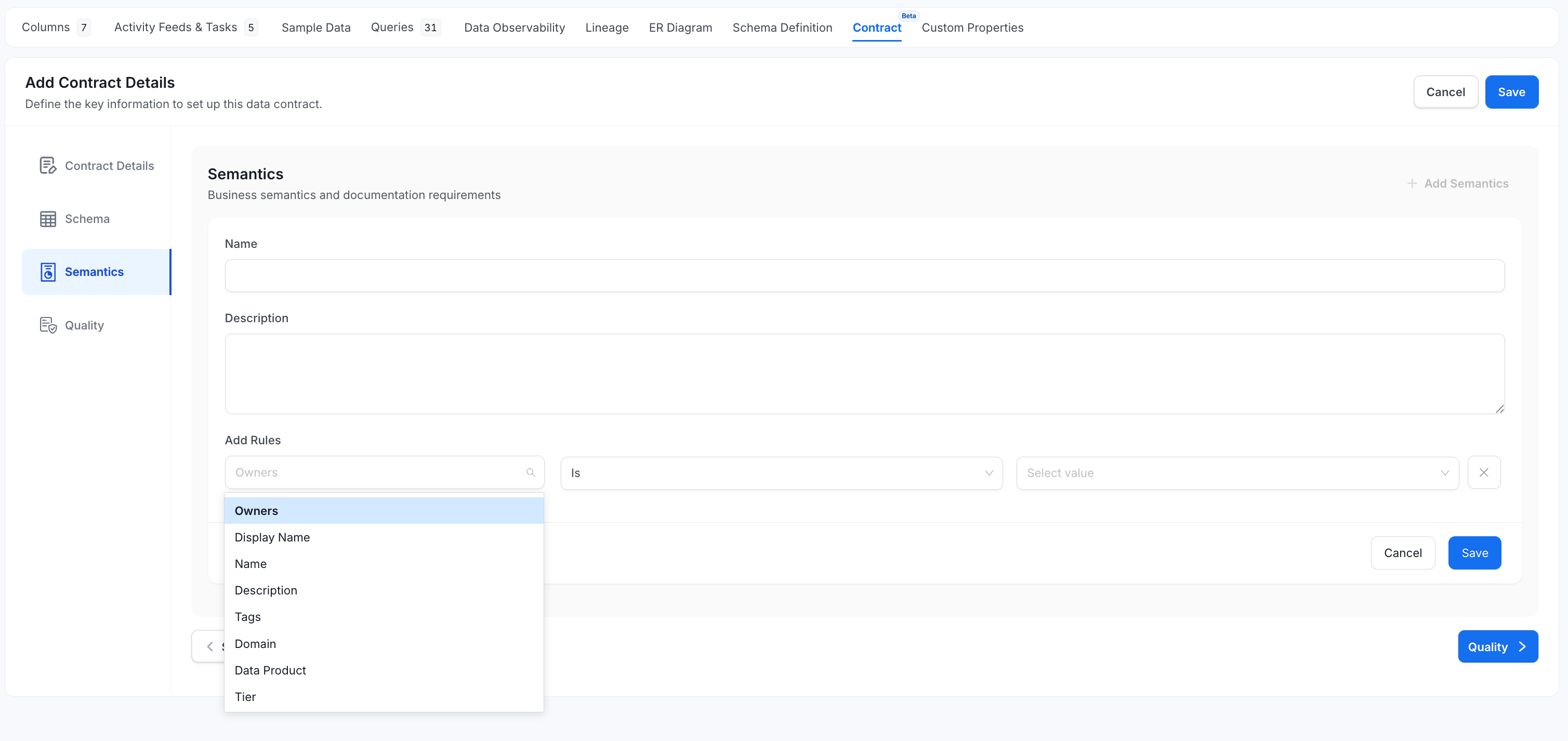
-
Optional: Click + Add New Rule to create more rules.
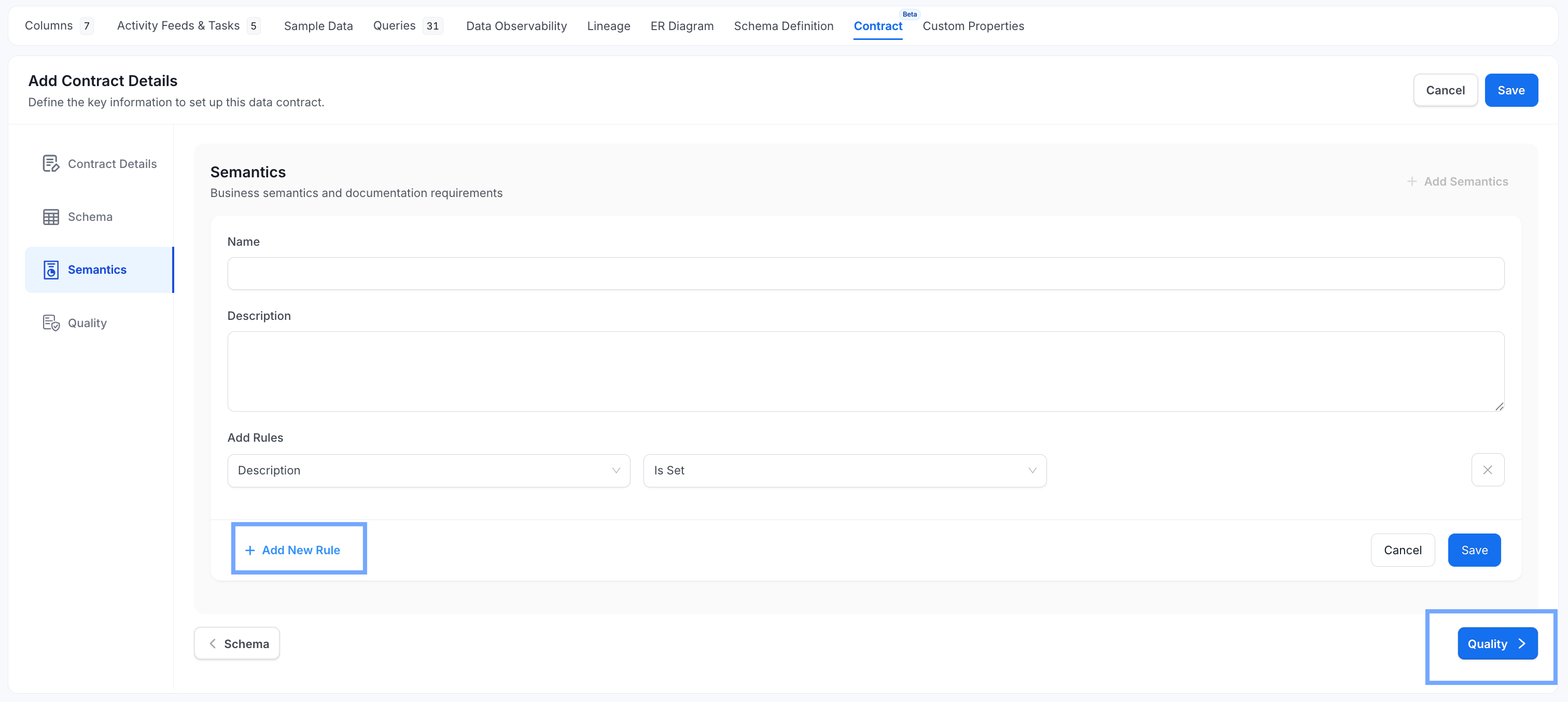
-
On the Quality tab, click + Add Test to add a Data Quality Test or tests to the contract.
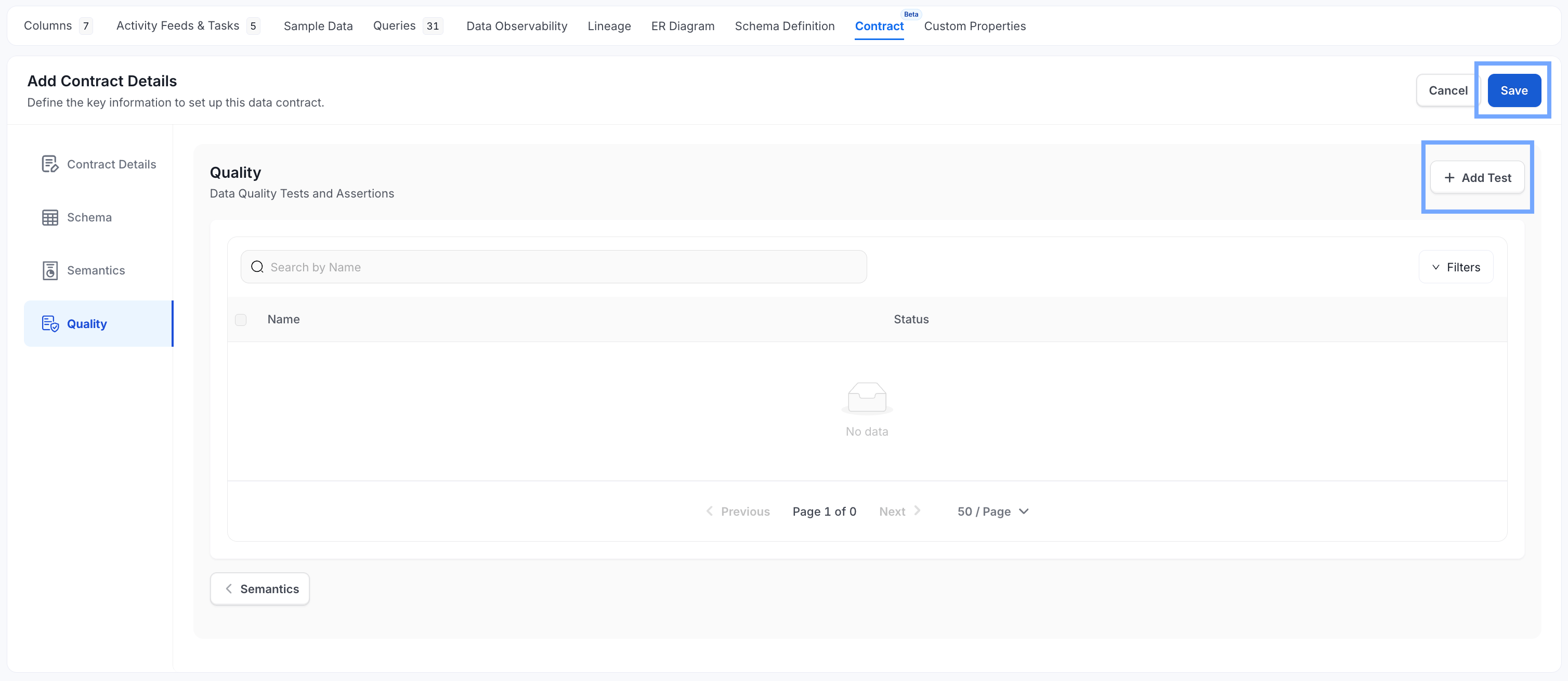
- Click Save.
-
To run the new contract, open the actions menu and select Run now.