
Airflow REST API Connection
The REST API connection communicates with the Airflow web server over HTTP/HTTPS. It does not require direct access to Airflow’s underlying metadata database, making it the right choice for managed Airflow deployments (Astronomer, Cloud Composer, MWAA) or any setup where direct database access is unavailable or undesirable.What the REST API connection captures
- DAG topology and task structure
- Pipeline schedules and run statuses
- DAG owners and tags
- Pipeline status history (configurable look-back window)
Supported Deployments
Common Parameters
These parameters apply regardless of which authentication method you select.Host and Port — Format by Deployment
Authentication Methods
1. Basic Auth
Best for: Self-hosted Airflow. Basic Auth uses a username and password to authenticate against the Airflow web server. OpenMetadata automatically exchanges the credentials for a short-lived JWT viaPOST /auth/token, which is then sent as Authorization: Bearer <token> on all subsequent requests.
Required Parameters
Connection Configuration (YAML)
Required Airflow Permissions
Create a dedicated Airflow user with the Viewer role. The user needs read access to DAGs, DAG runs, task instances, task logs, event logs, and configuration. No write permissions are required.UI Setup
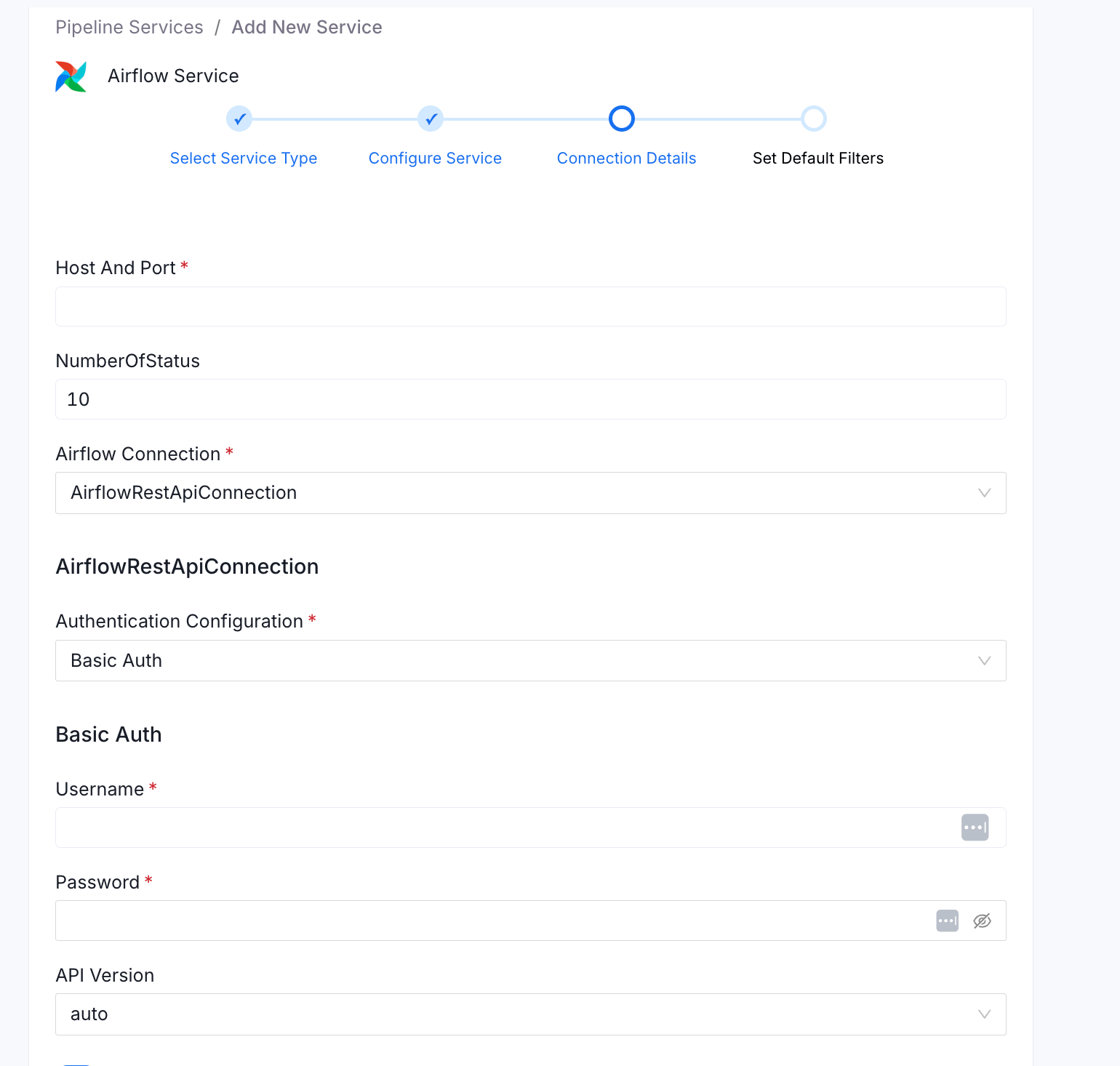
OpenLineage Setup — Basic Auth
Configure the namespace and HTTP transport inairflow.cfg:
OpenLineageClient in the task body.
2. Access Token
Best for: Astronomer, or any Airflow deployment with a pre-generated bearer token. Access Token auth sends a static bearer token on every request asAuthorization: Bearer <token>. Use this when you have generated a long-lived deployment API token in Astronomer, or when your Airflow instance exposes token-based authentication.
Required Parameters
Connection Configuration (YAML)
UI Setup
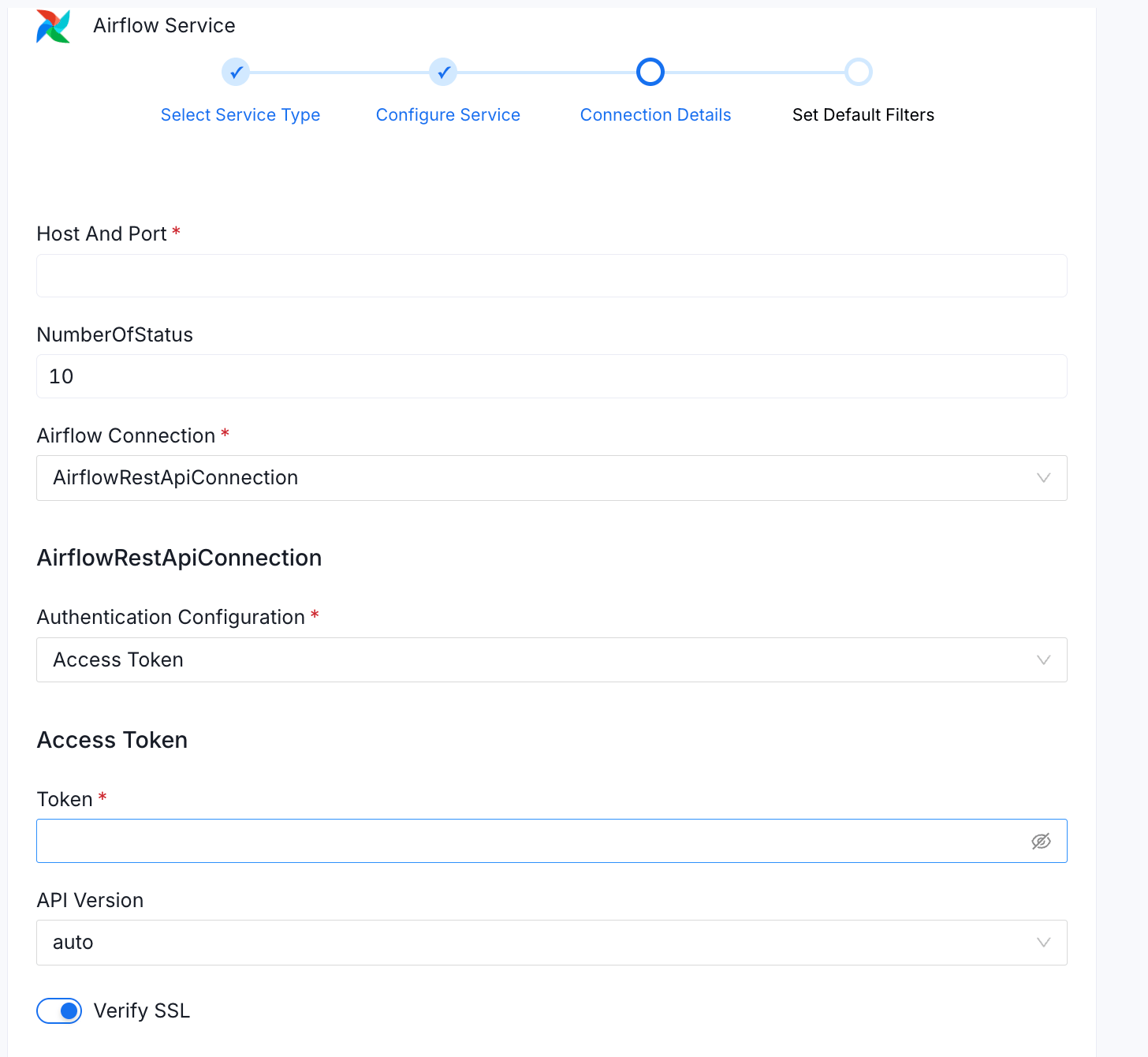
Required Permissions
Astronomer: The Deployment API token must have at least Viewer access to the deployment. In the Astronomer UI, when creating a token, assign it theViewer deployment role. This grants read access to DAGs, runs, and task instances via the Airflow REST API.
Generating an Astronomer Deployment API Token
1
Navigate to Deployments
Open the Astronomer UI and navigate to Deployments.
2
Select your deployment
Select your target deployment.
3
Open API Keys / Tokens
Go to API Keys or Tokens (label varies by Astronomer version).
4
Generate Token
Click Add API Key / Generate Token, give it a name such as
openmetadata-ingestion, assign it the Viewer role, and copy the value.5
Paste into OpenMetadata
Paste it into the Token field in OpenMetadata.
Astronomer deployment API tokens are scoped to a single deployment. If you ingest from multiple Astronomer deployments, create one token per deployment and one OpenMetadata Airflow service per deployment.
Generating a Token for Self-Hosted Airflow
Exchange credentials for a JWT via the Airflow REST API:OpenLineage Setup — Astronomer (Access Token)
apache-airflow-providers-openlineage is included in Astronomer’s base Airflow image — no extra package installation is needed.
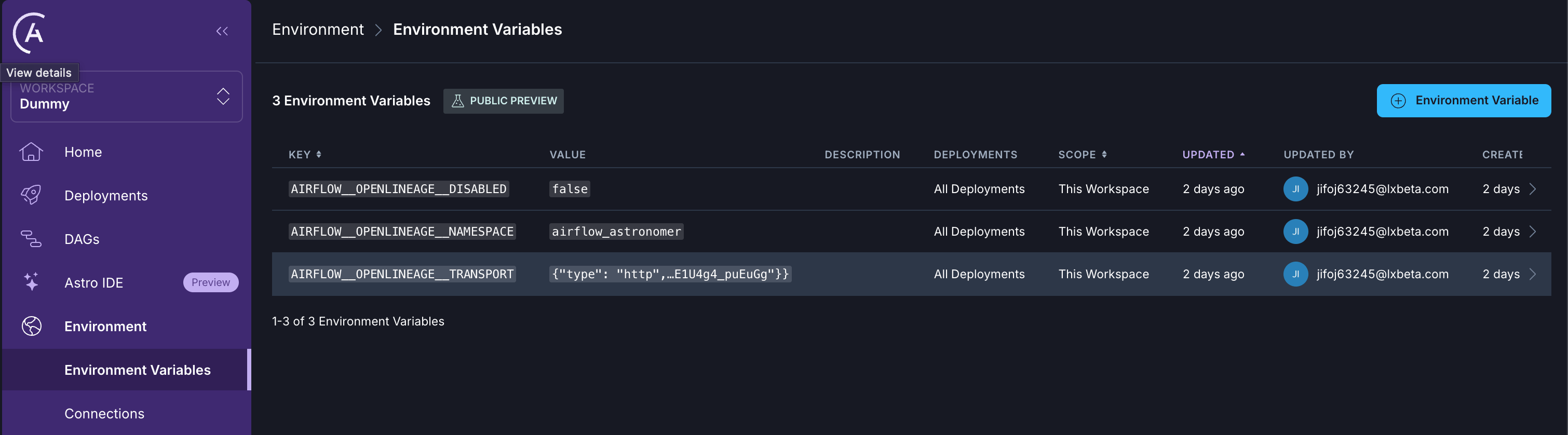
Set the namespace and transport via Astronomer environment variables (Deployments → Environment Variables). Mark the transport variable as Secret since it contains your OpenMetadata JWT:
3. GCP Service Account (Google Cloud Composer)
Best for: Google Cloud Composer environments. This method uses a GCP service account to obtain short-lived OAuth2 tokens for authenticating with the Cloud Composer Airflow web server. Tokens are automatically refreshed at runtime viagoogle-auth, so ingestion runs are never interrupted by token expiry.
Required Parameters
Credential Sub-Types
Connection Configuration — GCP Credentials Values (YAML)
Connection Configuration — GCP Credentials Path (YAML)
Connection Configuration — Application Default Credentials (YAML)
UI Setup
The screenshot below shows GCP Credentials Values selected. The same form is used for all four credential sub-types — switching the GCP Credentials Configuration dropdown reveals the relevant fields for each type.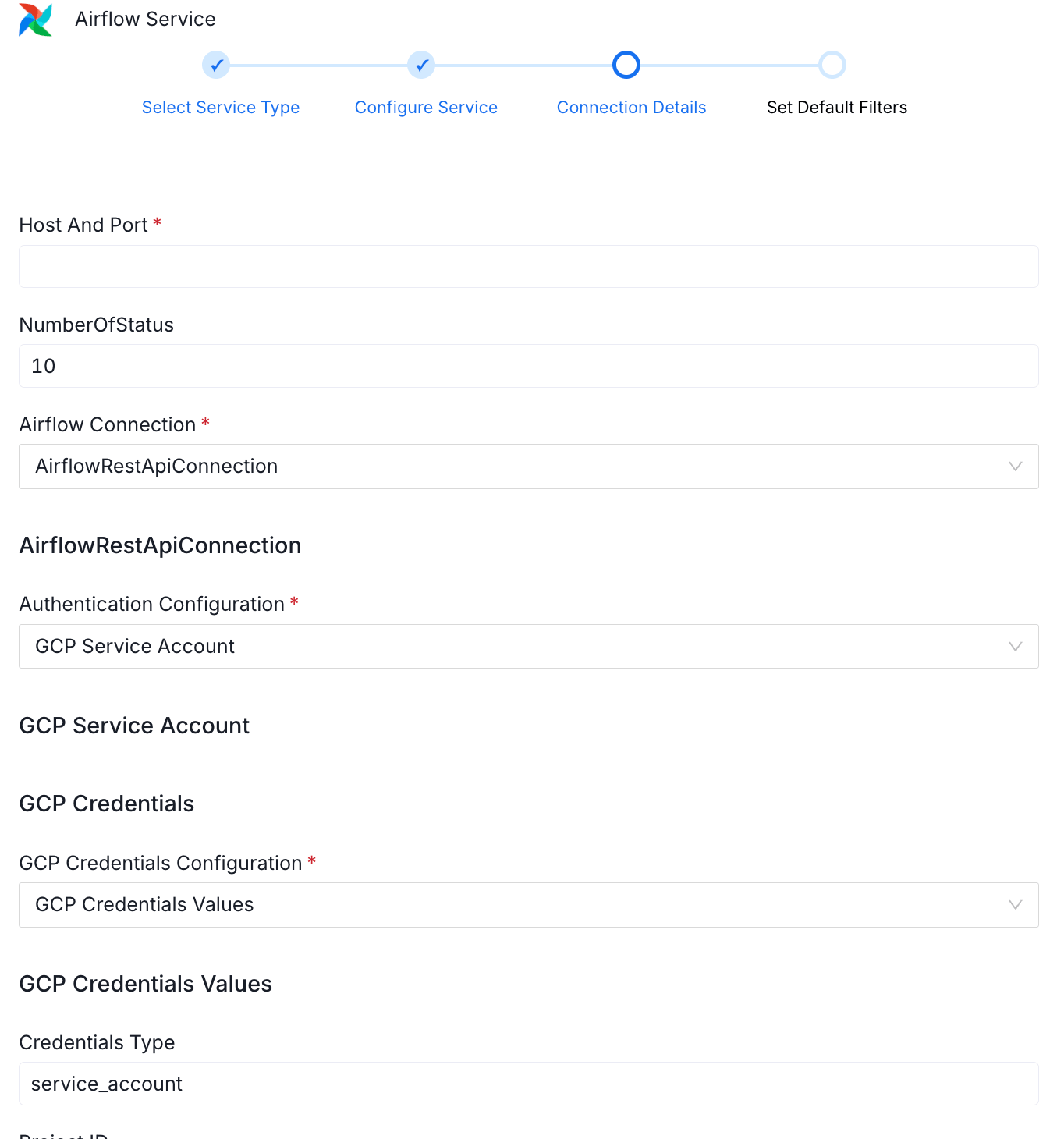
Finding Your Cloud Composer Airflow URL
In GCP Console: Composer → Environments → select your environment → click Open Airflow UI. Copy the base URL:Required Permissions
The service account must have read access to DAGs, DAG runs, task instances, and task logs in the Composer environment.OpenLineage Setup — GCP / Cloud Composer
apache-airflow-providers-openlineage ships with Cloud Composer — no additional PyPI packages are needed.
In GCP Console, go to Composer → Environments → Edit → Airflow configuration overrides and add the following entries:
The
lineage.backend = dataplex entry routes Airflow’s native lineage through GCP Data Lineage (Dataplex), while the openlineage.* entries send OpenLineage events to OpenMetadata. Both can be active simultaneously.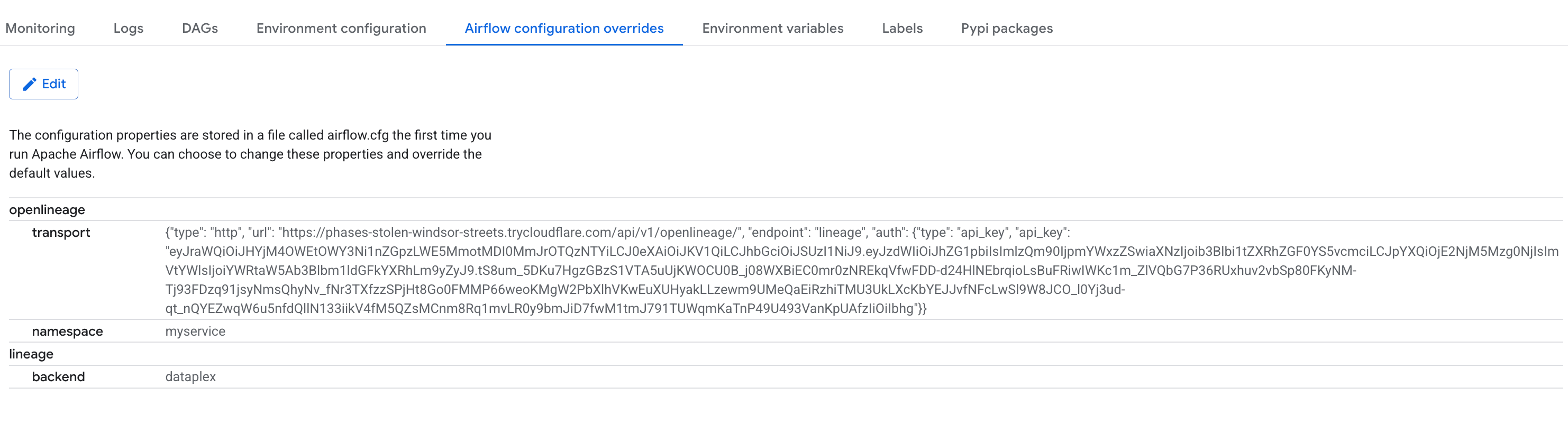
4. MWAA Configuration (Amazon Managed Workflows for Apache Airflow)
Best for: Amazon MWAA environments. MWAA does not expose the Airflow web server with simple username/password authentication. Instead, AWS generates a short-lived web login token via the MWAA control plane API. OpenMetadata uses your AWS credentials to callmwaa:CreateWebLoginToken, then uses that token to call the Airflow REST API.
Required Parameters
Connection Configuration — Static Credentials (YAML)
Connection Configuration — IAM Role / Instance Profile (YAML)
If ingestion runs on an EC2 instance, ECS task, or Lambda with an attached IAM role, omit the access key and secret:UI Setup
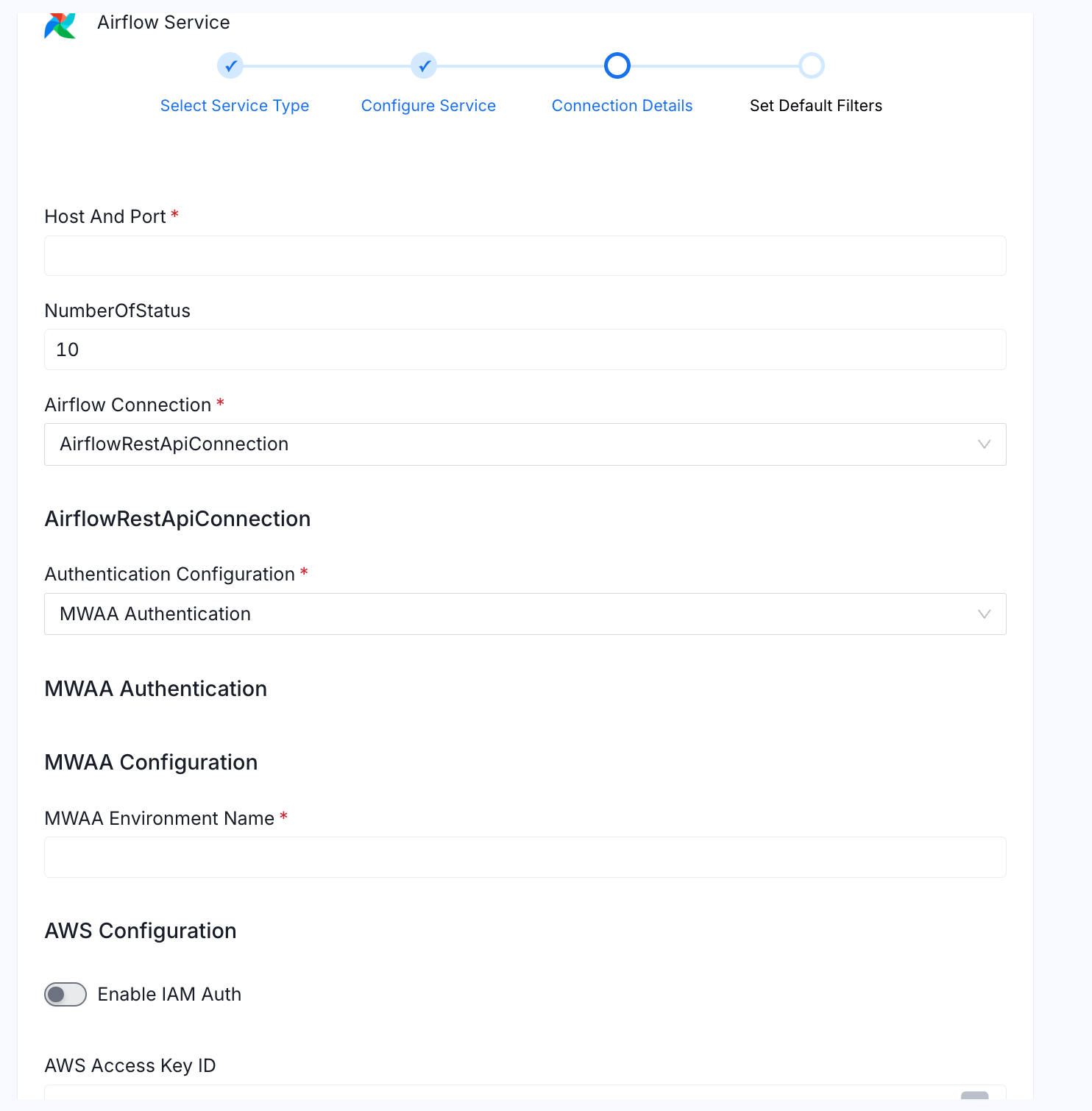
Finding Your MWAA Airflow URL
In AWS Console: Amazon MWAA → Environments → select your environment → copy the Airflow UI URL shown in the environment details panel. Use only the base URL — do not include any trailing path.Required Permissions
The IAM user or role must have access to DAGs, DAG runs, task instances, and task logs in the MWAA environment.API Version
TheapiVersion field controls which Airflow REST API version OpenMetadata targets:
Use
auto for new connections. Pin to v2 only if the auto-detection probe causes issues in your environment (e.g., strict WAF rules that reject the probe request).
SSL Verification
TheverifySSL flag (default true) controls whether OpenMetadata validates the Airflow server’s TLS certificate chain.
- Set to
truefor all production environments. - Set to
falseonly in local development when using self-signed certificates. Never disable SSL verification in production.
Pipeline Filter Pattern
UsepipelineFilterPattern to control which DAGs are ingested:
includes and excludes match a DAG ID, the DAG is included.
OpenLineage Setup Summary
Lineage configuration is independent of the REST API auth method. The OpenLineage provider sends events to OpenMetadata using a separate HTTP transport — the configuration is the same regardless of how OpenMetadata authenticates to Airflow for metadata extraction. OpenMetadata OpenLineage endpoint:POST /api/v1/openlineage/lineage
Once configured, every DAG task completion automatically emits an OpenLineage event to OpenMetadata, populating lineage edges between pipeline tasks and the data assets they read from and write to.
OpenLineage auto-instruments SQL-native operators (PostgreSQL, MySQL, Snowflake, BigQuery, etc.). For Python
@task operators, emit events explicitly using OpenLineageClient.from_environment() in the task body with the input and output datasets.