
How to Create a Personal Access Token
Personal Access Tokens (PATs) in OpenMetadata let you authenticate and interact with the OpenMetadata API securely. Follow the steps below to generate a new personal access token.Prerequisites
- You have a valid OpenMetadata user account.
- You have access to the OpenMetadata UI.
Steps to Create a Personal Access Token
-
Log in to the OpenMetadata UI
- Navigate to your OpenMetadata instance.
- Enter your credentials to log in.
-
Access your profile
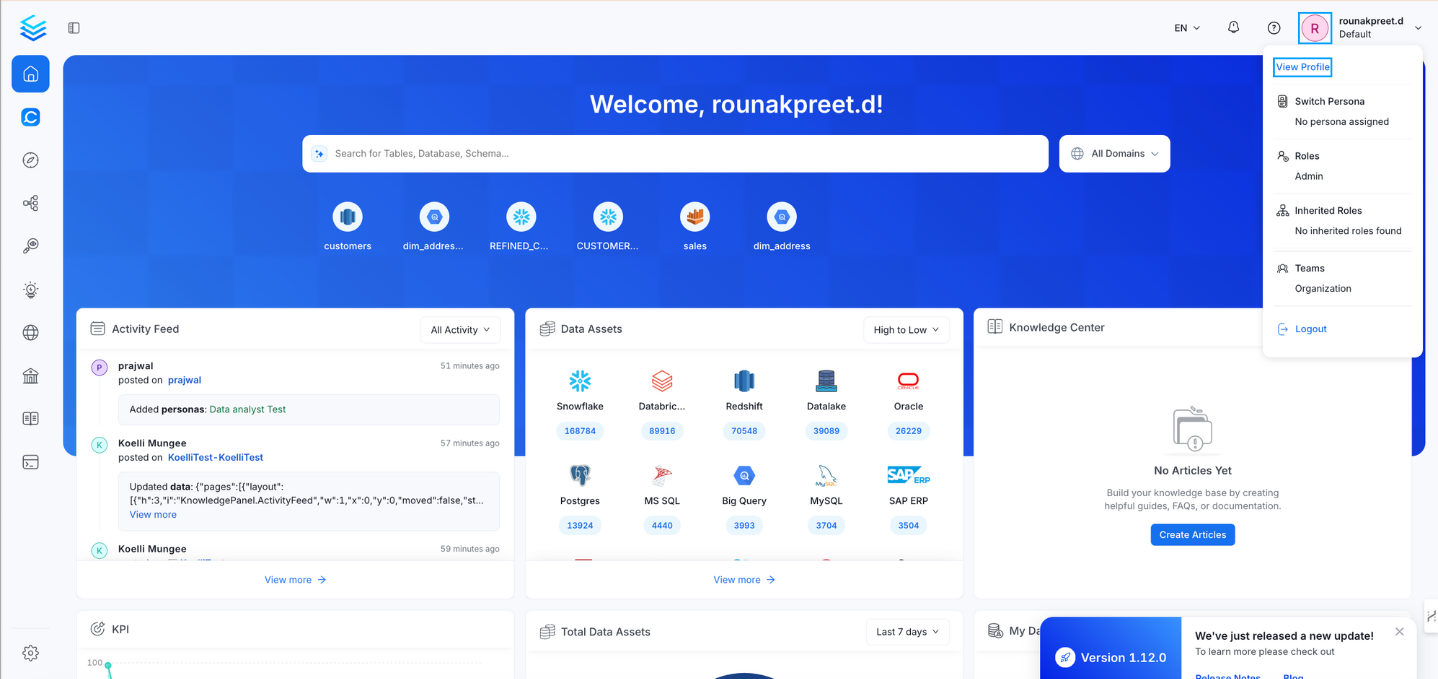
- Click your profile icon in the top-right corner of the UI.
- Select View Profile from the dropdown menu.
- Open the Access Tokens tab
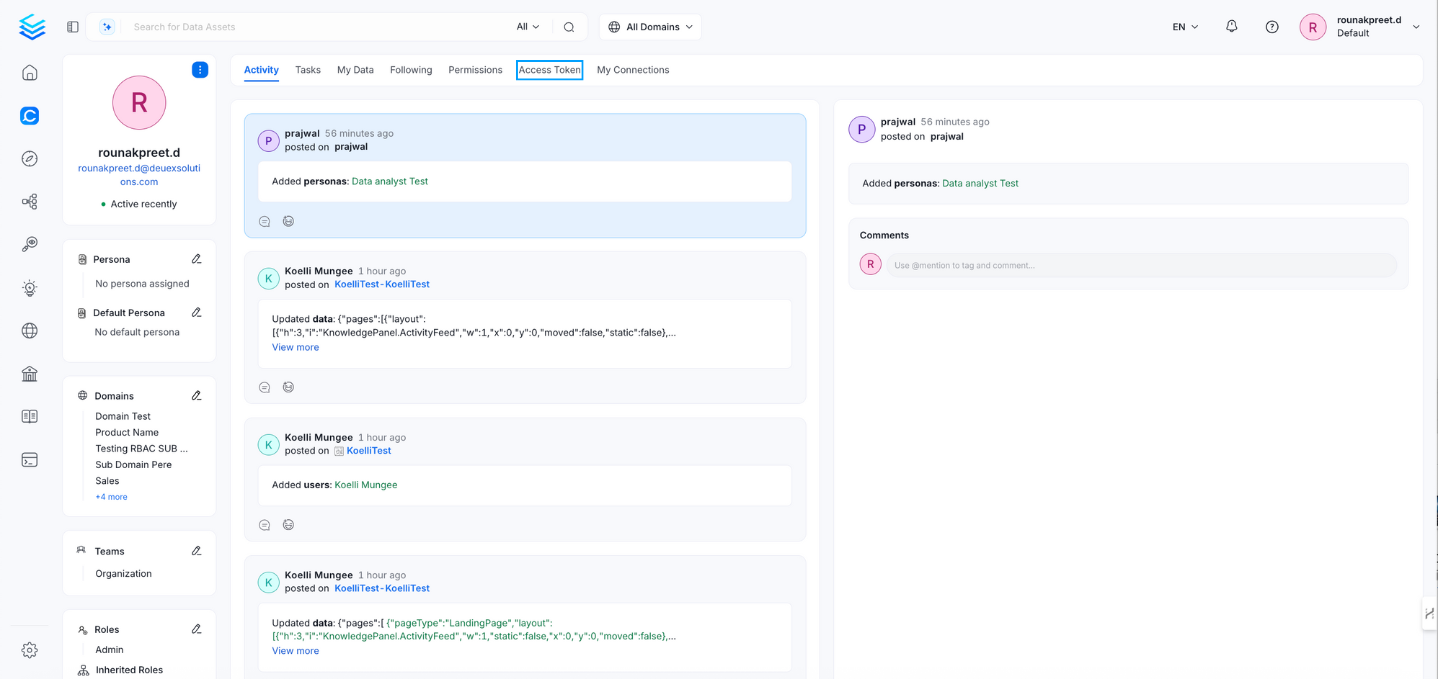
- In your profile page, click the Access Tokens tab.
- Generate a new token
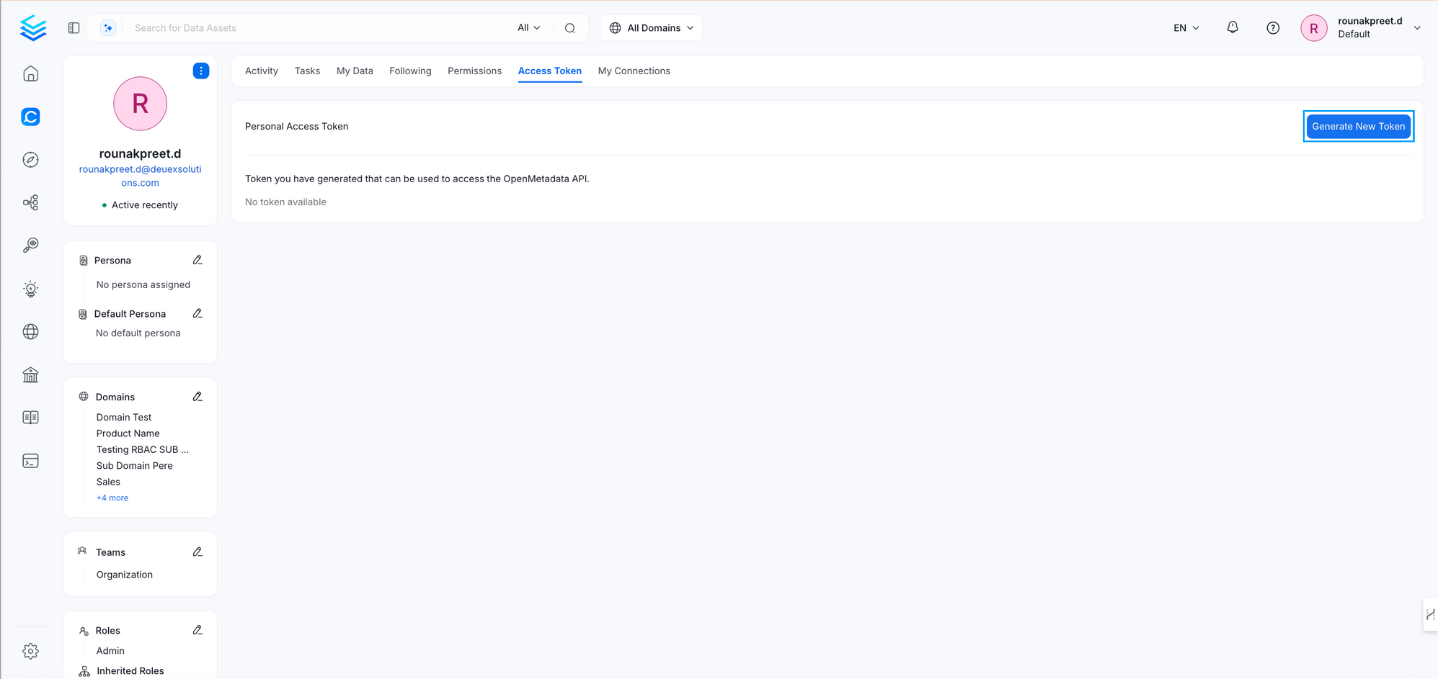
- Click Generate New Token.
- Set token expiration
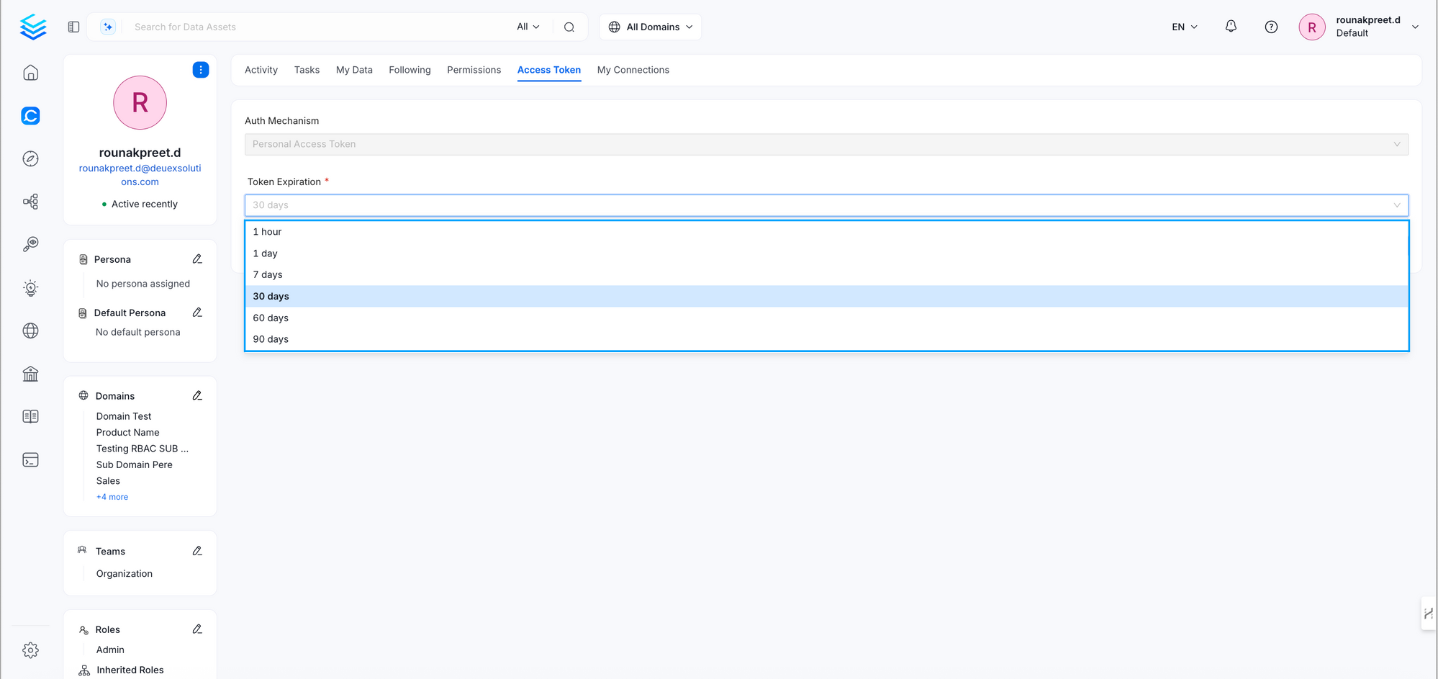
- Choose an expiration period for the token. Available options typically include:
- 1 hour
- 1 day
- 7 days
- 30 days
- 60 days
- Choose an expiration period for the token. Available options typically include:
- Copy your token
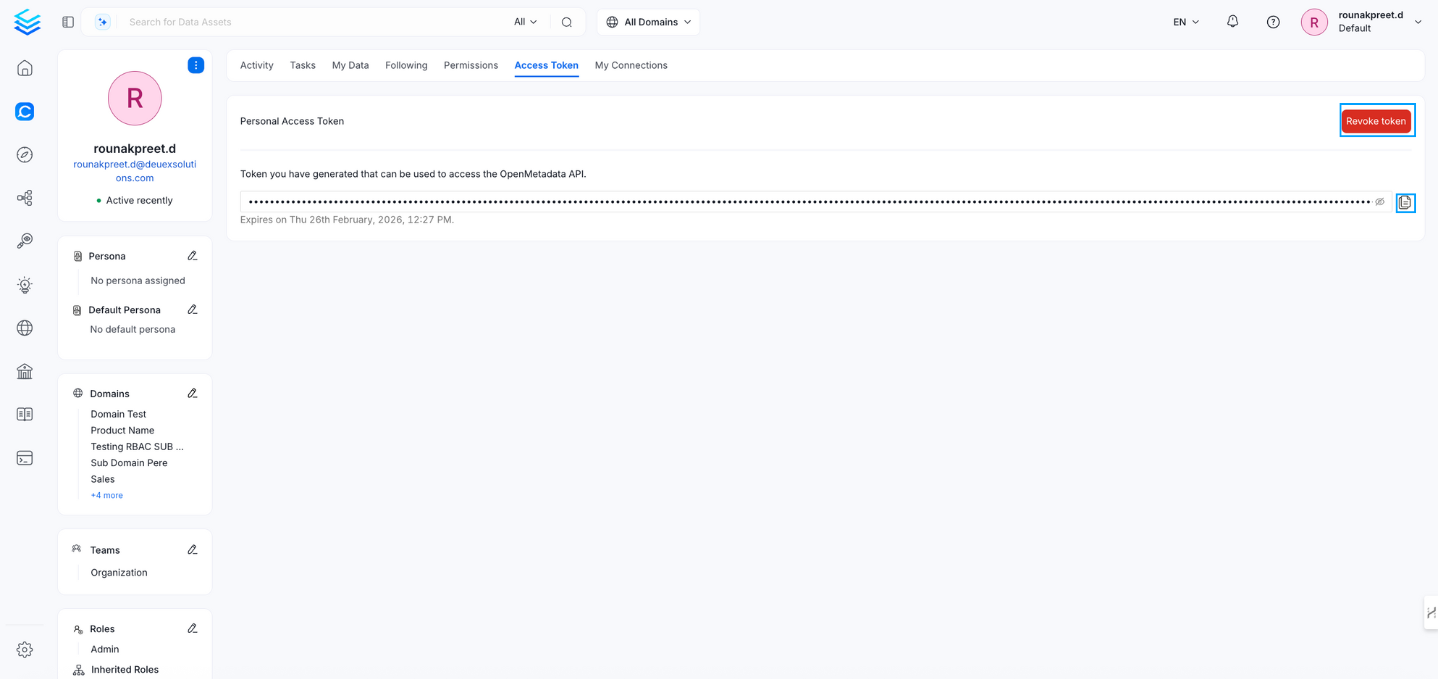
- After generation, the personal access token is displayed.
- You can revoke a token at any time by selecting Revoke Token.
- Copy and securely store the token, as you may not be able to view it again later.
Who Can Generate a Token
Personal access tokens are self-service. You generate your own token in the UI or with thePUT /v1/users/security/token API. OpenMetadata doesn’t let an administrator generate a personal access token for another user. Administrators can list and revoke other users’ personal access tokens.
Bots can’t have personal access tokens. Administrators generate and manage bot tokens instead. If an external user needs API or Model Context Protocol (MCP) access and can’t sign in to generate their own token, create a bot for them.